DECAN_S2_Admin(Eng_Ver4.5).pdf - 第528页
16-5 Diagnosis 16.2. Conveyor [F3] Checks th e status of various de v i ces in the c onveyor group. When this s ubm enu is se lected on, the f ollowing d ialog box is displayed. Please re f er to “4.5 C onveyor ” for mo …

16-4
Advanced Chip Shooter DECAN S2 Administrator’s Guide
<Operation Test> group
Displays the operation list of devices to check.
Place Stopper #1(#2) Up: Checks the up-movement of the stopper #1(#2).
Place Stopper #1(#2) Down: Checks the down-movement of the stopper
#1(#2).
BackUp Table #1(#2) Up: Checks the up-movement of the backup table
#1(#2).
BackUp Table #1(#2) Down: Checks the down-movement of the backup table
#1(#2).
ANC Shutter #1(#2) Close: Check the closing movement of the shutter of
ANC #1(#2).
ANC Shutter #1(#2) Open: Check the opening movement of the shutter of
ANC #1(#2).
Side illuminator up: Moves the side illuminator up.
Side illuminator down: Moves the side illuminator down.
<Automatic> button
Checks devices in the <Operation Test> group in order automatically.
BUT Speed Test
Test the Up/Down speed of the backup table.
BUT Up Delay: Indicates the upward movement speed of the backup table.
BUT Down Delay: Indicates the downward movement speed of the backup
table.
Up/Down Count: Sets the Up/Down movement test count.
<BUT Run>: Tests the Up/Down speed of the backup table.
<Close> button
Closes the dialog box.
16-5
Diagnosis
16.2. Conveyor [F3]
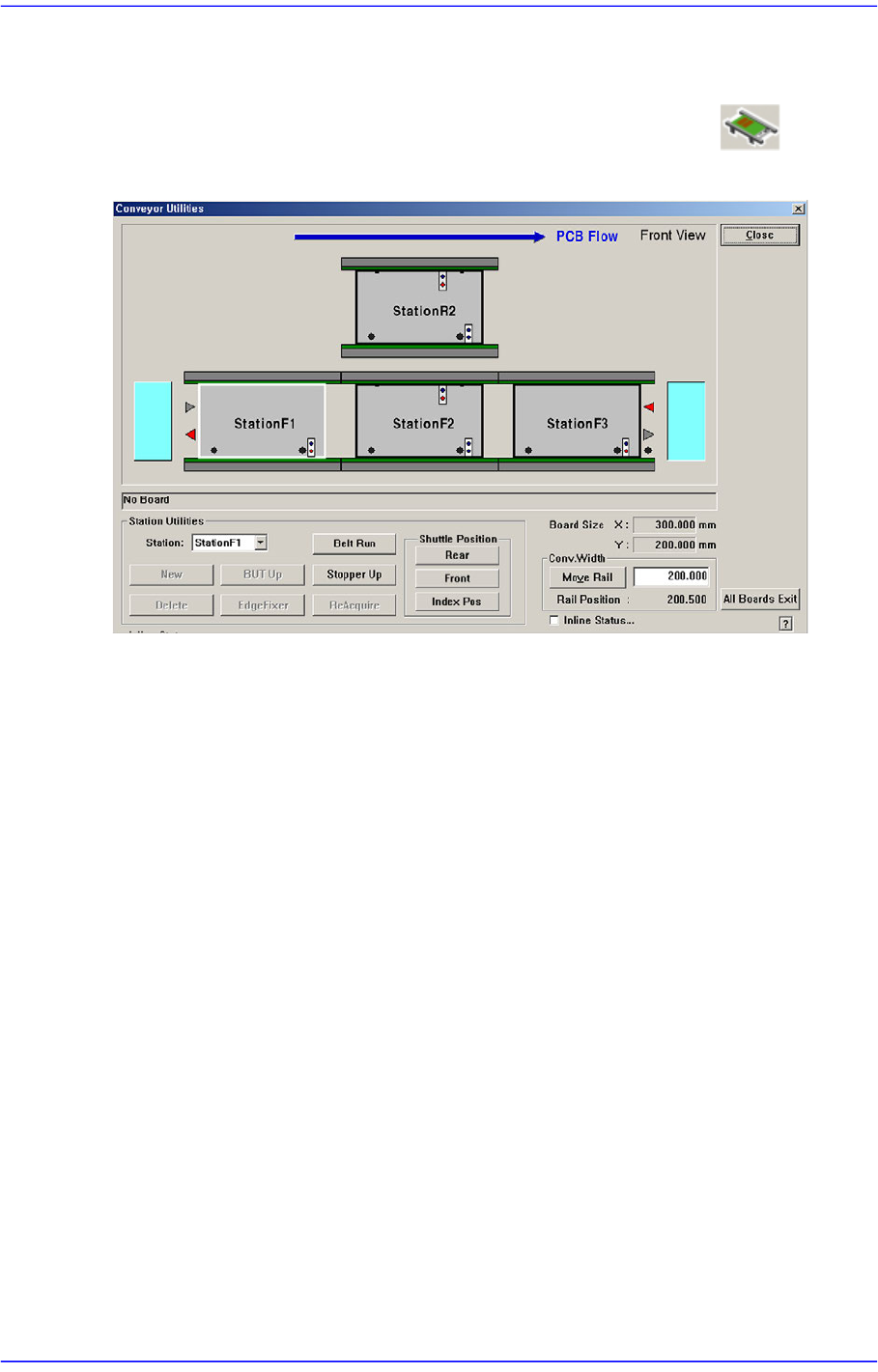
Checks the status of various devices in the conveyor group. When this submenu is selected
on, the following dialog box is displayed. Please refer to“4.5 Conveyor ” for more
information.
16-6
Advanced Chip Shooter DECAN S2 Administrator’s Guide
16.3. Light [F4]
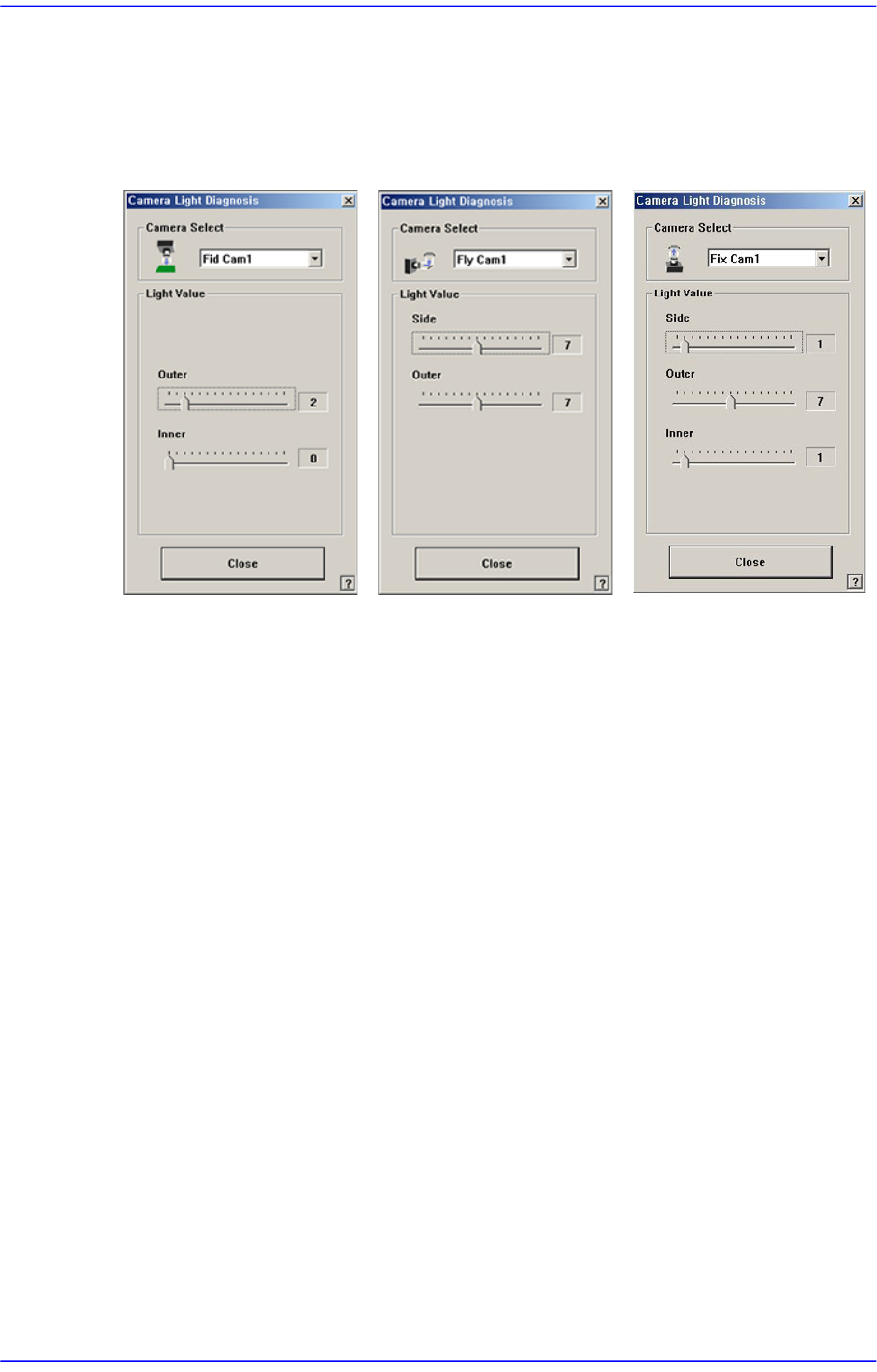
Checks the lighting devices installed on the fiducial camera, fly camera, and fix camera.
Figure16.6 “Camera Light Diagnosis “dialog box
<Camera Select> combo box
Select the camera on which the lighting device to be checked is installed.
Fid Cam2: Select the fiducial camera on the front gantry.
Fid Cam4: Select the fiducial camera on the rear gantry.
Head 1 ~ Head 20: Select #1 ~ #20 heads.
Fix Cam1: Select the fix camera.
<Light Value> group
Set the light value.
When the fiducial camera is selected, the range of light level that can be set is as
follows.
<Outer>: The range of the Outer light level is 0~15.
<Inner>: The range of the Inner light level is 0~15.
When the fly camera is selected, the range of light level that can be set is as follows.
<Side>: The range of the side light level is 0~15.
<Outer>: The range of the Outer light level is 0~15.
<Coaxial>: The range of the Coaxial light level is 0~15.
When the fix camera is selected, the range of light level that can be set is as follows.
<Side>: The range of the side light level is 0~15.