OM-1012-001.pdf - 第102页
5.2 Program Change Tg0869-PM-OM 0305-001 Chapter 1 2-23 (5) Confirm that the magazine door is latched. (Fig. A45) If the magazine door is closed roughly , components might be bumped out of the tray . Close it gently and …
5.2 Program Change
Tg0869-PM-OM
0305-001 Chapter 1 2-22
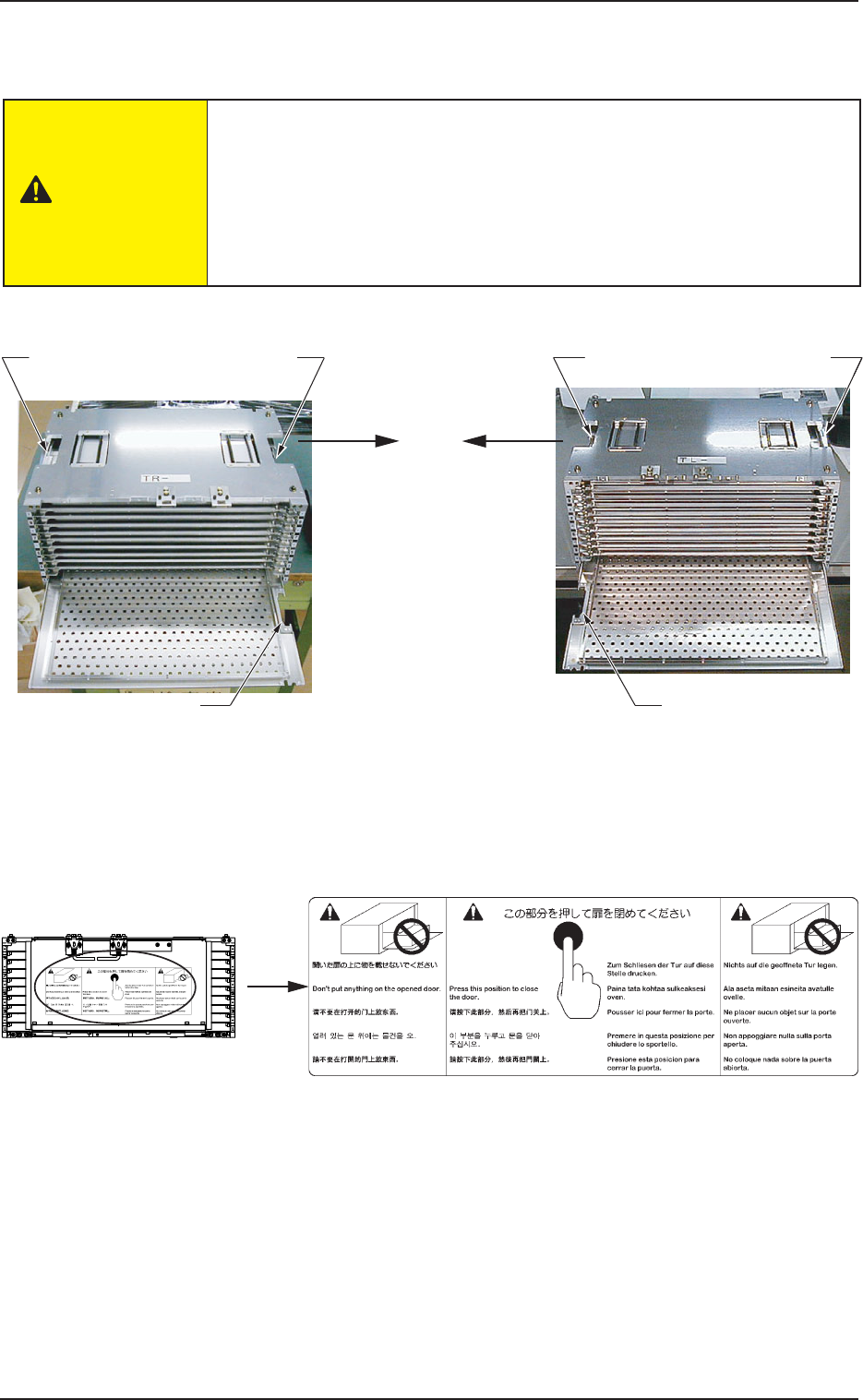
When a pallet is set in the magazine, note the direction of the cutout
and do not set the pallet upside down.
(See Figs. A40 and A41.)
When the [U READY] or the [L READY] button is pressed with the pallet
not oriented correctly, the error is detected. However, when the pallet is
inserted upside down, the error is not detected, causing a failure.
The contents of the error are displayed on the operation monitor.
Fig. A41 MG-5050L (For FP-5022L)Fig. A40 MG-5050R (For FP-5022R)
Coutout of Pallet
Side without
Side Plate
Side without
Side Plate
Cutout of Pallet
Side Plate Side
Side Plate Side
Pallet Drawing
Direction
Pallet Drawing
Direction
(3) Set the pallet equipped with a tray in the magazine.
Put the pallet on the partition plate and push it inside.
(4) Press the black circle point shown in the label in Fig. A43 to close the
magazine door.
Fig. A42
Fig. A43
CAUTION
5.2 Program Change
Tg0869-PM-OM
0305-001 Chapter 1 2-23
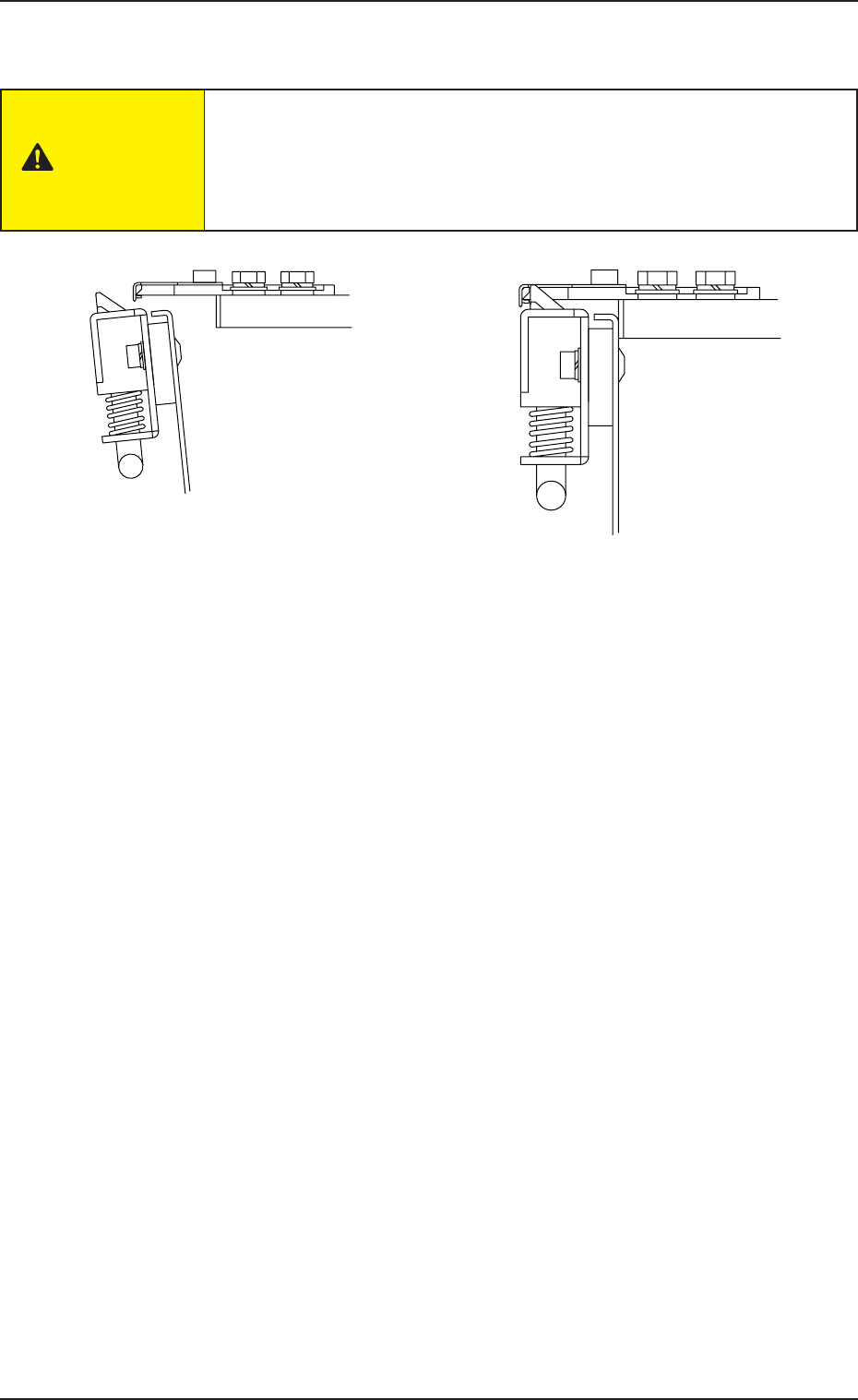
(5) Confirm that the magazine door is latched. (Fig. A45)
If the magazine door is closed roughly, components might be bumped
out of the tray. Close it gently and securely.
If the magazine door is not latched securely, it may open suddenly dur-
ing operation (while the machine is running), causing some damage to
the machine.
5.2.2.3 Pallet Detachment from Magazine
(1) Push both handles of the magazine door fixture down in direction shown
by an arrow A to unlatch the magazine door. (Fig. A37 and Fig. A38,
Arrow A)
(2) Open the magazine door.
(Fig. A39 Arrow B)
(3) Pull out the pallet to be detached.
Fig. A44 Unlatched Magazine Door Fixture Fig. A45 Latched Magazine Door Fixture
CAUTION
5.2 Program Change
Tg0869-PM-OM
Left Side
Right Side
Step No.
Bolt
Partition Plate
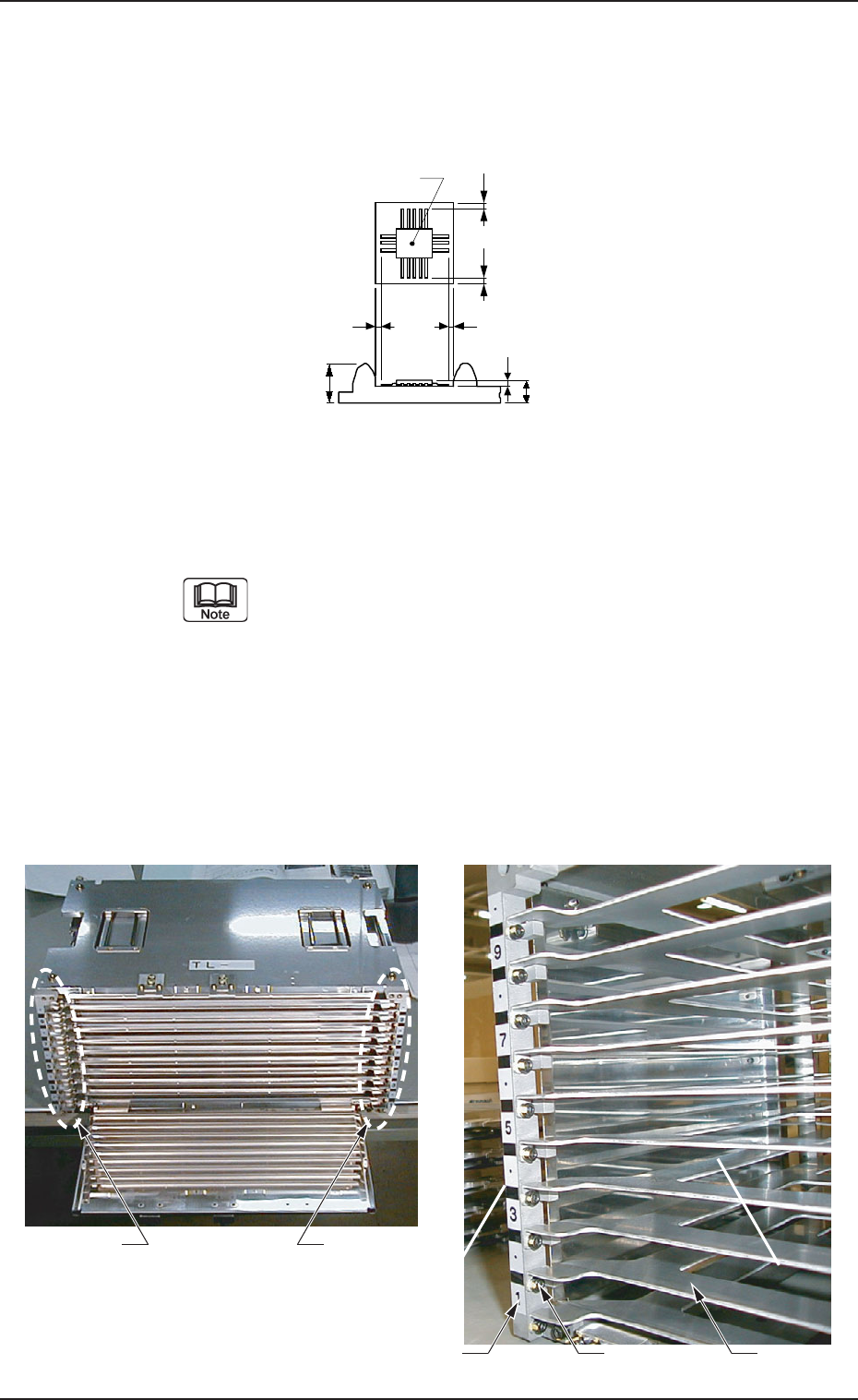
5.2.2.4 Partition Plate Removal Procedure in Even Steps
• When a component of 11.5 mm or more in height is placed on the tray t1or
t2, the partition plate (even steps) should be detached to avoid interference
of the partition plate with the component.
(1) Pull the grip of the magazine door fixture down in the direction of
Arrow A to unlatch the magazine door.
(Figs. A37 and A38 Arrow A)
(2) Open the magazine door. (Fig. A39 Arrow B)
(3) Remove the bolts fixing the partition plate and remove the plate.
(a) When the partition plate is removed, confirm
the step No. and remove the partition plate only at
the even steps. If the partition plate at the odd
stage is removed and the pallet is set there, the
pallet can’t be drawn out from the magazine during
peration.
(b) The partition plate and bolts, which have been
removed will be used when the partition plate is
installed again. Set aside with care. Also, handle
the partition plate carefully because it is easily
deformed.
Fig. A46
Fig. A47 Partition Plate Anchor Bolt Position
SS
S
t
Component
S
t
1
t
2
0305-001 Chapter 1 2-24