OM-1012-001.pdf - 第76页
Fig. A8 T ray Fixing Metal (MF-5050R) 4.2 Rough View Fig. A6 Multi-Layer T ray Feeder (FP-5022R) Fig. A7 Magazine (MG-5050R) Grips of Magazine Magazine Door Fixture Grip 0305-001 Chapter 1 1-9 Tg0869-PM-OM Magazine Door …
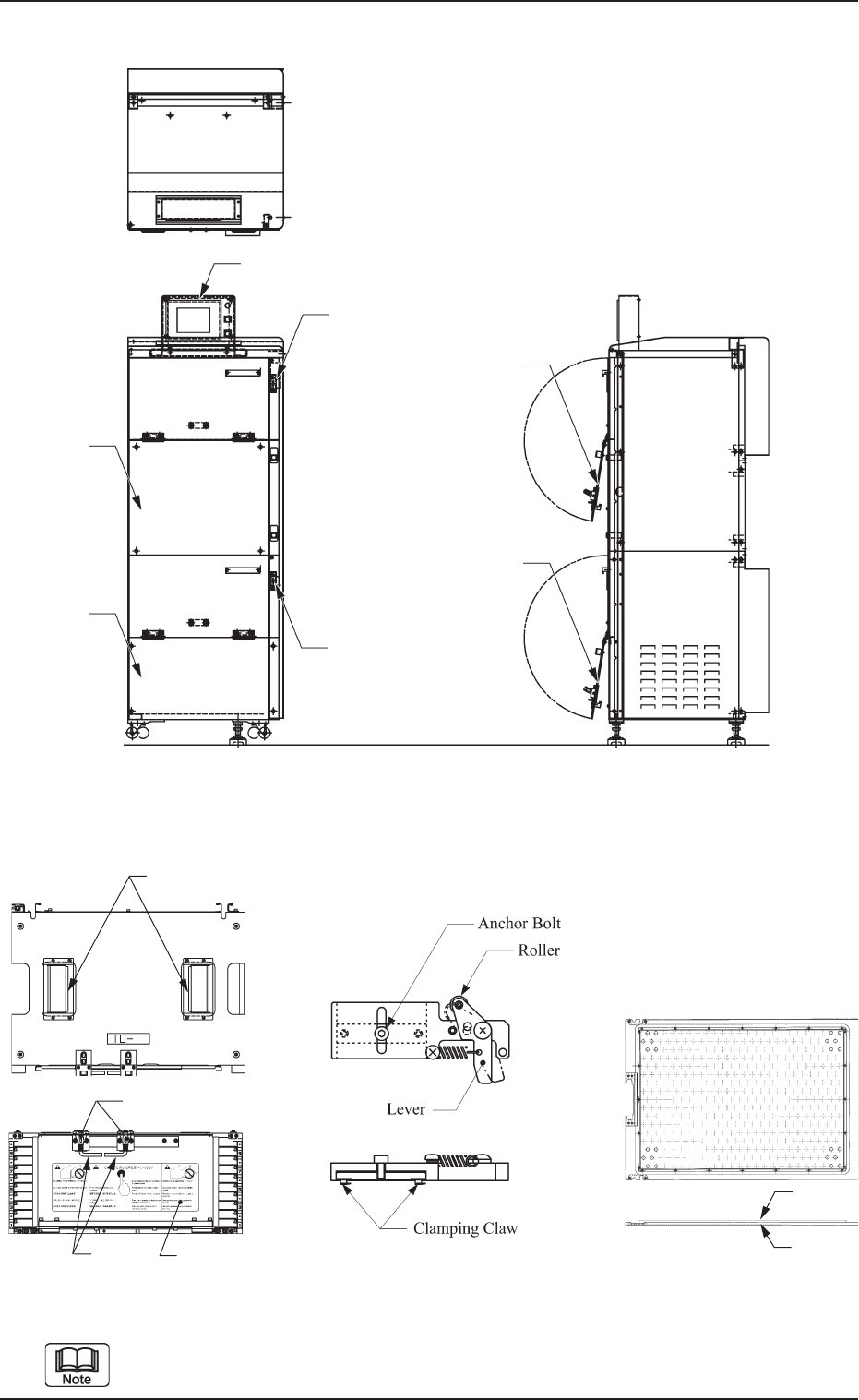
Pallet (MP-5050) can be used for two types of magazines (MG-5050L and
MG-5050R) by changing the right and left direction.
4.2 Rough View
4.2 Rough View
Fig. A2 Multi-Layer Tray Feeder (FP-5022L)
Fig. A3 Magazine
(MG-5050L)
Fig. A4 Tray Fixing Metal
(MF-5050L)
Fig. A5 Pallet
(MP-5050)
Operation Monitor
(Touch Screen)
[UPPER DOOR
ELECTROMAGNETIC
LOCK] Switch
Upper
Door
Lower
Door
Center Cover
Lower Cover
[LOWER DOOR
ELECTROMAGNETIC
LOCK] Switch
Front
Back
Grips of Magazine
Magazine Door Fixture
Grip
0305-001 Chapter 1 1-8 Tg0869-PM-OM
Magazine Door
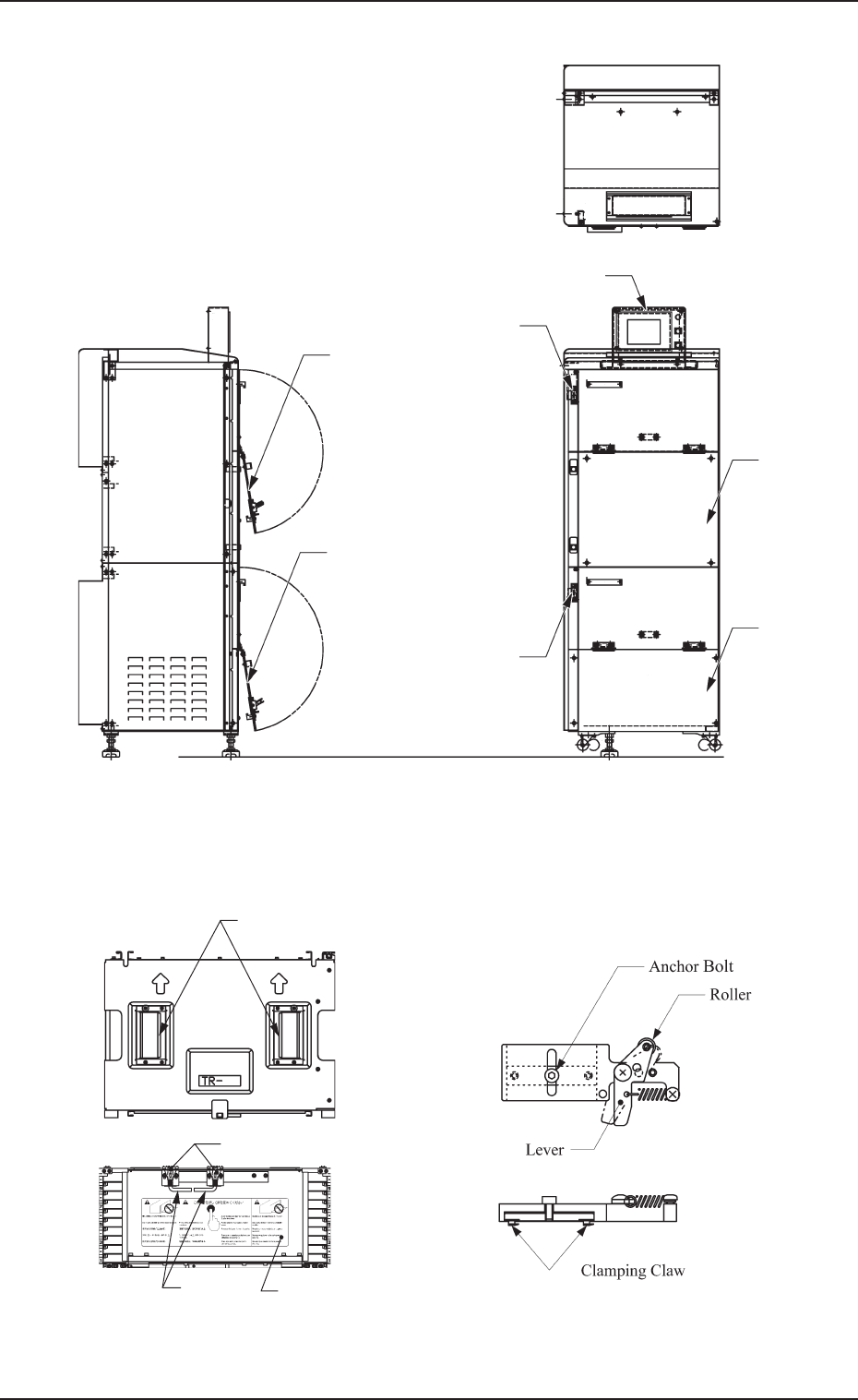
Fig. A8 Tray Fixing Metal (MF-5050R)
4.2 Rough View
Fig. A6 Multi-Layer Tray Feeder (FP-5022R)
Fig. A7 Magazine (MG-5050R)
Grips of Magazine
Magazine Door Fixture
Grip
0305-001 Chapter 1 1-9 Tg0869-PM-OM
Magazine Door
Operation Monitor (Touch Screen)
[UPPER DOOR
ELECTROMAG-
NETIC LOCK]
Switch
Center Cover
Lower Cover
Upper
Door
Lower Door
[LOWER DOOR
ELECTROMAGNETIC
LOCK] Switch
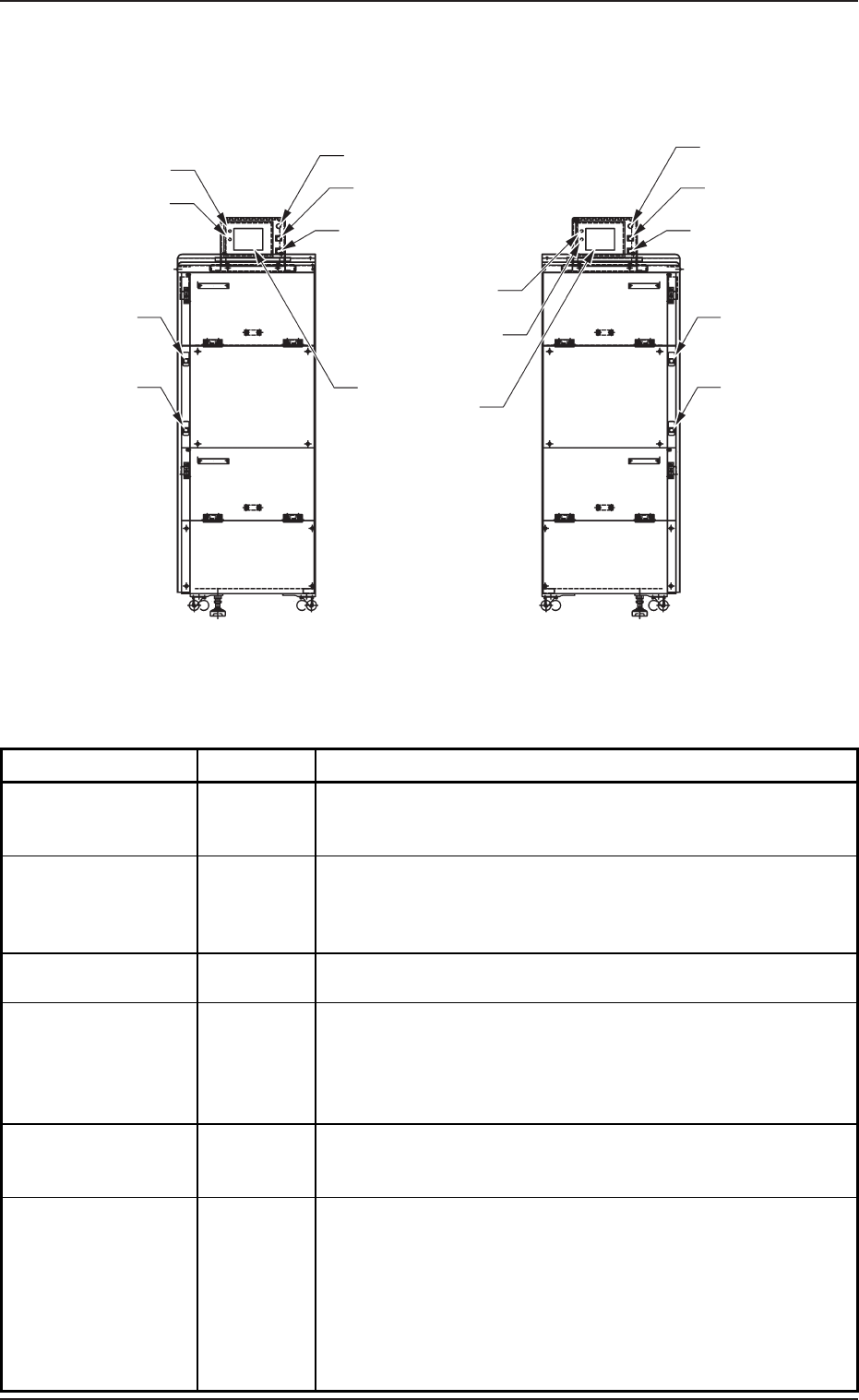
Power Supply for Elevator
-HD502
[MOVE] Button
-SPB501 (-HD501)
[STOP] Button
-SPB502
POWER (LED)
RUN (LED)
5. Operation Panel (Names and Functions)
Table A1
Fig. A9
5. Operation Panel (Names and Functions)
[U READY] Button
-SPB503 (-HD503)
[L READY] Button
-SPB504 (-HD504)
POWER (LED)
RUN (LED)
Operation Monitor
(Touch Screen)
Power Supply for Elevator
-HD502
[MOVE] Button
-SPB501 (-HD501)
[U READY] Button
-SPB503 (-HD503)
[L READY] Button
-SPB504 (-HD504)
Name Symbols Function
Operation Monitor
(Touch Screen)
•
This touch screen displays various information about the
multi-layer tray feeders and the commands related to the
multi-layer tray feeder operation.
POWER
(LED)
•
This indicates whether or not power is supplied to the touch
screen.
•
When the LED is "ON", it indicates that power is supplied to
the touch screen.
RUN (LED)
•
When the LED is "ON", it indicates that the touch screen is
operational.
MOVE -SPB501
(-HD501)
•
This button switch is used to execute the manual control
functions labeled on the touch screen of the multi-layer tray
feeder.
•
When the LED is "ON", it indicates that the selected function
is being executed.
STOP -SPB502
•
This button switch is used to interrupt the execution of the
selected manual control function labeled on the touch screen
of the multi-layer tray feeder.
U READY -SPB503
(-HD503)
•
This button switch is used to tell the main machine that the
upper magazine is set ready for replacement.
•
When the LED is "ON", it indicates that the upper magazine
is already set ready for replacement.
•
When the LED flickers, it indicates that the upper magazine is
being shifted to the replacement mode.
•
When the LED is "OFF", it indicates that the upper magazine
is set ready for replacement.
FP-5022LFP-5022R
[STOP] Button
-SPB502
0305-001 Chapter 1 1-10 Tg0869-PM-OM