OM-1012-001.pdf - 第88页
Fig. A18 Fig. A17 5.1.2 Component Data 5.1.2.1 Component Data Refer to “2.5.3 T ray Feeders (Option) of Section 2 in V olume 2” and “4.5.2 Editing of T ray Component Data (Option) of Section 2 in V olume 2” in the main m…
5. Preparation and Confirmation before Operation
5.1 Preparation (Outline) for Pattern Program
5.1.1 Component Library Data
Editing Procedure of Component Library Data for FP-5022L
(The same procedure applies to the component library data for
FP-5022R.)
Refer to “COMPONENT LIBRARY” in main machine instruction manual for
details.
Data can be edited on the main machine side.
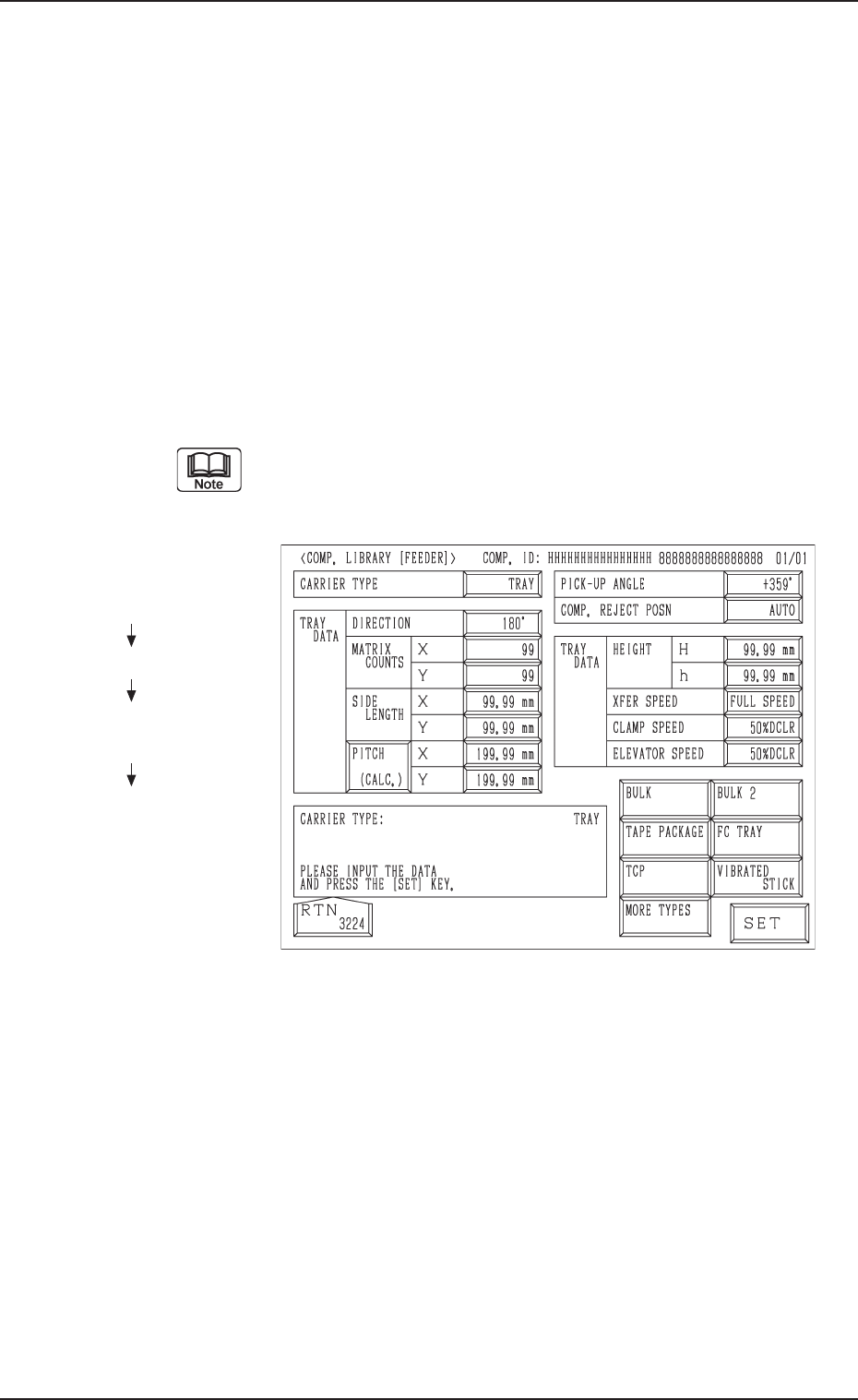
(1) When the [TRAY] key is pressed at the “COMP. LIBRARY [FEEDER]”
display, the following display appears on the screen.
(2) Enter the component library data.
The component library data cannot be edited with the main ma-
chine in the “RUN” or “WAIT” mode when the multi-layer tray
feeder is included in the production model.
Fig. A16
Hierarchical Sequence
(Display)
“MAIN MENU”
“DATA EDIT”
“COMPONENT LIBRARY
EDIT”
“COMP. LIBRARY
[FEEDER]”
5. Preparation and Confirmation before Operation
0305-001 Chapter 1 2-8 Tg0869-PM-OM
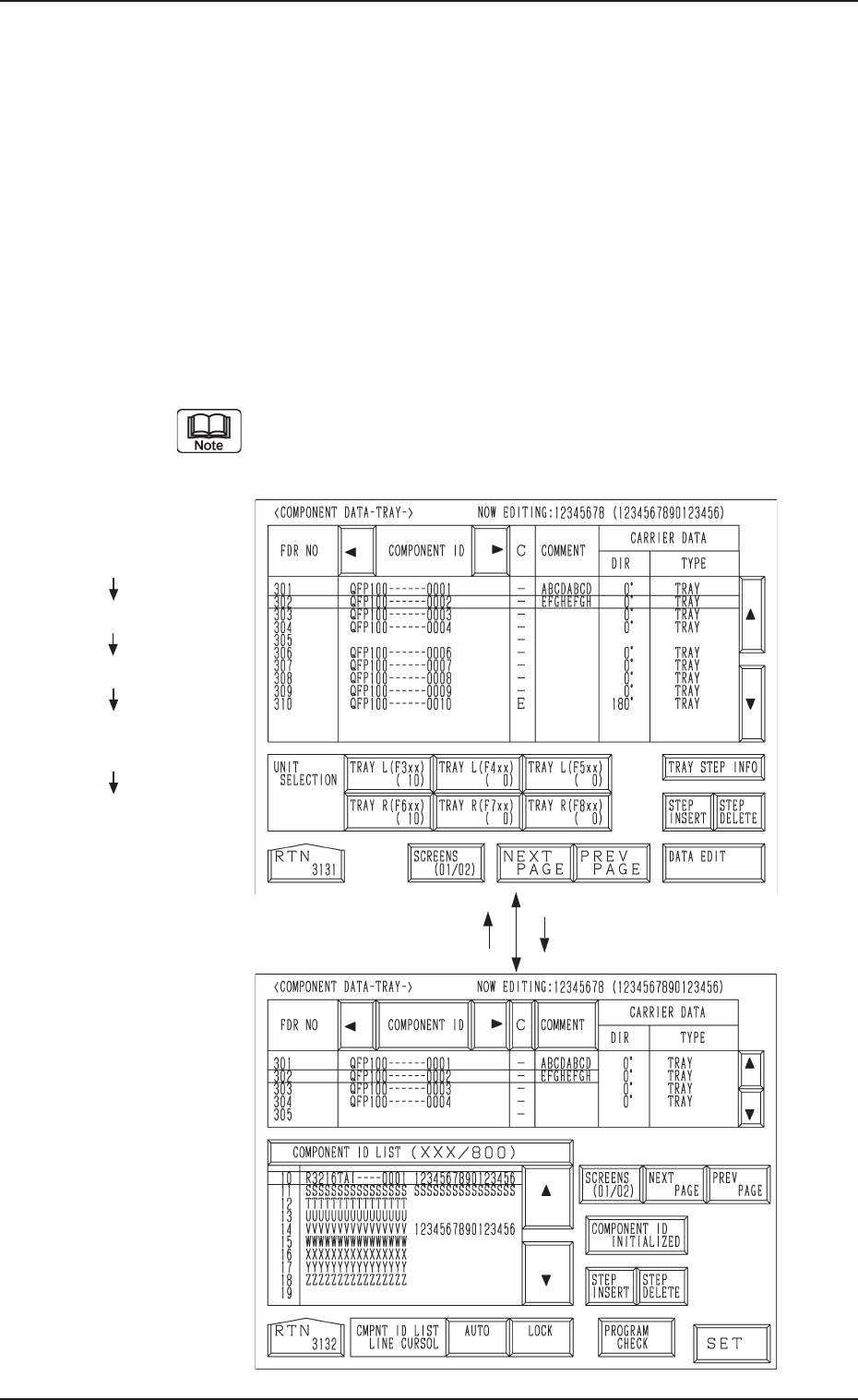
Fig. A18
Fig. A17
5.1.2 Component Data
5.1.2.1 Component Data
Refer to “2.5.3 Tray Feeders (Option) of Section 2 in Volume 2” and “4.5.2
Editing of Tray Component Data (Option) of Section 2 in Volume 2” in the
main machine instruction manual for details.
Data can be edited on the main machine side.
(1) Press the [TRAY L (F301-F599)] or the [TRAY R (F601-F899)] key at
the “PATTERN PROGRAM EDIT” display. The display (Fig. A17) ap-
pears on the screen.
(2) Press the [DATA EDIT] key.
The display (Fig. A18) appears on the screen.
(3) Component IDs are allocated to feeder Nos. (FDR No.).
The component data can be edited only with the main machine in
the “STOP” or “PAUSE” mode when the multi-layer tray feeder
is included in the production model.
Hierarchical Sequence
(Display)
“MAIN MENU”
“DATA EDIT”
“PATTERN PROGRAM”
“PATTERN PROGRAM
EDIT”
“COMPONENT DATA
-TRAY-”
5.1 Preparation (Outline) for Pattern Program
[DATA EDIT] Key[RTN] Key
0305-001 Chapter 1 2-9 Tg0869-PM-OM
5.1.2.2 Tray Steps Information
Refer to “2.5.4 Tray Step Information (Option) of Section 2 in Volume 2” and
“4.5.3 Editing of Tray Steps Information Data (Option) of Section 2 in Vol-
ume 2” in the main machine instruction manual for details.
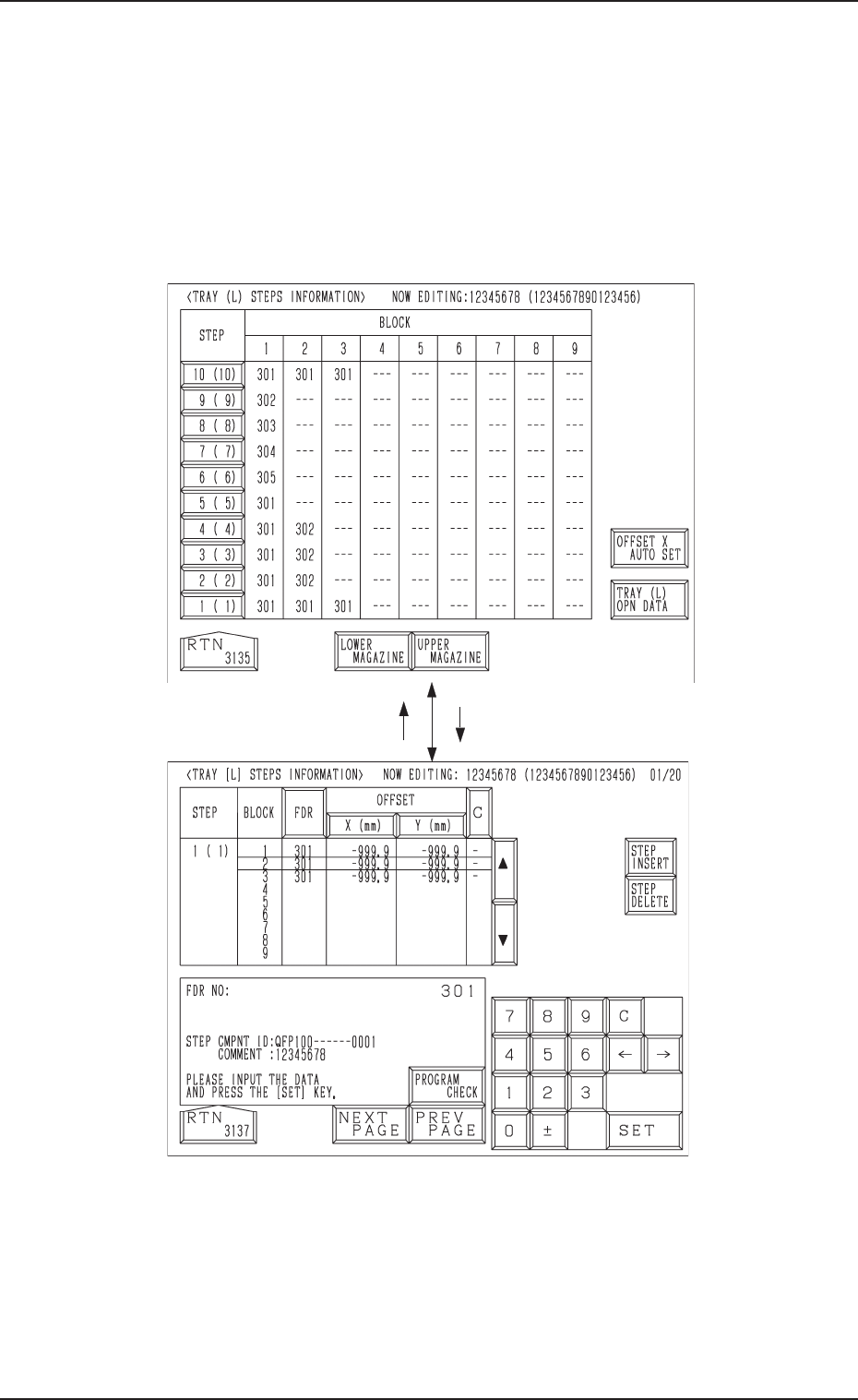
(1) When the [TRAY STEP INFO] key is pressed at the display (Fig. A17),
the display (Fig. A19) appears on the screen.
(2) Specify what type of components (FDR NO) you should set in which
block of which step with the tray unit.
Fig. A20
Fig. A19
5.1 Preparation (Outline) for Pattern Program
[1 ( 1)] Key[RTN] Key
0305-001 Chapter 1 2-10 Tg0869-PM-OM