OM-1012-001.pdf - 第60页
Tg0869-PM-OM 7.3 Affixing Positions for W arning Labels on Magazine The figure shows Magazine L (MG-5050L). Magazine R (MG-5050R) has the same structure. 0305-001 59 Description: Press the black circle to close the door …
Tg0869-PM-OM580305-001
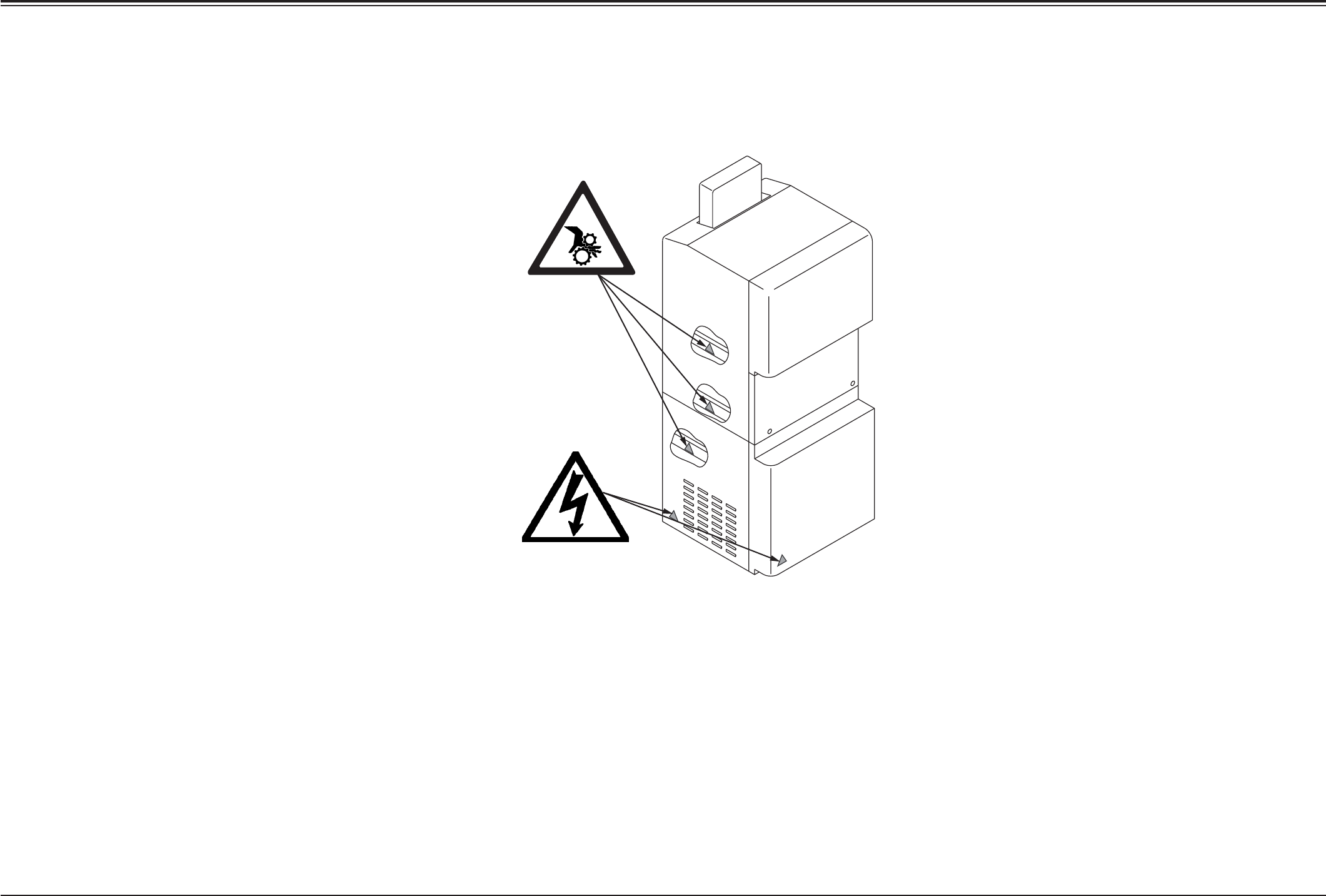
7.2 Affixing Positions for Warning Labels on the Multi-Layer Tray Feeder
Description: Do Not Touch Any Internal Sections
of the Machine.
Results: Electric Shock, Fire, Smoke
Prevention Measure: Turn off the power.
Description: Keep Hands Clear
While Machine is Cycling
Results: Injury or Collision of machine.
Prevention Measure:
Keep your hands, and anything else,
away from the moving range of the
operating machine.
Tg0869-PM-OM
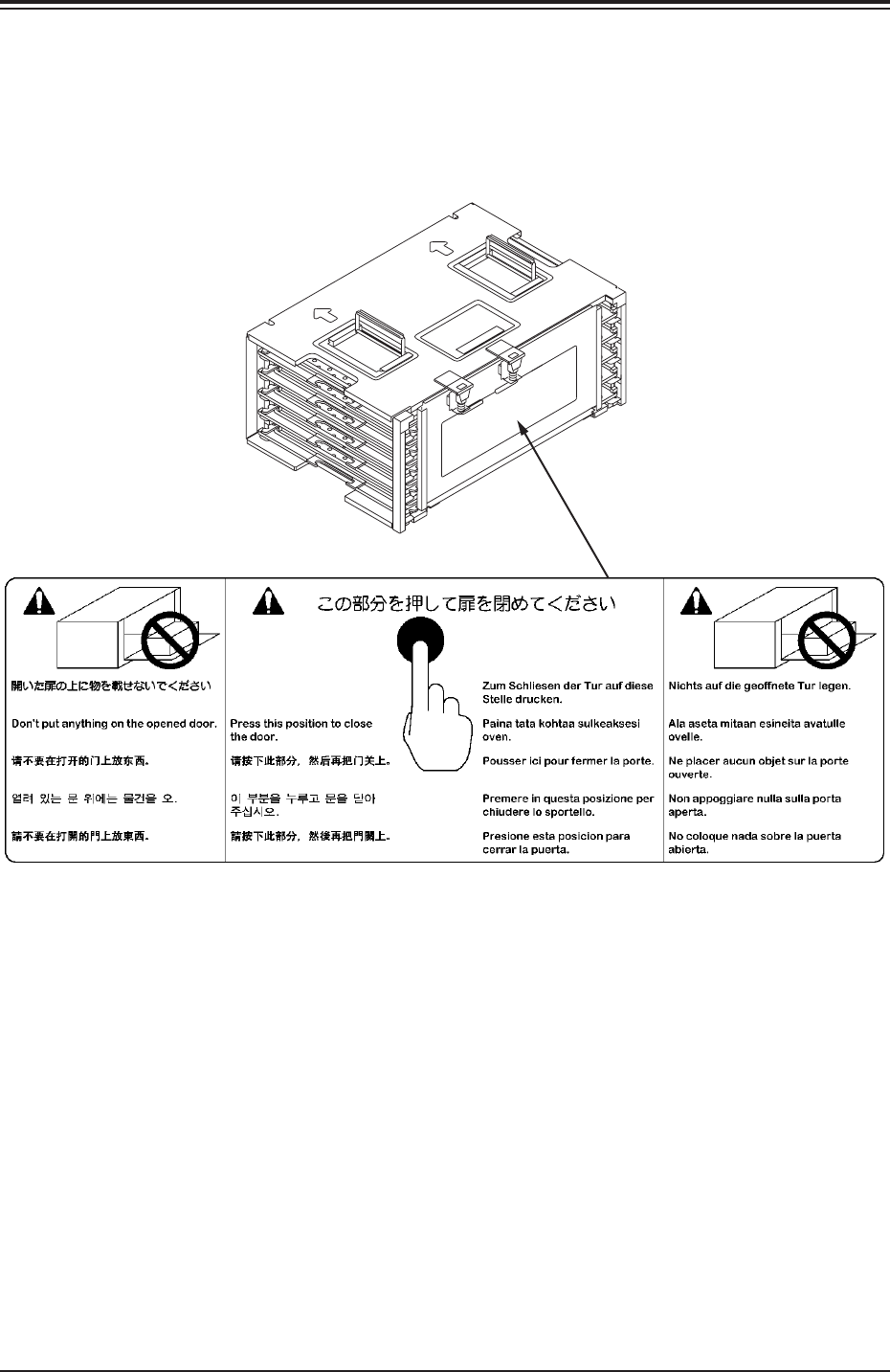
7.3 Affixing Positions for Warning Labels on Magazine
The figure shows Magazine L (MG-5050L).
Magazine R (MG-5050R) has the same structure.
0305-001 59
Description: Press the black circle to close the door.
Result: Distortion of Door
Prevention Measure: Do not press other than with the black circle.
7.3 Affixing Positions for Warning Labels on Magazine
Tg0869-PM-OM0305-001 60
8. Safety Switches
When an error is detected in the machine, the safety features are
designed to stop the dangerous moving mechanisms of the
machine. Everything is processed on the machine side (hardware)
without using any software application on the computer side.
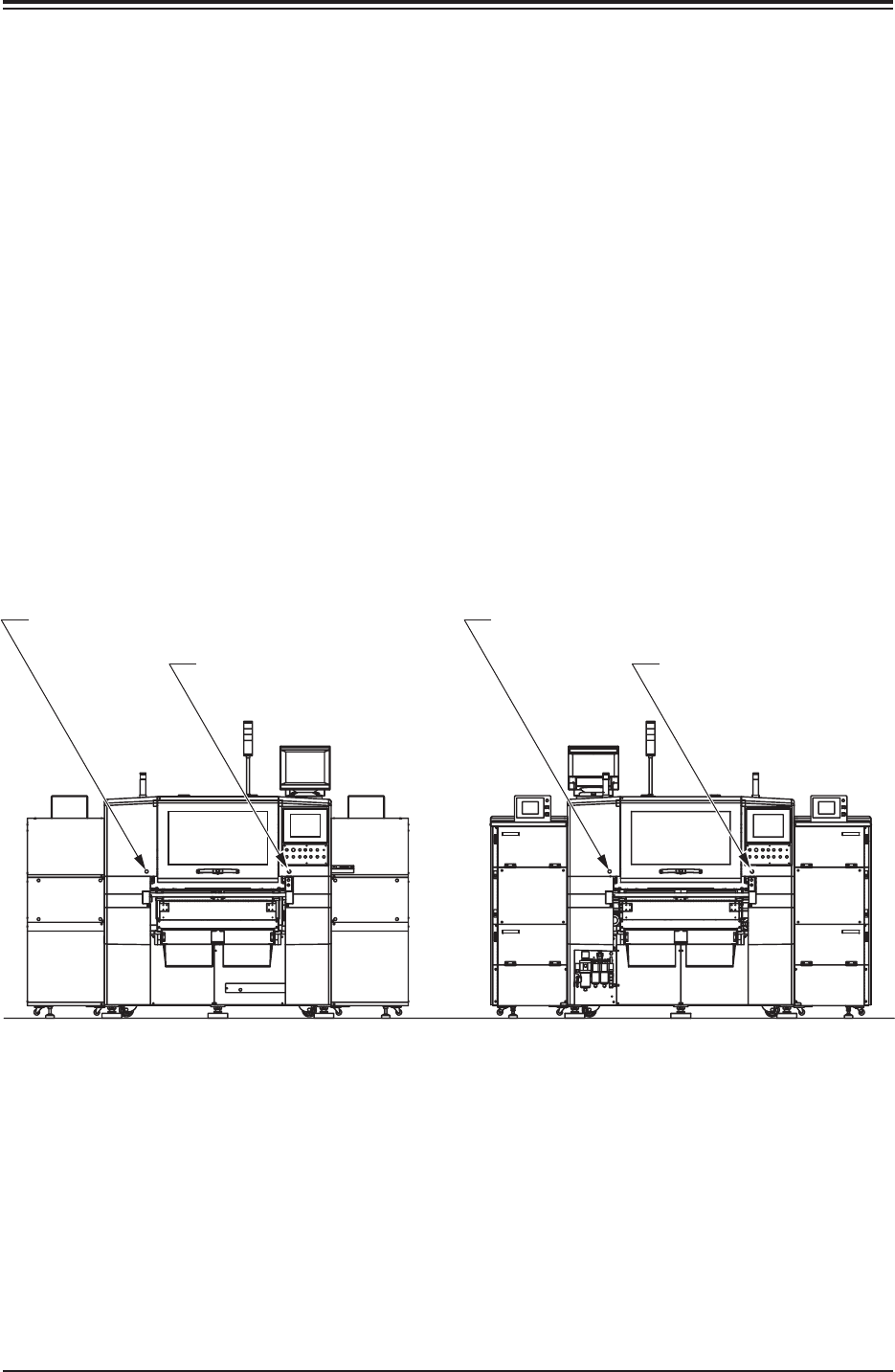
8.1 [EMERGENCY STOP] Buttons
The multi-layer tray feeders are not provided with any emergency
stop button.
The emergency stop buttons of the main machine are commonly
used for these feeders. Press any one of the [EMERGENCY STOP]
buttons of the main machine to stop the machine immediately in an
emergency.
The power is turned off and the machine stops immediately.
(Front View) (Side B) (Rear View) (Side A)
[EMERGENCY STOP]
Button (2) SPB52
[EMERGENCY STOP] Button (4) SPB54[EMERGENCY STOP] Button (1) SPB51
[EMERGENCY STOP]
Button (3) SPB53
8. Safety Switches