OM-1012-001.pdf - 第138页
Tg0869-PM-OM 0305-001 Chapter 1 3-9 (2) Press the block No. key desired to check the component information. The component information related to the selected No. is displayed as shown below . Fig. A91 ST AGE NO. : This s…
Tg0869-PM-OM
0305-001 Chapter 1 3-8
3. Component Information
• This display enables the checking of component information on each stage
or block.
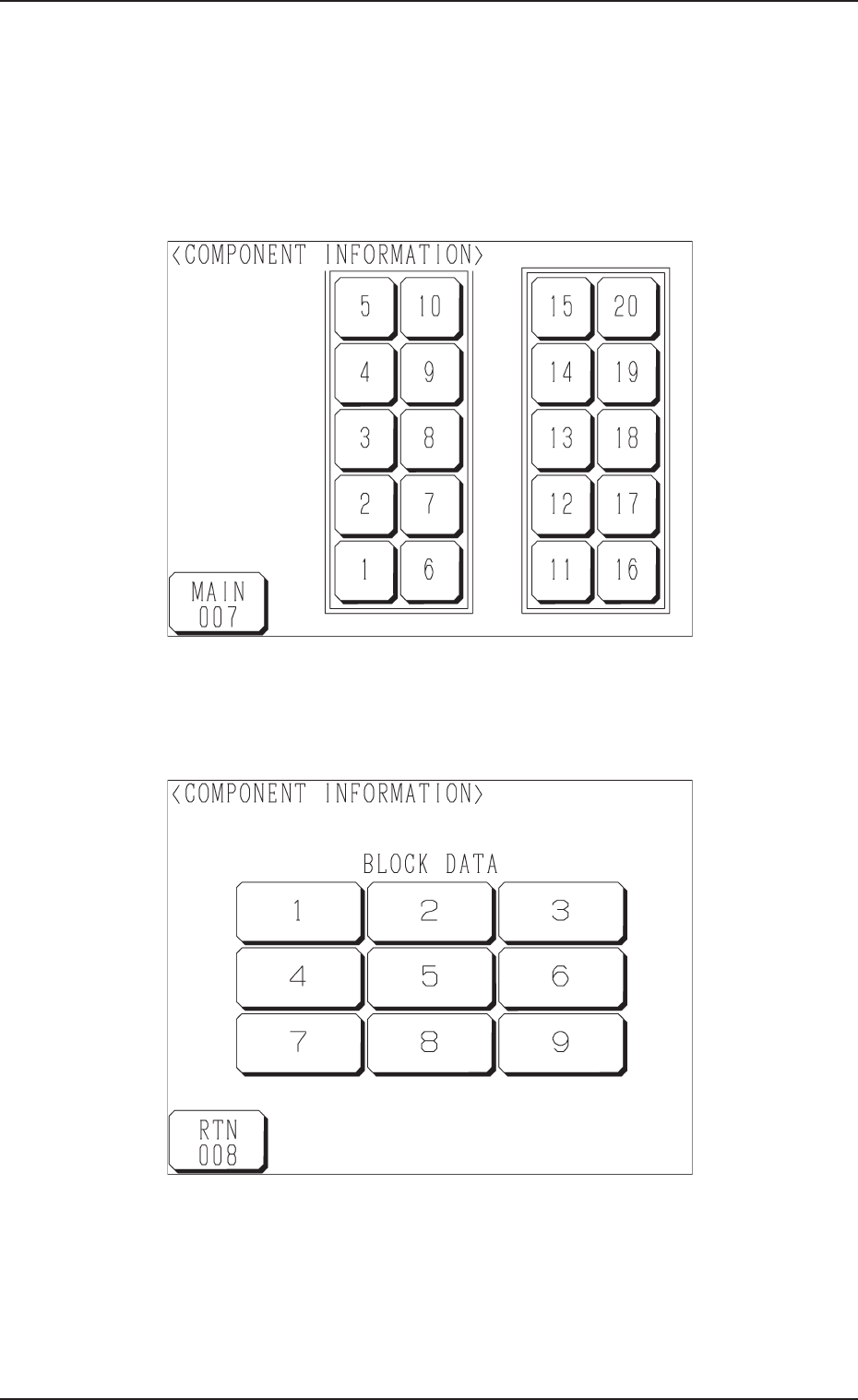
When the [COMPONENT INFORMATION] key is pressed at the “LINE
MODE” display (Fig. A85), the following display appears on the screen.
Fig. A90
Fig. A89
(1) Press the stage No. key desired to check the component information.
The following display appears on the screen.
3. Component Information
Tg0869-PM-OM
0305-001 Chapter 1 3-9
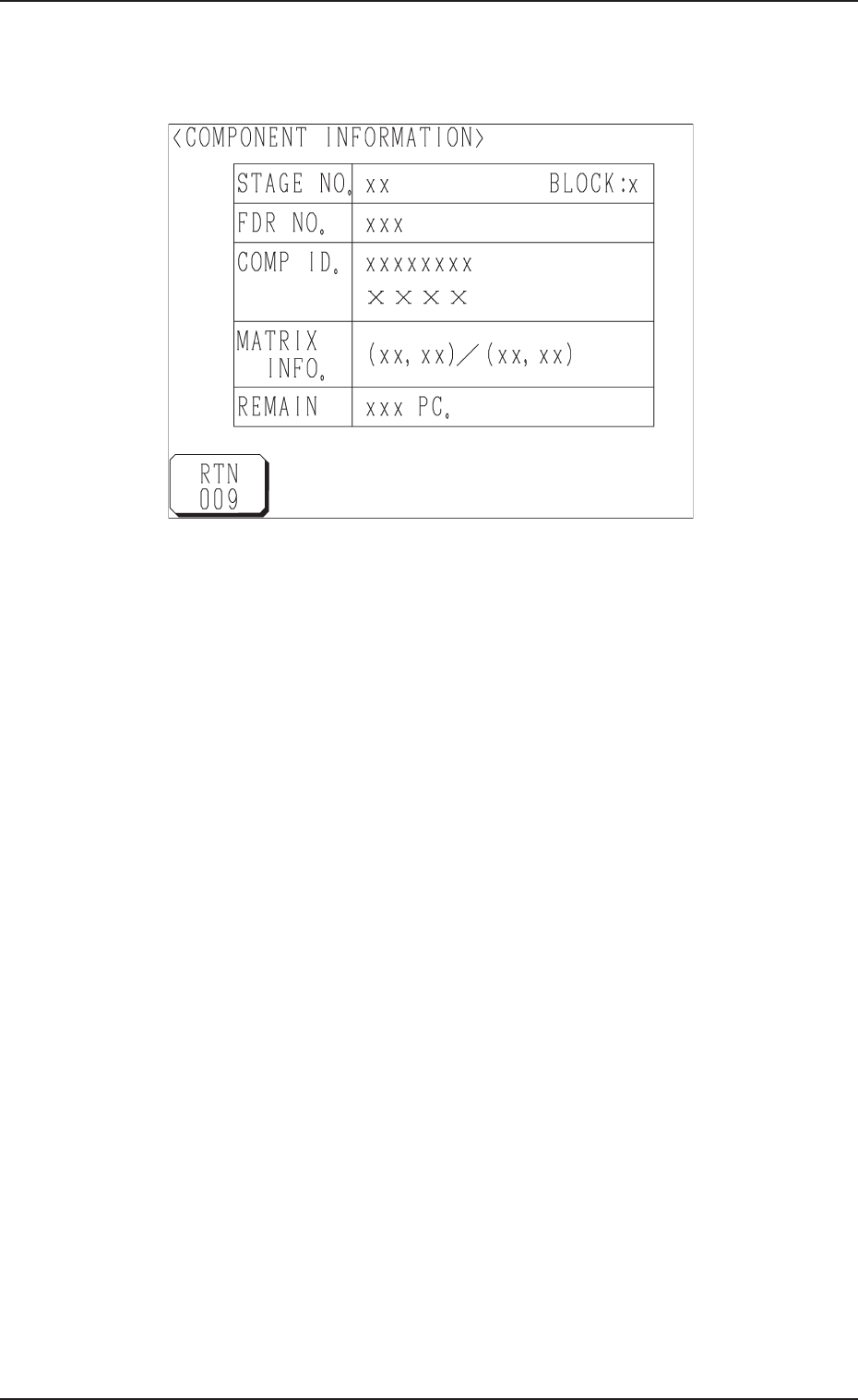
(2) Press the block No. key desired to check the component information.
The component information related to the selected No. is displayed as
shown below.
Fig. A91
STAGE NO. : This shows the selected stage No.
BLOCK : This shows the selected block No.
FDR NO. : This shows a feeder No. (type of components).
COMP ID. : This shows a component ID.
MATRIX INFO. : This shows “Location (Coordinates) of Subsequently
Picked Component/Matrix Size”.
REMAIN : This shows the quantity of remaining components
related to the currently indicated stage and block Nos.
3. Component Information
Tg0869-PM-OM
0305-001 Chapter 1 3-10
4. Matrix Change Operations
• The location (matrix) of the component to be picked up subsequently can be
changed.
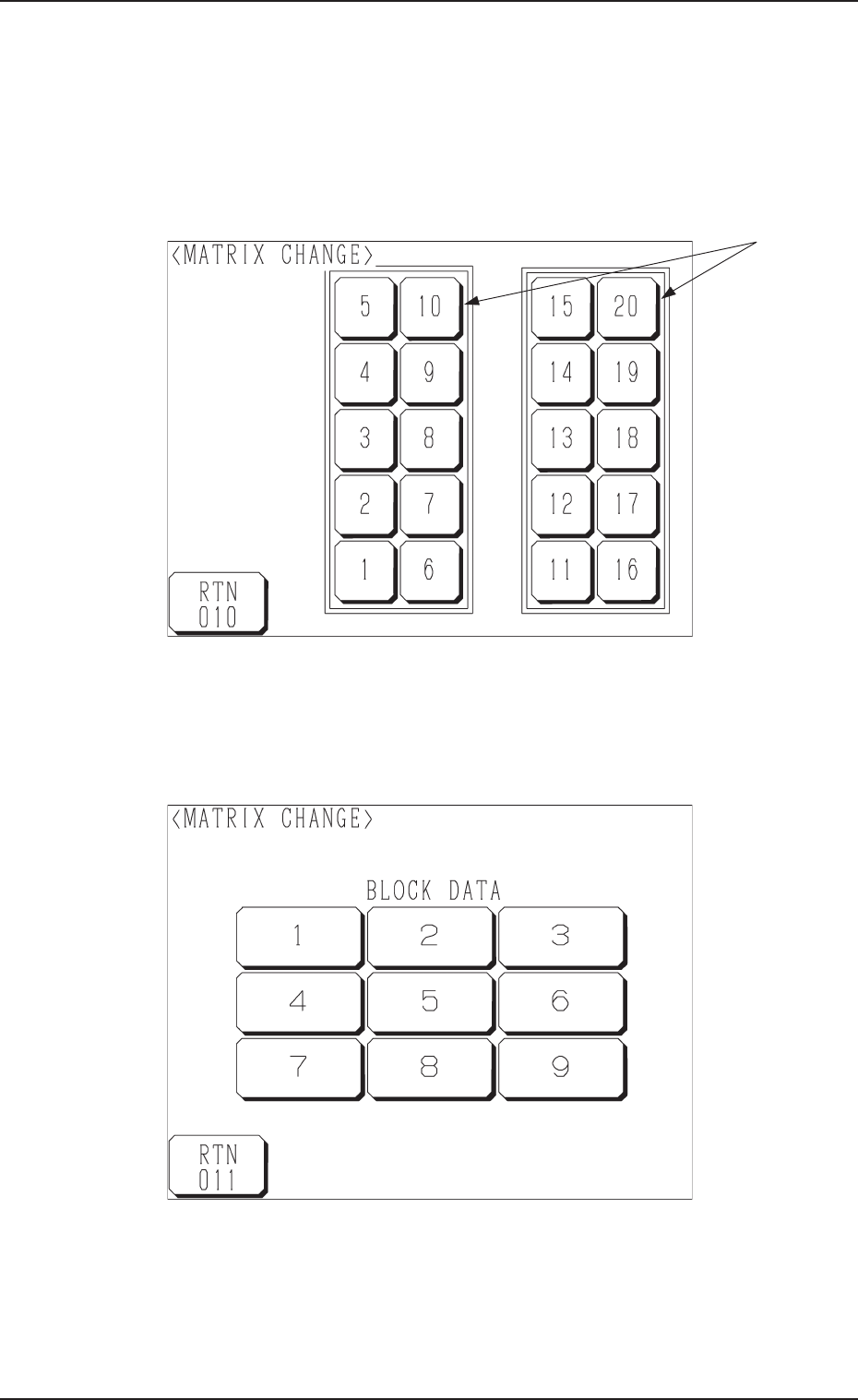
When the [MATRIX CHANGE] key is pressed at the “LINE MODE” display
(Fig. A85), the following display appears on the screen.
Fig. A93
Fig. A92
(1) Select the stage on which the matrix of the component to be picked up
subsequently must be changed.
Press the stage No. keys *1. The following display appears on the screen.
*1
4. Matrix Change Operations