OM-1012-001.pdf - 第90页
5.1.2.3 T ray (L) Operation Data Refer to “2.5.5 TRA Y (L) OPERA TION DA T A Display (Option) of Section 2 in V olume 2” and “4.5.4 Editing of T ray (L) or (R) Operation Data (Option) of Section 2 in V olume 2” in the ma…
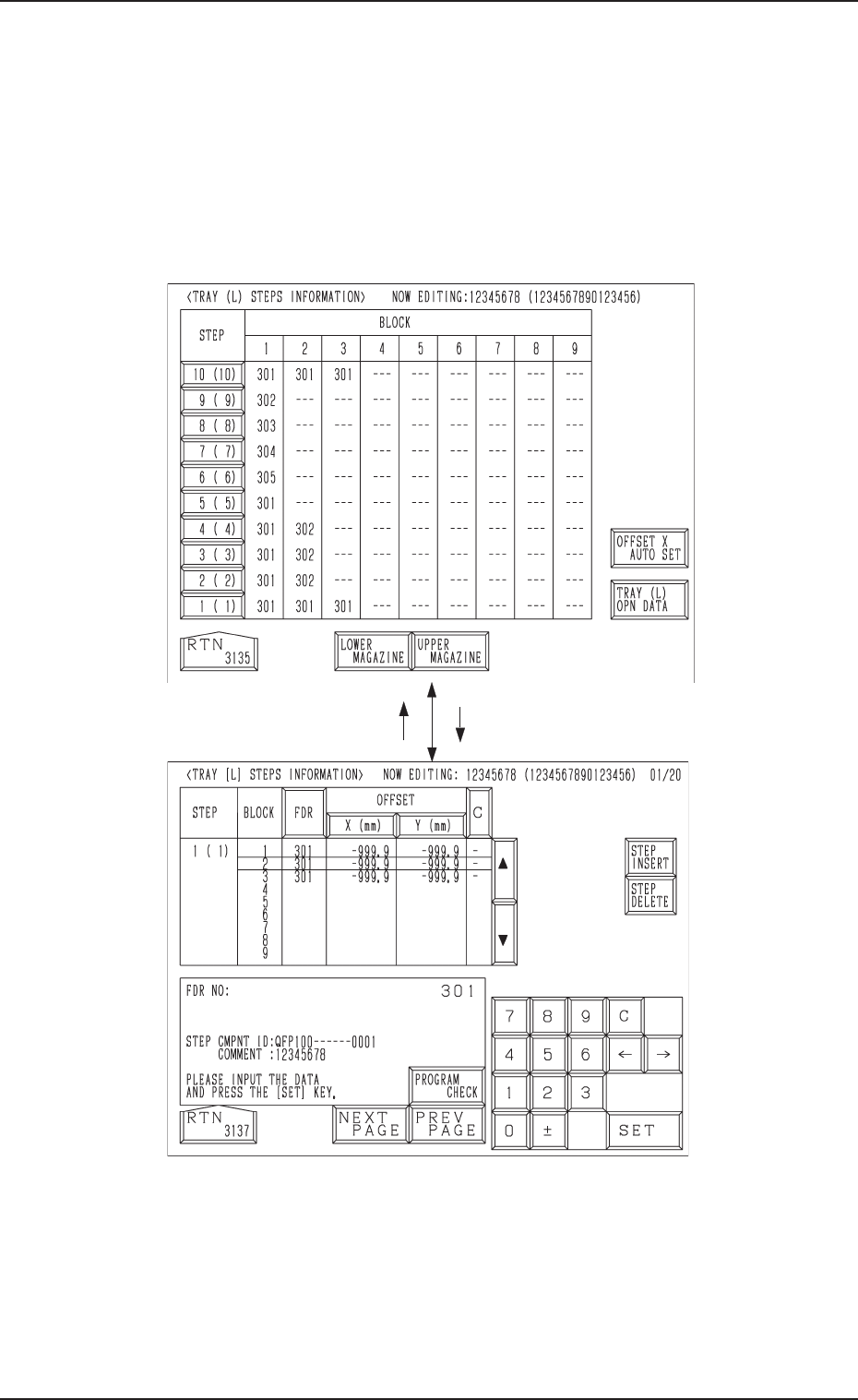
5.1.2.2 Tray Steps Information
Refer to “2.5.4 Tray Step Information (Option) of Section 2 in Volume 2” and
“4.5.3 Editing of Tray Steps Information Data (Option) of Section 2 in Vol-
ume 2” in the main machine instruction manual for details.
(1) When the [TRAY STEP INFO] key is pressed at the display (Fig. A17),
the display (Fig. A19) appears on the screen.
(2) Specify what type of components (FDR NO) you should set in which
block of which step with the tray unit.
Fig. A20
Fig. A19
5.1 Preparation (Outline) for Pattern Program
[1 ( 1)] Key[RTN] Key
0305-001 Chapter 1 2-10 Tg0869-PM-OM
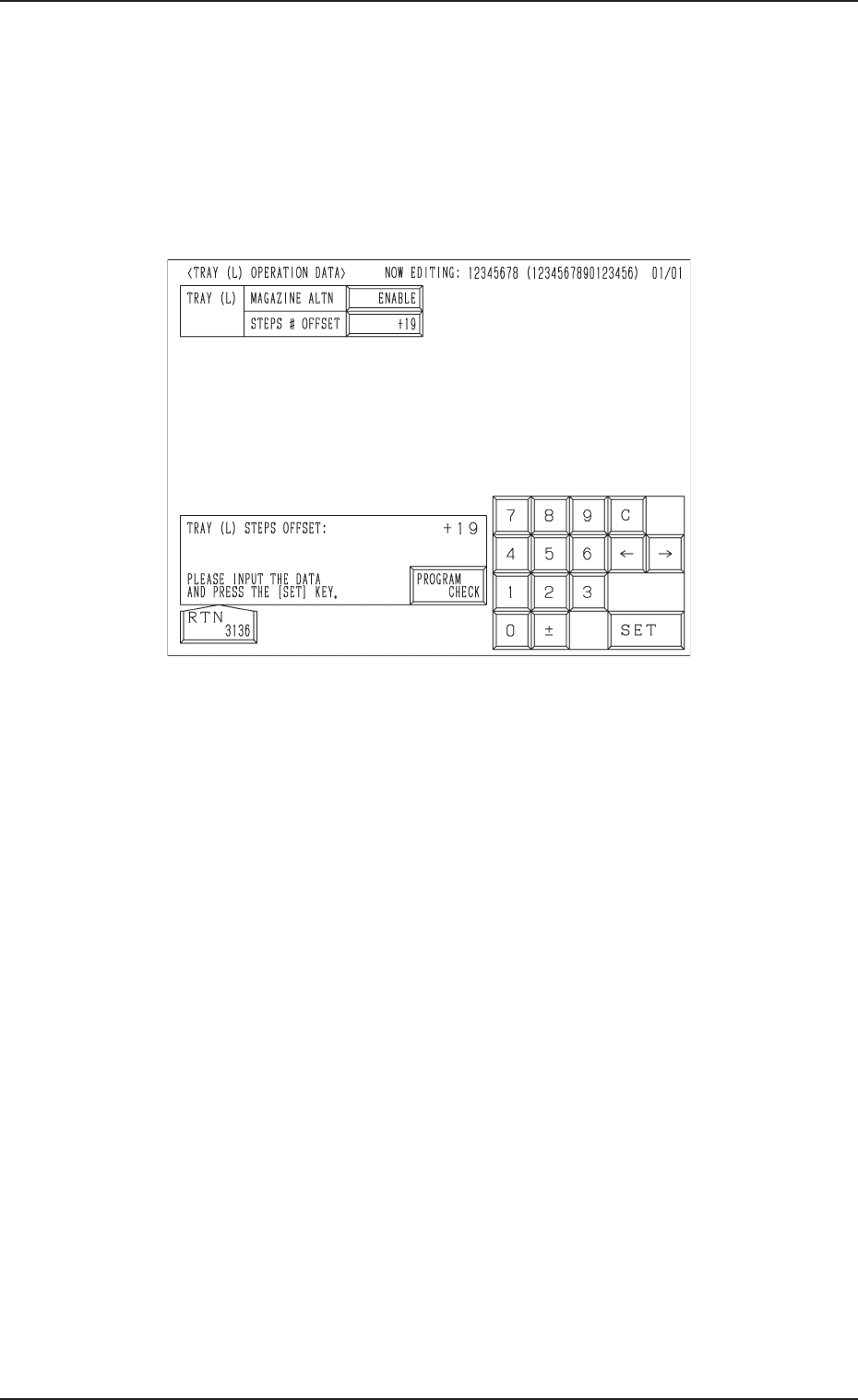
5.1.2.3 Tray (L) Operation Data
Refer to “2.5.5 TRAY (L) OPERATION DATA Display (Option) of Section 2
in Volume 2” and “4.5.4 Editing of Tray (L) or (R) Operation Data (Option) of
Section 2 in Volume 2” in the main machine instruction manual for details.
(1) When the [TRAY (L) OPN DATA] key is pressed at the display (Fig.
A19), the display (Fig. A21) appears on the screen.
• Set an operation mode.
Fig. A21
5.1 Preparation (Outline) for Pattern Program
0305-001 Chapter 1 2-11 Tg0869-PM-OM
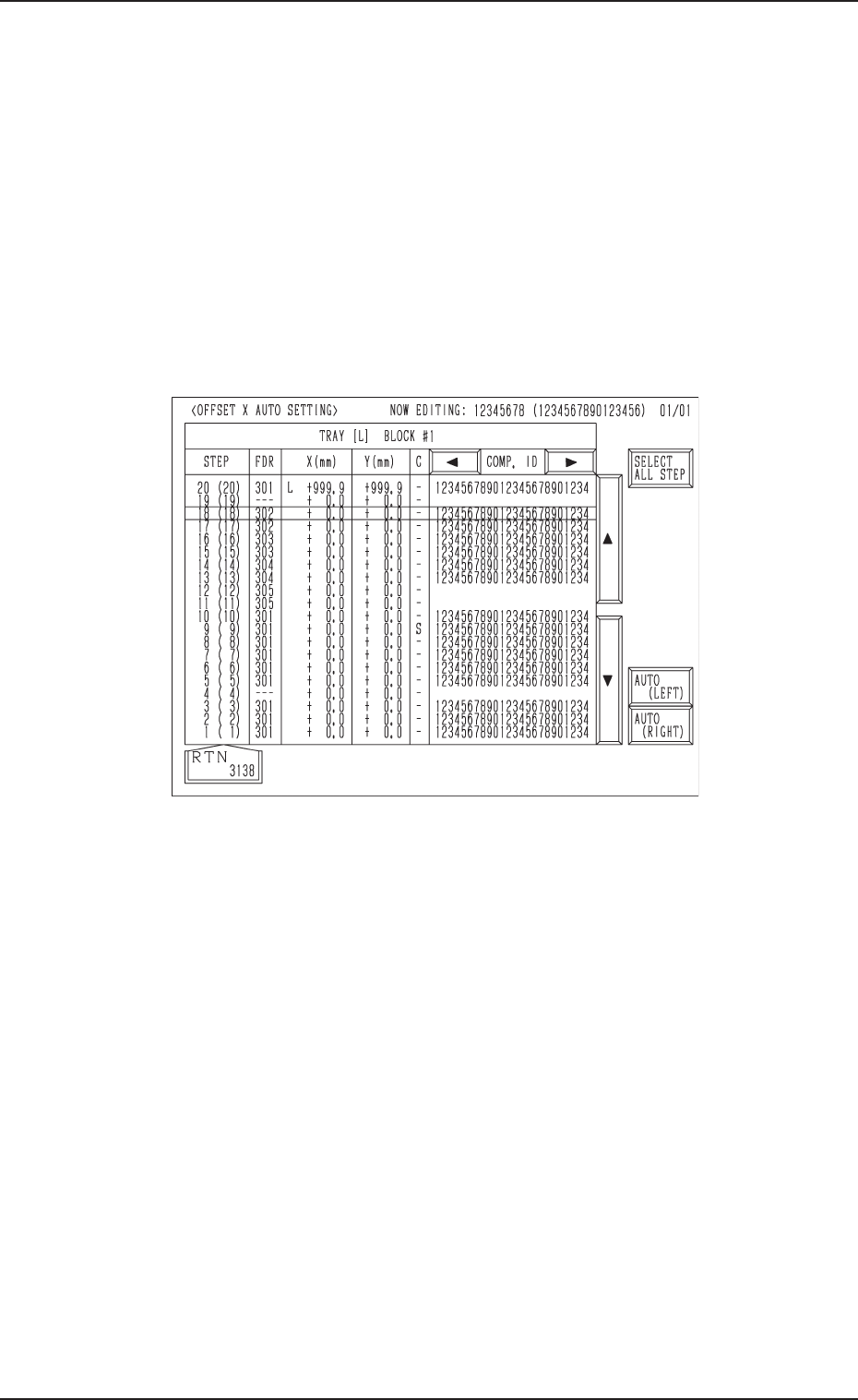
Fig. A22
5.1 Preparation (Outline) for Pattern Program
5.1.2.4 Automatic Offset X Setting
Refer to “2.5.6 OFFSET X AUTO SETTING Display (Option) of Section 2 in
Volume 2” and “4.5.5 OFFSET X AUTO SETTING Display (Option) of Sec-
tion 2 in Volume 2” in the main machine instruction manual for details.
(1) When the [OFFSET X AUTO SET] key is pressed at the display (Fig.
A19), the display (Fig. A22) appears on the screen.
• The offset values for the tray position offset “X (mm)” can be set for
each individual tray by selecting either the [AUTO (LEFT)] or the
[AUTO (RIGHT)] key.
• When the [SELECT ALL STEP] key is selected and either the [AUTO
(LEFT)] or the [AUTO (RIGHT)] key is pressed, the left or right offset
values X in all steps can be set automatically.
0305-001 Chapter 1 2-12
Tg0869-PM-OM