OM-1012-001.pdf - 第105页
5.2 Program Change Tg0869-PM-OM Fig. A52 Fix the partition plate. (Same for right and left.) (5 ) Check visually that the partition plate is correctly placed on the block and that the partition plate shows no warpage or …
5.2 Program Change
Tg0869-PM-OM
5.2.2.5 Partition Plate Installation Procedure in Even Steps
(1) Pull the grip of the magazine door fixture down in the direction of Arrow
A to unlatch the magazine door. (Figs. A37 and A38 Arrow A)
(2) Open the magazine door. (Fig. A39 Arrow B)
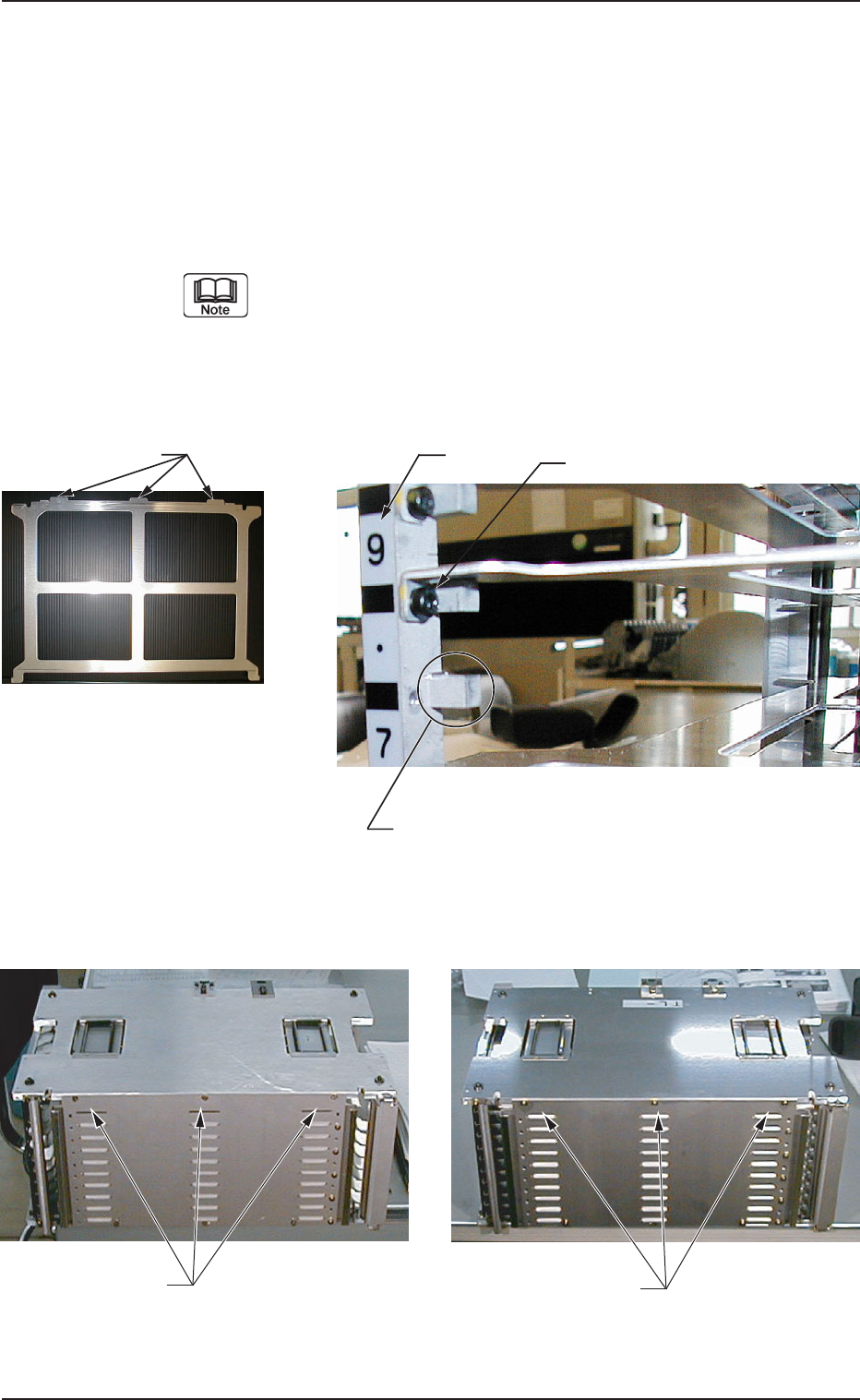
(3) Place the partition plate on the fixing block (refer to Fig. A49) and insert
it in the magazine so that the projections of the partition plate come out
from the openings at the rear wall of the magazine. (Refer to Figs. A50
and A51).
When the partition plate is being set in the magazine, note the
direction of the partition plate. Handle the magazine door and
partition plate carefully because they are easily deformed. If
the magazine door or partition plate is deformed, an error or
machine breakdown might be caused.
Fig. A50
Fig. A51
0305-001 Chapter 1 2-25
Fig. A49 Fixing Block (On the Left) Positions
(Same for on the Right)
Step No.
Fixed block with the partition plate removed
Bolt
Fig. A48 Partition Plate
Protrusions
Opening where the partition
plate protrusions are inserted
Condition showing protrusions
coming out from the openings
5.2 Program Change
Tg0869-PM-OM
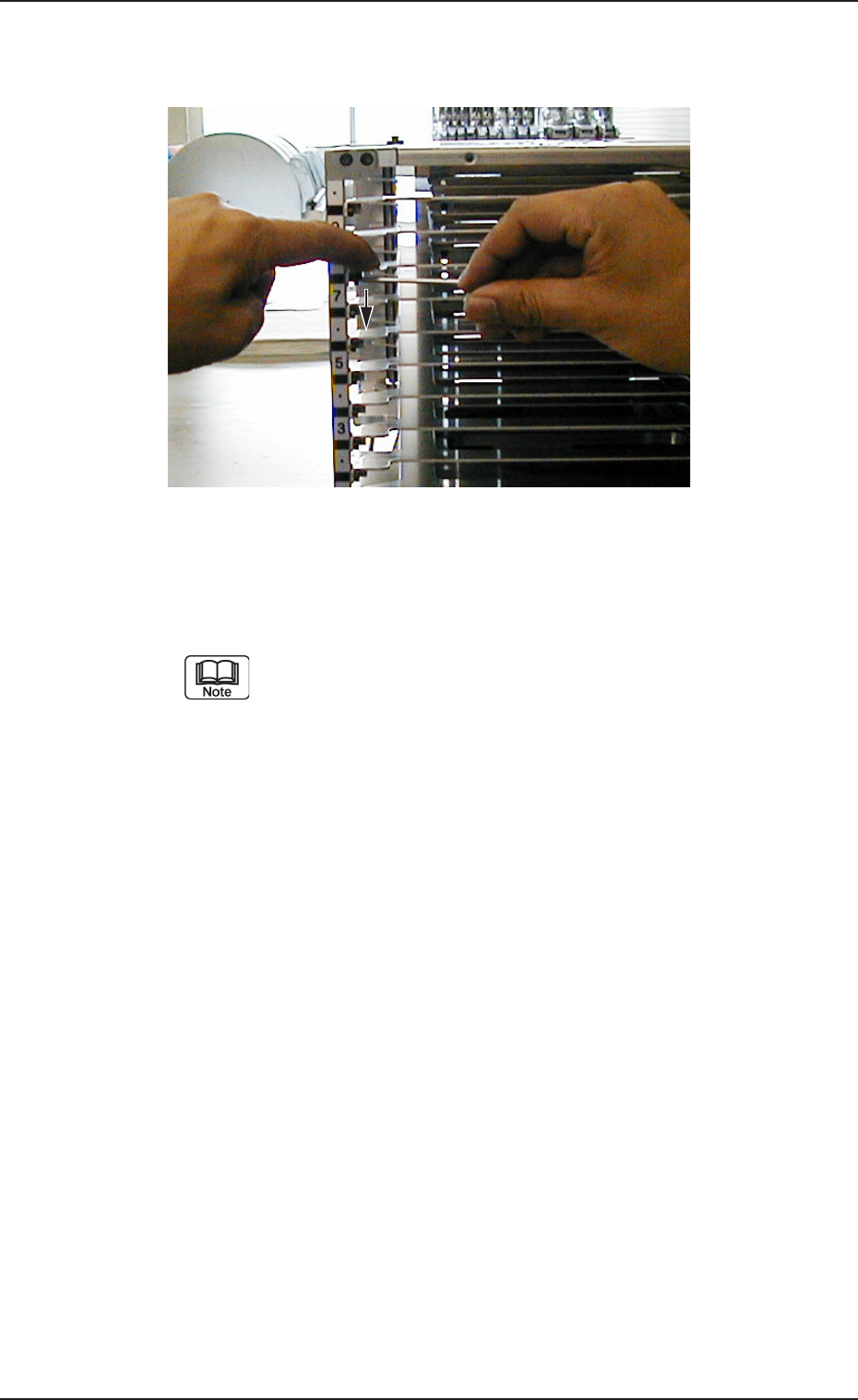
Fig. A52 Fix the partition plate. (Same for right and left.)
(5) Check visually that the partition plate is correctly placed on the block
and that the partition plate shows no warpage or deformation.
If there is any nonconformity, repeat the attachment procedure
from the beginning because it might cause machine breakdown.
(4) Press the partition plate with the fingers so that it does not rise, as shown
in Fig. A52, and fix it with bolts (left and right, two locations)
0305-001 Chapter 1 2-26
5.2 Program Change
Tg0869-PM-OM
5.2.3 Attachment and Detachment of Magazine
5.2.3.1 Attachment of Magazine
Described below is how to attach the magazine to the internal sections of the
elevator for the first time after a multi-layer tray feeder is installed.
(1) Perform the zeroing operation.
Refer to “2. Zeroing Operation of Section 4 in Chapter 1” and “11.1.2
Zeroing Operation Maneuvered on Main Machine Side of Section 2 in
Chapter 1” for details.
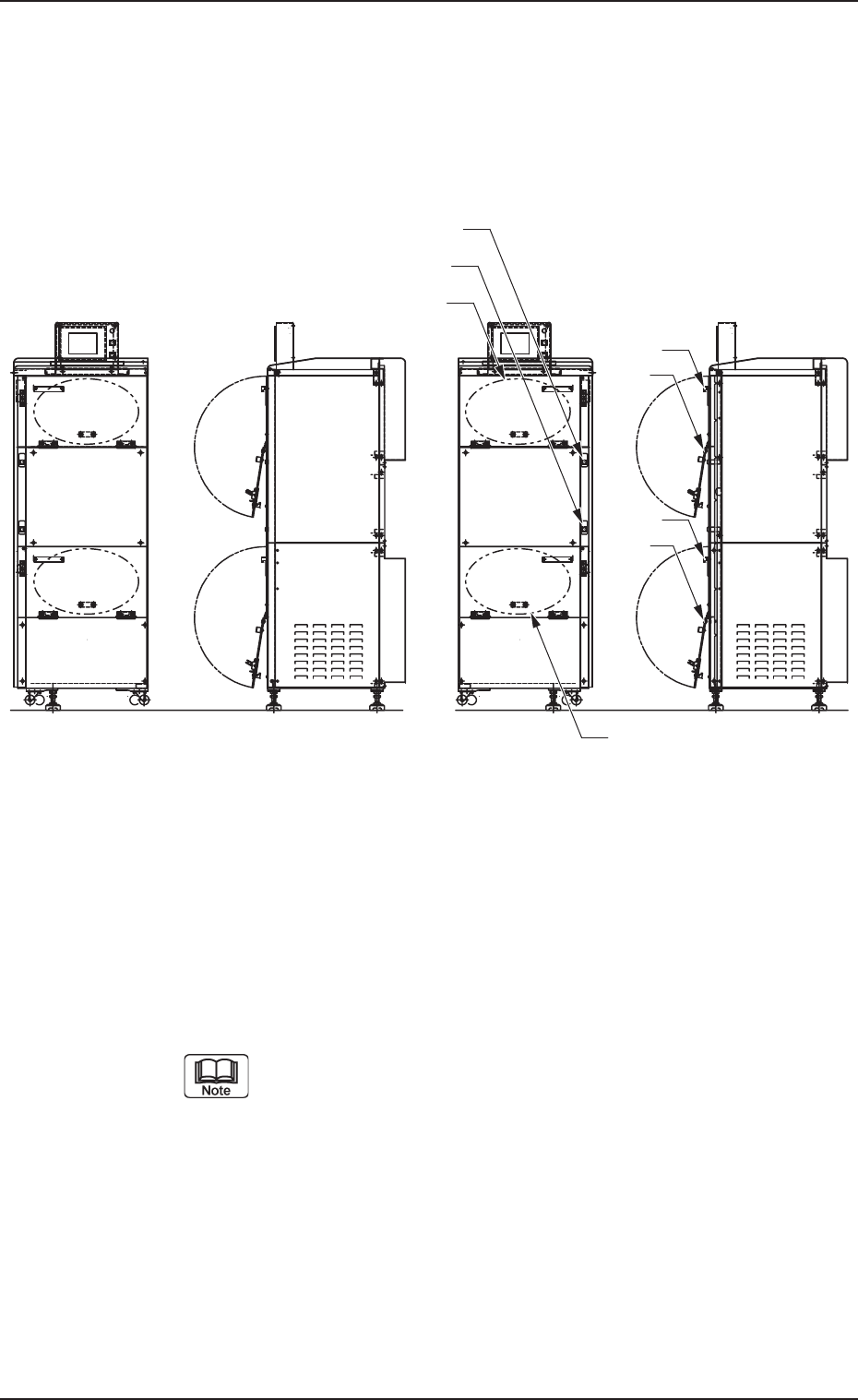
(2) Press the [U READY] or the [L READY] button on the magazine loaded
side.
The LED of the pressed button extinguishes.
While the LED of the [U READY] or the [L READY] button is
“ON”, the door (the upper or the lower door) cannot be opened.
(3) Hold the grip of the door whose button is pressed in Step (2) and pull it
forward to open the door.
0305-001 Chapter 1 2-27
[U READY] Button
Upper
Door
Grip
[L READY] Button
Magazine Base
Lower
Door
Grip
Magazine Base
Fig. A53 Rough View (FP-5022L) Fig. A54 Rough View (FP-5022R)