OM-1012-001.pdf - 第156页
Chapter 3 This chapter describes the causes of various troubles and recovery methods. 0305-001 Chapter 3 1 Tg0869-PM-OM T roubleshooting
Tg0869-PM-OM
0305-001 Chapter 2 1-4
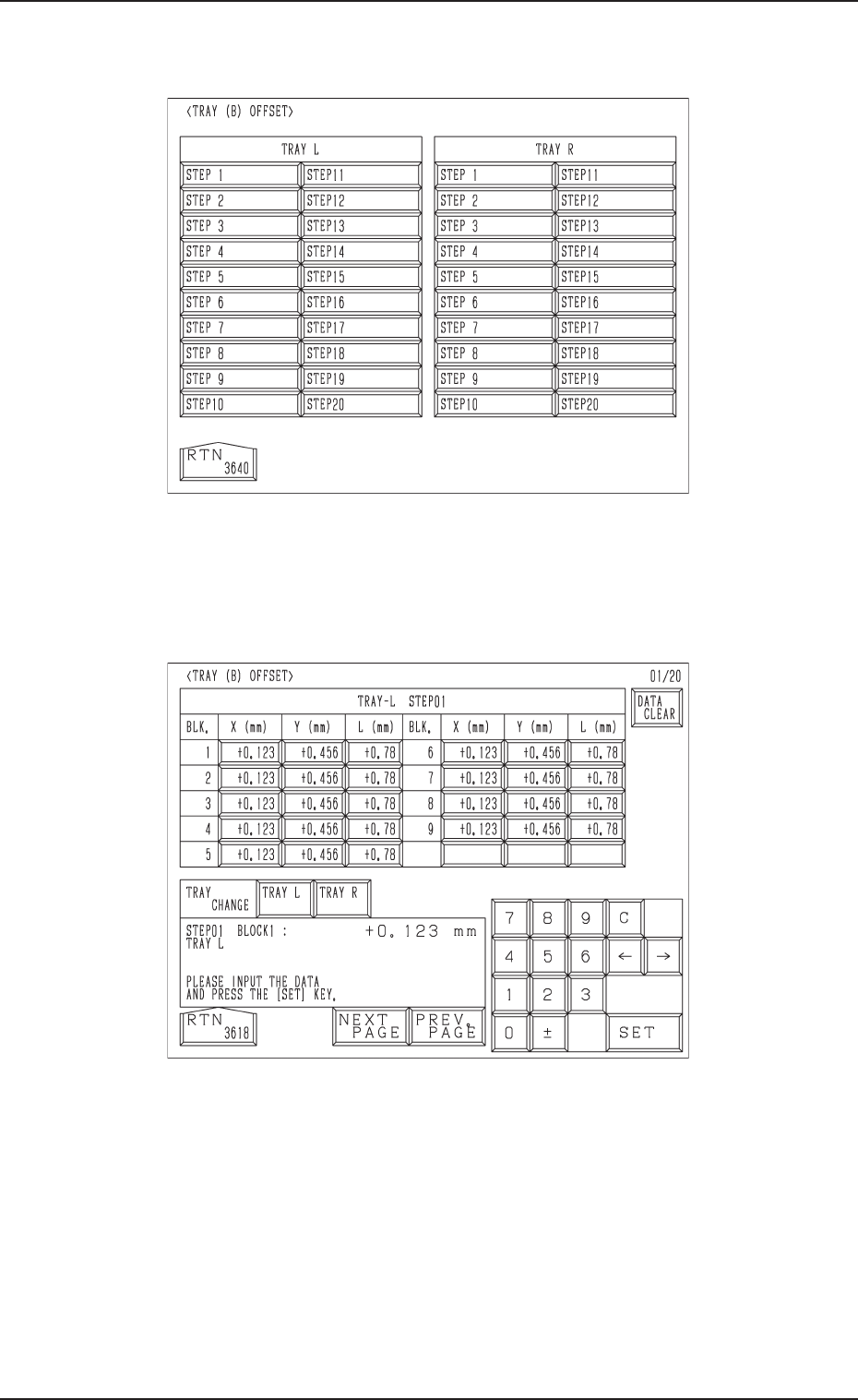
(2) Press the [TRAY] key at the “FEEDER (B) OFFSET” display (Fig. B2).
The following display appears on the screen.
Fig. B4
Fig. B3
(3) Press the [STEP X] key. ([STEP 1] to [STEP 20])
The display (Fig. B4) appears on the screen.
(4) Enter various offset parameters.
2. FEEDER (B) OFFSET Display

Chapter 3
This chapter describes the causes of various troubles and
recovery methods.
0305-001 Chapter 3 1 Tg0869-PM-OM
Troubleshooting

0305-001 Chapter 3 2 Tg0869-PM-OM