OM-1012-001.pdf - 第194页
0305-001 Chapter 3 2-33 Tg0869-PM-OM 4. T roubleshooting after Error Message 13 01 07 EV1-AXIS ORIGIN ORIGIN IS NOT SET FOR THIS AXIS. 13 01 08 EV1-AXIS ORIGIN Error Code Display A Display B 13 02 01 EV1-AXIS TIMING PREV…
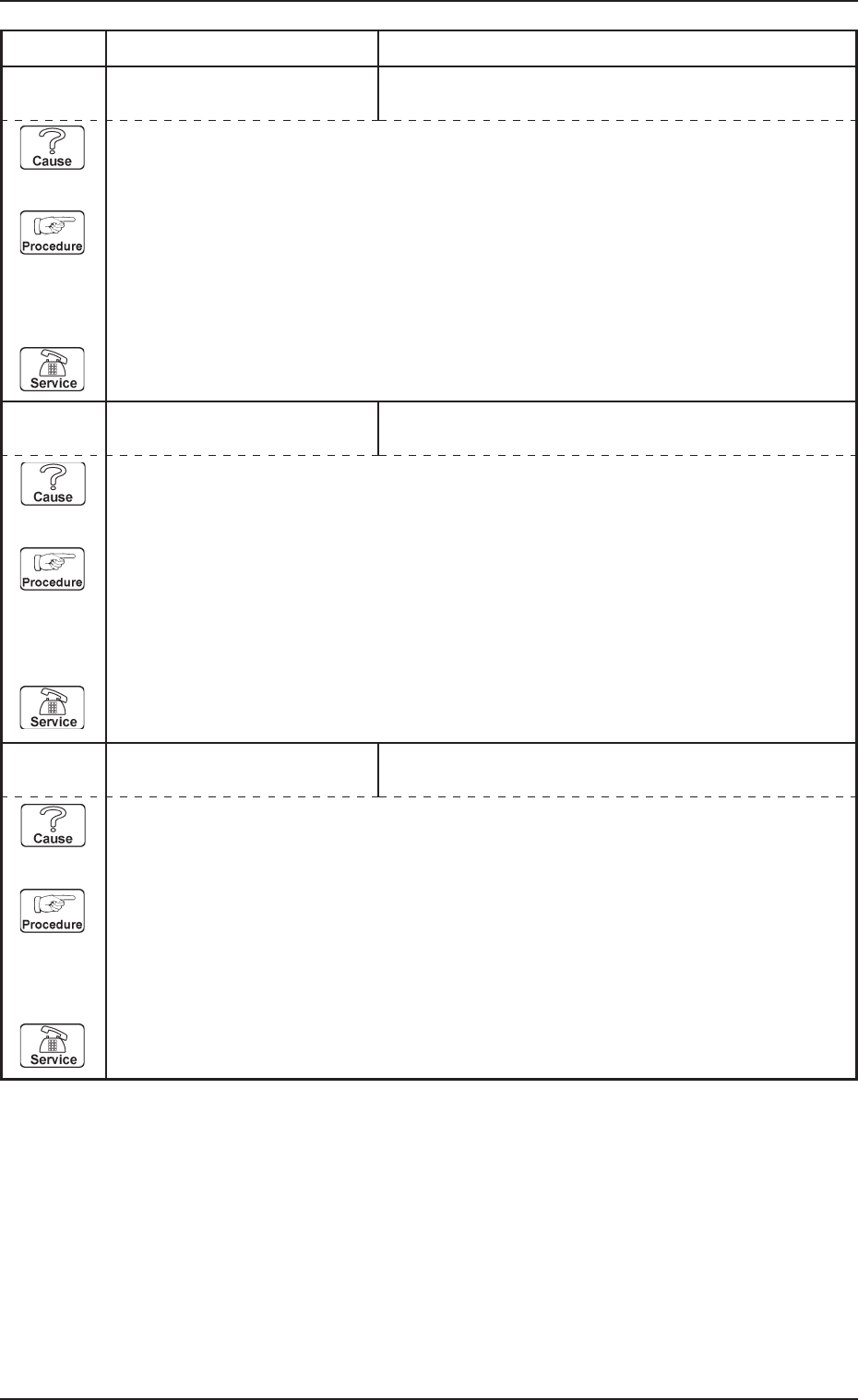
0305-001 Chapter 3 2-32 Tg0869-PM-OM
4. Troubleshooting after Error Message
13 01 04 EV1-AXIS ORIGIN ELEVATOR #1 ORIGIN [BPH581] SENSOR MAY BE
DEFECTIVE.
13 01 05 EV1-AXIS ORIGIN ENCODER ORIGIN WAS NOT DETECTED.
Error Code Display A Display B
13 01 06 EV1-AXIS ORIGIN ENCODER ORIGIN WAS DETECTED AT POINT OUT
OF ELEVATOR #1 ORIGIN.
(Cause 1) This is the device’s self-diagnostic message.
(Reset Procedure in the case of Cause 1)
Reset Procedure
(1) Press the [CLEAR ALARM] key to stop the buzzer sound.
(2) Press the [RESET] button to cancel the error mode.
(3) Press the [ZERO] button to return all axes to their original positions. Continue the produc-
tion according to the “WARM Start Operation Procedure”.
(4) If the device can’t be reset after the above procedure, contact our service personnel.
(Cause 1) This is the device’s self-diagnostic message.
(Reset Procedure in the case of Cause 1)
Reset Procedure
(1) Press the [CLEAR ALARM] key to stop the buzzer sound.
(2) Press the [RESET] button to cancel the error mode.
(3) Press the [ZERO] button to return all axes to their original positions. Continue the produc-
tion according to the “WARM Start Operation Procedure”.
(4) If the device can’t be reset after the above procedure, contact our service personnel.
(Cause 1) This is the device’s self-diagnostic message.
(Reset Procedure in the case of Cause 1)
Reset Procedure
(1) Press the [CLEAR ALARM] key to stop the buzzer sound.
(2) Press the [RESET] button to cancel the error mode.
(3) Press the [ZERO] button to return all axes to their original positions. Continue the produc-
tion according to the “WARM Start Operation Procedure”.
(4) If the device can’t be reset after the above procedure, contact our service personnel.
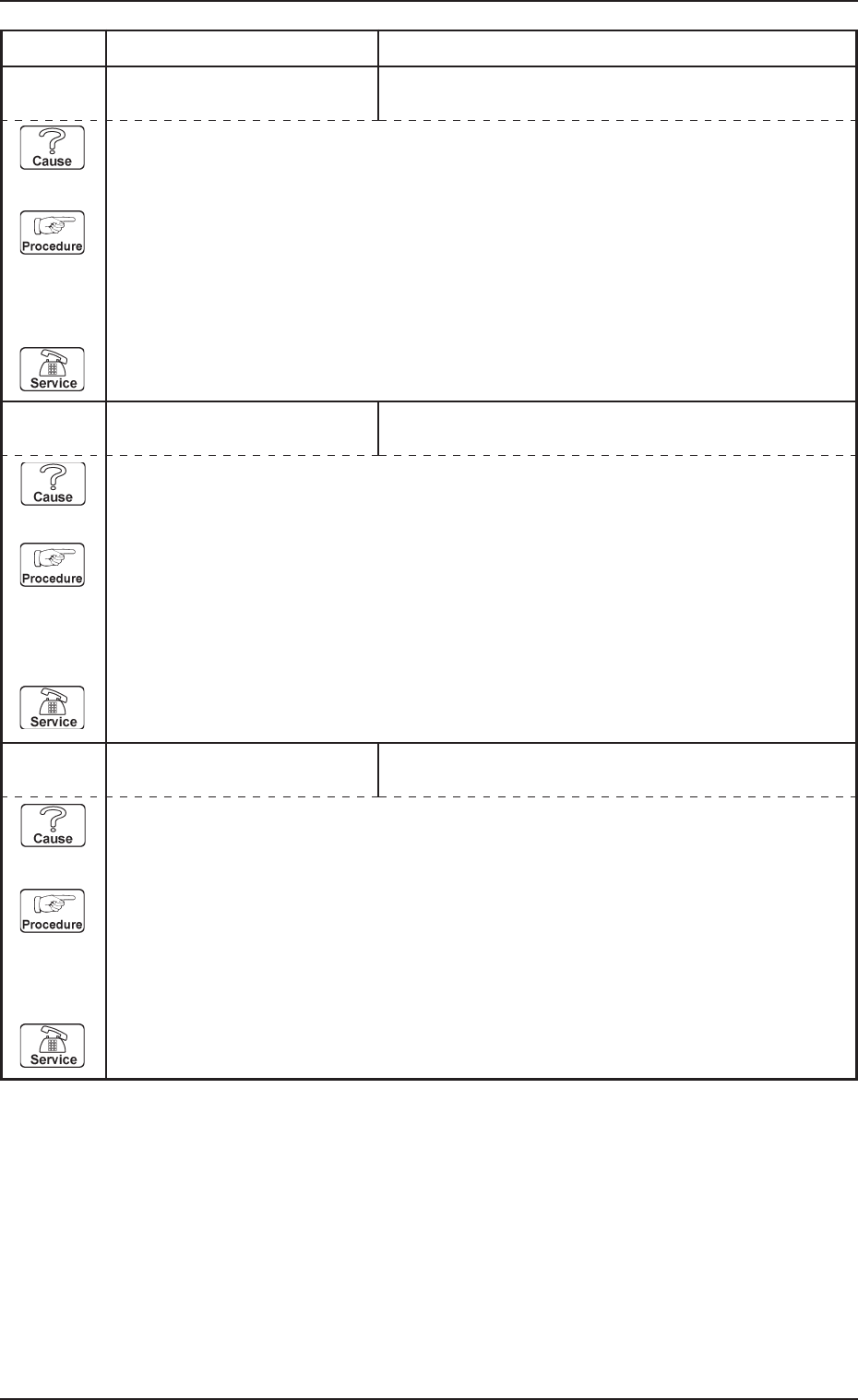
0305-001 Chapter 3 2-33 Tg0869-PM-OM
4. Troubleshooting after Error Message
13 01 07 EV1-AXIS ORIGIN ORIGIN IS NOT SET FOR THIS AXIS.
13 01 08 EV1-AXIS ORIGIN
Error Code Display A Display B
13 02 01 EV1-AXIS TIMING PREVIOUS TASK WAS NOT COMPLETED. UNABLE
TO CONTINUE.
(Cause 1) This is the device’s self-diagnostic message.
(Reset Procedure in the case of Cause 1)
Reset Procedure
(1) Press the [CLEAR ALARM] key to stop the buzzer sound.
(2) Press the [RESET] button to cancel the error mode.
(3) Press the [ZERO] button to return all axes to their original positions. Continue the produc-
tion according to the “WARM Start Operation Procedure”.
(4) If the device can’t be reset after the above procedure, contact our service personnel.
(Cause 1) This is the device’s self-diagnostic message.
(Reset Procedure in the case of Cause 1)
Reset Procedure
(1) Press the [CLEAR ALARM] key to stop the buzzer sound.
(2) Press the [RESET] button to cancel the error mode.
(3) Press the [ZERO] button to return all axes to their original positions. Continue the produc-
tion according to the “WARM Start Operation Procedure”.
(4) If the device can’t be reset after the above procedure, contact our service personnel.
(Cause 1) This is the device’s self-diagnostic message.
(Reset Procedure in the case of Cause 1)
Reset Procedure
(1) Press the [CLEAR ALARM] key to stop the buzzer sound.
(2) Press the [RESET] button to cancel the error mode.
(3) Press the [ZERO] button to return all axes to their original positions. Continue the produc-
tion according to the “WARM Start Operation Procedure”.
(4) If the device can’t be reset after the above procedure, contact our service personnel.
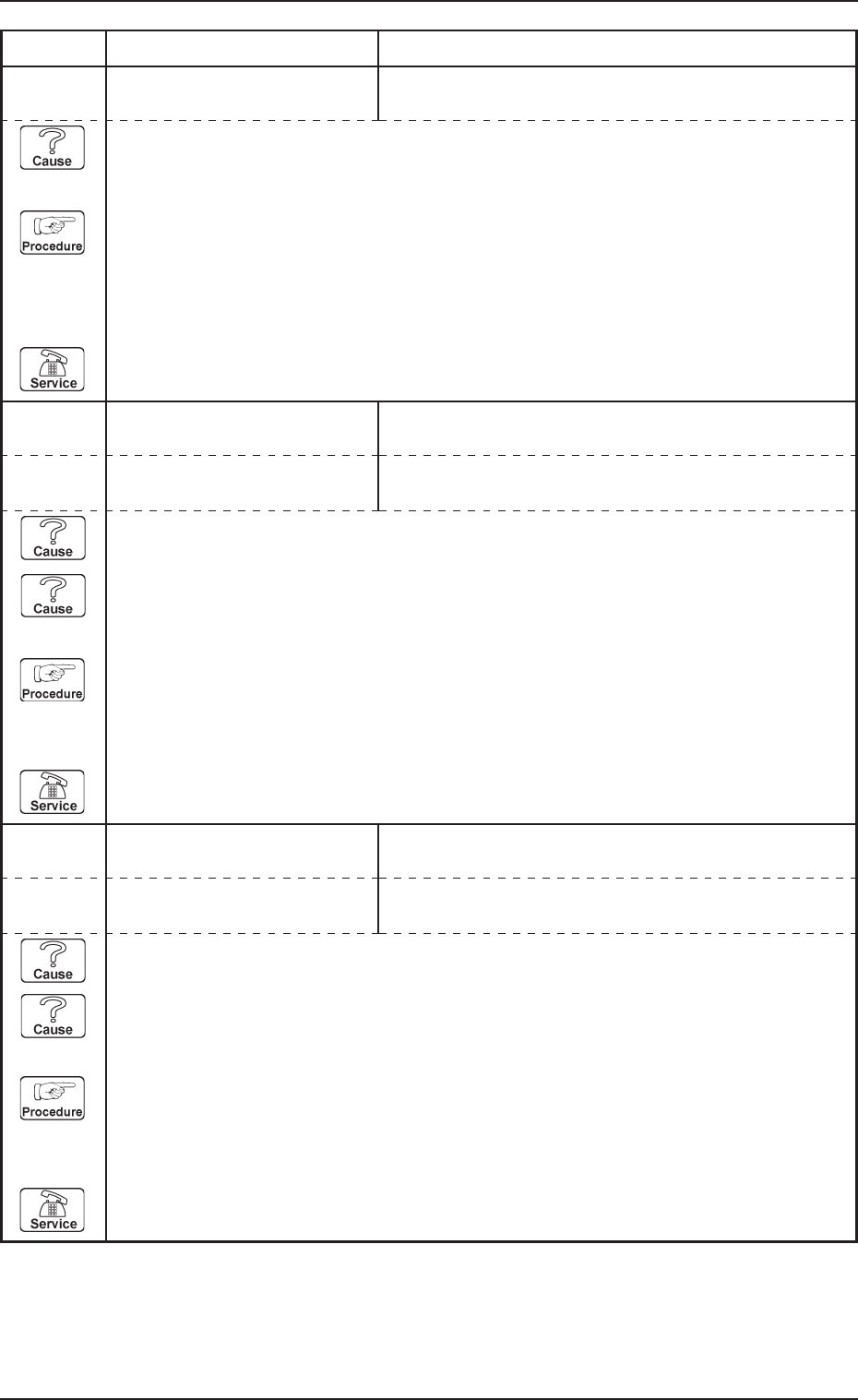
0305-001 Chapter 3 2-34 Tg0869-PM-OM
4. Troubleshooting after Error Message
13 03 01 EV1-AXIS DATA TARGET LOCATION VALUE IS OUT OF RANGE.
13 04 01 EV1-AXIS LIMIT LIMIT ERROR (+) IS DETECTED.;BPH582
Error Code Display A Display B
(Cause 1) This is the device’s self-diagnostic message.
(Reset Procedure in the case of Cause 1)
Reset Procedure
(1) Press the [CLEAR ALARM] key to stop the buzzer sound.
(2) Press the [RESET] button to cancel the error mode.
(3) Press the [ZERO] button to return all axes to their original positions. Continue the produc-
tion according to the “WARM Start Operation Procedure”.
(4) If the device can’t be reset after the above procedure, contact our service personnel.
13 04 02 EV1-AXIS LIMIT LIMIT ERROR (-) IS DETECTED.;BPH583
(Cause 1) It may run away due to noise or overcurrent.
(Cause 2) The sensor may be defective.
(Reset Procedure in the case of Causes 1 and 2)
Reset Procedure
(1) Press the [CLEAR ALARM] key and the buzzer stops sounding.
(2) Press the [ZERO] button to return all the axes to their original positions.
(3) Re-start.
(4) If the device can’t be re-started, contact our service personnel.
13 04 03 EV1-AXIS LIMIT MIDDLE LIMIT ERROR (+) IS DETECTED.;BPH584
13 04 04 EV1-AXIS LIMIT MIDDLE LIMIT ERROR (-) IS DETECTED.;BPH585
(Cause 1) It may run away due to noise or overcurrent.
(Cause 2) The sensor may be defective.
(Reset Procedure in the case of Causes 1 and 2)
Reset Procedure
(1) Press the [CLEAR ALARM] key and the buzzer stops sounding.
(2) Press the [ZERO] button to return all the axes to their original positions.
(3) Re-start.
(4) If the device can’t be re-started, contact our service personnel.