OM-1012-001.pdf - 第83页
2. INITIALIZA TION Display Fig. A12 Neutral Mode (Display for Mode Selection) 0305-001 Chapter 1 2-4 Tg0869-PM-OM When the initialization is completed, the display (Fig. A12) appears on the screen. Shown in Fig. A12 is t…

2. INITIALIZATION Display
When the main machine is powered up, power is also supplied to the multi-
layer tray feeders.
Then, the display (Fig. A11) appears on the touch screen of the multi-layer
tray feeder.
Fig. A11 “INITIALIZATION” Display
2. INITIALIZATION Display
0305-001 Chapter 1 2-3 Tg0869-PM-OM
2. INITIALIZATION Display
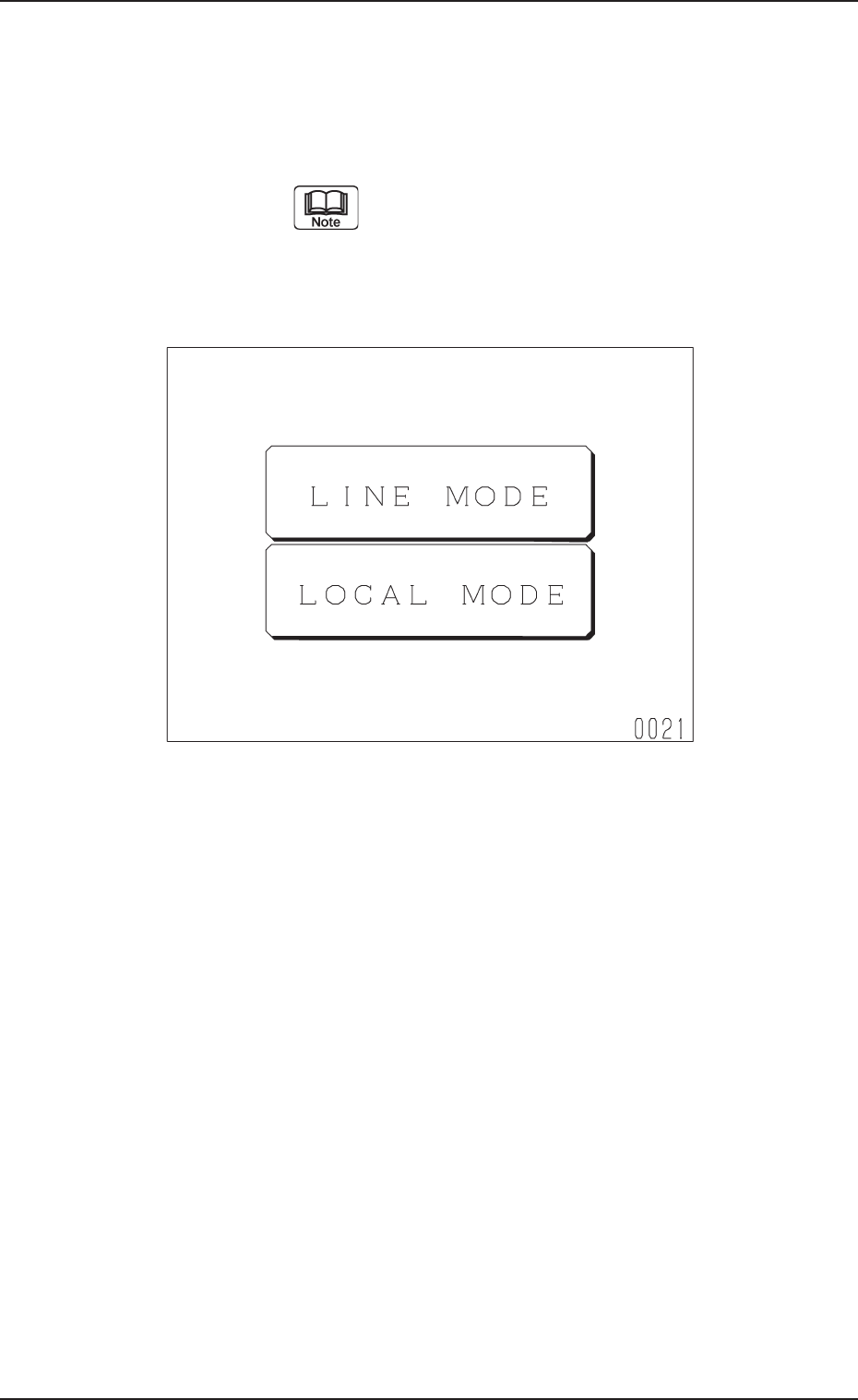
Fig. A12 Neutral Mode (Display for Mode Selection)
0305-001 Chapter 1 2-4
Tg0869-PM-OM
When the initialization is completed, the display (Fig. A12) appears on the screen.
Shown in Fig. A12 is the condition called “Neutral Mode”.
When “LINE MODE” or “LOCAL MODE” is selected at this display, the corre-
sponding display appears on the screen.
[LINE MODE] Key : When this key is selected, the main machine issues a com-
mand to set the feeder in the “LINE” mode.
Automatic operation cannot be performed unless
the feeder is set in the “LINE” mode.
[LOCAL MODE] Key : Only the multi-layer tray feeder can be operated.
This mode is provided for performance check, etc., of the
multi-layer tray feeder.
2. INITIALIZATION Display
0305-001 Chapter 1 2-5 Tg0869-PM-OM
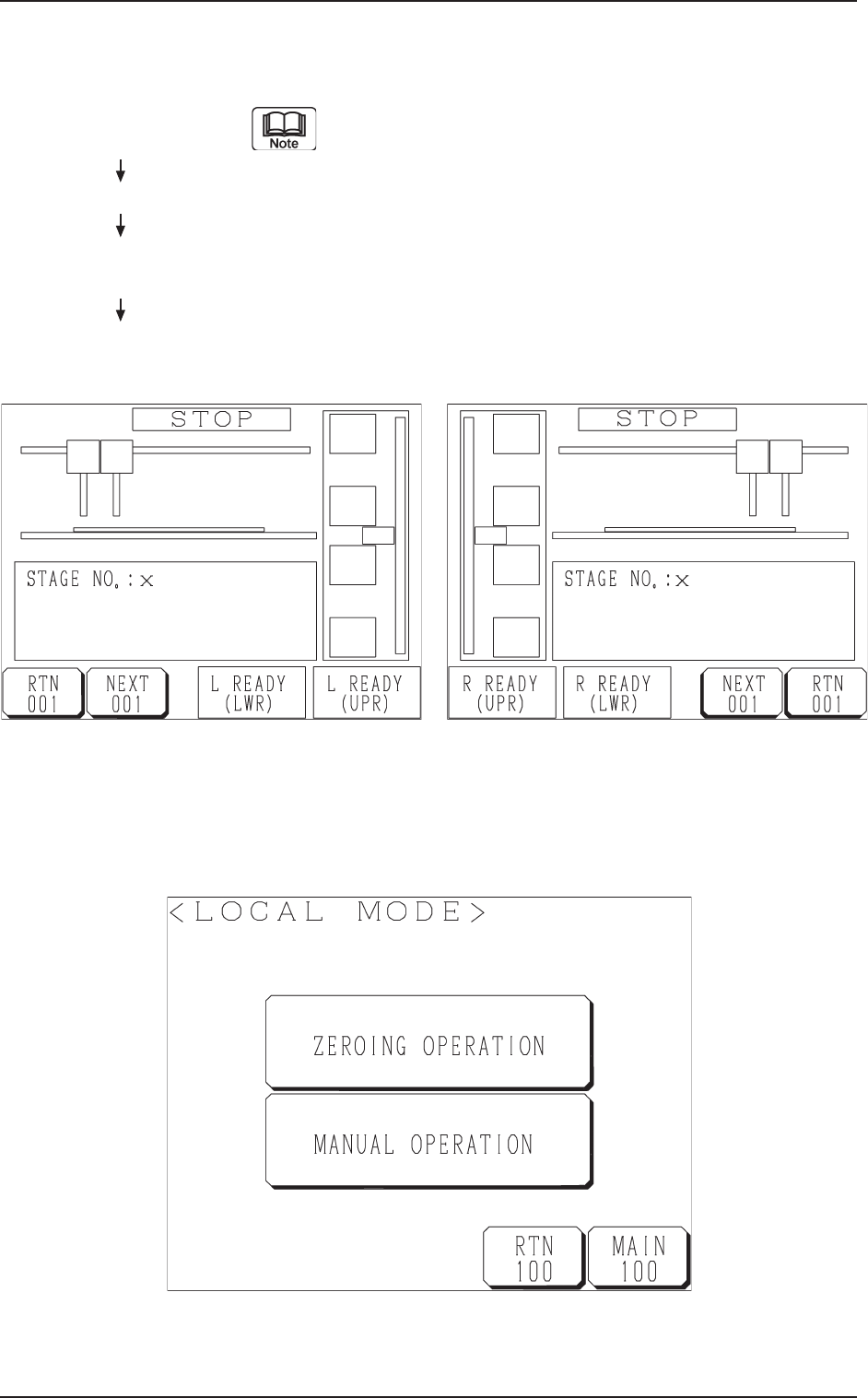
• When the [LINE MODE] key is pressed, the feeder is set in the
“LINE” mode and the display (Fig. A13 or Fig. A14) appears
on the screen.
The “LINE” mode can also be set from the main ma-
chine side.
Refer to “11.1.1 Changing from “NEUTRAL” to “LINE”
Mode of Section 2 in Chapter 1” for details.
Fig. A14 FP-5022R
Fig. A13 FP-5022L
Hierarchical Sequence
(Display)
“MAIN MENU”
“DATA EDIT”
“AUTO OPN MODE
(PLACEMENT)”
“AUTO OPN
SUB-MENU”
Fig. A15
• When the [LOCAL MODE] key is pressed, the following “LOCAL MODE”
display appears on the screen, enabling the zeroing and manual operations of
the multi-layer tray feeder.