OM-1012-001.pdf - 第162页
0305-001 Chapter 3 2-1 Tg0869-PM-OM Section 2 T roubleshooting based on Error Indication
Chapter 3 1-4 Tg0869-PM-OM
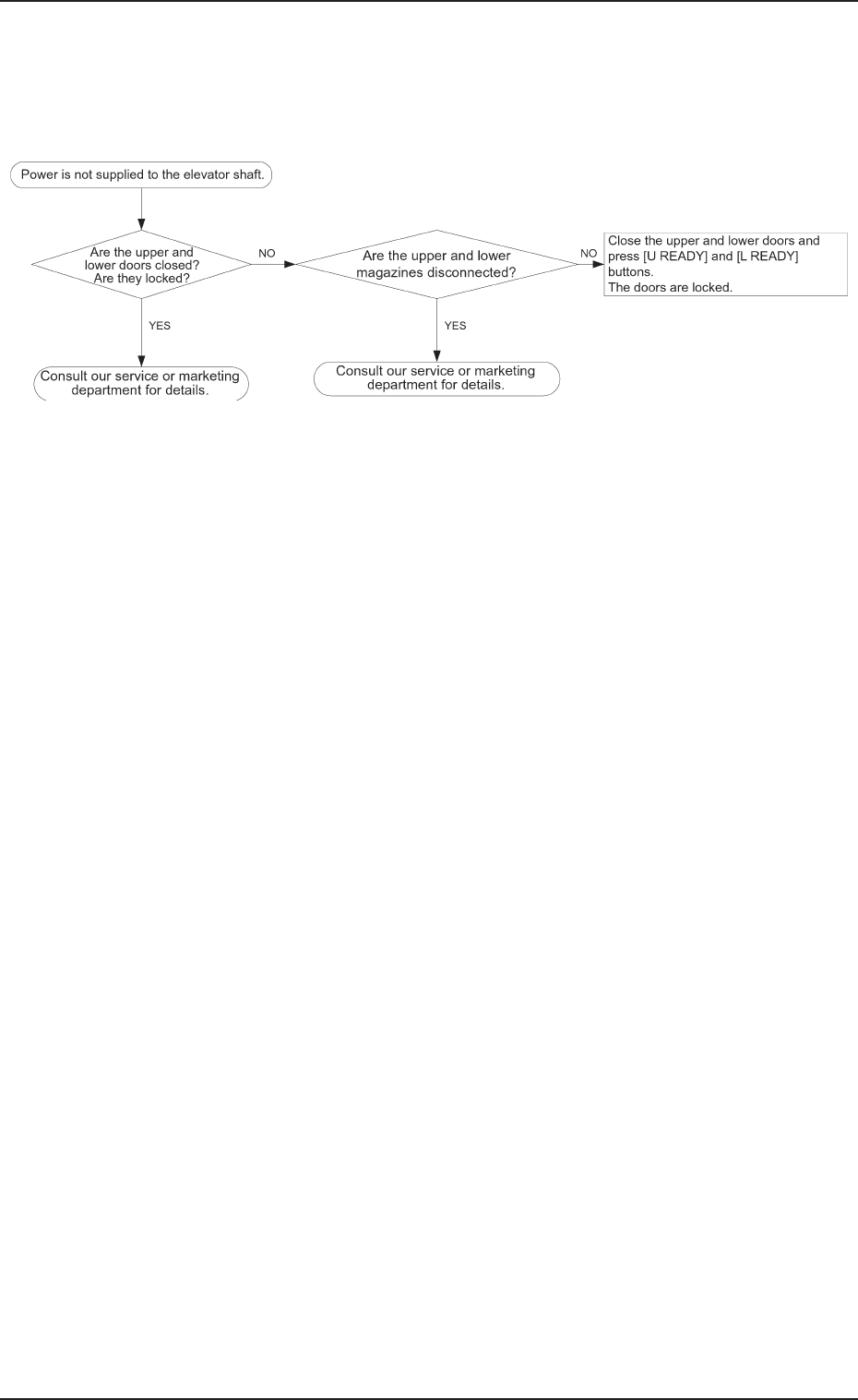
3. Case: Power is not supplied to the elevator shaft
3. Case: Power is not supplied to the elevator shaft.
0305-001

0305-001 Chapter 3 2-1
Tg0869-PM-OM
Section 2
Troubleshooting based on Error Indication
0305-001 Chapter 3 2-2 Tg0869-PM-OM
1. ERROR Display
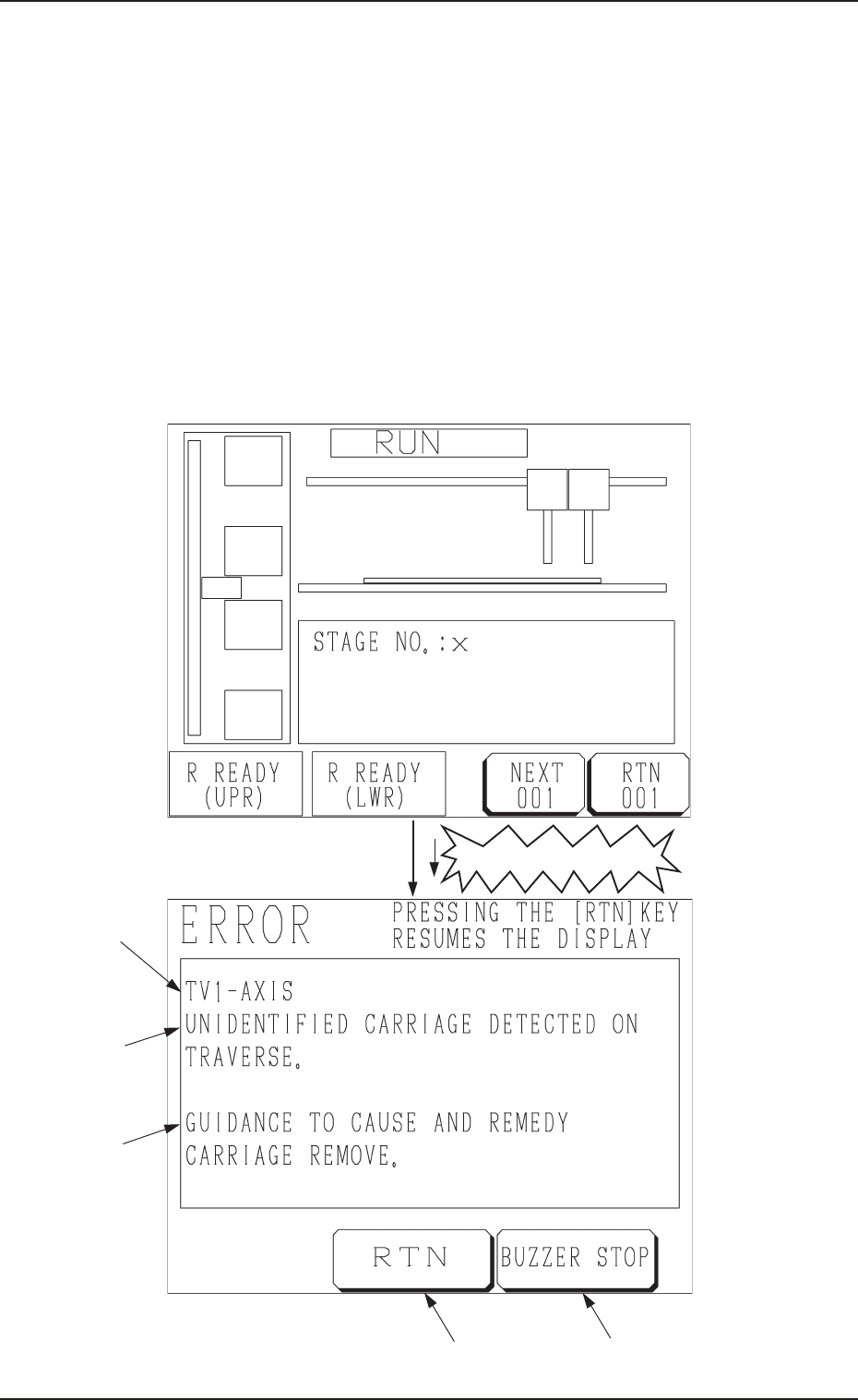
When a device in operation is interrupted or stopped in an error condition
(error condition detected as impossible to continue the operation), an “ER-
ROR” display (Fig. C2) appears on the screen.
The same display also appears on the operation monitor of the main machine.
Refer to “Error Messages of Section 2 in Volume 3” in the main machine
instruction manual for details.
• When an error occurs during automatic operation, the tower light of the main
machine illuminates (standard setting) and an “ERROR” display appears on
the screen. The “ERROR” display also appears when an error occurs while a
device is running (while the LEDs of the [START], [MOVE], [ZERO], and
[READY] buttons are ON).
Fig. C1
Fig. C2
“Occurrence of Error”
1. ERROR Display
E
D
C
B
A