OM-1012-001.pdf - 第121页
1 1.1.2 Zeroing Operation Maneuvered on Main Machine Side T o zero the multi-layer tray feeder from the main machine side, the multi- layer tray feeder must be selected for use in advance for the current program. 1 1.1.2…
11. Others
11.1 Operation of Multi-Layer Tray Feeder from Main Machine
Side
• The multi-layer tray feeder must be selected for use in advance for the cur-
rent program before operating the feeder from the main machine side.
11.1.1 Changing from “NEUTRAL” to “LINE” Mode
Operation Procedure
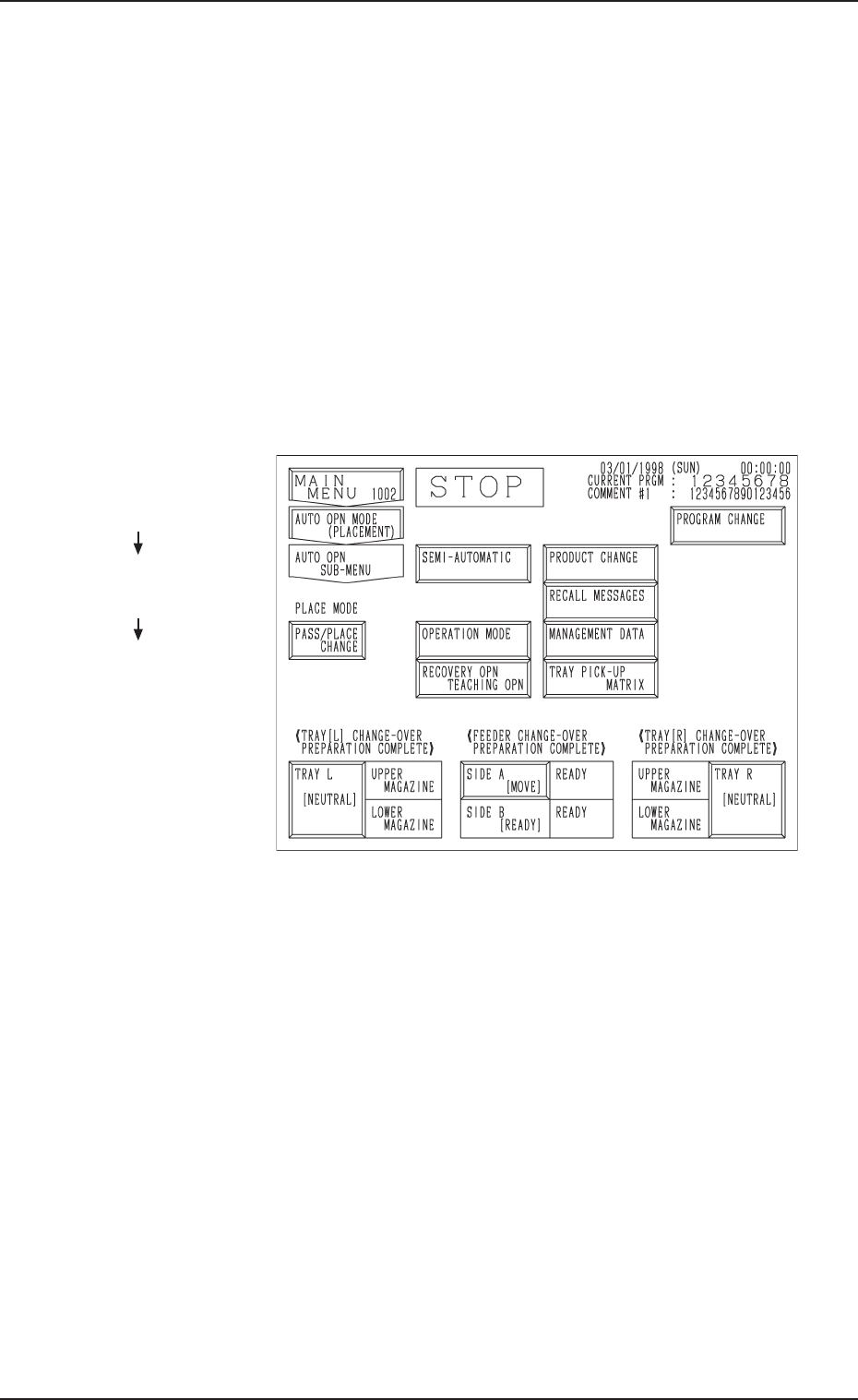
(1) Press the [AUTO OPN SUB-MENU] key at the “AUTO OPN MODE
<PLACEMENT>” display on the main machine side.
The display (Fig. A70) appears on the screen.
Fig. A70
(2) Press the [TRAY L [NEUTRAL]] or the [TRAY R [NEUTRAL]] key.
The multi-layer tray feeder is set in the “LINE” mode.
11. Others
Hierarchical Sequence
(Display)
“MAIN MENU”
“AUTO OPN. MODE
<PLACEMENT>”
“AUTO OPN. SUB-MENU”
0305-001 Chapter 1 2-41 Tg0869-PM-OM
11.1.2 Zeroing Operation Maneuvered on Main Machine Side
To zero the multi-layer tray feeder from the main machine side, the multi-
layer tray feeder must be selected for use in advance for the current program.
11.1.2.1 Zeroing Operation Procedure at “AUTO OPN
SUB-MENU” Display
(1) Press the [AUTO OPN. SUB-MENU] key at the “AUTO OPN MODE
<PLACEMENT>” display.
The “AUTO OPN SUB-MENU” display (Fig. A70) appears on the screen.
(2) Press the [TRAY L [NEUTRAL]] and [TRAY R [NEUTRAL]] keys.
The multi-layer tray feeders are set in the “LINE” mode.
(3) Press the [ZERO] button.
The main machine and the multi-layer tray feeders are zeroed.
When one of the multi-layer tray feeders is not set in the “LINE”
mode, the “CHECK” display appears, indicating that the zero-
ing operation cannot be performed.
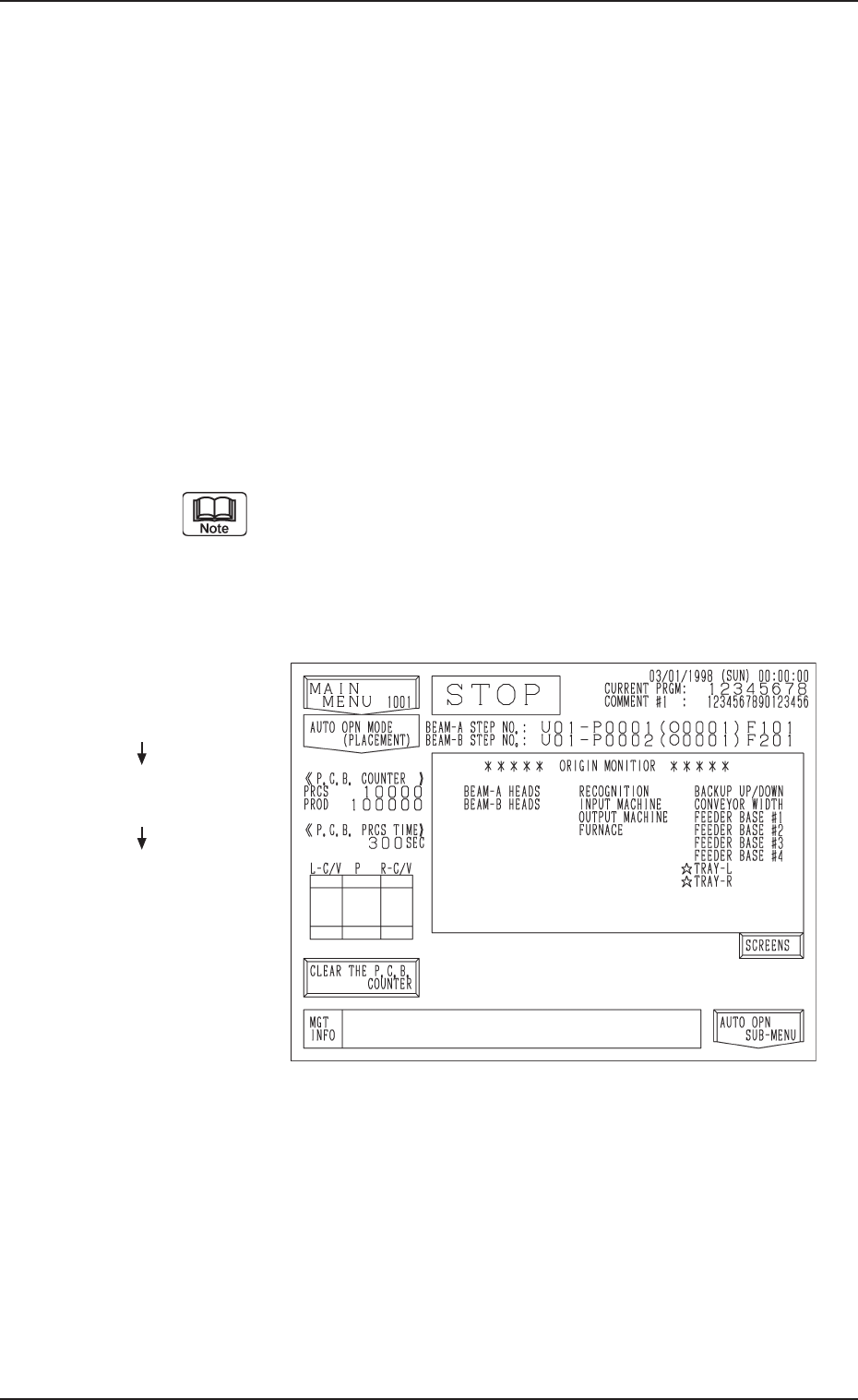
(4) Press the [AUTO OPN MODE] key.
The display (Fig. A71) appears on the screen.
Fig. A71
(5) Confirm that each device is marked with “” in the “***** ORIGIN
MONITOR *****” field.
Hierarchical Sequence
(Display)
“MAIN MENU”
“AUTO OPN MODE
<PLACEMENT>”
“AUTO OPN. SUB-MENU”
11.1 Operation of Multi-Layer Tray Feeder from Main Machine Side
0305-001 Chapter 1 2-42 Tg0869-PM-OM
11.1.2.2 Operation Procedure at “ZEROING OPERATION” Dis
play
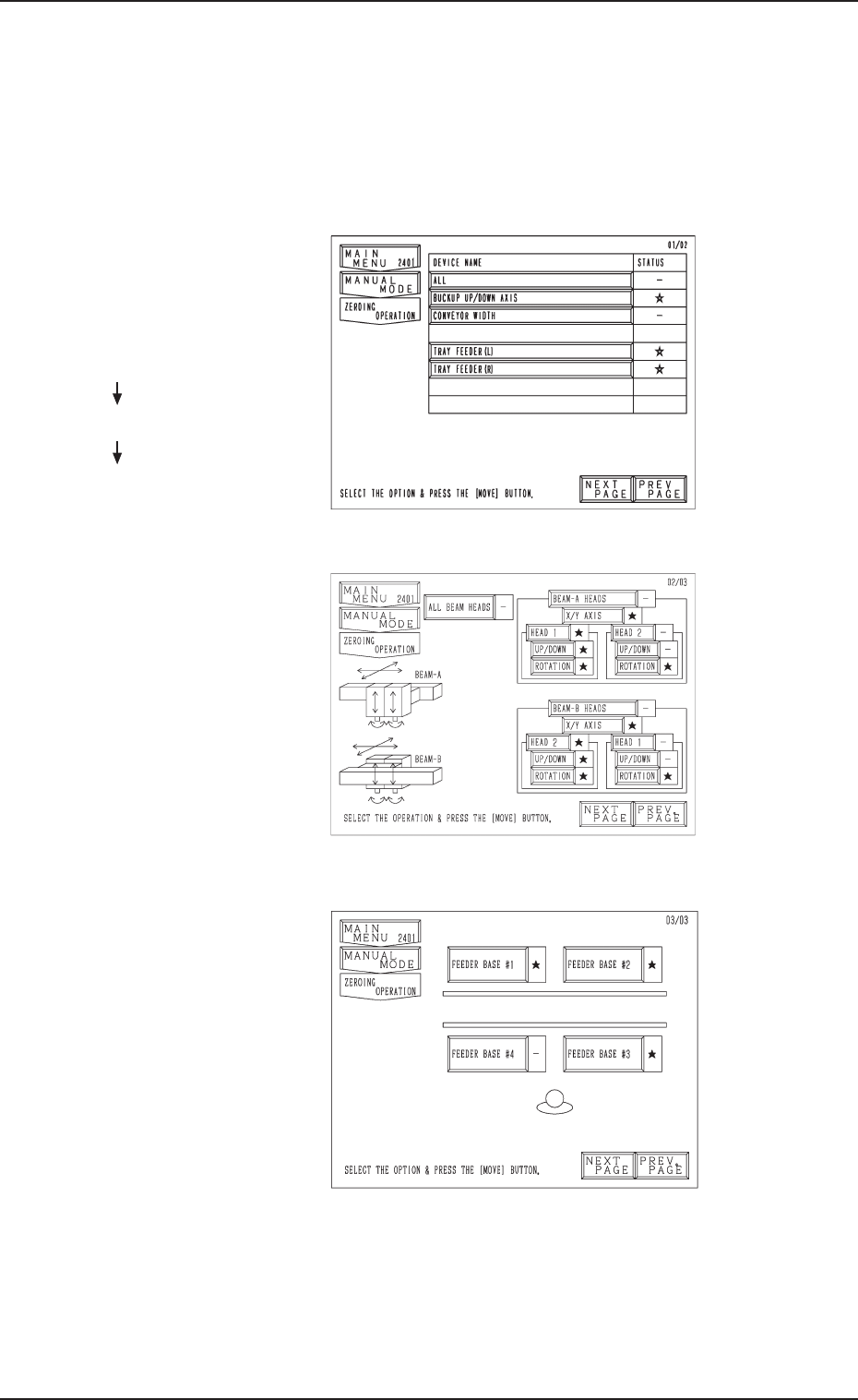
• Press the [ZEROING OPERATION] key at the “MANUAL MODE” dis-
play. The display (Fig. A72) appears on the screen.
Every time the [NEXT PAGE] or the [PREV. PAGE] key is pressed, another
or previous page appears on the screen.
Fig. A72
Fig. A73
Fig. A74
Second Page
Third Page
First Page
Hierarchical Sequence
(Display)
“MAIN MENU”
“MANUAL MODE”
“ZEROING OPERATION”
11.1 Operation of Multi-Layer Tray Feeder from Main Machine Side
0305-001 Chapter 1 2-43 Tg0869-PM-OM