OM-1012-001.pdf - 第123页
(1) Press the [TRA Y FEEDER (L)] or the [TRA Y FEEDER (R)] key . Both keys cannot be selected at a time. (2) Press the [MOVE] button of the main machine. The selected devices are zeroed. (The LED of the [MOVE] button ill…
11.1.2.2 Operation Procedure at “ZEROING OPERATION” Dis
play
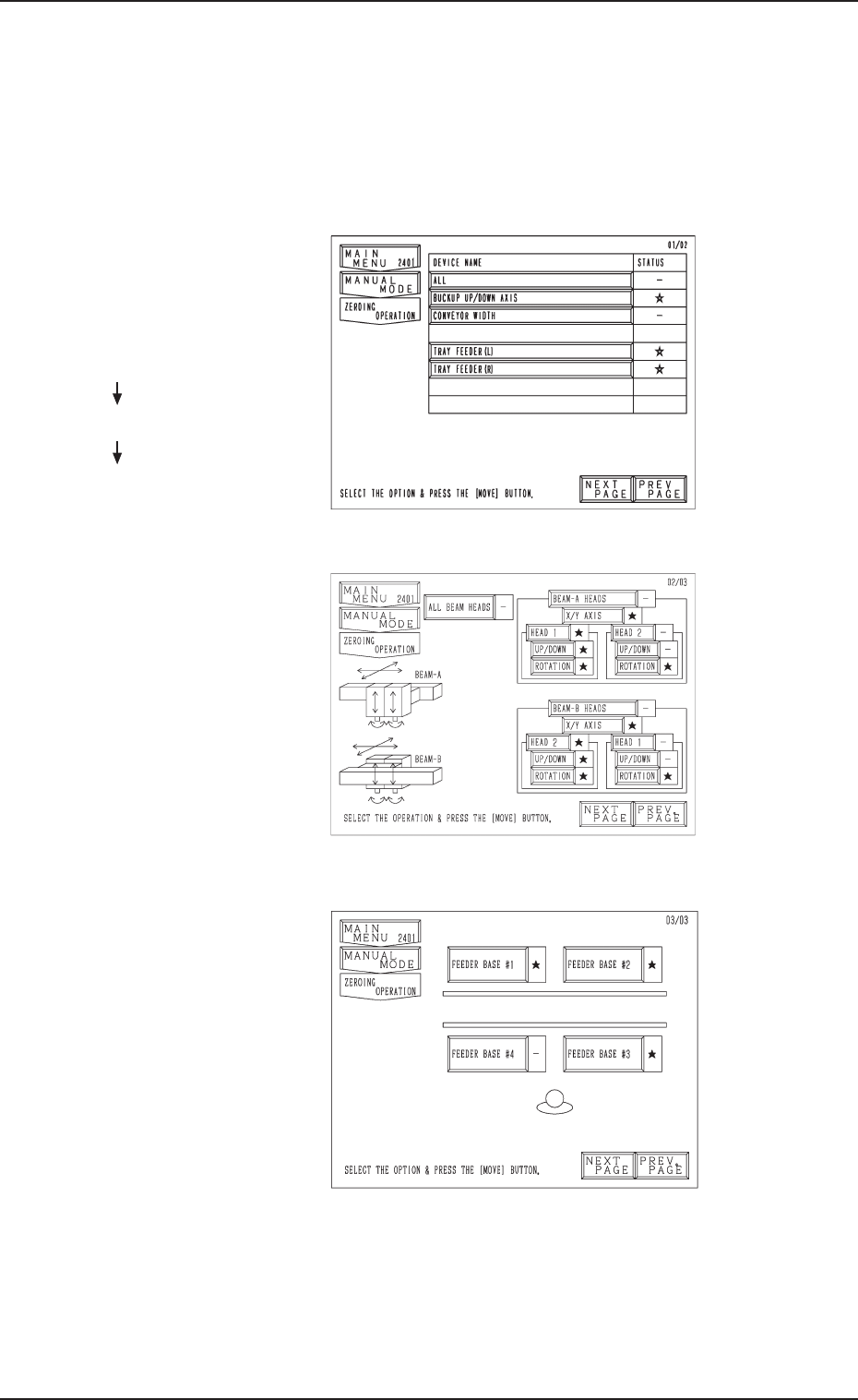
• Press the [ZEROING OPERATION] key at the “MANUAL MODE” dis-
play. The display (Fig. A72) appears on the screen.
Every time the [NEXT PAGE] or the [PREV. PAGE] key is pressed, another
or previous page appears on the screen.
Fig. A72
Fig. A73
Fig. A74
Second Page
Third Page
First Page
Hierarchical Sequence
(Display)
“MAIN MENU”
“MANUAL MODE”
“ZEROING OPERATION”
11.1 Operation of Multi-Layer Tray Feeder from Main Machine Side
0305-001 Chapter 1 2-43 Tg0869-PM-OM

(1) Press the [TRAY FEEDER (L)] or the [TRAY FEEDER (R)] key.
Both keys cannot be selected at a time.
(2) Press the [MOVE] button of the main machine.
The selected devices are zeroed.
(The LED of the [MOVE] button illuminates while the devices are being
zeroed.)
(3) When the zeroing operation is completed, “” appears in the “STATUS”
text box.
(While the current position is being managed or indefinite, “-” appears in
the text box.)
• To zero all devices, select the [ALL] key and press the [MOVE] button.
All devices possible to be returned to their origins are zeroed.
When the [OPERATION/SET UP] switch is set to the “SET
UP” side, the zeroing operation cannot be performed.
Refer to “5. Zeroing Operation of Section 4 in Volume 1” in the main machine
instruction manual for details.
11.1 Operation of Multi-Layer Tray Feeder from Main Machine Side
0305-001 Chapter 1 2-44 Tg0869-PM-OM
11.1.3 Tray Chuck Matrix Change Operations
Refer to “7. Tray Pick-Up Matrix (Option) of Section 3 in Volume 1” in the
main machine instruction manual for details.
Operation Procedure
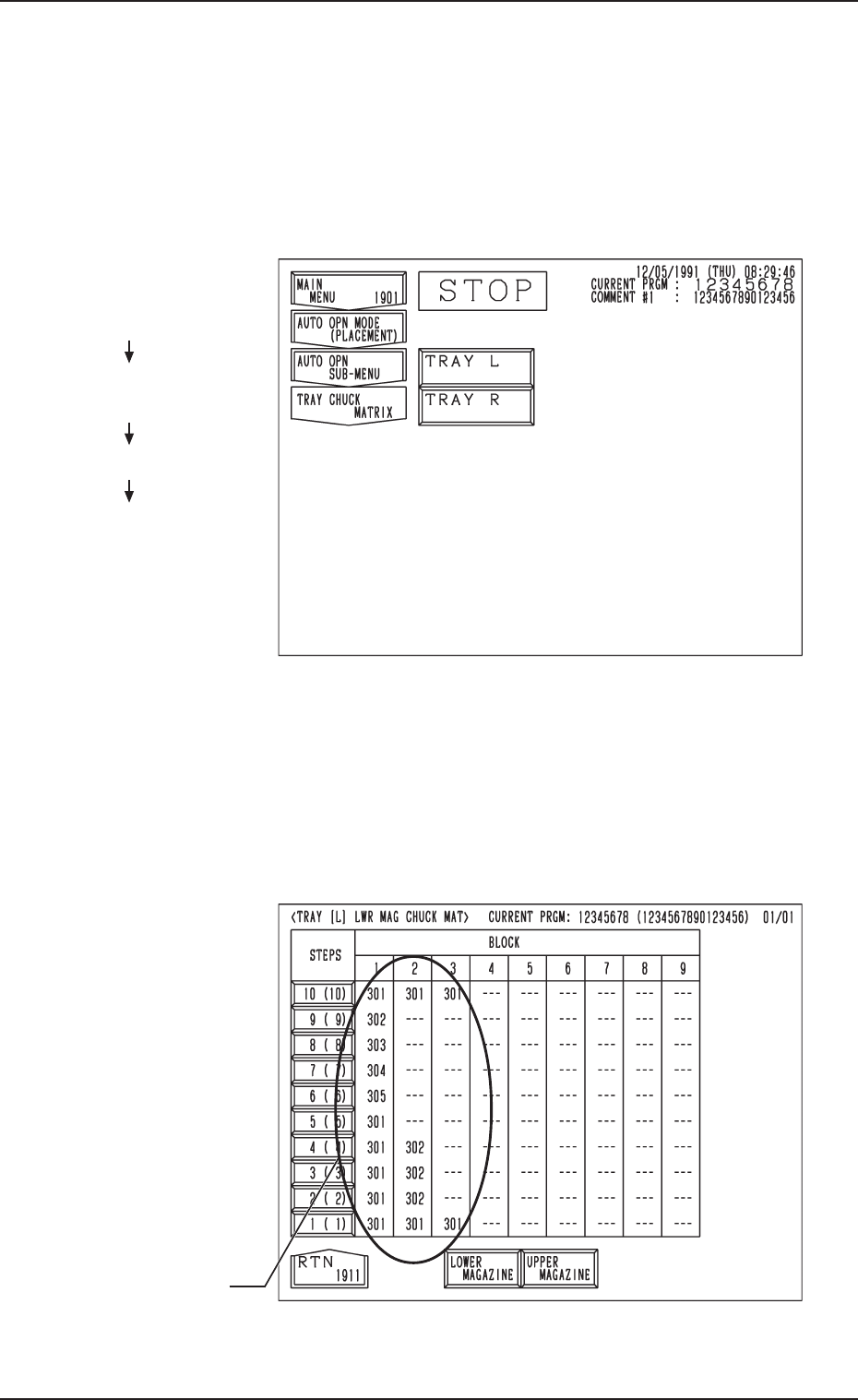
(1) When the [TRAY CHUCK MATRIX] key is pressed at the “AUTO OPN
SUB-MENU” display, the following display appears on the screen.
Fig. A76
Fig. A75
(2) Press the [TRAY L] or the [TRAY R] key to select the multi-layer tray
feeder L or R.
When the [TRAY L] or the [TRAY R] key is pressed, the following dis-
play appears on the screen.
(In this example, the “TRAY [L] LWR MAG CHUCK MAT” display is
shown. The display for “Tray R” looks like this.)
Hierarchical Sequence
(Display)
“MAIN MENU”
“AUTO OPN MODE
<PLACEMENT>”
“AUTO OPN SUB-MENU”
“TRAY CHUCK MATRIX”
11.1 Operation of Multi-Layer Tray Feeder from Main Machine Side
FDR. No.
0305-001 Chapter 1 2-45 Tg0869-PM-OM