CP-842E-842ME System Reference-SYS-CP842-10E.pdf - 第100页
Machine System >> Editing Production Pr ograms On the Machine 4-64 SYS-CP842-1.0E Display Item Explanations 1. [Result]: Displays the bl ock skip mark reading result (pro duction/ pass). Editing Operations The foll…
Machine System >> Editing Production Programs On the Machine
SYS-CP842-1.0E 4-63
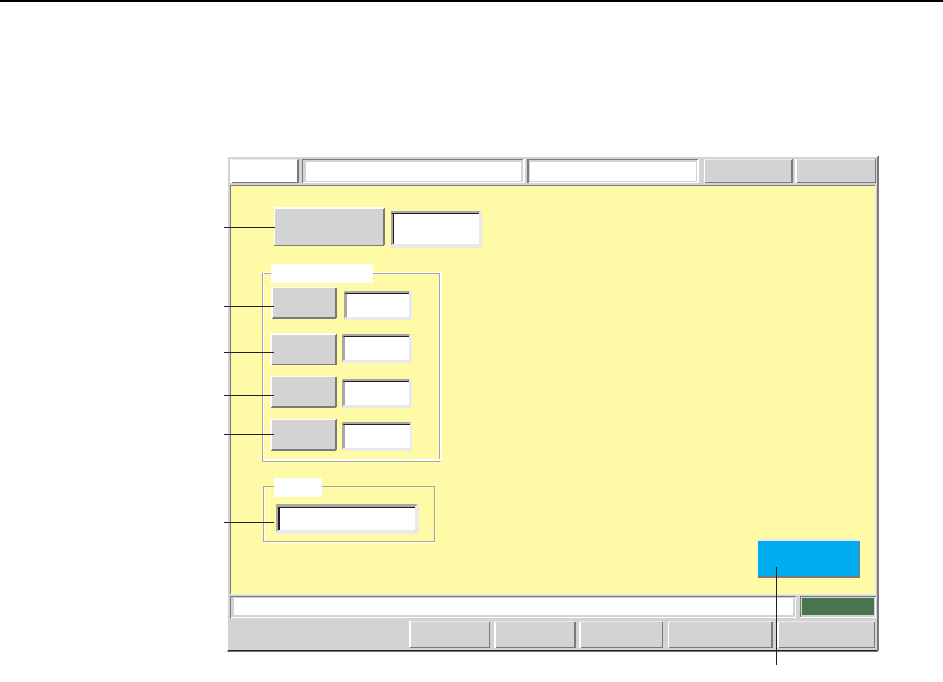
BS-Mark Data Editing Screen
Block skip mark data editing can be performed from this screen.
Screen Button Explanations
A. [Sequence No.]: Switches to the sequence search screen.
B. [Size X]: Changes the block skip mark size “X” (GMKSIZX) which is
specified in the production program’s mark data (MARKDT).
C. [Size Y]: Changes the block skip mark size “Y” (GMKSIZY) which is
specified in the production program’s mark data (MARKDT).
D. [Brightness]: Changes the camera brightness level (GMKLVL) for block
skip mark reading which is specified in the production pro-
gram’s mark data (MARKDT).
E: [Color]: Changes the block skip mark color (GMKBORW) which is
specified in the production program’s mark data (MARKDT).
F: [Close]: Returns to the production program editing screen.
Press the START button.
FUJI
ErrorOperator
JOG:X Y CAM
Servo Count
GEMCCD Monitor
BS Mark Data Editor
FUJI_CP7_2001
Front
Close
3
Brightness
80
1.0000
Mark Data
Size X
Size Y
1.0000
[mm]
[mm]
Color
white
Sequence Number
Result
Product
Set Switch
CP7S2015E
F
A
B
C
D
E
1
Machine System >> Editing Production Programs On the Machine
4-64
SYS-CP842-1.0E
Display Item Explanations
1. [Result]: Displays the block skip mark reading result (production/
pass).
Editing Operations
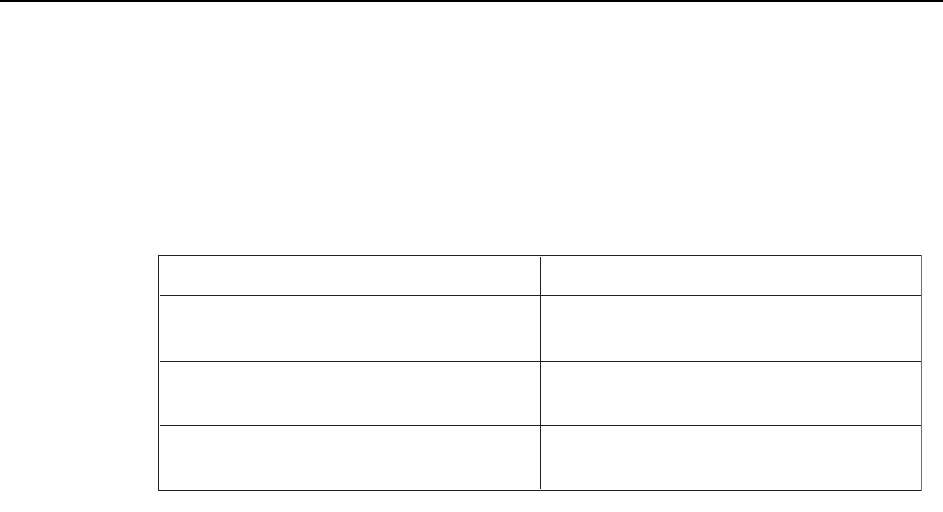
The following editing operations can be performed at this screen.
Problem
Panel's BS-mark pattern size differs from
wire frame's size.
BS-mark reading result differs from panel's
BS-marks.
BS-mark reading result differs from panel's
BS-marks.
Editing Operation
If the BS-mark size is incorrect, edit sizes
X and Y.
If the BS-mark reading threshold value is
unsuitable, edit the brightness.
If the BS-mark reading color is incorrect,
edit the color.
T003E
Machine System >> Editing Production Programs On the Machine
SYS-CP842-1.0E 4-65
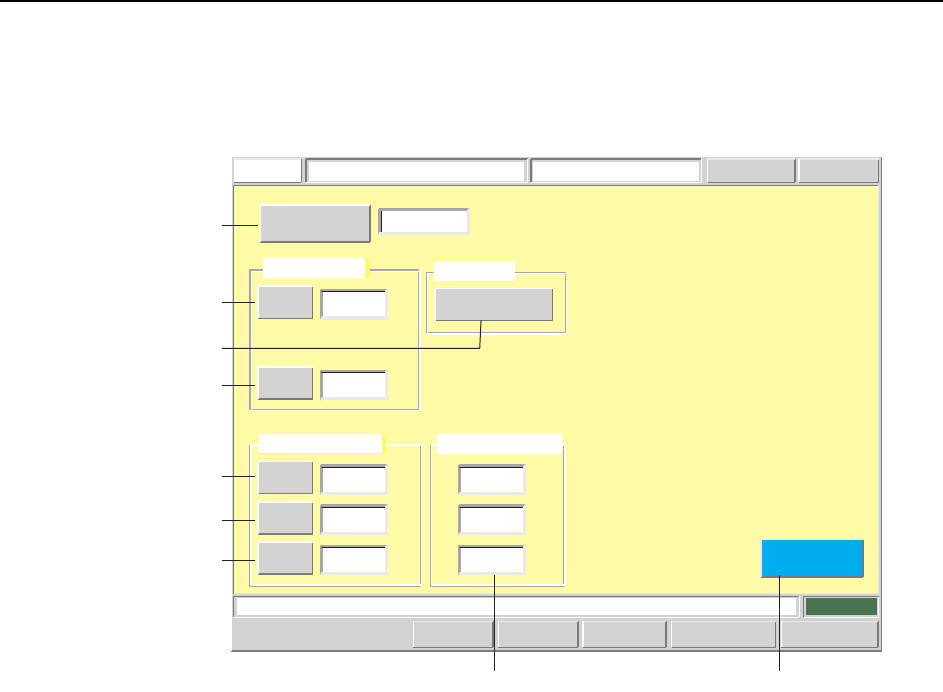
Pickup Data Editing Screen
Pickup data can be edited from this screen.
Screen Button Explanations
A. [Sequence No.]: Switches to the sequence search screen.
B. [X] (Pickup position offset): Changes the offset (PTPCRPOX) from the feeder cav-
ity’s center pickup point. This offset is specified in the
production program’s part shape data (CARRING).
C. [Z] (Pickup position offset): Changes the pickup height offset (PTPCRPOZ) (set
according to part packaging type) which is specified in
the production program’s part shape data (CARRING).
D.[X] (Pickup tolerance): Changes the pickup position X-direction tolerance
(PTPTLPX) which is specified in the production pro-
gram’s part shape data (TOLEINF).
E. [Y] (Pickup tolerance): Changes the pickup position X-direction tolerance
(PTPTLPY) which is specified in the production pro-
gram’s part shape data (TOLEINF).
F. [Q] (Pickup tolerance): Changes the pickup position angle tolerance
(PTPTLPQ) which is specified in the production pro-
gram’s part shape data (TOLEINF).
G. [Detailed Settings]: Switches to the pickup data “detailed settings” screen.
H. [Close]: Returns to the production program editing screen.
Display Item Explanations
1. [Vision Processing Result]: Displays the part camera vision processing result.
Push the START button.
FUJI
ErrorOperator
JOG:X Y CAM
Servo Count
GEMCCD Monitor
Pickup Data EditorFUJI_CP7_2001
Front
Close
X
Z
0.0000
0.0000
Pickup Offset
[mm]
[mm]
X
Y
Q
0.6000
0.8000
30.0000
Pickup Tolerance
[mm]
[mm]
[deg]
123
Detailed Settings
Pickup Data
Sequence Number
Set Switch
Vision Processing Result
X:
Y:
Q:
[mm]
[mm]
[deg]
0.2620
0.1870
2.1639
CP7S2016E
A
B
C
G
D
E
F
H1