CP-842E-842ME System Reference-SYS-CP842-10E.pdf - 第215页
System Installation and Upgrade >> Installing the ID Tool License SYS-CP842-1.0E 7-9 4 Press the [Upgrade] button at the [V is ion T ool Upgrad e] dialog box. 5 V erify that the IDT ool item has been ad ded to the …
System Installation
and Upgrade >> Installing the ID Tool License
7-8
SYS-CP842-1.0E
7.3 Installing the ID Tool License Upgrade CD
The procedure of upgrading Vision Tools is explained, which is necessary to perform
the panel ID reading.
1 Insert the license key upgrade CD-ROM into the CD-ROM drive.
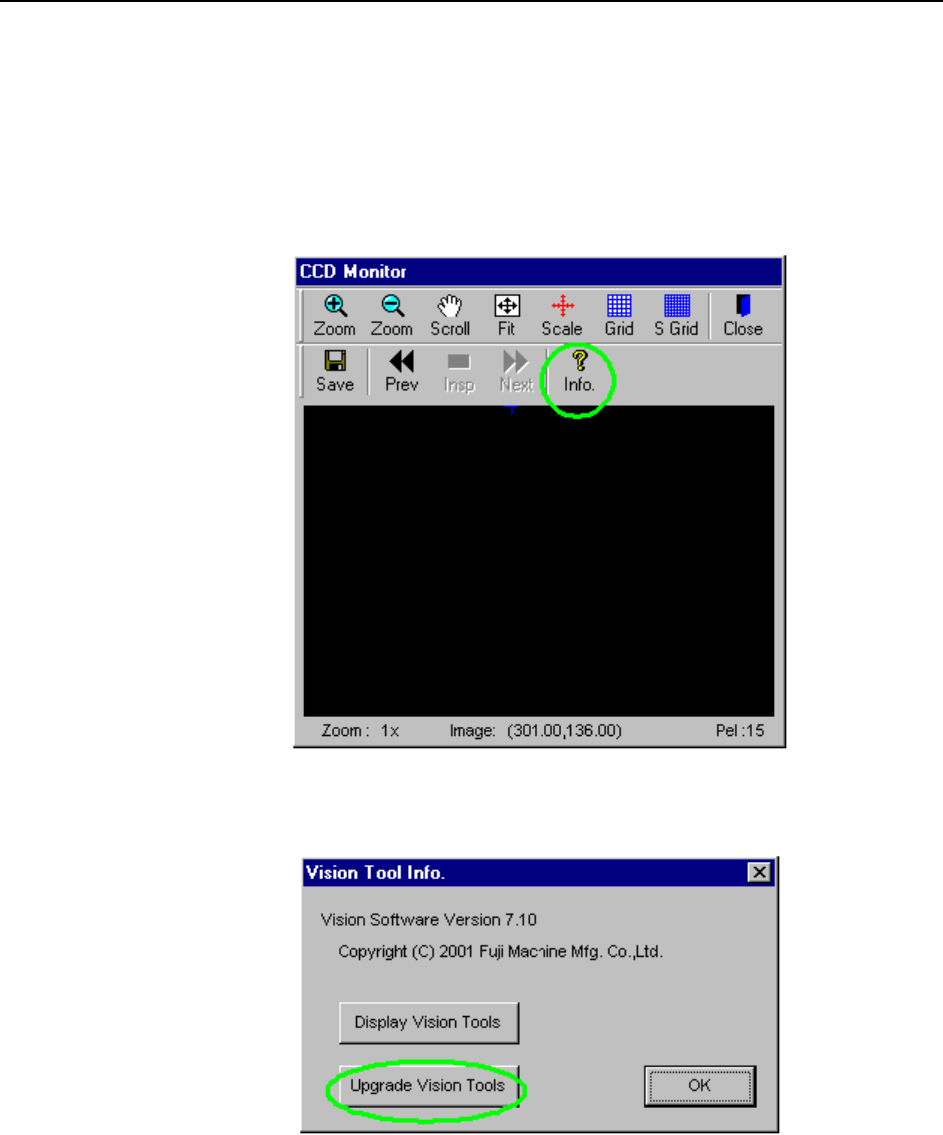
2 Press the [Info.] button at the CCD monitor.
3 Press the [Upgrade Vision Tools] button at the [Vision Tool Info.] dialog box.
System Installation
and Upgrade >> Installing the ID Tool License
SYS-CP842-1.0E 7-9
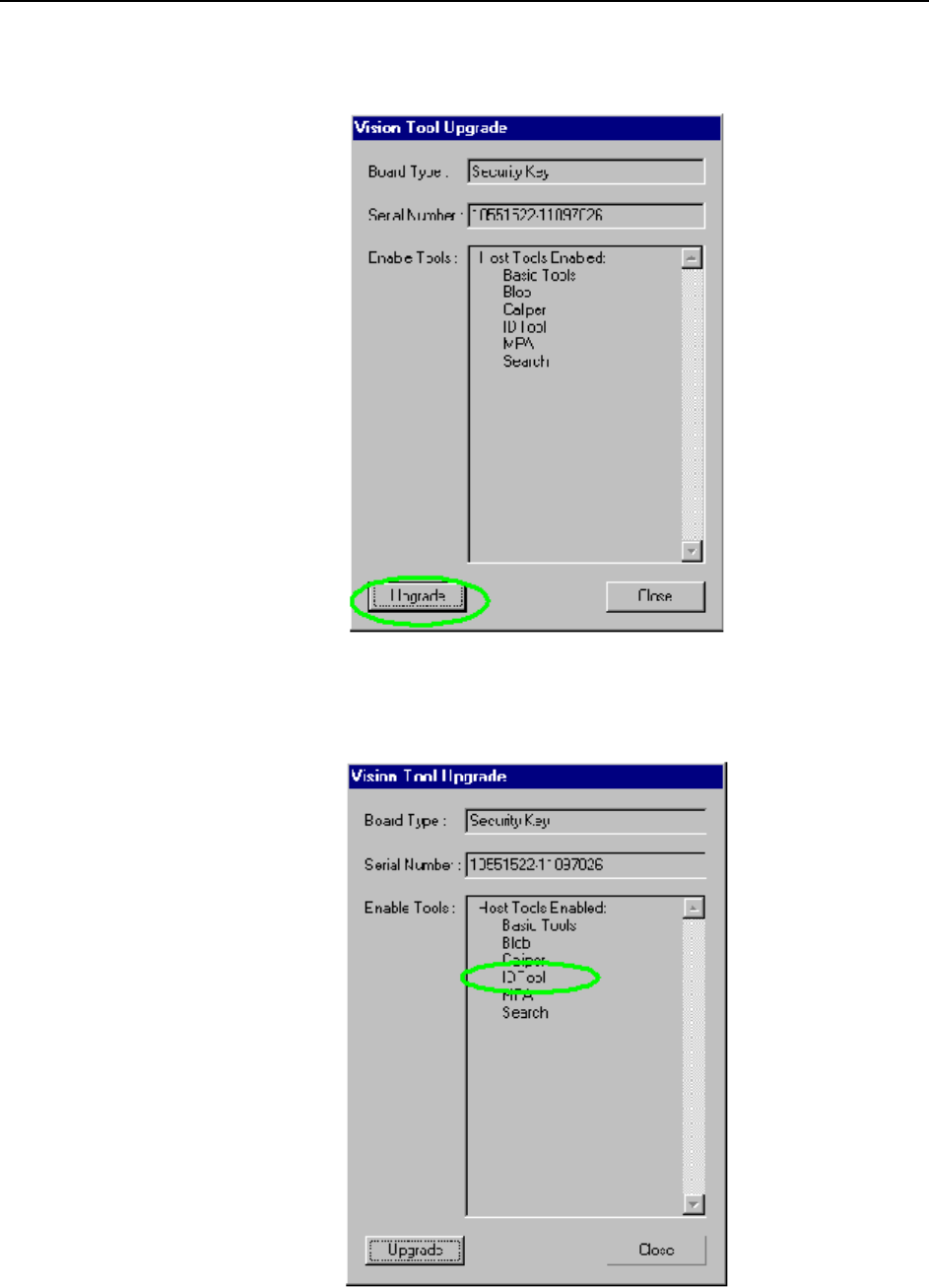
4 Press the [Upgrade] button at the [Vision Tool Upgrade] dialog box.
5 Verify that the IDTool item has been added to the [Enable Tools] list in the
[Vision Tool Upgrade] dialog box.
System Installation
and Upgrade >> Installing the ID Tool License
7-10
SYS-CP842-1.0E
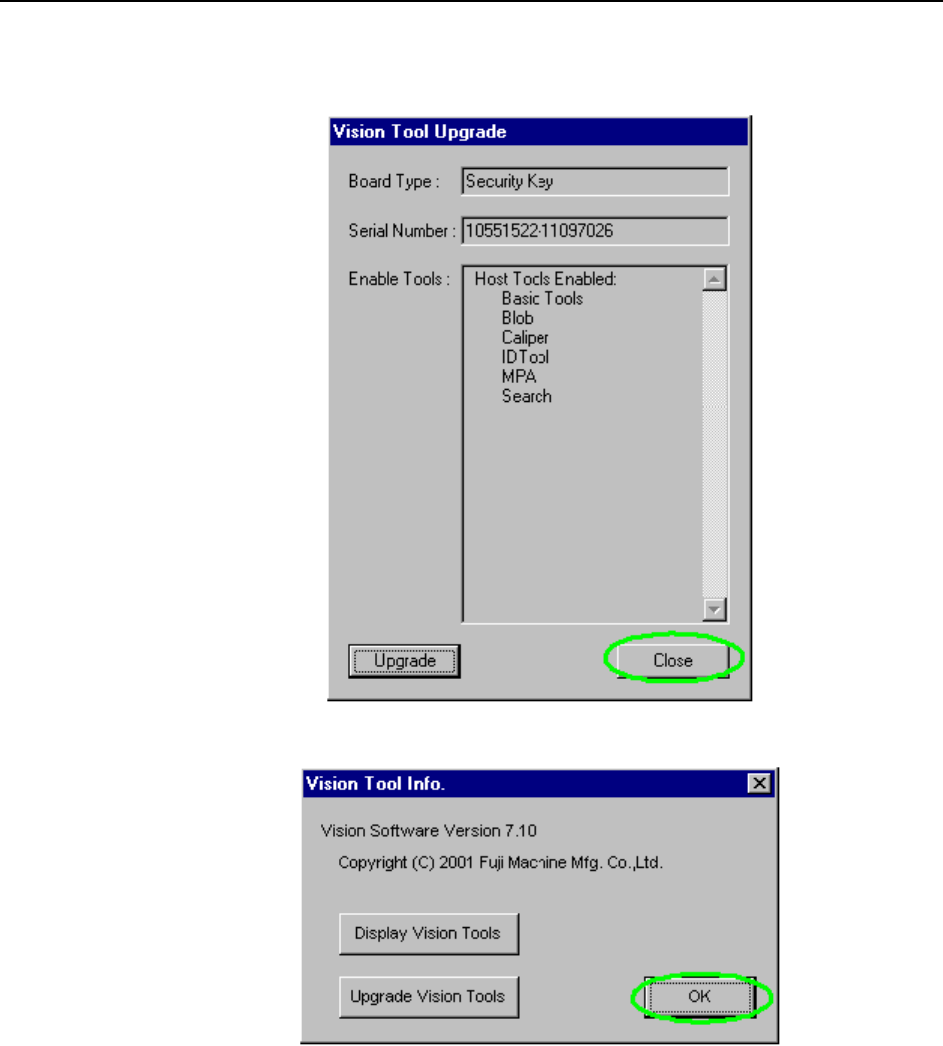
6 Close the dialog box.
7 Remove the CD.