CP-842E-842ME System Reference-SYS-CP842-10E.pdf - 第94页
Machine System >> Editing Production Pr ograms On the Machine 4-58 SYS-CP842-1.0E Production Program Editing Screen Production programs can be edited from this screen. Screen Button Explanations A. [Sequence No.]: …

Machine System >> Editing Production Programs On the Machine
SYS-CP842-1.0E 4-57
F. [Horizontal scroll left arrow]:Scrolls through the modeling display area in 1mm
units in the left horizontal direction.
G. [Horizontal scroll gray pattern]:Scrolls through the modeling display area in the
horizontal direction in 1-screen units.
H. [Horizontal scroll right arrow]:Scrolls through the modeling display area in 1mm
units in the right horizontal direction.
I. [Vertical scroll box]: Scrolls through the modeling display area in the verti-
cal. A drag-and-drop can be performed to scroll to a
desired position.
J. [Vertical scroll up arrow]: Scrolls through the modeling display area in 1mm
units in the upward vertical direction.
K. [Vertical scroll gray pattern]:Scrolls through the modeling display area in the verti-
cal direction in 1-screen units.
L. [Vertical scroll down arrow]:Scrolls through the modeling display area in 1mm
units in the downward vertical direction.
M. [ZOOM +]: Zooms in on the modeling object.
N. [ZOOM -]: Zooms out from the modeling object.
O. [Close]: Returns to either the simulation or the test placement
screen (returns to the screen from which this screen
was accessed).
Specifying A Sequence
The vicinity of the specified sequence part can be displayed by using the cursor move-
ment buttons, by touching the screen directly, by using the horizontal scrollbar, or by
using the zoom buttons. After displaying the part vicinity, the specified sequence part
can be displayed by using cursor movement buttons or by touching the screen directly.
The specified part displays in red.
Machine System >> Editing Production Programs On the Machine
4-58
SYS-CP842-1.0E
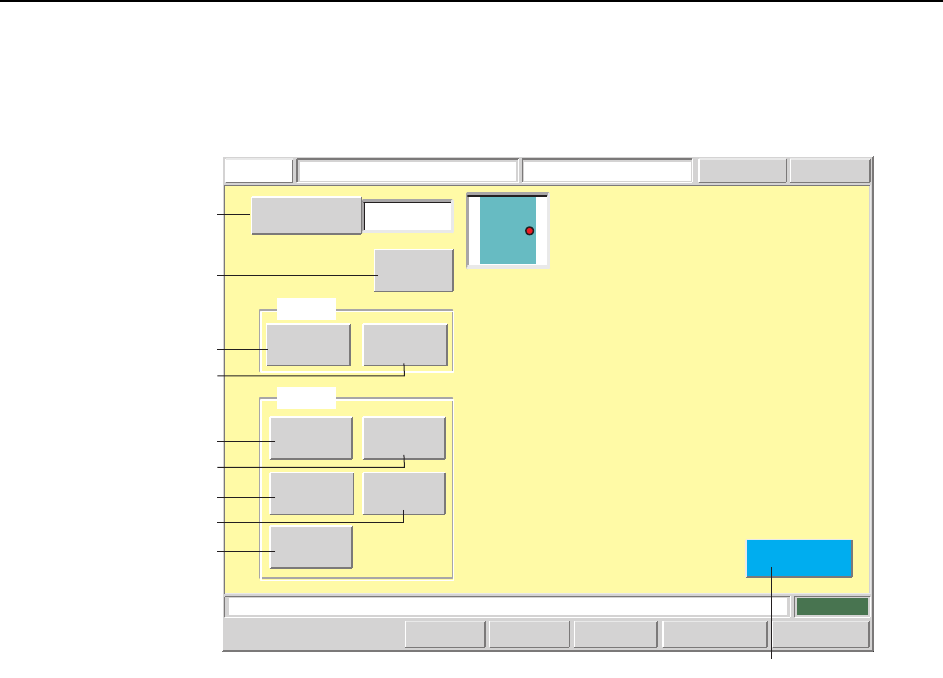
Production Program Editing Screen
Production programs can be edited from this screen.
Screen Button Explanations
A. [Sequence No.]:Switches to the sequence search screen.
B. [Sequence]: Switches to the sequence data editing screen.
C. [Fiducial]: Switches to the F-mark data editing screen.
D. [Block Skip]: Switches to the BS-mark data editing screen.
E. [Body]: Switches to the body data editing screen.
F. [Lead]: Switches to the lead data editing screen.
G. [Element]: Switches to the element data editing screen.
H. [Vision Type]: Switches to the vision type editing screen.
I. [Pickup]: Switches to the pickup data editing screen.
J. [Close]: Returns to either the simulation or the test placement screen
(returns to the screen from which this screen was accessed).
Press the START button.
FUJI
Error
Operator
JOG:X Y CAM
Servo CountGEMCCD Monitor
Production Program EditorFUJI_CP7_2001
Front
Close
1
Sequence Number
Pickup
Sequence
Body
Lead
Element
Vision
BS Mark
F Mark
Mark
Set
Set Switch
CP7S2012E
A
C
D
F
B
E
H
G
I
J
Machine System >> Editing Production Programs On the Machine
SYS-CP842-1.0E 4-59
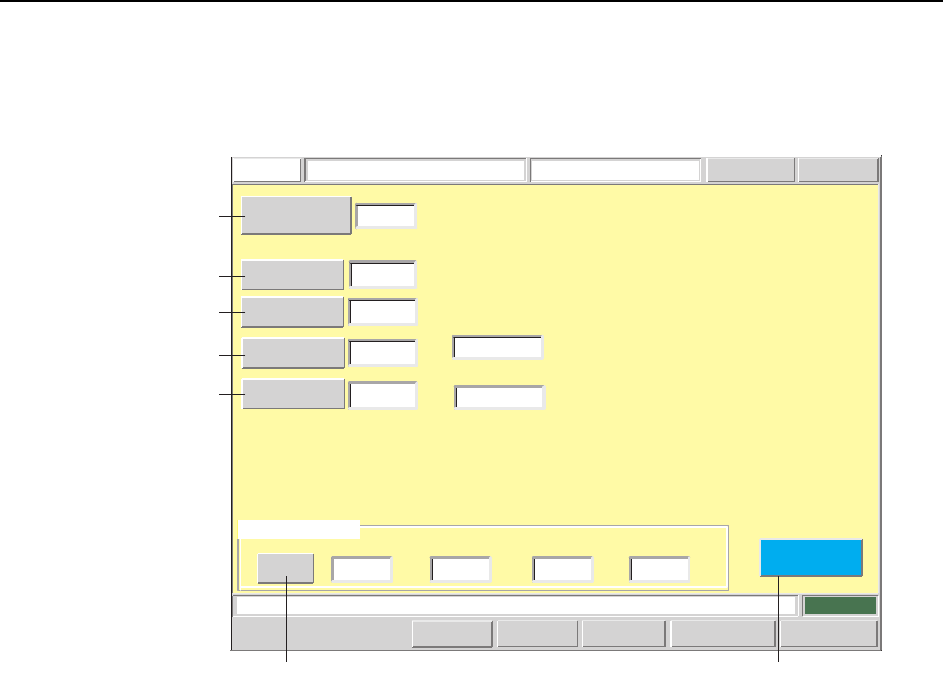
Sequence Editing Screen
Sequence data can be edited from this screen.
Screen Button Explanations
A. [Sequence No.]: Switches to the sequence search screen.
B. [Coordinate X]: Changes the coordinates (GSQX) for the X-axis specified in
the production program’s sequence data (SEQUENCE).
C. [Coordinate Y]: Changes the coordinates (GSQY) for the Y-axis specified in
the production program’s sequence data (SEQUENCE).
D.[Rotation Angle]: Changes the placement angle (GSQQ) which is specified in
the production program’s sequence data (SEQUENCE).
E. [Direction]: Changes the part supply direction (PMADC) which is speci-
fied in the production program’s part data (PRTIDDT).
Setting examples:
0: Supplied at 0 degrees.
1: Supplied at 90 degrees.
2: Supplied at 180 degrees.
3: Supplied at 270 degrees.
F. [Set]: Changes the ID (FDRKEY) which is used to link to informa-
tion for the part specified in the production program’s
sequence data (SEQUENCE).
G: [Close]: Returns to the production program editing screen.
Press the START button.
FUJI
ErrorOperator
JOG:X Y CAM
Servo CountGEM
CCD Monitor
Sequence Data EditorFUJI_CP7_2001
Front
Close
123
Pickup Location
Stage number
Group number
Slot number
Sub-slot number
X-coordinate
Y-coordinate
Q-rotation
-93.5000
52.0000
90.0000
[mm]
[mm]
[deg]
Direction
0
Sequence Type
D
Comment
MINI1220122
Sequence Number
1 0 13 0
-- -
Set Switch
Setup
1
2
CP7S2013E
A
B
C
D
E
GF