CP-842E-842ME System Reference-SYS-CP842-10E.pdf - 第117页
Machine System >> Maintenance Mode SYS-CP842-1.0E 4-81 4.4 Maintenance Mode Maintenance mode overrides th e safety devices on the ma chine to allow for machine adjustments. A maintenance key is necessary to use mai…
Machine System >> Administrative Functions
4-80
SYS-CP842-1.0E
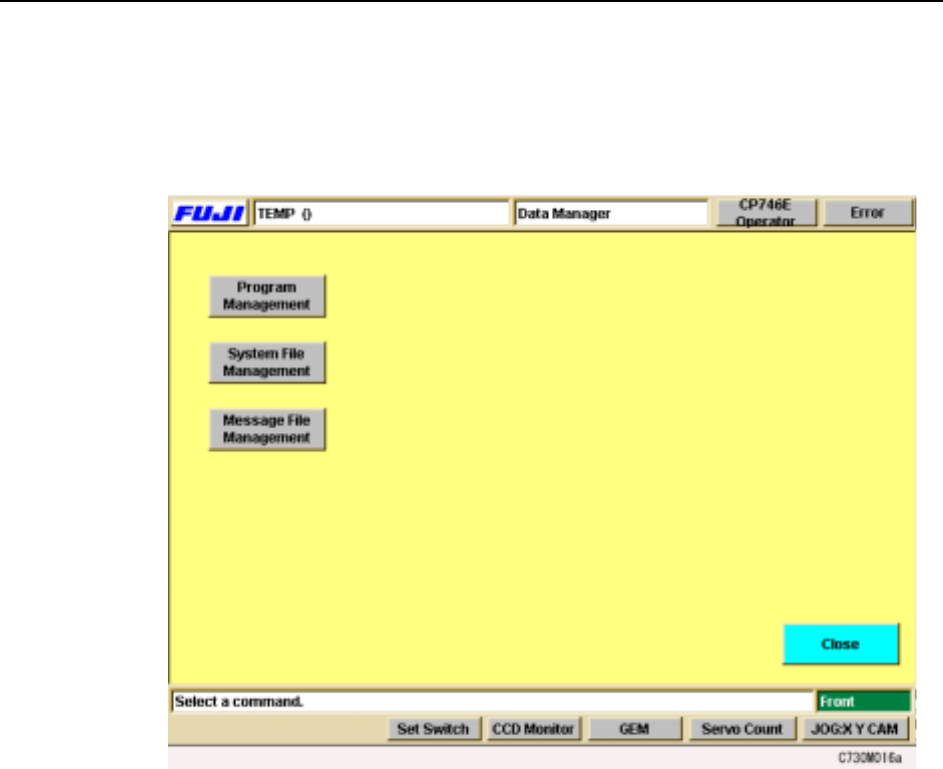
4.3.4 Using the Data Manager
The data manager is a group of functions which assist users to administer the various
kinds of data held at the machine. Press [Maintenance] - [Data Manager] to display
the [Data Manager] screen.
Using these functions, users can copy data to the hard disk or floppy disk, or restore
data which has been lost or damaged.
Machine System >> Maintenance Mode
SYS-CP842-1.0E 4-81
4.4 Maintenance Mode
Maintenance mode overrides the safety devices on the machine to allow for machine
adjustments. A maintenance key is necessary to use maintenance mode.
4.4.1 Maintenance Mode Operation
The following operations are possible with the safety doors open when using Mainte-
nance Mode.
• Calibration data measurements (limited use)
• Position (limited use)
• I/O check
• Inching
DANGER
Maintenance mode overrides the safety devices on the machine. Take
extreme care when operating the machine with the safety doors open.
DANGER
Maintenance Mode and the Maintenance key should only be used by
experienced maintenance personnel.
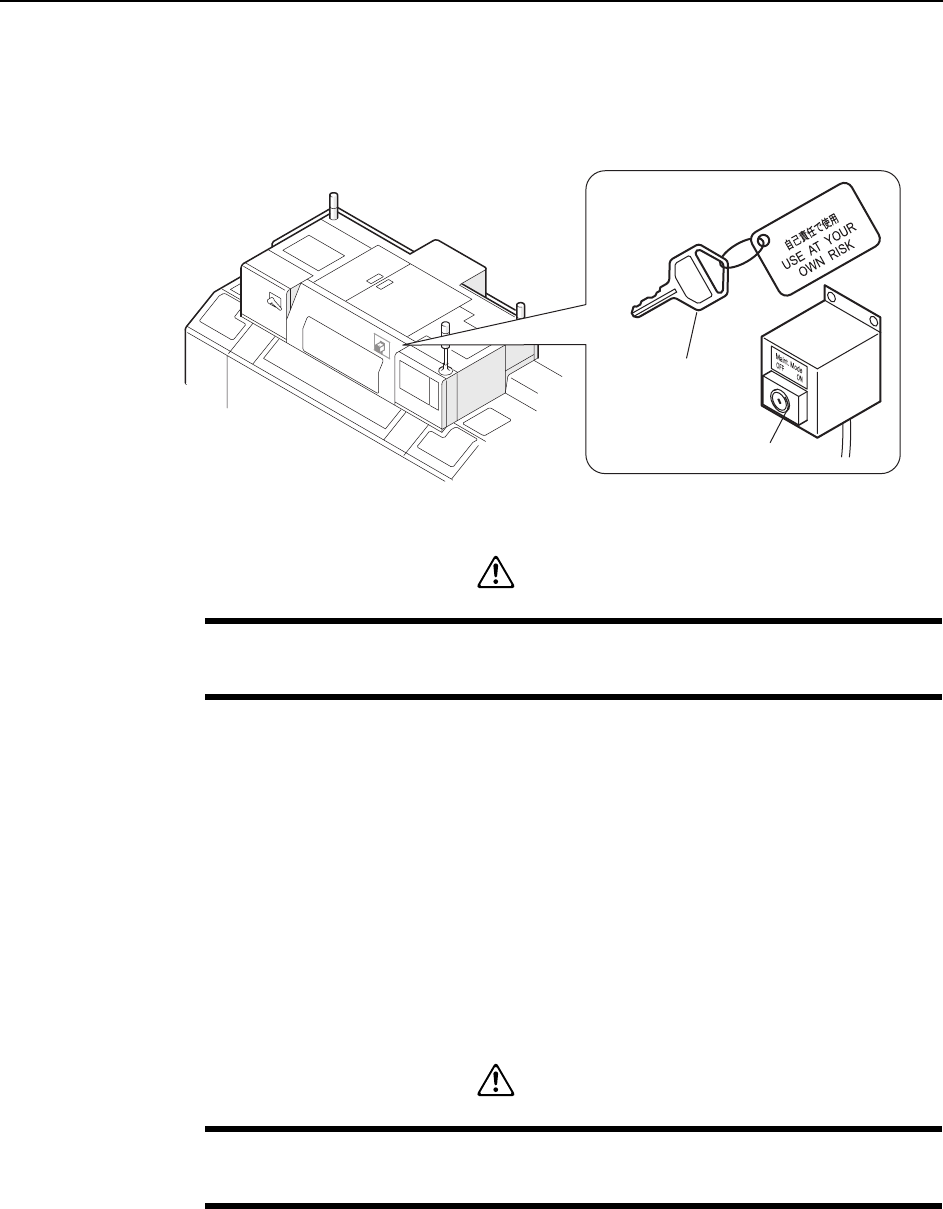
C76M1030
Maintenance switch
Maintenance key
Machine System >> Maintenance Mode
4-82
SYS-CP842-1.0E
4.4.2 Entering Maintenance Mode
Procedure
1 Open the front safety doors and turn the Maintenance key to the ON position.
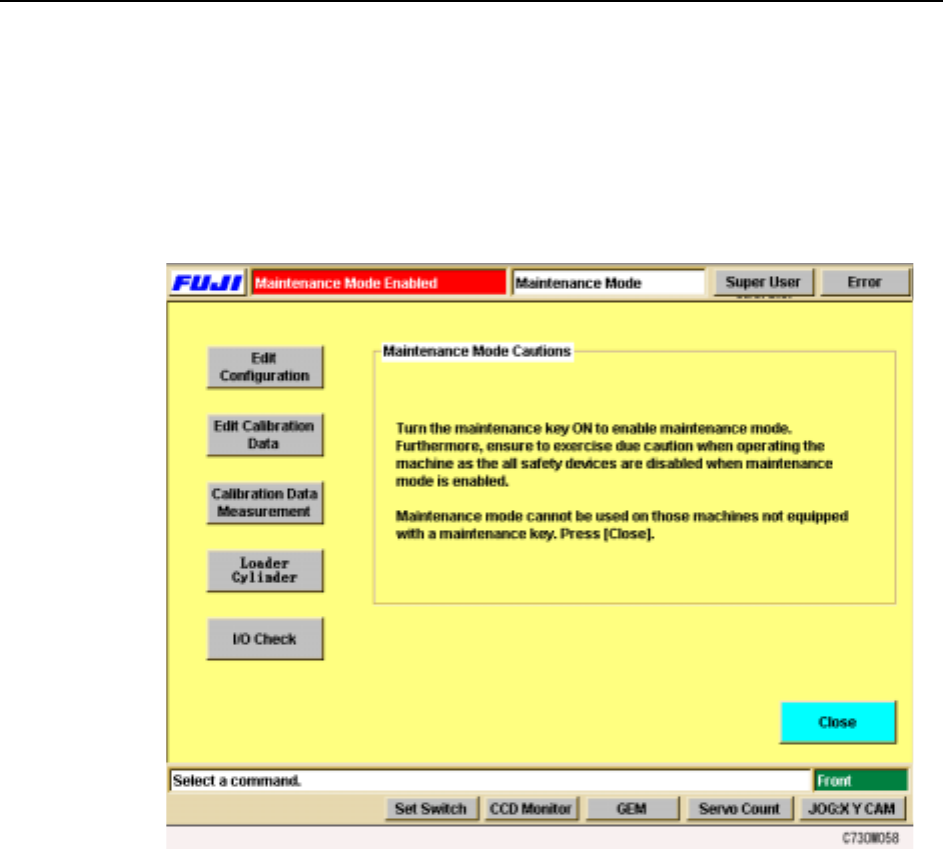
2 In the [Main] screen, select [Maintenance] then [Maintenance Mode]. The
[Maintenance Mode] screen displays.
Note: During Maintenance Mode, “Maintenance Mode” displays and flashes in the
production program name area.
3 Select the necessary maintenance operation command from [Edit Configura-
tion], [Edit Calibration Data], [Calibration Data Measurement], [Loader Cylin-
der] and [I/O Check] and perform the adjustment or maintenance.
4 When finished, press the [Close] button and the [Maintenance] screen returns.