CP-842E-842ME System Reference-SYS-CP842-10E.pdf - 第121页
Machine System >> Panel ID Read Function ( Option) SYS-CP842-1.0E 4-85 4.5.3 Settings for Panel ID (2D Code) Reading by Mark Camera Fujitrax-Profiler Set tings Select the [Maintenan ce] - [Configuration] - [Machine…

Machine System >> Panel ID Read Function (Option)
4-84
SYS-CP842-1.0E
4.5 Panel ID Read Function (Option)
This manual describes the panel ID reading function, and explains how to use this
function.
4.5.1 Function Explanation
This function assigns a unique ID to each panel (or board) for the purpose of traceabil-
ity. Panels are identified with either 2D codes or barcodes.
The fiducial mark camera reads 2D codes, and a barcode reader mounted on the in-
conveyor reads barcodes.
Note, however, that not all versions of the machine control software are compatible
with the panel ID read function.
4.5.2 Glossary of Terms
Term Explanation
Verification This function checks the part type on the device table
against the recipe to ensure that the correct part type is
being used.
Device check This refers to the entire check sequence (including
Verification of each device) which is performed to verify that
the devices are ready for production.
FIDL Feeder ID number.
DID Whereas the device comment indicates the part type,
theDID indicates the ID number of each parts reel. Even if
two reels contain the same part types (=device comments),
each reel must have a different DID.
Panel ID When multiple boards are contained within a single panel, or
when multiple boards are conveyed on a single pallet, a
unique Board ID is assigned to each of the individual boards
on the panel or the pallet.
Dedicated barcode reader This is the dedicated panel ID barcode reading sensor
mounted on the in-conveyor. The term “dedicated” is used
because this reader is not used together with the mark
camera. It is also referred to as the “fixed barcode sensor”.
Reading trigger sensor This sensor is used to trigger the panel ID reading by the
barcode reader. Reading occurs when the panel on the in-
conveyor passes beneath this sensor. This sensor is also
referred to as the “fixed panel check sensor”.
Machine System >> Panel ID Read Function (Option)
SYS-CP842-1.0E 4-85
4.5.3 Settings for Panel ID (2D Code) Reading by
Mark Camera
Fujitrax-Profiler Settings
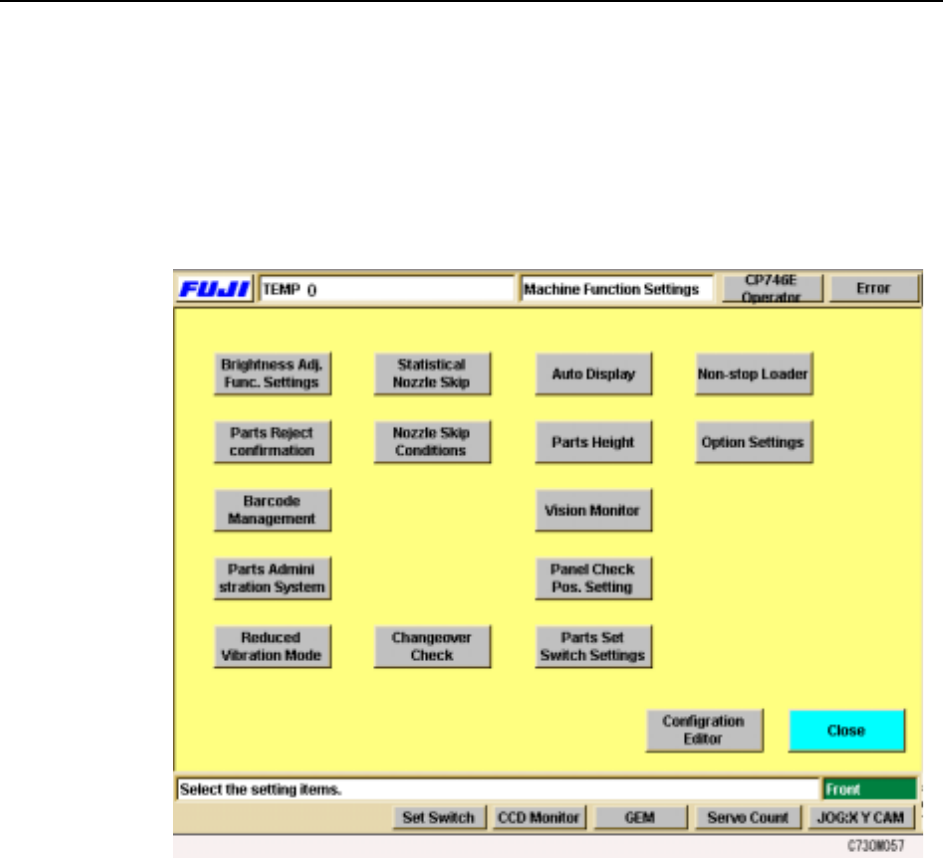
Select the [Maintenance] - [Configuration] - [Machine Function Settings] commands
to display the [Parts Administration System] setting screen.
Machine System >> Panel ID Read Function (Option)
4-86
SYS-CP842-1.0E
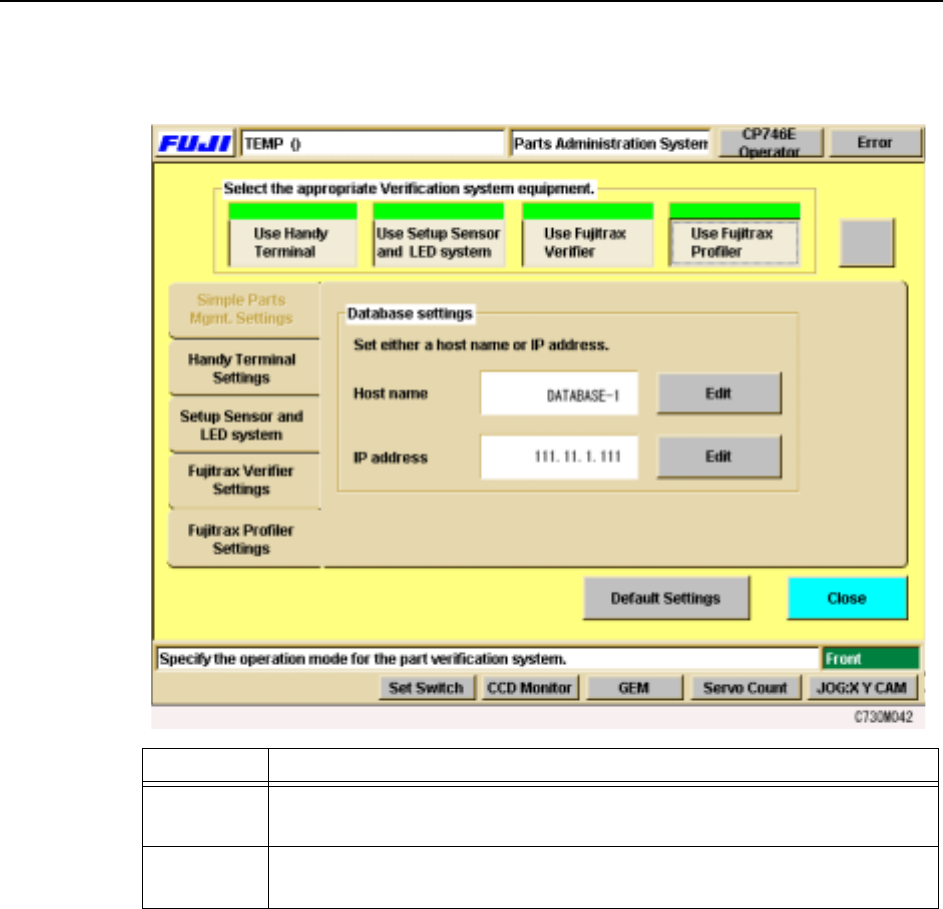
Click on the [Fujitrax-Profiler Settings] tab of the [Parts Administration System] set-
ting screen, then enter the host name and the IP address.
Items Explanation
Host name This button is used to set the Fujitrax-Profiler host name. Specify either a
host name or an IP address.
IP Address This button is used to set the IP address for the Fujitrax-Profiler host.
Specify either a host name or an IP address.