CP-842E-842ME System Reference-SYS-CP842-10E.pdf - 第107页
Machine System >> Editing Production Programs On t he Machine SYS-CP842-1.0E 4-71 V ision T ype Editing Screen The vision type can be edited from this screen. For vision type details, refer t o the SMD3 Operation M…
Machine System >> Editing Production Programs On the Machine
4-70
SYS-CP842-1.0E
I. [Element]: Switches to the element data editing screen.
J. [Lead]: Switches to the lead data editing screen.
K. [Close]: Returns to the production program editing screen.
Editing Operations
The following editing operations can be performed at this screen.
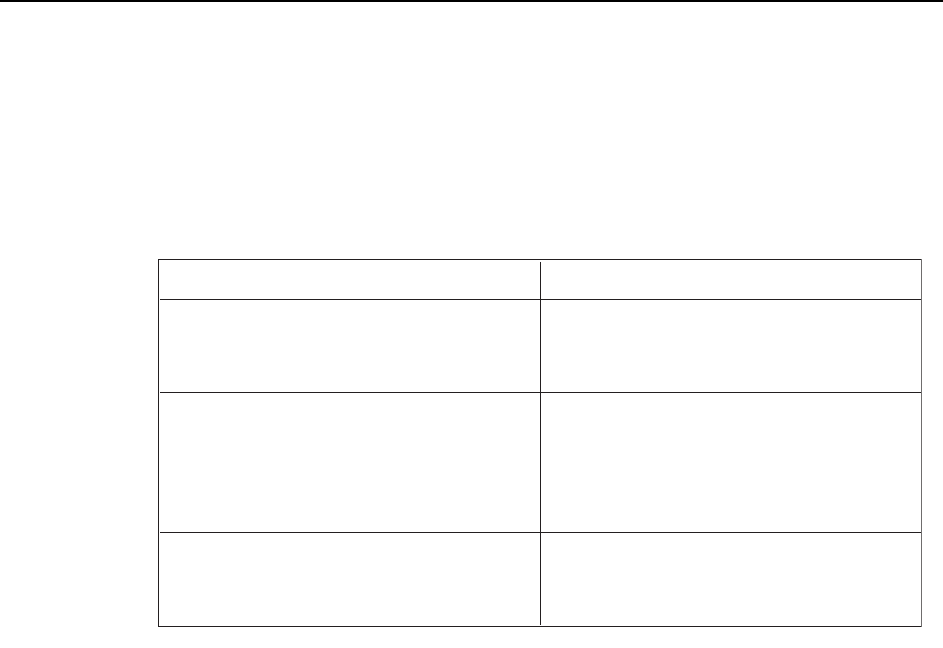
Problem
Panel's part pattern size differs from the wire
frame size. Or, a vision processing error
occurs during test placement.
Editing Operation
If the part size is incorrect, edit the body
length X and Y values.
A part height error occurs during test
placement.
Error code: 0x12040410
A part height which differs from that
specified in part data was detected.
If the part height is incorrect, edit the part
height value.
A vision processing error occurs during test
placement.
Edit the check tolerance X and Y length
values, and the lead detection count
tolerance value.
T006E
Machine System >> Editing Production Programs On the Machine
SYS-CP842-1.0E 4-71
Vision Type Editing Screen
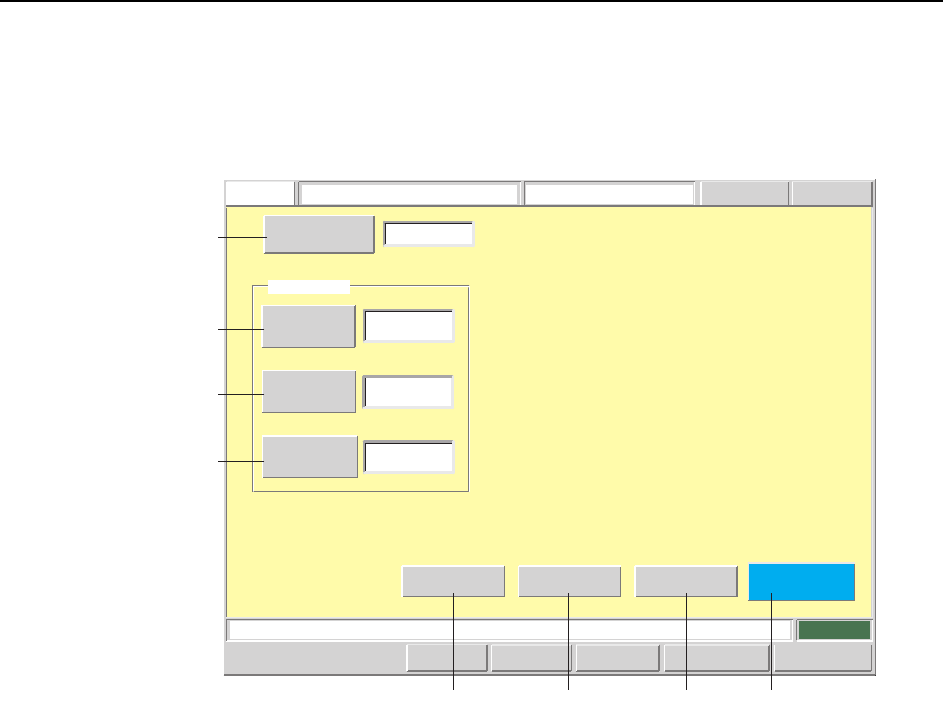
The vision type can be edited from this screen. For vision type details, refer to the
SMD3 Operation Manual.
Screen Button Explanations
A. [Sequence No.]: Switches to the sequence search screen.
B. [Vision Type]: Changes the vision processing unit’s “vision number”
(PTPVICVT) which is specified in the production program’s
part shape data (VISION).
Setting examples:
10: Square chips
20: SOT (small outline transistor)
100: IC lead parts
C. [Camera Type]: Changes the image acquisition camera type (PENVICT)
which is specified in the production program’s part shape
data (ENVDT).
Setting examples:
0: Wide camera
1: Narrow camera
D. [Lighting]: Changes the part lighting type (PENVILIT) which is speci-
fied in the production program’s part shape data (VISION).
Setting examples:
0: Backlight
1: Frontlight
E. [Body]: Switches to the body data editing screen.
Close
Lead
ElementBody
Vision
Type
Camera
Type
Lighting
1
0
Sequence Number
FUJI
FUJI_CP7_2001
Vision Type Editor
Operator
Error
Push the START button.
Front
CCD Monitor GEM Servo Count
JOG:X Y CAM
Basic Data
Set Switch
123
10
CP7S2019E
A
B
C
D
HE F G
Machine System >> Editing Production Programs On the Machine
4-72
SYS-CP842-1.0E
F. [Element]: Switches to the element data editing screen.
G. [Lead]: Switches to the lead data editing screen.
H. [Close]: Returns to the production program editing screen.
Editing Operations
The following editing operations can be performed at this screen.
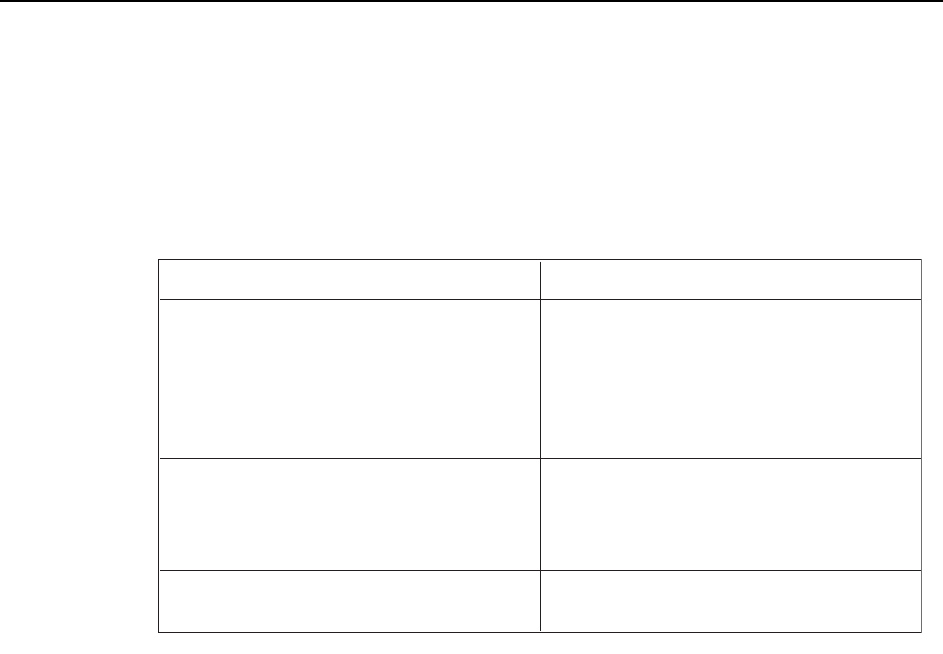
Problem Editing Operation
A vision processing error occurs during test
placement.
Error code: 0x1CA18005
No part line was found.
Error code: 0x1CA18006
No part line was found.
If the vision type is incorrect, edit the vision
type setting.
A vision processing error occurs during test
placement.
If the lighting is incorrect, edit the lighting
setting.
A vision processing error occurs during test
placement.
Error code: 0x1CB01101
Incorrect camera type setting.
If the camera type is incorrect, edit the
camera type setting.
T007E