CP-842E-842ME System Reference-SYS-CP842-10E.pdf - 第126页
Machine System >> Panel ID Read Func tion (Option) 4-90 SYS-CP842-1.0E n Barcode Reading T est After adjusting the barcode reader to its approximate position, open the [Barcode Management] screen and perf orm a tes…
Machine System >> Panel ID Read Function (Option)
SYS-CP842-1.0E 4-89
Fujitrax-Profiler Settings
Perform the same setting procedures for code reading by the mark camera.
Barcode Reader Adjustment
The barcode reader position must be adjusted to accommodate a production panel
change, or changes in the panel ID barcode position. In such cases, adjust the reader
to a position where normal reading can occur.
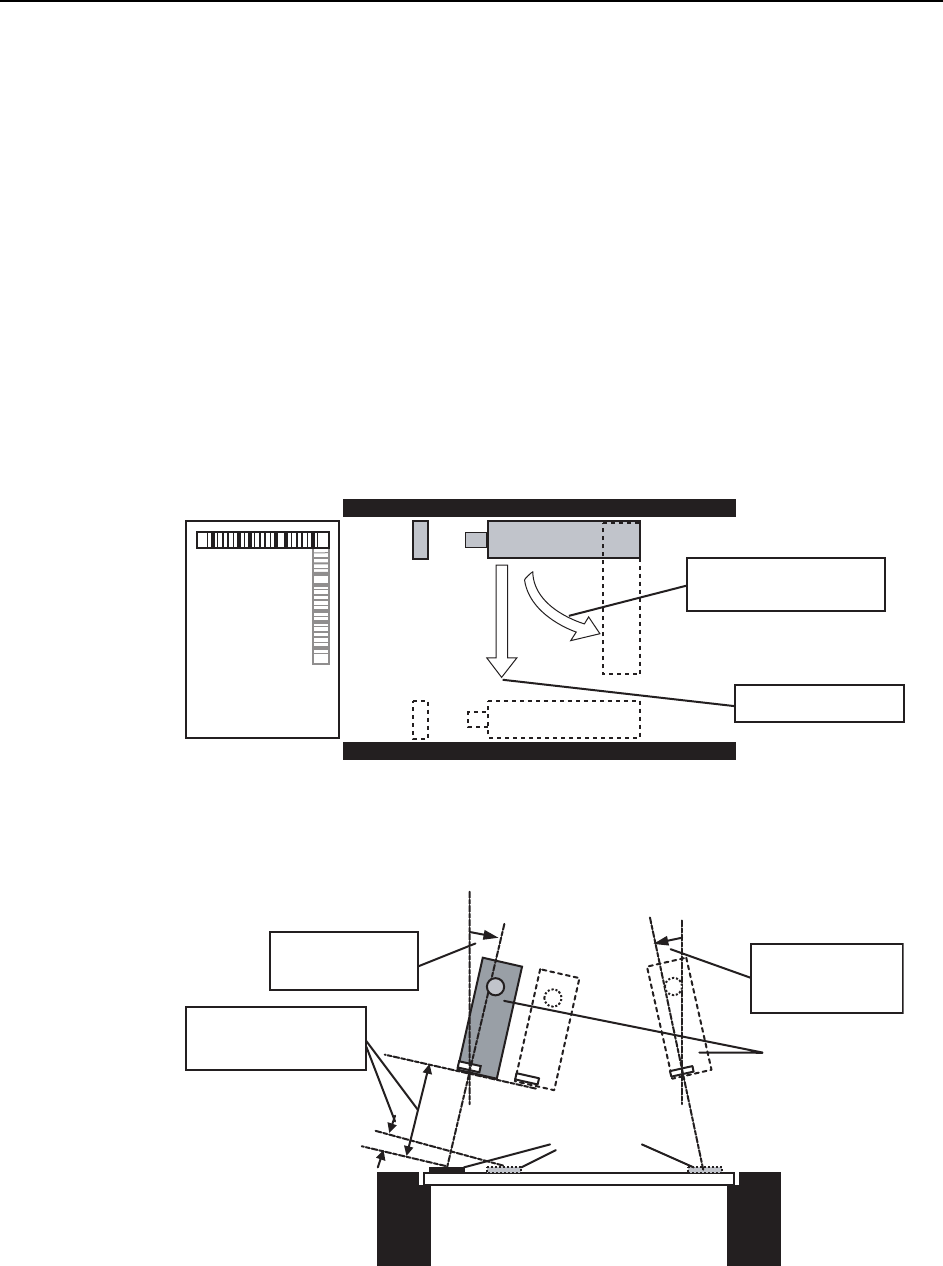
Adjust the following as necessary:
• Position (Y-direction), Height (33 mm 5 mm)
• Barcode reader tilt
(A tilt of 10~40 degrees, 15~40 degrees is required. See the illustration below.)
• Barcode reader orientation (parallel or perpendicular to conveyance direction).
View from above in-conveyor
View of in-conveyor from left side of machine
Barcode reader
orientation adjustment
Position adjustment
Barcode reader
Trigger sensor
In-conveyor
In-conveyor
Production panel
Barcodes
Barcode reader
Tilt adjustment
(15 ~ 40 deg.)
Tit adjustment
(10 ~ 40 deg.)
Height adjust
(33 mm ± 5 mm)
Machine System >> Panel ID Read Function (Option)
4-90
SYS-CP842-1.0E
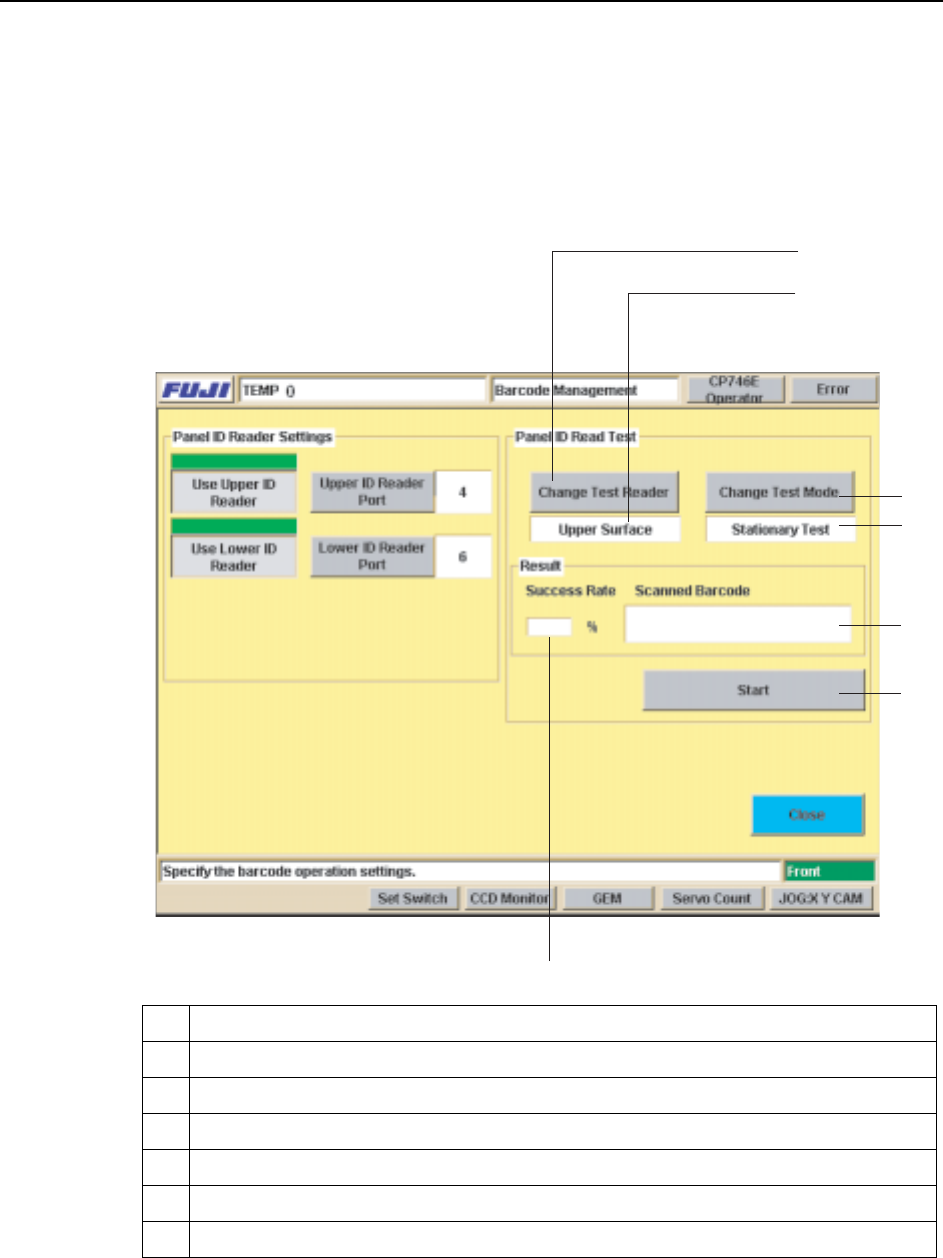
n Barcode Reading Test
After adjusting the barcode reader to its approximate position, open the [Barcode
Management] screen and perform a test reading of the panel ID barcode, and fine-
adjust the barcode reader position until the barcode is being read properly.
Place a panel on the conveyor, then press [Test Start or End]. Fine-adjust the reader
position until the reading success rate is high (approx. 100%).
9 Selects the reader (upper or lower) to be used for reading test
10 Indicates the reader (upper or lower) being used for reading test.
11 Switches the test mode being used for reading test.
12 Indicates the current test mode being used for reading test.
13 Starts and stops the test.
14 Display area for reading success rate / success count.
15 Display area for content of barcode which was read.
9
10
11
12
13
14
15
%1/
Machine System >> Panel ID Read Function (Option)
SYS-CP842-1.0E 4-91
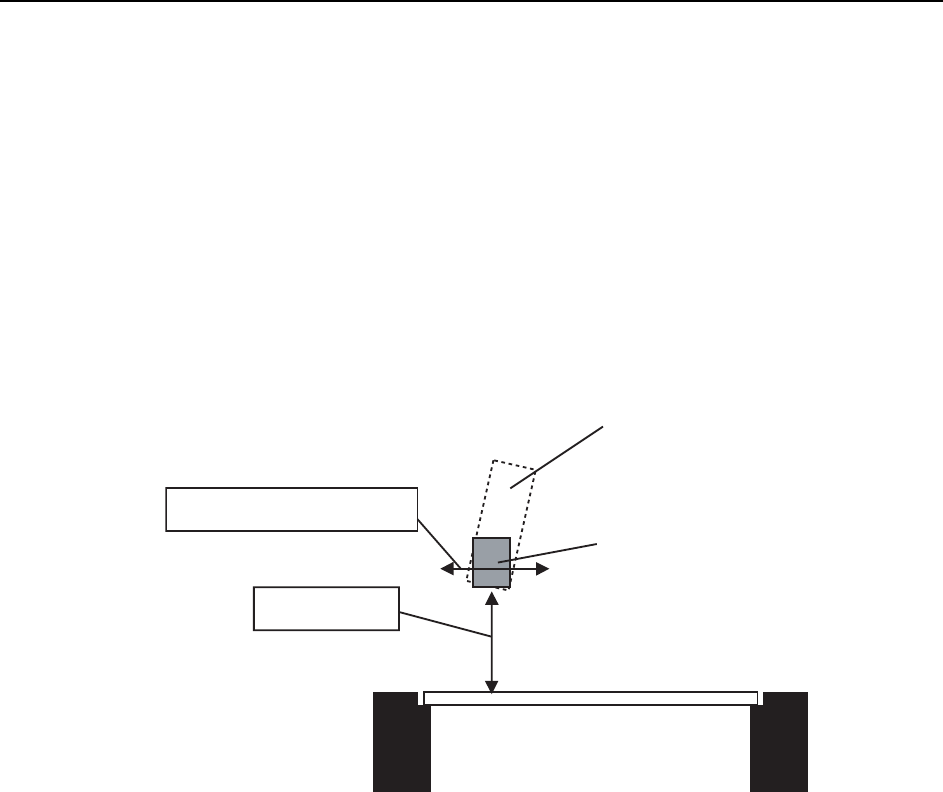
Reading Trigger Sensor Adjustment
When the position of the panel ID changes due to a production panel change, etc., the
sensor which triggers barcode reading is moved together with the barcode reader. In
some cases, however, changes in the production panel and the panel ID position may
result in a panel color or shape which prevents stable detection of the panel edge, and
the sensor may fail to trigger the barcode reading operation.
In such cases, the reading trigger sensor must be adjusted so that reading is triggered
in a stable manner before the panel has moved past the sensor.
Adjust the following as necessary:
• Position (Y-direction)
•Height
In-conveyo
r
Production panel
Barcode reader
Height adjustment
Position (Y-direction) adjustment
Trigger sensor