4OM-1429-008_w.pdf - 第127页
1-66 (5) Shake it in the rotational direction and confirm that the it does not rotate. After that, pull out the filter replacement jig carefully so as not to pull up the inserted filter together and stay afloat. (6) Note the…
1-65
0707-001
4.7 Replacement Procedure of Vacuum Filters
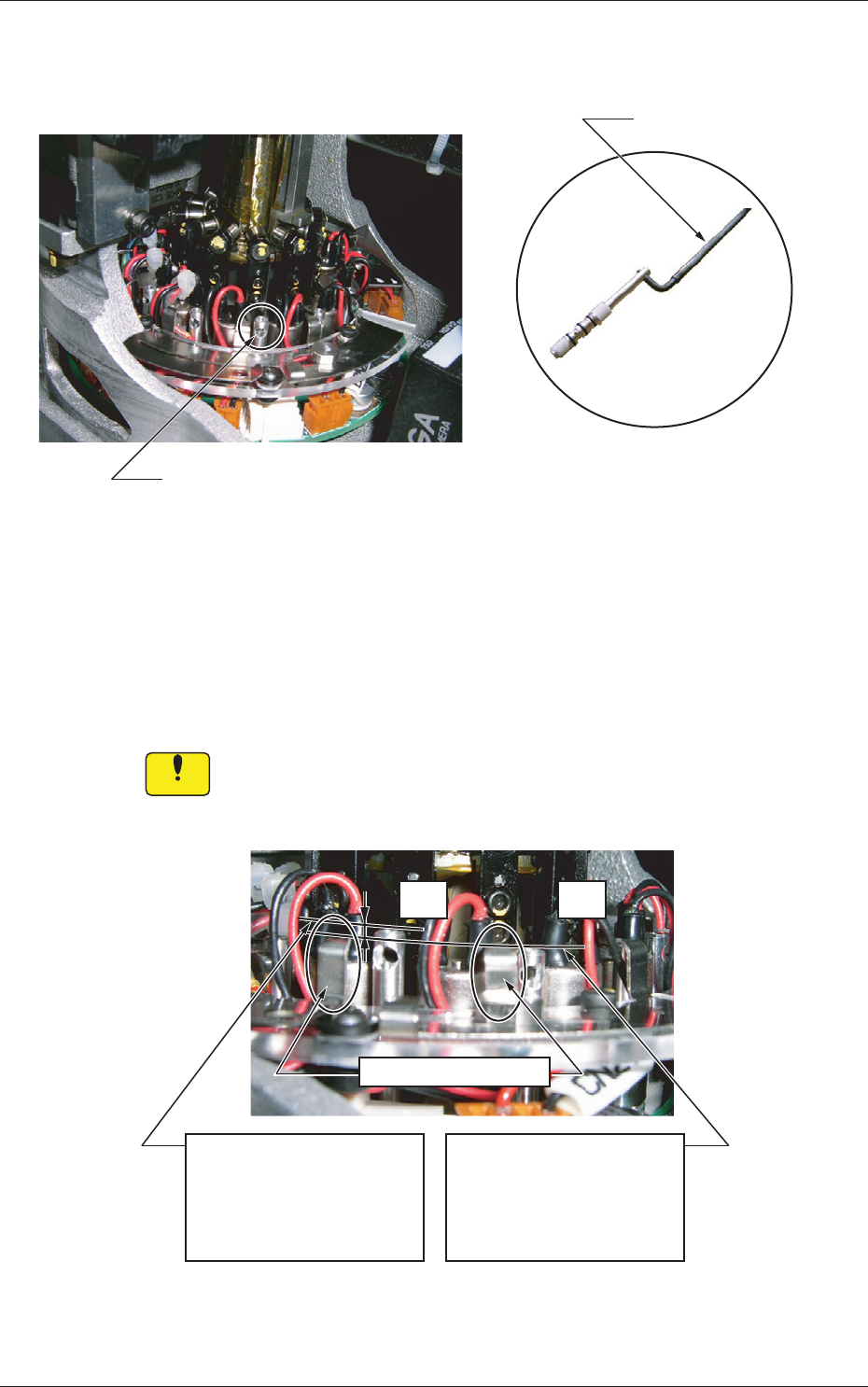
(2) Insert the filter replacement jig into the hole on the filter holder and pull
it up upward.
Hole on Filter Holder
Jig with pulled-out holder (filters)
Filter Replacement Jig
Fig.4A62
(3) Replace the two vacuum filters on the pulled-out holder with new ones.
(4) Direct the larger hole on the filter holder outward and insert the holder
with the filter replacement jig.
Be sure to push it deep enough until it stops (down to the lowest limit).
Notice
The holder should not interfere with the wirings for valves, etc. In
addition, the wires should not be caught in the upper and lower
areas of the top block.
OK
NG
Filter Fastening Claw
<NG: Insufficient Insertion>
The upper surface of the
filter holder is higher than
that of the filter fastening
claw.
<OK: Sufficient Insertion>
The filter fastening claw is
higher than that of the filter
holder.
Fig. 4A63
1-66
(5) Shake it in the rotational direction and confirm that the it does not
rotate. After that, pull out the filter replacement jig carefully so as not to
pull up the inserted filter together and stay afloat.
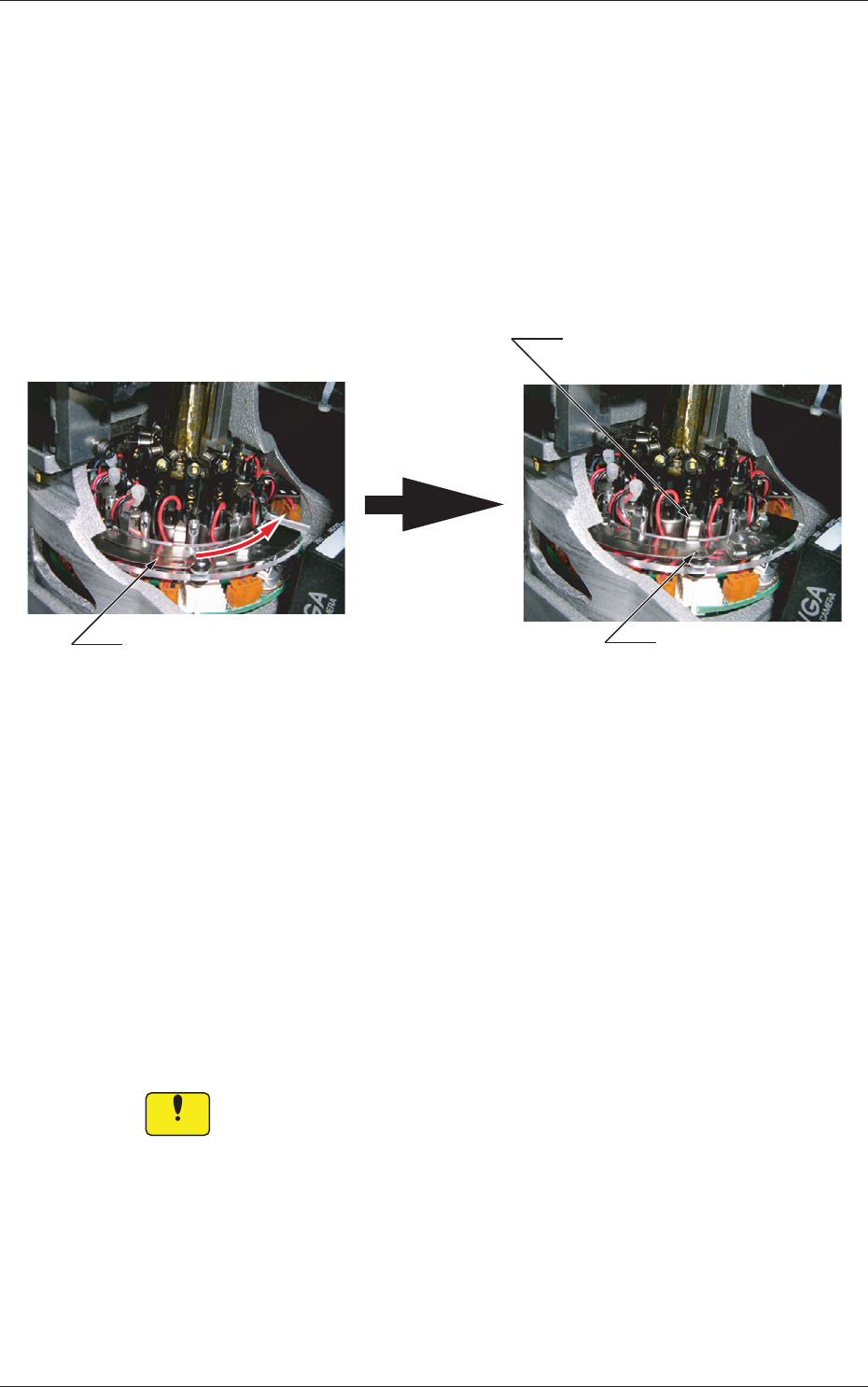
(6) Note the following and slide the filter fastener to the right to lock the
filter holder.
•
Confirm that the filter fastening claw is located at the upper
center of the filter holder
.
•
Confirm that the ball plunger is locked.
Ball Plunger Locked
Slide the filter fastener to the right.
Filter Unlocked Filter Locked
Locking Position of Filter
Fastening Claw
Filter Unlocked Filter Locked
Fig.
4A64
When the filter fastening claw cannot be locked after being slid because
it interferes with the sideface of the filter holder, it can be assumed that
a foreign substance exists in the hole or the filter holder is not inserted
sufficiently far into the hole.
Check the filter holder that has interfered with the sideface.
If a forei
gn sub
stance exists in the hole, clean the filter holder to remove
the substance.
After the cleaning is completed and no foreign substance is found in the
hole, starting with Step (4).
Notice
Unless the filter holder is set correctly in place, a pickup error will
occur or the filter will come off and cause an interference with a
head.
The head may also be damaged.
4.7 Replacement Procedure of Vacuum Filters
0707-001
1-67
0904-003
5. Consumables and Important Servicing Parts
5. Consumables and Important Servicing Parts
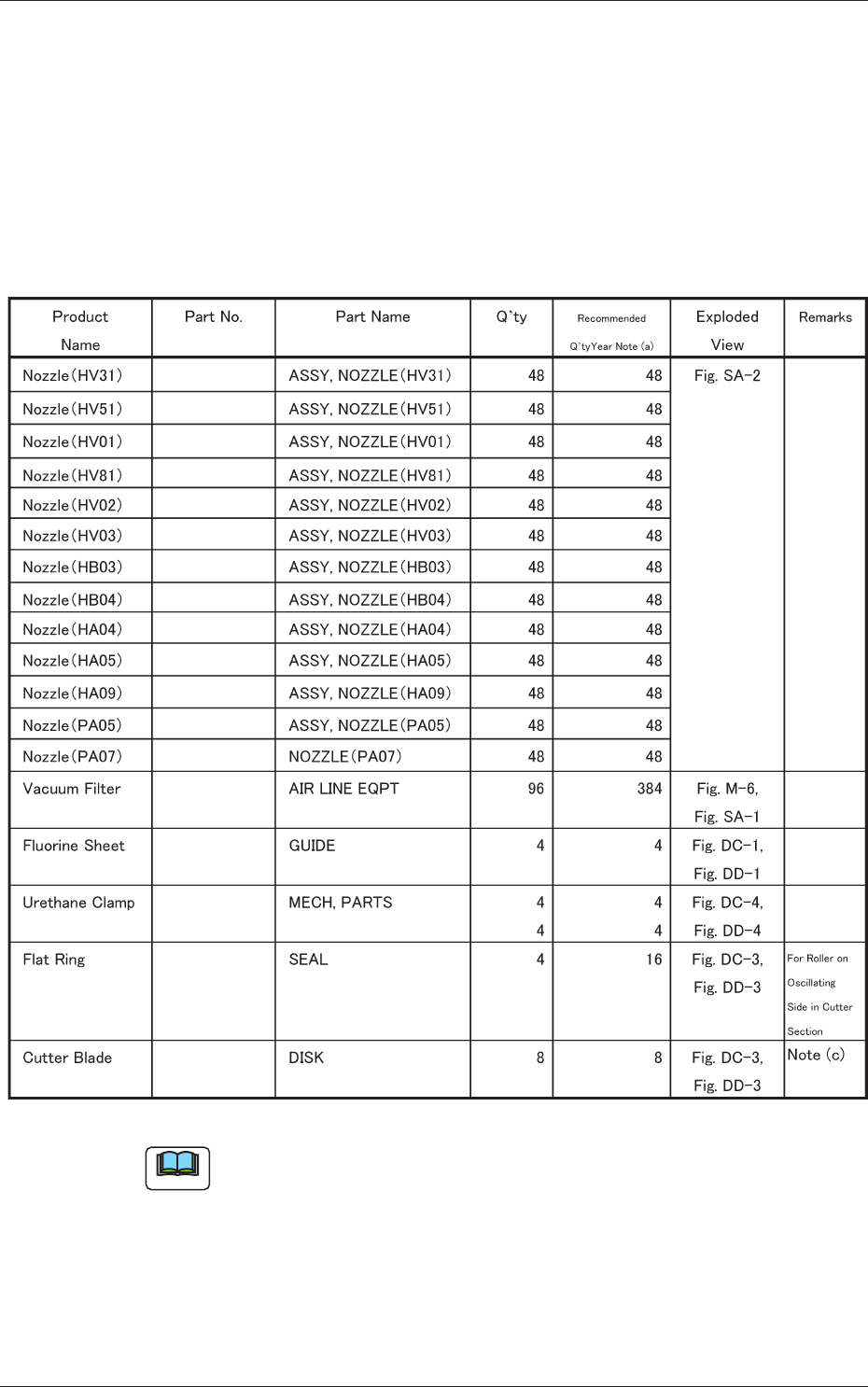
5.1 List of Consumables
Listed below are the parts that may be consumed within one year.
Consult our marketing department or sales agency whenever you need to
purchase these parts.
Table 4A14
016M1433
016M1434
016M0929
016M1482
016M0930
016M0931
016M0932
016M0933
016M0934
016M0935
016M1074
016M2168
225B0508
212A2219
226J2299
226J2403
226A0256
213D1294
016M0936
Note
(a) The numbers entitled "Recommended Q'ty/Year" indicate the
referential values.
(b) Refer to "3. Maintenance Spots" and "4. Maintenance Method" for the
replacement procedures of these parts.
(c) Replacement of the cutter blades involves some danger. Consult our
service personnel for detailed information.