KE-750_MAINTE.pdf - 第142页
- 1 - 1. OUTLINE AND METHOD O F OPERATION S elec t ing [ 5/ M aint enanc e[ , [ 6/ S et t ing c hange ...] d i s p l a y s th e i n i ti a l i z a ti o n screen of mech anism control parameters. 1/File 2/Data in p ut 3/P…
CONTENTS
MECHANISM CONTROL PARAMETER SPECIFICATIONS
1. OUTLINE AND METHOD OF OPERATION................................................. 1
2. MENU CONFIGURATION............................................................................ 2
3. INPUT AND DISPLAY.................................................................................. 3
3.1 Storing the setting values..................................................................... 3
3.2 Setting the safe direction of each I/O................................................... 3
3.3 Input and display.................................................................................. 3
4. MENU DISPLAY........................................................................................... 5
4.1 Head N................................................................................................. 5
4.2 XY........................................................................................................ 14
4.3 Others.................................................................................................. 19
4.4 Printing................................................................................................. 29
5. SETTING VALUES' RANGE OF MECHANISM CONTROL
PARAMETERS (TABLE 1)........................................................................... 30
6. MEANING OF SET VALUES OF MECHANISM CONTROL
PARAMETERS (TABLE 2)........................................................................... 33
7. MEANING OF ARRANGEMENT
(TABLE 3: *DETAILED EXPLANATION OF NOTES)................................... 37
8. TYPE CLASSIFICATION OF PARTS
(TABLE 4: GX3 PART TYPE GROUPING) .................................................. 40
9. PRINTING FORMAT .................................................................................... 41
- 1 -
1. OUTLINE AND METHOD OF OPERATION
Selecting [5/Maintenance[, [6/Setting change ...] displays the initialization
screen of mechanism control parameters.
1/File 2/Data in
p
ut 3/Prod. 4/Setu
p
5/Mainte. 6/Print 7/Others
Mechanical control parameter
1/In
p
ut 2/Dis
p
la
y
3/Print 9/Exit
- 2 -
2. MENU CONFIGURATION
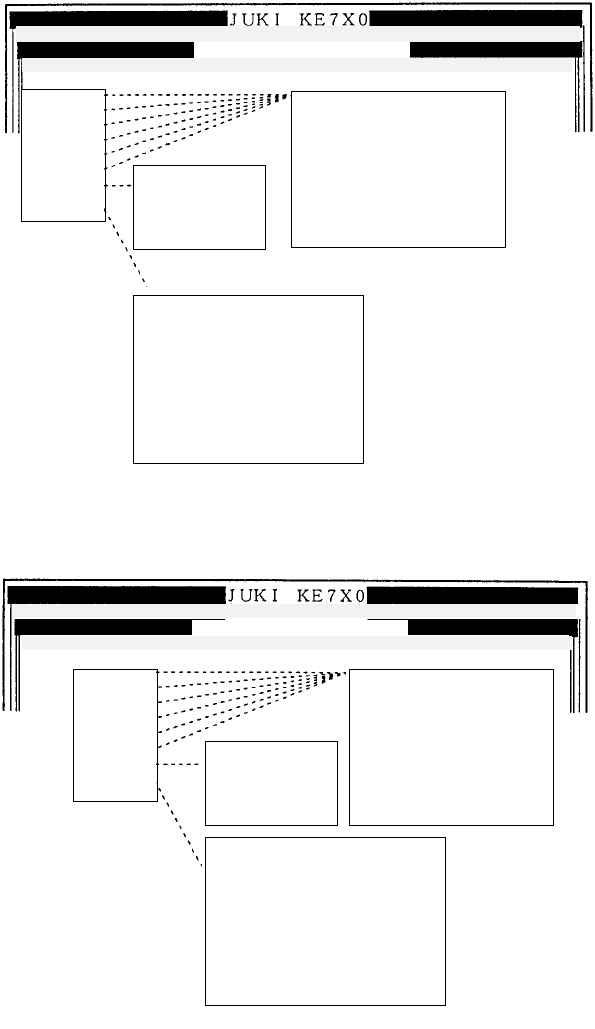
(1) INPUT
The display below shows the local menu of INPUT.
(2) DISPLAY
The display below shows the local menu of DISPLAY.
(3) PRINT
Selecting [1/Print] from [3/Print] on the menu bar displays the print screen.
(4) END
Selecting [9/End] from [9/End] on the menu bar finishes the mechanism
parameter setting.
Mechanical control parameter
1/In
p
ut 2/Dis
p
la
y
3/Print 9/Exit
1/Head 0
2/Head 1
3/Head 2
4/Head 3
5/Head 4
6/Head 5
7/XY
8/Others
1/High speed
2/Medium speed
3/Low speed
4/Others
5/Cover open
1/ZPTP Operation
2/ZPTP Exception
3/Z Others
4/TPTP Operation
5/TPTP Exception
6/T Others
7/L Computation waiting time
8/L Hold off count
9/L Pre-load angle
1/Nozzle
2/ATC
3/Read locator
4/Others
5/Version
6/Vacuum timer
7/Vacuum timer 2
8/Other timer
9/Others
a/Limit value of laser stain check
1/File 2/Data input 3/Prod. 4/Setup 5/Mainte. 6/Print 7/Others
Mechanical control parameter
1/File 2/Data in
p
ut 3/Prod. 4/Setu
p
5/Mainte. 6/Print 7/Others
1/In
p
ut 2/Dis
p
la
y
3/Print 9/Exit
1/Head 0
2/Head 1
3/Head 2
4/Head 3
5/Head 4
6/Head 5
7/XY
8/Others
1/High speed
2/Medium speed
3/Low speed
4/Others
5/Cover open
1/Nozzle
2/ATC
3/Read locator
4/Others
5/Version
6/Vacuum timer
7/Vacuum timer 2
8/Other timer
9/Others
a/Limit value of laser stain check
1/ZPTP Operation
2/ZPTP Exception
3/Z Others
4/TPTP Operation
5/TPTP Exception
6/T Others
7/L Computation waiting time
8/L Hold off count
9/L Pre-load angle