KE-750_MAINTE.pdf - 第156页
- 1 5 - 4.2.2 X Y (Medium speed) (1 ) INPUT S elec t ing [ 2/ M edium s peed] of [ 7/ X Y ] f rom [ 1/ I nput ] on t he m enu bar displays the input screen o f mechanism control parameters. X = 0 – 9 How to set Enter the…
- 14 -
4.2 XY
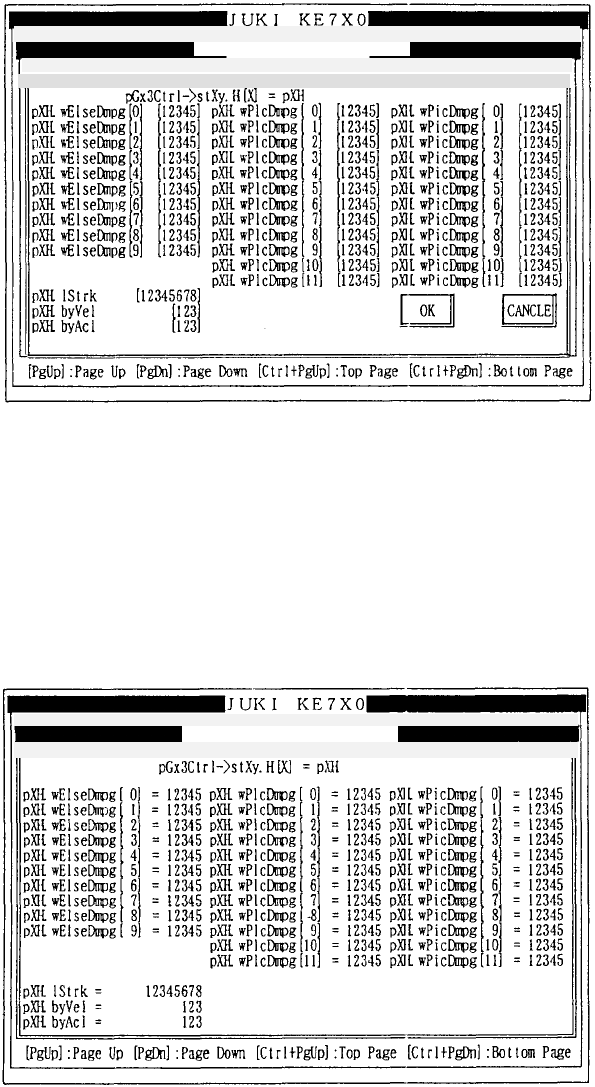
4.2.1 XY (High speed)
(1) INPUT
Selecting [1/High speed] of [7/XY] from [1/Input] on the menu bar displays
the input screen of mechanism control parameters.
X = 0 – 9
How to set
Enter the desired value in decimal notation.
Refer to 3.3 (1) for operation on the screen.
(2) DISPLAY
Selecting [1/High speed] of [7/XY] from [2/Display] on the menu bar
displays the display screen of mechanism control parameters.
Refer to 3.3 (2) for operation on the screen.
Mechanical control parameter
Mechanical control parameter
1/File 2/Data input 3/Prod. 4/Setup 5/Mainte. 6/Print 7/Others 9/
E
1
/
Fil
e
2
/
D
ata
in
put
3/
Pr
od
. 4
/Setup
5/
M
a
in
te
.
6/
Prin
t
7
/Ot
h
e
r
s
1/In
p
ut 2/Dis
p
la
y
3/Print 9/Exit
1/In
p
ut 2/Dis
p
la
y
3/Print 9/Exit XY
(
hi
g
h s
p
eed
)
Pa
g
e
XY
(
hi
g
h s
p
eed
)
- 15 -
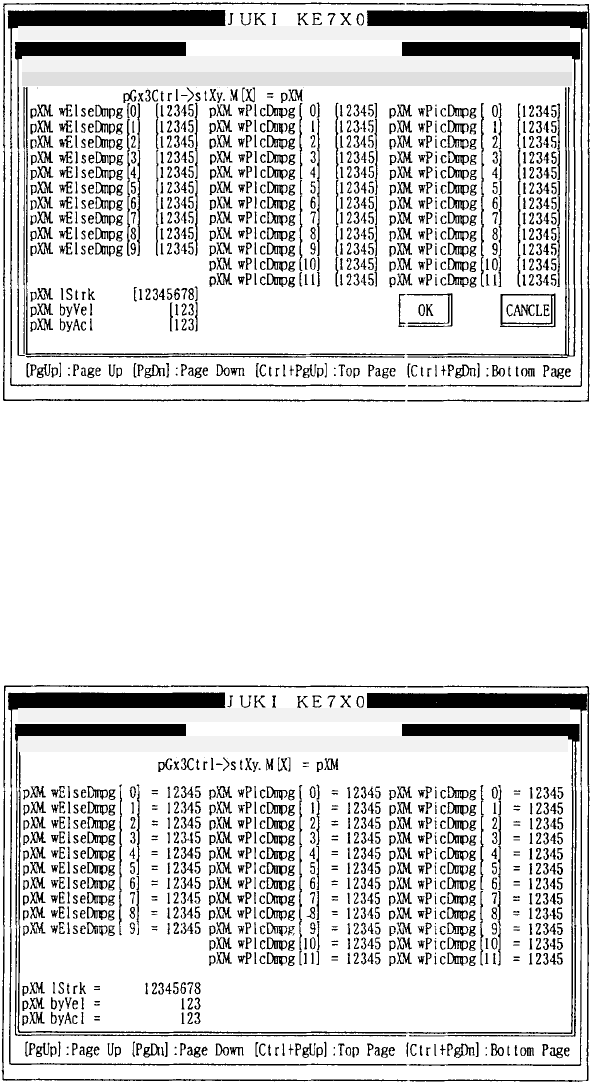
4.2.2 XY (Medium speed)
(1) INPUT
Selecting [2/Medium speed] of [7/XY] from [1/Input] on the menu bar
displays the input screen of mechanism control parameters.
X = 0 – 9
How to set
Enter the desired value in decimal notation.
Refer to 3.3 (1) for operation on the screen.
(2) DISPLAY
Selecting [2/Medium speed] of [7/XY] from [2/Display] on the menu bar
displays the display screen of mechanism control parameters.
Refer to 3.3 (2) for operation on the screen.
Mechanical control parameter
Mechanical control parameter
1/File 2/Data in
p
ut 3/Prod. 4/Setu
p
5/Mainte. 6/Print 7/Others
1/File 2/Data in
p
ut 3/Prod. 4/Setu
p
5/Mainte. 6/Print 7/Others
1/Input 2/Display 3/Print 9/Exit
1/Input 2/Display 3/Print 9/Exit XY (medium speed) Pa
g
XY
(
Medium s
p
eed
)
- 16 -
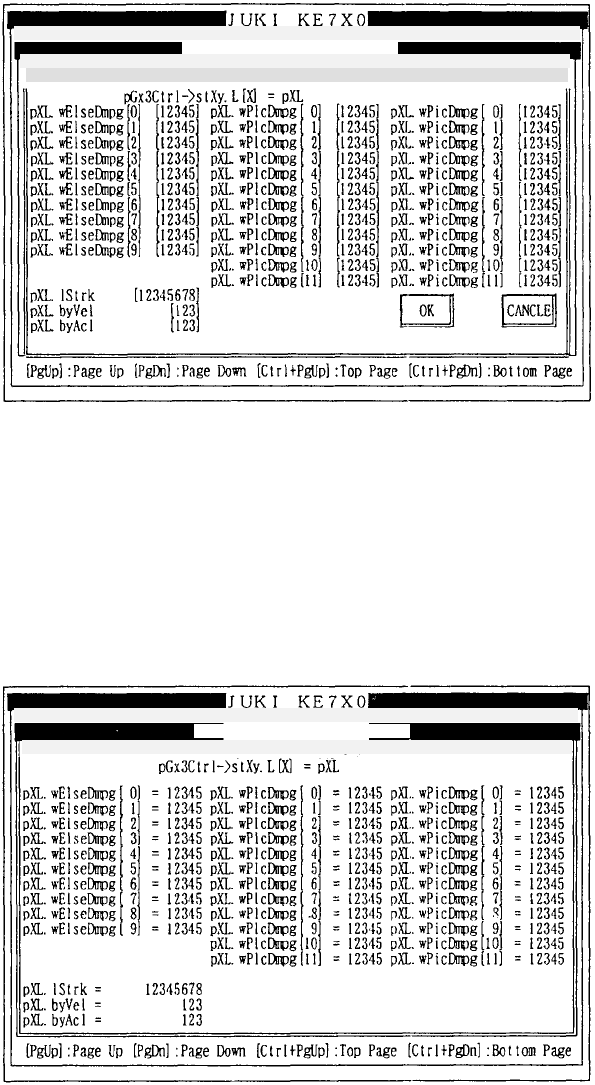
4.2.3 XY (Low speed)
(1) INPUT
Selecting [3/Low speed] of [7/XY] from [1/Input] on the menu bar displays
the input screen of mechanism control parameters.
X = 0 – 9
How to set
Enter the desired value in decimal notation.
Refer to 3.3 (1) for operation on the screen.
(2) DISPLAY
Selecting [3/Low speed] of [7/XY] from [2/Display] on the menu bar displays
the display screen of mechanism control parameters.
Refer to 3.3 (2) for operation on the screen.
Mechanical control
p
arameter
Mechanical control
p
arameter
1/File 2/Data in
p
ut 3/Prod. 4/Setu
p
5/Mainte. 6/Print 7/Others
1/File 2/Data in
p
ut 3/Prod. 4/Setu
p
5/Mainte. 6/Print 7/Others 9/
E
1/In
p
ut 2/Dis
p
la
y
3/Print 9/Exit
1/In
p
ut 2/Dis
p
la
y
3/Print 9/Exit XY
(
low s
p
eed
)
Pa
g
e
(
1
/
XY
(
low s
p
eed
)