KE-750_MAINTE.pdf - 第169页
- 2 8 - 4.3.10 Limit value of laser stain check (1 ) INPUT S elec t ing [ a/ Lim it v alue of laser st ain c hec k ] of [ 8/ O t her s ] f r om [ 1/ I nput ] on the menu bar displays the input screen of mechanism control…
- 27 -
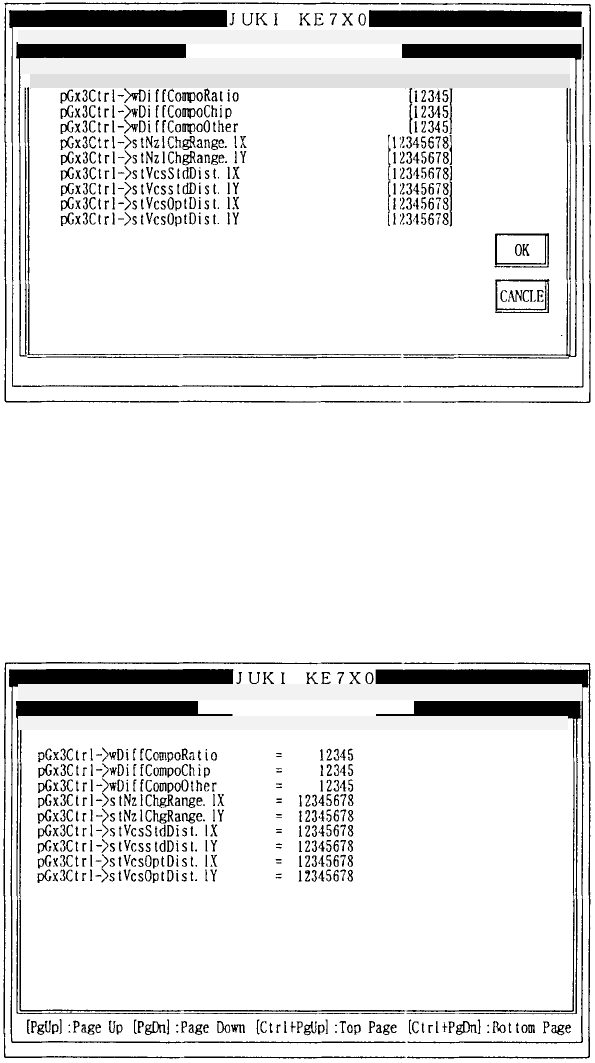
4.3.9 Others 2
(1) INPUT
Selecting [9/Others 2] of [8/Others] from [1/Input] on the menu bar displays
the input screen of mechanism control parameters.
How to set
Enter the desired value in decimal notation.
Refer to 3.3 (1) for operation on the screen.
(2) DISPLAY
Selecting [9/Others 2] of [8/Others] from [2/Display] on the menu bar
displays the display screen of mechanism control parameters.
Refer to 3.3 (2) for operation on the screen.
Mechanical control parameter
Mechanical control
p
arameter
1/File 2/Data in
p
ut 3/Prod. 4/Setu
p
5/Mainte. 6/Print 7/Others
1/File 2/Data input 3/Prod. 4/Setup 5/Mainte. 6/Print 7/Others
1/Input 2/Display 3/Print 9/Exit
1/In
p
ut 2/Dis
p
la
y
3/Print 9/Exit Others 2
Others 2
- 28 -
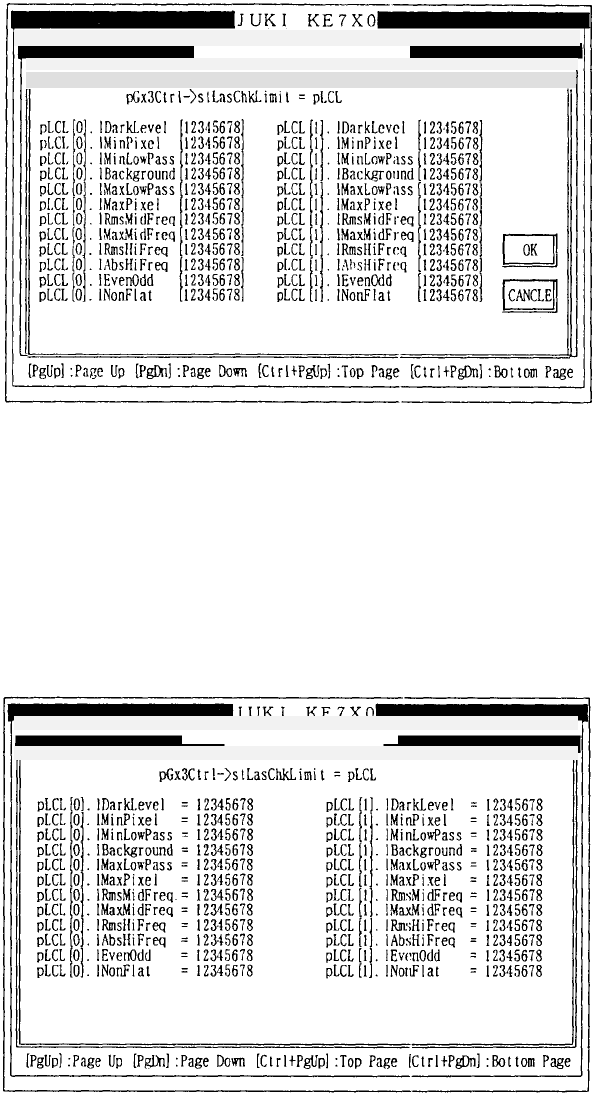
4.3.10 Limit value of laser stain check
(1) INPUT
Selecting [a/Limit value of laser stain check] of [8/Others] from [1/Input] on
the menu bar displays the input screen of mechanism control parameters.
How to set
Enter the desired value in decimal notation.
Refer to 3.3 (1) for operation on the screen.
(2) DISPLAY
Selecting [a/Limit value of laser stain check] of [8/Others] from [2/Display]
on the menu bar displays the display screen of mechanism control
parameters.
Refer to 3.3 (2) for operation on the screen.
Mechanical control parameter
Mechanical control
p
arameter
1/File 2/Data input 3/Prod. 4/Setup 5/Mainte. 6/Print 7/Others
1/File 2/Data in
p
ut 3/Prod. 4/Setu
p
5/Mainte. 6/Print 7/Others
1
/
In
put
2
/
Di
sp
l
ay
3/
Prin
t
9/
Exi
t
1/In
p
ut 2/Dis
p
la
y
3/Print 9/Exit Limit value of laser stain check Pa
g
Limit value of laser stain check
- 29 -
4.4 Printing
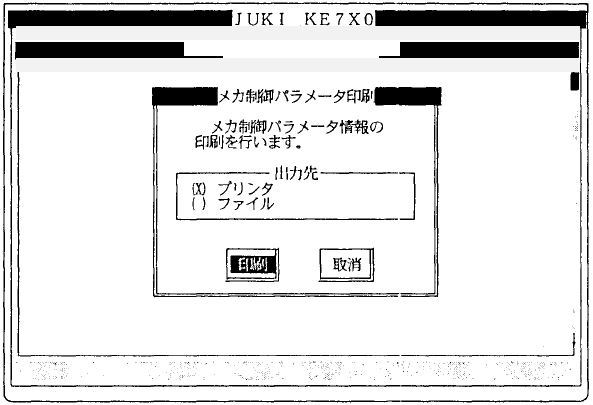
Selecting [2/Printing] from [3/Printing] displays the dialog below for printing.
(1) Output destination
• Using the radio button, select the output destination of parameter
information.
The default setting of the radio button is made by the "Target" setting of
the printing environment file (PRINTER.INI).
q Printer
w File
File name: CTRL.TXT0
Path name: Path (cStart_Dir[]) where the execution file (Extension is
EXE) of man-machine is stored.
Mechanical control parameter
1/File 2/Data in
p
ut 3/Prod. 4/Setu
p
5/Mainte. 6/Print 7/Others
1/In
p
ut 2/Dis
p
la
y
3/Print 9/Exit