KE-750_MAINTE.pdf - 第145页
- 4 - 2. Scrolling the screen "Pg Up": Scrolls up one line. "Pg Dn": Scrolls down one line. "Ctrl + Pg Up": Displays the first page. "Ctrl + Pg Dn": Displays the last page. (2) DIS…
- 3 -
3. INPUT AND DISPLAY
3.1 Storing the setting values
The <OK> and <CANCEL> buttons are available on each setting screen for
mechanism control parameters. Note that selecting <OK> does not save the
setting in the EEPROM.
Selecting [9/END] from [9/END] on the menu bar displays the dialog whether to
save the setting value displayed.
Selecting <YES> saves the setting value to the EEPROM.
Selecting <NO> does not save the setting value to the EEPROM and finishes
the operation with the last setting value.
Selecting <CANCEL> displays the setting screen of mechanism control
parameters.
3.2 Setting the safe direction of each I/O
Selecting <YES> or <NO> at the save dialog of the setting value displays the
dialog to set the safe direction of each I/O.
Selecting <YES> sets the safe direction of each I/O, and finishes the setting of
mechanism control parameters.
Selecting <NO> does not set any values but finishes the setting of mechanism
control parameters.
3.3 Input and display
(1) INPUT
Selecting [1/Input] on the menu bar can edit the setting value.
1. Entering the setting value
Selecting <OK> button enters the setting value in the dialog, and then
finishes the dialog.
To enter the setting value, perform a focus movement with the TAB key
or the SHIFT+TAB keys, or press the ENTER key after entering the
value.
If the setting value is incorrect, the following errors appear when you try
to enter the value.
• Input value exceeds the input range.
• Incorrect characters are entered.
When the setting value you tried to enter is incorrect, the value is
automatically set the previously entered one.
When finishing the dialog with <CANCEL> button, the setting value in
the dialog is set invalid.
- 4 -
2. Scrolling the screen
"Pg Up": Scrolls up one line.
"Pg Dn": Scrolls down one line.
"Ctrl + Pg Up": Displays the first page.
"Ctrl + Pg Dn": Displays the last page.
(2) DISPLAY
Selecting [2/Display] on the menu bar displays the setting values
1. Scrolling the screen
"Pg Up": Scrolls up one line.
"Pg Dn": Scrolls down one line.
"Ctrl + Pg Up": Displays the first page.
"Ctrl + Pg Dn": Displays the last page.
- 5 -
4. MENU DISPLAY
4.1 Head N
4.1.1 PTP operation of head N (Z axis)
(1) INPUT
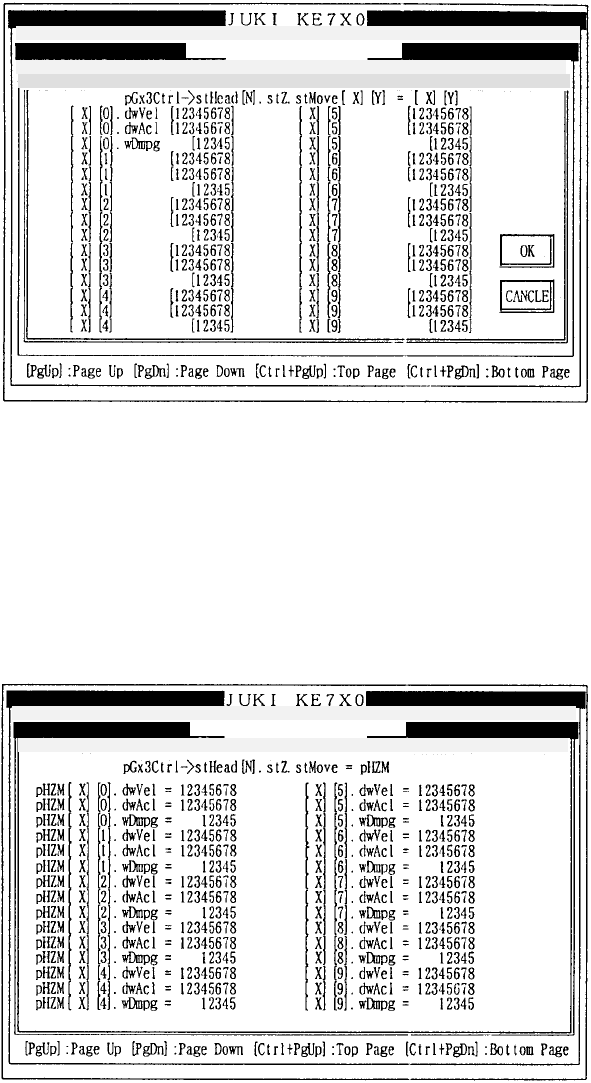
Selecting [1/ZPTP Operation] of [Head N] from [1/Input] on the menu bar
displays the input screen of mechanism control parameters.
X = 0 – 12
How to set
Enter the desired value in decimal notation.
Refer to 3.3 (1) for operation on the screen.
(2) DISPLAY
Selecting [1/ZPTP Operation] of [Head N] from [2/Display] on the menu bar
displays the display screen of mechanism control parameters.
Refer to 3.3 (2) for operation on the screen.
Mechanical control parameter
1/File 2/Data in
p
ut 3/Prod. 4/Setu
p
5/Mainte. 6/Print 7/Others
1/In
p
ut 2/Dis
p
la
y
3/Print 9/Exit
Mechanical control parameter
1/File 2/Data in
p
ut 3/Prod. 4/Setu
p
5/Mainte. 6/Print 7/Others
1/In
p
ut 2/Dis
p
la
y
3/Print 9/Exit Head
(
Z axis
)
PTP o
p
eration Pa
g
e
Head
(
Z axis
)
PTP