Vermes MDS 358X user Manual.pdf - 第106页
Communication Interfaces VTK - TR -BA- 072e - 1 - User Manua l MDS 358X S eries 95 26 MAIN T:ST ATU S MAINT = M aintenanc e Descript ion: This command provides t he number of pulses in p ercent of the p reset limit s. It…
Communication Interfaces
94
VTK-TR-BA-072e-1 - User Manual MDS 358X Series
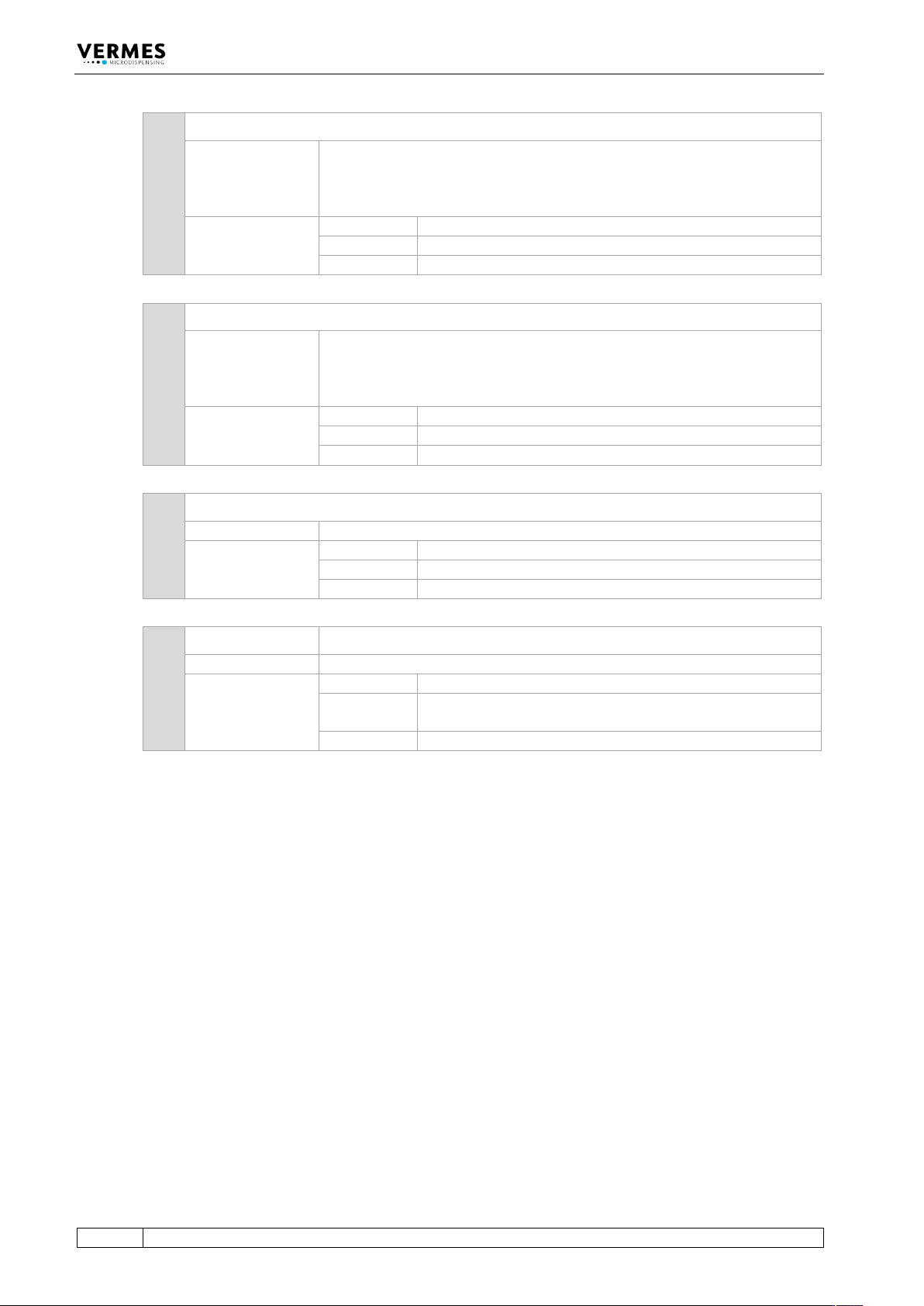
22 KEY:ENTER
Description:
The acknowledgement signal is transferred to the control unit. This option
is only usable in case of errors, which produce a message on the display of
the MDC. You can respond with a serial command. Then the function is
identical to pressing the [enter]-key on the keypad.
Example:
Input:
KEY:ENTER
Result:
The ENTER signal is send.
Return:
OK (no other reaction of the MDC)
23 KEY:ESCAPE
Description:
The ESCAPE signal is transferred to the control unit. This option is only
usable in case of errors, which produce a message on the display of the
MDC. You can respond with a serial command. Then the function is
identical to pressing the [esc]-key on the keypad.
Example:
Input:
KEY:ESCAPE
Result:
The ESCAPE signal is send.
Return:
OK (no other reaction of the MDC)
24 HELP
Description:
Shows a list with all RS-232C commands.
Example:
Input:
HELP
Result:
List with all RS-232C commands.
Return:
List with all commands
25 LCD? LCD? = Liquid-Crystal Display Query
Description:
Use this command to externally inspect the current content of the screen.
Example:
Input:
LCD?
Result:
When sending this command immediately after switching
ON, the content of the screen will be “READY”.
Return:
„READY“
Communication Interfaces
VTK-TR-BA-072e-1 - User Manual MDS 358X Series
95
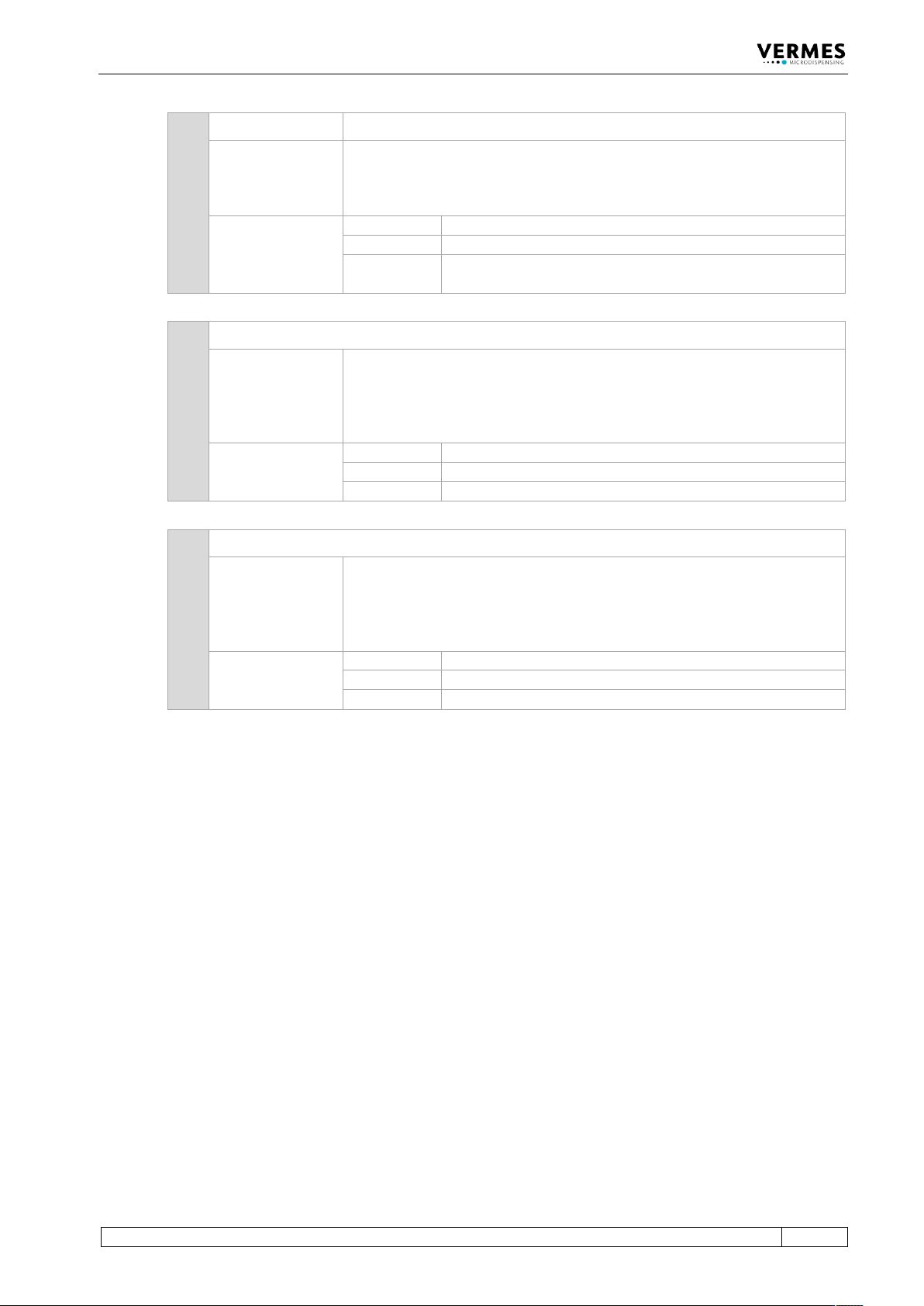
26 MAINT:STATUS MAINT = Maintenance
Description:
This command provides the number of pulses in percent of the preset
limits. It is useful, if you want to estimate the date of the next exchange or
maintenance.
The answer will be send in one line.
Example:
Input:
MAINT:STATUS
Result:
Current percentage of the preset number of cycles (limit).
Return:
Maintenance: 10 %,Nozzle: 20 %,Tappet: 30 %,Maint.
Message: ON
27 MAINT:MESSAGE:OFF (MAINT = Maintenance)
Description:
This command deactivates the maintenance message.
The message “Maint.” will no longer be shown in line 2 of the display. Also
the red maintenance LED will not be switched on, if the maintenance,
nozzle or tappet limits are reached.
By default, the maintenance message is activated.
Example:
Input:
MAINT:MESSAGE:OFF
Result:
The maintenance message is deactivated.
Return:
OK
28 MAINT:MESSAGE:ON (MAINT = Maintenance)
Description:
This command activates the maintenance message.
The message “Maint.” will be shown in line 2 of the display. Also the red
maintenance LED will be switched on, if the maintenance, nozzle or tappet
limits are reached.
By default, the maintenance message is activated.
Example:
Input:
MAINT:MESSAGE:ON
Result:
The maintenance message is activated.
Return:
OK
Communication Interfaces
96
VTK-TR-BA-072e-1 - User Manual MDS 358X Series
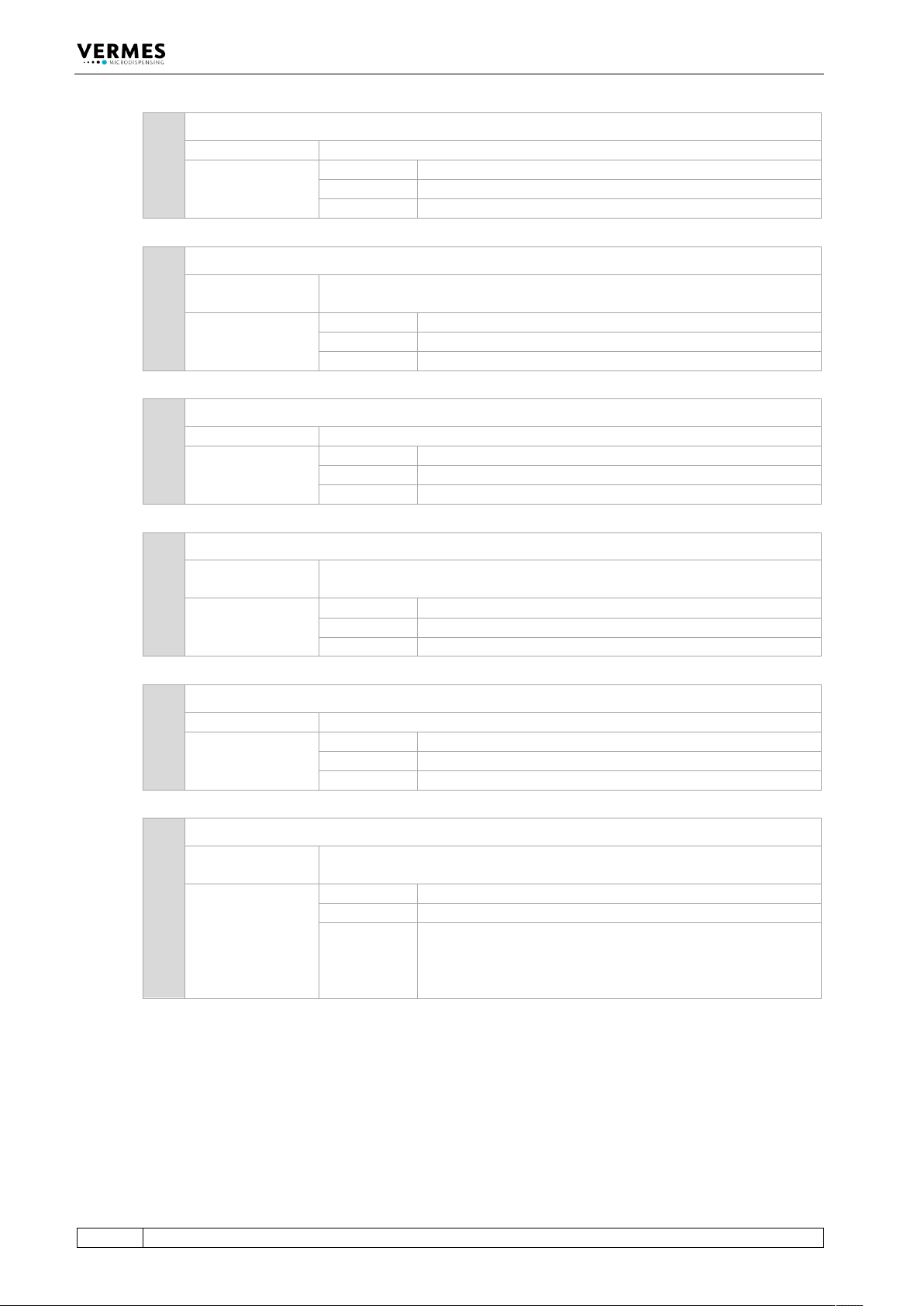
29 SYSTEM:KLOCK:OFF (KLOCK = Key Lock)
Description:
Access to keypad is permitted, the locking function disabled.
Example:
Input:
SYSTEM:KLOCK:OFF
Result:
The keypad of the control unit can be used.
Return:
OK
30 SYSTEM:KLOCK:ON (KLOCK = Key Lock)
Description:
This command locks the keypad of the control unit. This way, unauthorized
modification of parameters can be prevented.
Example:
Input:
SYSTEM:KLOCK:ON
Result:
The keypad is locked.
Return:
OK
31 SYSTEM:SHOW:CYCLES
Description:
The current value of the cycle counter is indicated.
Example:
Input:
SYSTEM:SHOW:CYCLES
Result:
Current value of the cycle counter.
Return:
1235000
32 SYSTEM:SHOW:VALVEID
Description:
The valve ID is displayed.
In case the system is in auxiliary mode, the return is “Auxiliary Mode”.
Example:
Input:
SYSTEM:SHOW:VALVEID
Result:
ID of the connected valve.
Return:
Valve ID: 10PEA001
33 SYSTEM:SHOW:CONTROLLERID
Description:
The ID of the control unit is displayed.
Example:
Input:
SYSTEM:SHOW:CONTROLLERID
Result:
ID of the control unit.
Return:
Controller ID: 13050
34 SYSTEM:SHOW:STATUS
Description:
This command sends the current status of KeyLock, DosOK with Delay,
SingleDosOK and Auxiliary Mode.
Example:
Input:
SYSTEM:SHOW:STATUS
Result:
Settings of the above listed items
Return:
KeyLock: OFF
DosOK with Delay: OFF
SingleDosOK: per pulse
Auxiliary Mode: OFF