Vermes MDS 358X user Manual.pdf - 第150页
Maintenance VTK - TR -BA- 072e - 1 - User Manua l MDS 358X S eries 139 10.2.4 Exchange of the Tappet, the T appet Seali ng and the No zzl e Insert For t he necess ary step s of de - /mounting the t appet/tapp et seali ng…
Maintenance
138
VTK-TR-BA-072e-1 - User Manual MDS 358X Series
10.2 Maintenance of Tappet, Tappet Sealing and Nozzle Insert
As the tappet, the tappet sealing and the nozzle insert belong to the wearing parts of the system,
they need to be cleaned and exchanged regularly.
10.2.1 Maintenance of the Tappet
The tappet has to be cleaned and exchanged in regular intervals (at least every 40 million shots)
or in the case of problems (as soon as it starts to move in a sluggish way). Please be aware that
the lifespan of the tappet not only varies by the material and size, but also depends on your
application. Ceramics (CTF, SNTF), tungsten carbide (TTF) and diamond (PDTF) items are
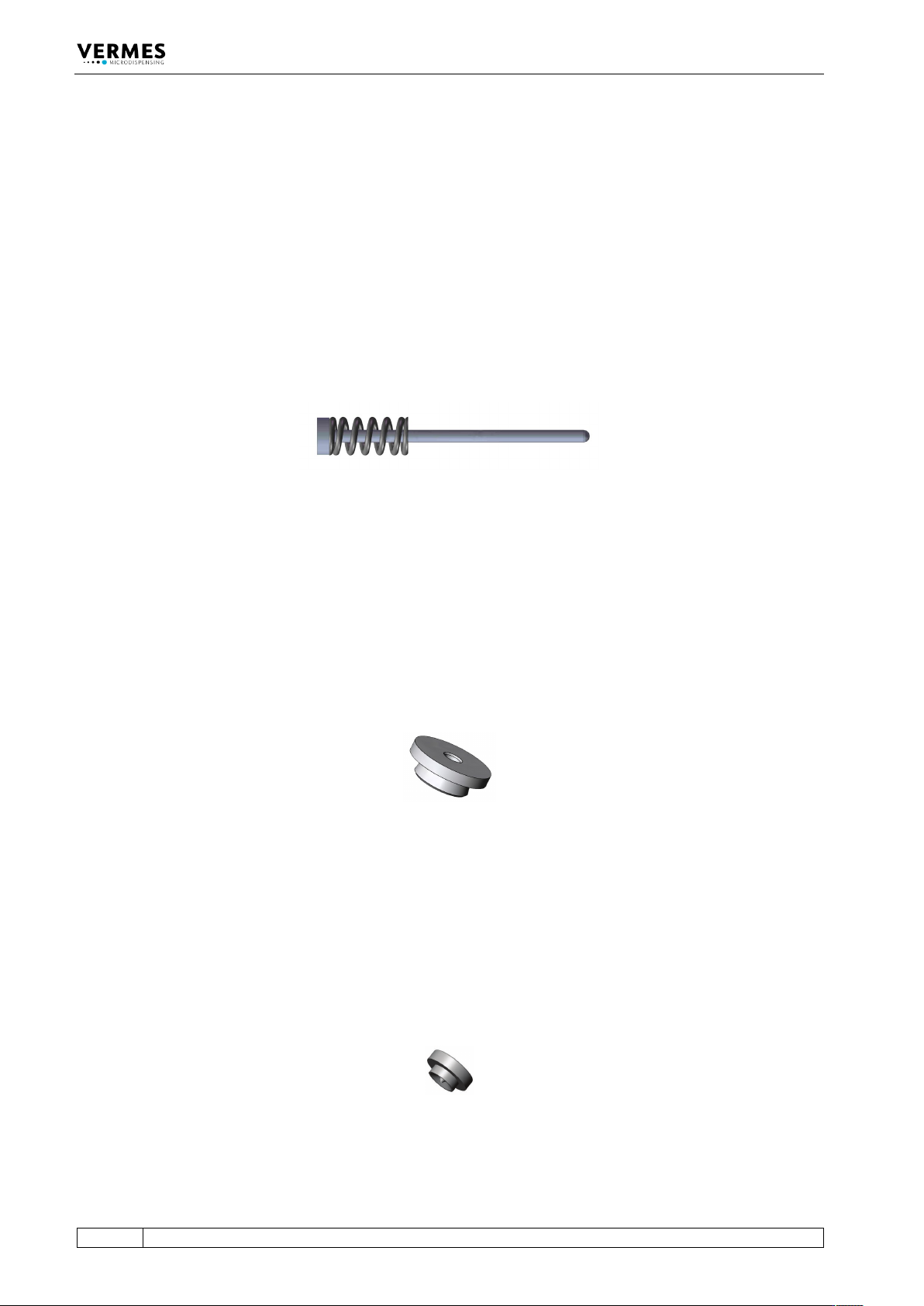
available. The tappet consists of the tappet rod and the tappet spring.
Fig. 72: Example - TTF Tappet (consists of tappet rod and tappet spring)
10.2.2 Maintenance of the Tappet Sealing
For replacement of tappet sealings a particular counter is not provided, as the necessity depends
on current applications, substances to be dispensed etc. Caused by the tappet movement, some
materials tend to penetrate between tappet and tappet sealing, giving rise to abrasion.
Therefore, you have to inspect the tappet sealing from time to time. To continue working with a
damaged tappet sealing inevitably entails unexpected interruptions, loss of material and an
increased need of cleaning. In some cases, even the actuator can be damaged, due to the ingress
of liquid.
Fig. 73: Example - Tappet Sealing PE
10.2.3 Maintenance of the Nozzle Insert
The nozzle insert has to be cleaned and exchanged in regular intervals or in the case of problems.
Please be aware that the lifespan of the nozzle insert depends on your application. After
disassembling the nozzle insert, immediately use a cleaning wire to push through the channel of
the nozzle insert, to avoid hardening of residue medium. Do not use a clogged nozzle insert,
since it would strongly compromise your dispensing results. Exchange the nozzle insert as soon
as it is worn out, since otherwise it can cause a leakage problem.
Fig. 74: Example - Nozzle Insert N11

Maintenance
VTK-TR-BA-072e-1 - User Manual MDS 358X Series
139
10.2.4 Exchange of the Tappet, the Tappet Sealing and the Nozzle Insert
For the necessary steps of de-/mounting the tappet/tappet sealing/nozzle insert, please see the
chapter about cleaning (see chapter 9, page 120). Before disassembling the system, perform the
cleaning procedure explained in the same chapter. There you will also find the necessary
information of how to clean the tappet/tappet sealing/nozzle insert.
INFORMATION
Perform the adjust after exchanging parts
Before you start the dispensing process, do not forget to perform the adjust after each exchange
or remounting of the nozzle fixation nut. For details of the adjust process, see paragraph 6.5,
page 57.

Error Messages
140
VTK-TR-BA-072e-1 - User Manual MDS 358X Series
11 Error Messages
The following pages list all the error messages you could encounter when using this system. The
table in paragraph 11.1, page 141 will give you a quick overview. In paragraph 11.2, page 142
every error message is explained in detail.
In case of an error, an error message is shown in the display and the red attention LED is switched
“ON“. This information can also be obtained via pin 13 of the PLC interface (see paragraph 8.2.1
"Pin Functions", page 113). Press [enter] to clear the display. If this does not work, switch “OFF”
the control unit. Check the system for potential problems (e.g. loose cables) and re-start the
system.
If the error still occurs, please contact the Technical Support at VERMES Microdispensing or your
local supplier (see Page 7).
INFORMATION
Storing error messages
After the re-start, the error message can only be found in the submenu “Error” (see
paragraph 4.5.4 "Submenu “Status”", page 34).
INFORMATION
Valve status depending on error
If the valve is open or closed after an error message, depends on the respective error. In
paragraph 11.2, page 142 it is mentioned for each error.