Vermes MDS 358X user Manual.pdf - 第86页
Operation VTK - TR -BA- 072e - 1 - User Manua l MDS 358X S eries 75 7.12 Adjust Offset If you ha ve a pr oblem wi th leakage des pite a c orrect adjust (see paragraph 6.5 , page 57 ), yo u can use servi ce code 33 to add…

Operation
74
VTK-TR-BA-072e-1 - User Manual MDS 358X Series
ALL”, will also turn OFF the heater). You can move through the four options with the keys [↑] and
[↓]. Confirm your choice with [enter] and confirm the whole process with another [enter].
7.11 Auxiliary Mode
In this mode, you cannot dispense, since there is no internal communication with the valve. The
valve might even be disconnected. But you can use most of the other functions of the MDC, e.g.
check your parameters. While in auxiliary mode, the display shows the message “Auxiliary Mode”
in the bottom line. Auxiliary mode is automatically deactivated when you switch off the MDC.
INFORMATION
Some menu items not shown in auxiliary mode
Some menu items are not shown, while the system is in auxiliary mode (the menu items “Tappet”
and “Nozzle” in the main menu, the submenu “Cooler/Heater”, and the menu items “Reset
Nozzle”, “Reset Tappet”, “Set Nozzle” and “Set Tappet” in the submenu “Status”).
You can enter the auxiliary mode through the menu. You have to enter service code “1000” in the
submenu “Service Code” which is part of the menu “Service Option” (see paragraph 4.5.6,
page 37).
After the error messages 101 (Incorr. Valve) and 199 (Valve Error), you also get the chance to
switch to the auxiliary mode. This allows you to keep control of the information and most of the
functions of the MDC in such a situation (see chapter 11, page 140).
Operation
VTK-TR-BA-072e-1 - User Manual MDS 358X Series
75
7.12 Adjust Offset
If you have a problem with leakage despite a correct adjust (see paragraph 6.5, page 57), you can
use service code 33 to add a little adjust offset. This adjust offset will make sure the valve is
accordingly tighter than indicated by the display value. E.g. with an adjust offset of 4, the adjust
still works between 0 % and 3 %, but the valve is tighter at this value than it would be without
the adjust offset.
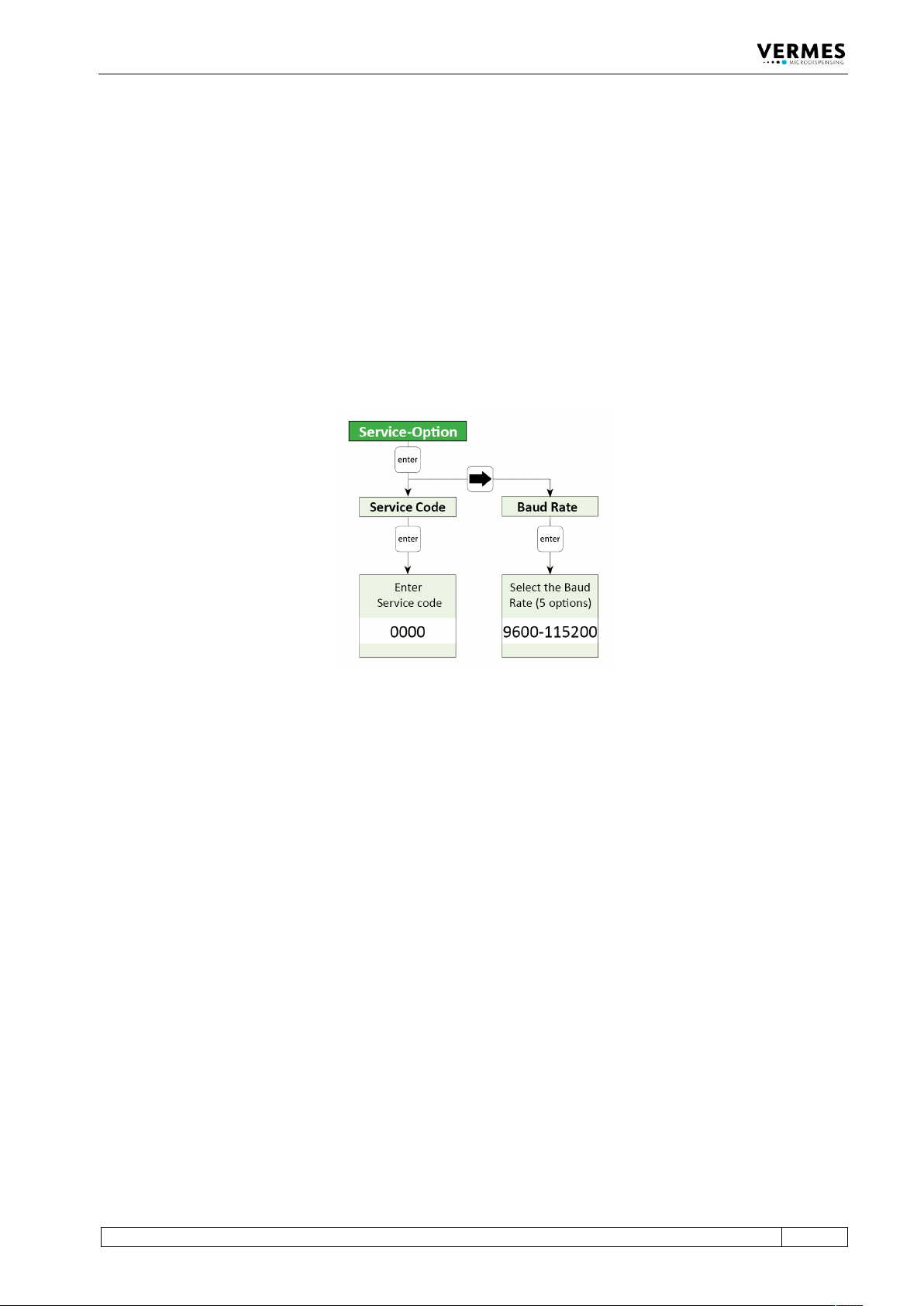
To enter a service code, go to “Main Menu -> Service-Option -> Service Code” (see also the figure
below and paragraph 4.5.6, page 37), press [enter] and enter 33. Once you have confirmed the
service code with [enter], you reach a new submenu called “Adjust Offset”. There you can enter a
value between -5 and 5 (negative means tighter than normal, positive looser than normal).
Confirm your value with [enter]. If you set an adjust offset of 0, the adjust offset is deactivated. It
is advisable to test the system first with an adjust offset value near the default value of 0, e.g. -1
Fig. 55: Submenu Service-Option
Alternatively, you can use the serial command ADJUST:OFFSET:<value>, to set an adjust offset
(see paragraph 8.1.2.2, page 88). The range is the same as if you set it via the keypad. You can also
use the command ADJUST:OFFSET:? to check for an existing adjust offset.
It is important to know that this adjust offset value is only saved in the valve. You have to enter it
again, if you change the valve. But as long as you use the same valve, you can switch off the
control unit and the adjust offset value is kept.
Operation
76
VTK-TR-BA-072e-1 - User Manual MDS 358X Series
7.13 Dispensing with a Heater
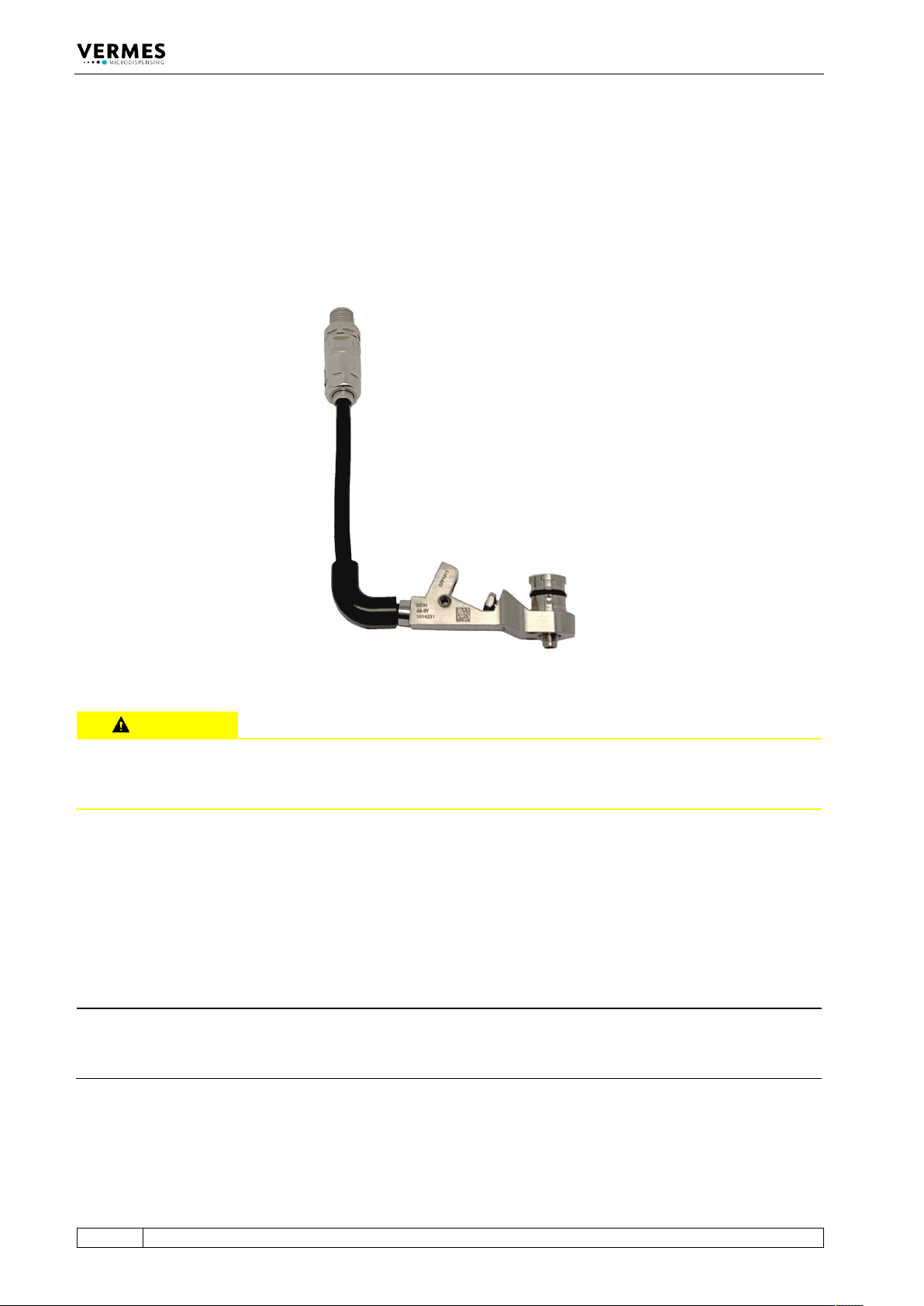
The Microdispensing System MDS 358X can optionally be equipped with a nozzle heater. One
option is the MDH-48-BY (see Fig. 56). If a heater is connected to the system, the main menu
shows the current temperature (in °C) instead of “Ready”. More detailed information about the
menu, while using a heater, you can find in paragraph 7.13.1, page 77 and paragraph 4.5.3.2,
page 31.
Fig. 56: MDH-48-BY
CAUTION
High temperatures, danger of burns
The nozzle heater can reach very high temperatures (e.g. of up to 180 °C with MDH-48-BY). Do
not touch this area during operation. Afterwards only touch it once it has cooled down.
With a heater, you can control the dynamical viscosity of the fluid to be dispensed. For some
liquids, dispensing without heating is impossible. Heating may also be required to ensure a
constant process temperature, or when the dispensing has to take place above room
temperature.
Information how to mount a heater you can find in paragraph 6.2, page 45. You then need the
heater cable 48 V, to connect the heater to the MDC (see paragraph 6.3.3.4, page 53).
INFORMATION
Adjust deactivates heater
If you perform an adjust while the heater is activated, the heater is deactivated automatically.
You have to switch the heater ON again after the adjust, if you need it in your application.