Vermes MDS 358X user Manual.pdf - 第91页
Operation 80 VTK - TR -BA- 072e - 1 - User Manua l MDS 358X S eries 7.14 Dispen sing with a Cooli ng Valve The Microd ispe nsing Sys tem MDS 3 58 0 can option ally be eq uipp ed with a flow c ontr ol valve as a cooling v…
Operation
VTK-TR-BA-072e-1 - User Manual MDS 358X Series
79
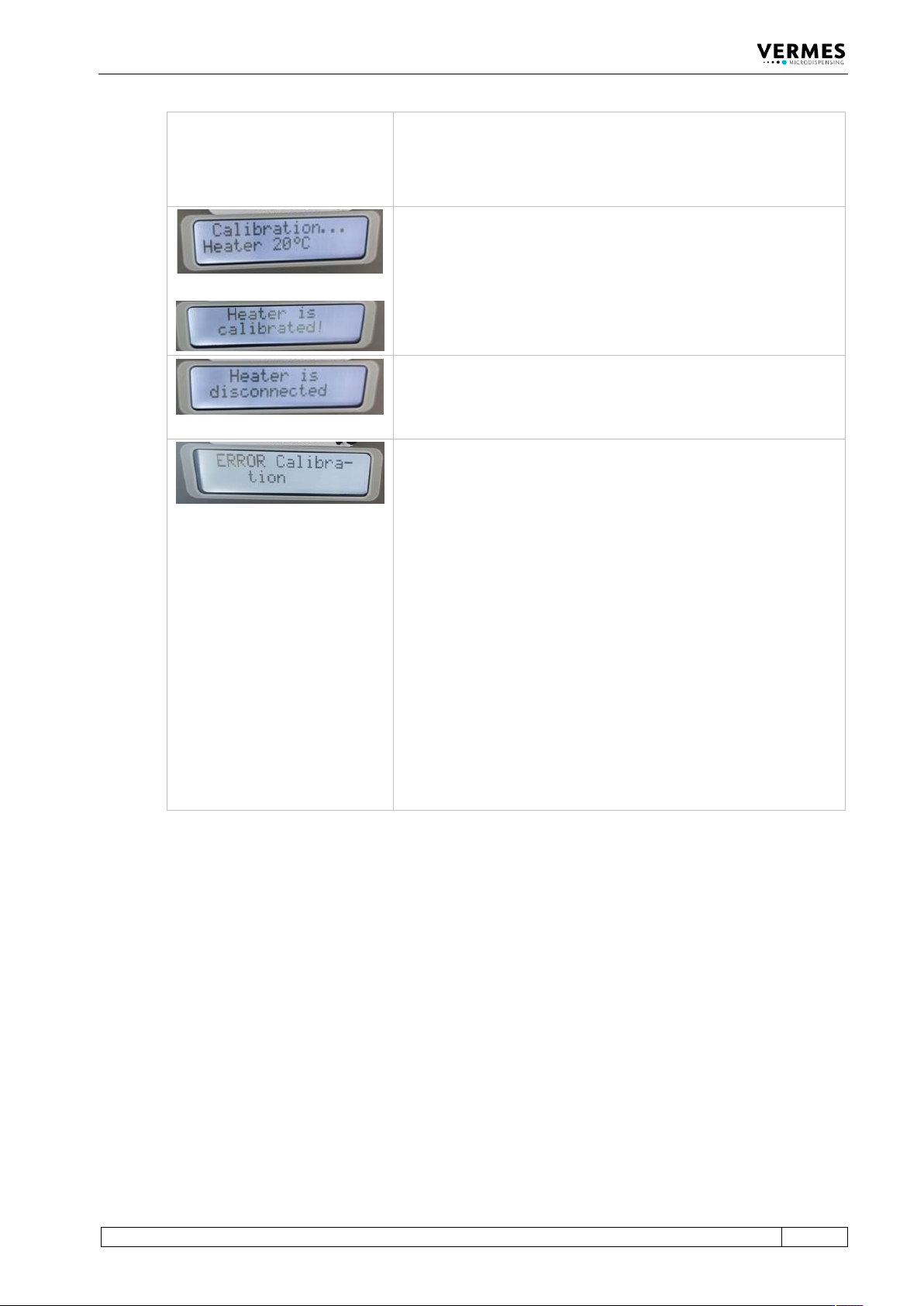
In the display, the message “Heater not calibrated” appears. The
display then switches between this message and the message “Press
enter”.
Press the [Enter]-key.
then
Step 5 (Second calibration is running)
After several seconds, in the display appears the message
“Calibration … Heater 20°C”.
Wait until a new message appears: Heater is calibrated. The
calibration has been completed.
Step 6 (Calibration completed, second calibrator screwed off)
The calibration has been completed successfully. Screw off the
calibrator. In the display, you get the message “Heater is
disconnected”.
Error during calibration
In case an error happens during the calibration, in the display
appears the message “Error Calibration” for approx. 2 s.
There can be different causes for an error, e.g.
• calibration stopped too early
• communication was interrupted
• calibrator not correctly connected
• you used the same calibrator twice
• defect at the MDC
Once you have solved the problem, you have to repeat the
complete calibration, starting at step 1.
Information!
In case of an error during the calibration, the values are set
back to the default values. You will be able to work with these
values, but the results will not be as precise as with a correctly
calibrated heater.
Tab. 26: Calibration of the heater
Once the full calibration is completed, you can proceed with the normal work at your application.
Operation
80
VTK-TR-BA-072e-1 - User Manual MDS 358X Series
7.14 Dispensing with a Cooling Valve
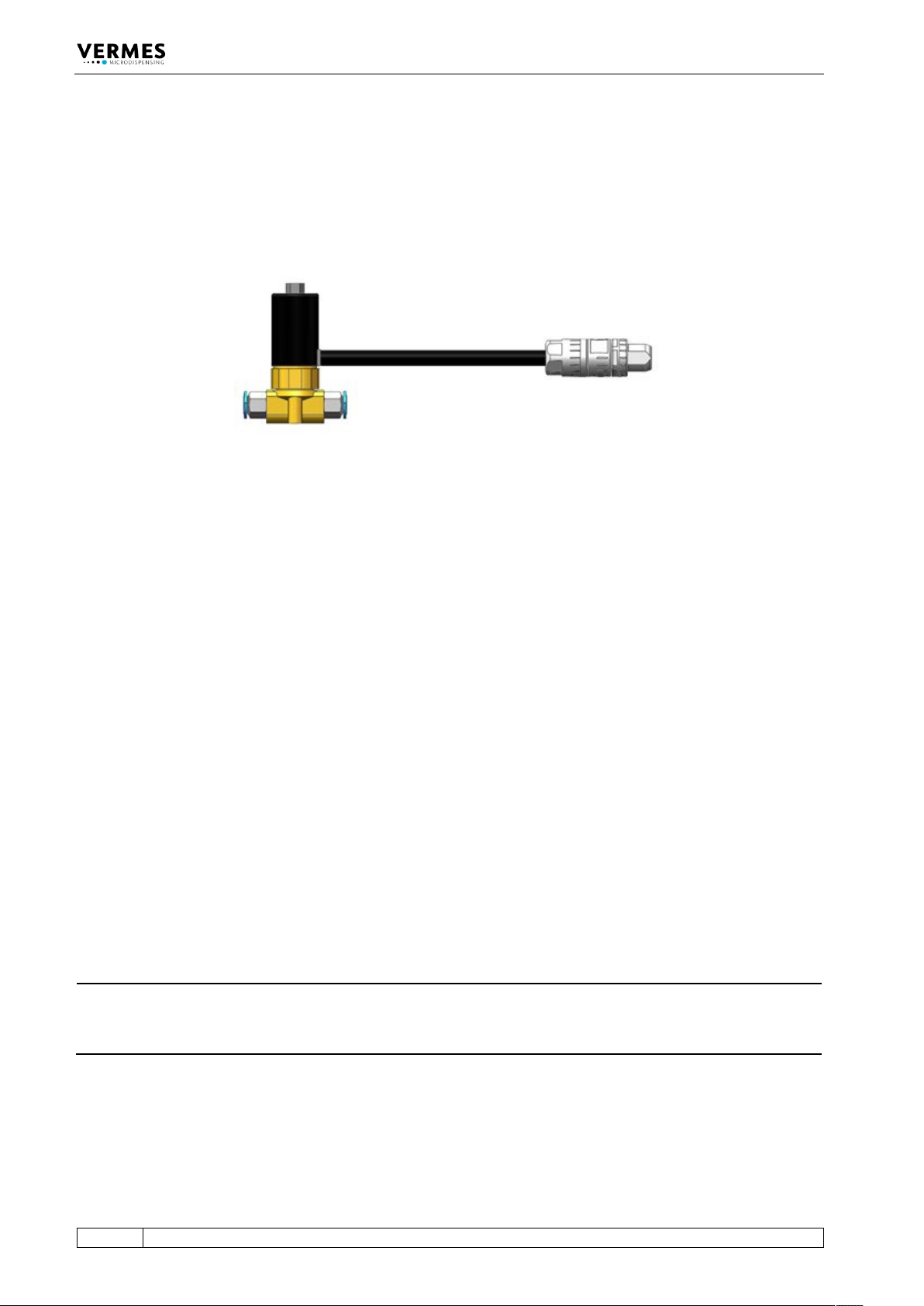
The Microdispensing System MDS 3580 can optionally be equipped with a flow control valve as a
cooling valve (meaning: to cool the microdispensing valve). One option is the FCV-AC 6.0 M12
(see Fig. 59). More detailed information about the menu, while using a cooling valve, you can
find in paragraph 4.5.3.1, page 31 and paragraph 7.14.1, page 80.
Fig. 59: FCV-AC 6.0 M12
A VERMES Microdispensing Valve works best, if the temperature inside the valves stays below a
certain limit. E.g. for the MDV 3580 this limit is at 80 °C for the actuator system and 39 °C at the
outside of the valve body. For this reason, microdispensing valves can be fitted with an air
cooling adapter (see Fig. 34, page 56).
With the MDC 3500, it is possible to control the airflow according to the temperature inside the
valve. This improves the dispensing accuracy and allows you to save compressed air costs.
To regulate the compressed air flow, the MDC controls a flow control valve, e.g. the FCV-AC 6.0
M12 (see Fig. 59). It regulates the air flow between your compressed air supply and the
microdispensing valve you want to cool.
At the same time, the MDC is connected with the sensor module of the microdispensing valve
and receives the temperature values from inside the valve. This grants the MDC the information
needed to keep the target temperature in the correct range by increasing or decreasing the
cooling airflow as necessary. You can also set a cooler offset, which creates a minimum airflow,
independent of the regulation (menu item “Cooler Offset”, see paragraph 7.14.2, page 81).
The compressed air connectors of the VERMES flow control valves are marked on one side, “1” is
“IN” and “F” is “out. These connectors have 6 mm diameter. If you want to connect the valve with
a microdispensing valve with 3 mm connectors, you need a 6 mm to 3 mm adapter.
How to mount a flow control valve for cooling the MDV, you can find in paragraph 6.3, page 49.
With the Connection Cable for FCV-AC/HF M12 to MDC, you connect the flow control valve to the
MDC (see paragraph 6.3.3.5, page 54). Information on how to connect the compressed air supply
onto the MDV and for the necessary minimum quality of the compressed air you can find in
paragraph 6.4, page 56.
INFORMATION
Cooling deactivated during the adjust
If you perform an adjust while the cooling is activated, the cooling is deactivated automatically.
After you have performed the adjust, the cooling will be automatically switched ON again.
7.14.1 Cooling and MDC
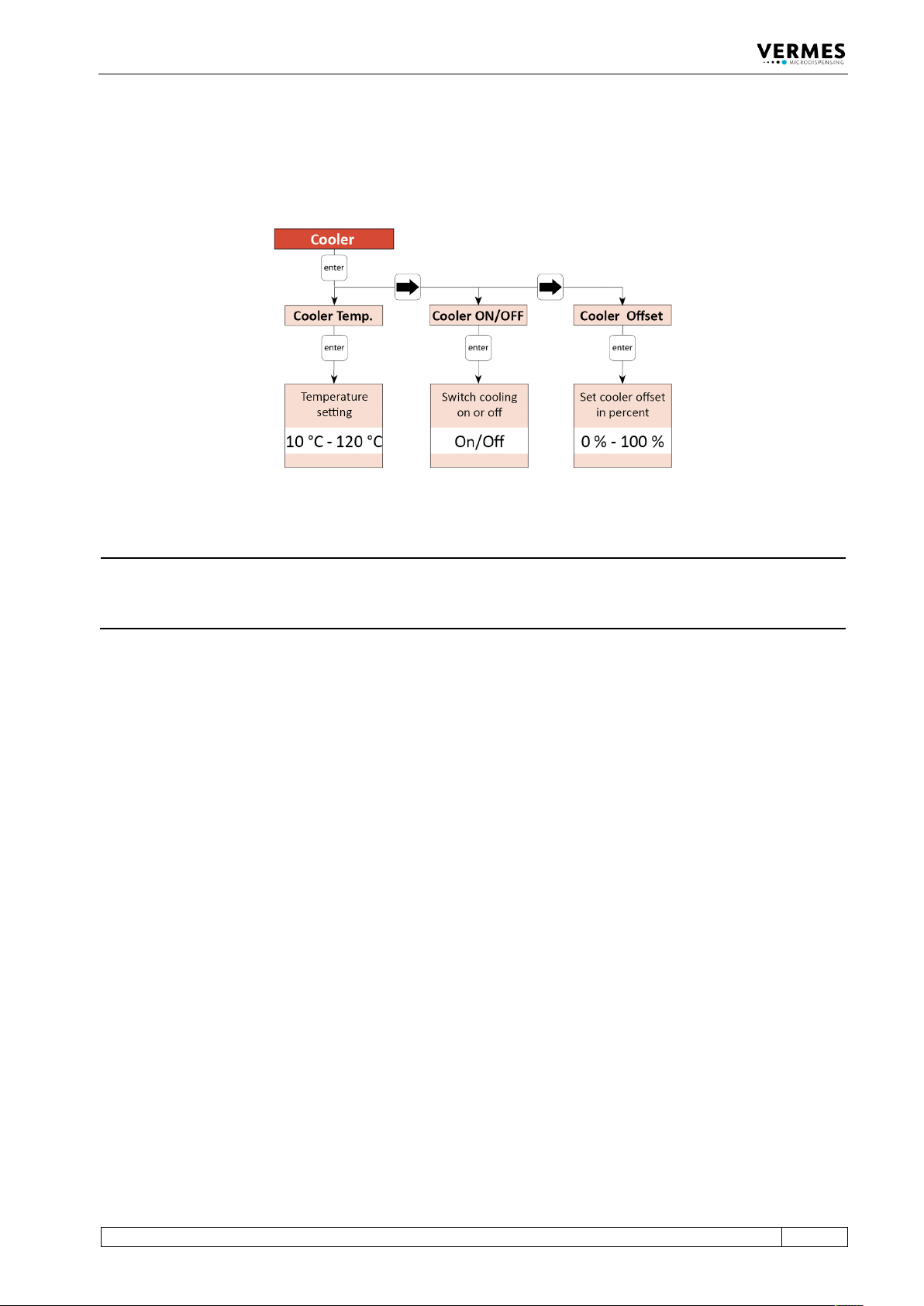
You can activate the cooling via the cooler submenu in the MDC menu (see picture below). Use
the [enter] and arrow keys to navigate down to the submenu “Cooler” in the menu
“Cooler/Heater”. Here you can switch ON the cooling (menu item “Cooler ON/OFF”), set a cooler
Operation
VTK-TR-BA-072e-1 - User Manual MDS 358X Series
81
offset (menu item “Cooler Offset”, see also paragraph 7.14.2, page 81) and set the target
temperature (menu item “Cooler Temp.”). The possible temperature range lies between 10 °C
and 120 °C. (Further information about the menu of the control unit you can find in
paragraph 4.5, page 27.)
Fig. 60: Submenu Cooler
INFORMATION
Control cooling via serial commands
The cooling can also be controlled via the serial interface. The relevant commands and
information can be found in paragraph 8.1.2, page 84.
7.14.2 Cooler Offset
The cooler offset sets an offset value for the flow control valve (in %), which is independent from
the regulation system. The cooler offset allows for a constant airflow through the valve, even if
the regulation system does not require an airflow yet. Only when the regulation system requires
an airflow above the cooler offset, the regulation takes over. I.e. the cooler offset is not added to
the normal value, but sets a minimum value.
Using a cooler offset can be helpful in some applications, e.g. if your application has many short
but intense bursts. For such an application, the regulation could be a bit slow, if it always drops
back to zero airflow.
Use the arrow keys to reach the menu item “Cooler Offset” within the submenu “Cooler” (see
paragraph 7.14.1, page 80). Press the [enter]-key and then use the arrow keys to set the desired
value. A value of 0 % means that the cooler offset is deactivated. A value of 100 % would mean
that the flow control valve is always opened completely.