Vermes MDS 358X user Manual.pdf - 第159页
Error Me ssag es 148 VTK - TR -BA- 072e - 1 - User Manua l MDS 358X S eries 601 601 USART Buffer Overflow This problem som etimes occurs duri ng data transmi ssion via seri al inter face. T he buff er is full and th e MD…
Error Messages
VTK-TR-BA-072e-1 - User Manual MDS 358X Series
147
502 502 MDV TempHigh
Automatic shut-down because of high temperature
In order to protect the piezoelectric element from excessive heat, the temperature is internally
monitored by a corresponding circuit. This is automatically switching OFF the system in case
of need. As the needle lift has a big impact on the condition of the piezo, the temperature
limit is depended on the needle lift as well.
Limits:
NL ≤ 80 % = 140 °C
NL > 80 % = 120 °C (from 81 % – 100 % the temperature is variable at ca. 140 °C – 120 °C)
Once the temperature has fallen below 80 °C, the display changes from “502 MDV TempHigh
Please Wait” to “502 MDV TempHigh Press Enter”. After pressing the [enter] key, you can
again trigger normally. During the display of “502 MDV TempHigh” the valve is closed.
If the error message happens directly after starting the MDC, pressing [enter] will initiate a re-
start.
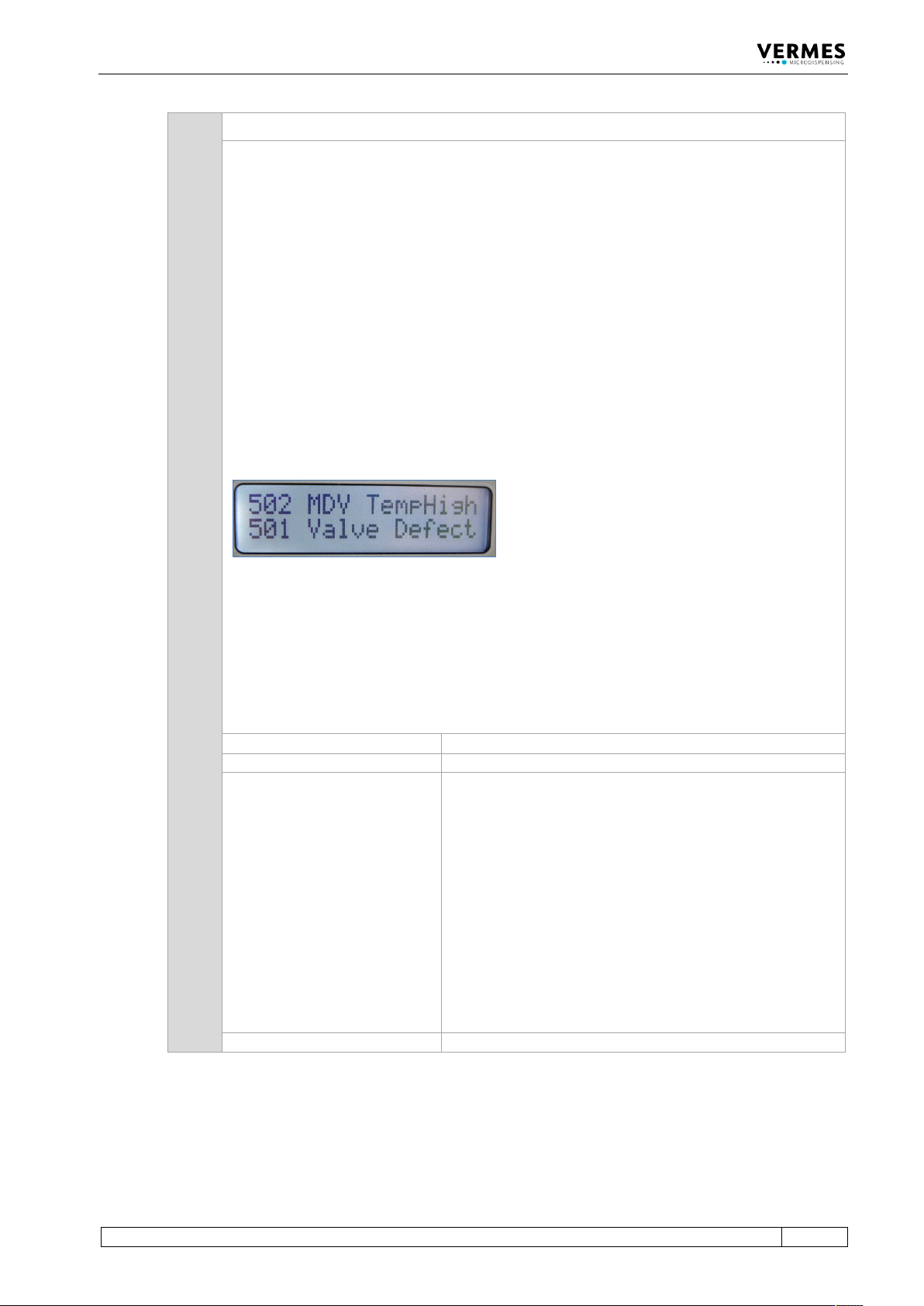
In certain circumstances, it can happen that in this phase an error “501 Valve Defect Error” is
detected. In this case, both errors are shown in the display of the MDC (see picture below).
Follow the instructions regarding error 501.
Important Note!
This error message can also appear, when the MDC is connected to an MFC 3000 for cooling a
valve, and you switched ON the MDC too early.
When using an MFC for cooling, you always have to keep this order of steps:
1. Switch ON MFC
2. Switch ON the channel used for cooling at the MFC
3. Switch ON MDC
Error code display:
502 MDV TempHigh Please Wait
Error code status menu:
502 MDV TempHigh
Error handling:
• The temperature of the valve is too high. System has to
cool off, then press [enter]. Maybe you have to lower the
Needle Lift and/or frequency parameters, in order to
prevent a re-occurrence of the problem. In case of an air
cooled valve, you need to increase the air flow.
• Switch OFF control unit, and inspect the sensor and
actuator cables and their connections. If a cable is
damaged, it must be exchanged before restarting.
• If your dispensing application includes the use of an
MFC and a flow control valve FCV, make sure the
channel for cooling in the MFC is switched “ON”, before
you start the MDC (see also User Manual MFC 3000,
chapter 3.8.3)
Valve:
Valve is closed
Error Messages
148
VTK-TR-BA-072e-1 - User Manual MDS 358X Series
601 601 USART Buffer Overflow
This problem sometimes occurs during data transmission via serial interface. The buffer is full
and the MDC is unable to handle more inflowing data. The message “601 USART Buffer
Overflow” is returned via serial interface. LEDs are not lit.
Error code display:
No error message
Error code status menu:
601 USART Buffer Overflow
Error message monitor:
601 USART Buffer Overflow
Error handling:
• Interrupt data transmission
• Send data again
Valve:
Valve remains unchanged.
701 701 Valve Driver Defect
A hardware failure of the valve control is probable (e.g. short circuit in the connection of the
piezoelectric element). This problem is possible during startup of the MDC and also with
system in operation.
Error code display:
701 Valve Driver Defect
Error code status menu:
701 Valve Driver Defect
Error handling:
• Switch OFF the MDC immediately. Inspect the actuator
cable connection. Worn, kinked or charred cables must
be exchanged.
• The MDC must be returned to the manufacturer. The
valve has to be checked (if that is not possible, it has to
be send as well).
Valve:
Valve is open
702 702 Watchdog TimeOut
Abnormal end (crash) of the MDC.
Error code display:
702 Watchdog TimeOut pr. Enter
Error code status menu:
702 Watchdog TimeOut
Error handling:
• Press [enter]-key to acknowledge error message. The
MDC restarts
Valve:
Valve still open (start-up of the MDC)
Error Messages
VTK-TR-BA-072e-1 - User Manual MDS 358X Series
149
703 703 RS Power Supply
This error message appears, if a problem with the power supply forces a re-start of the system.
If this happens more than once, you need to change your dispensing parameters, since your
current settings use too much power over time.
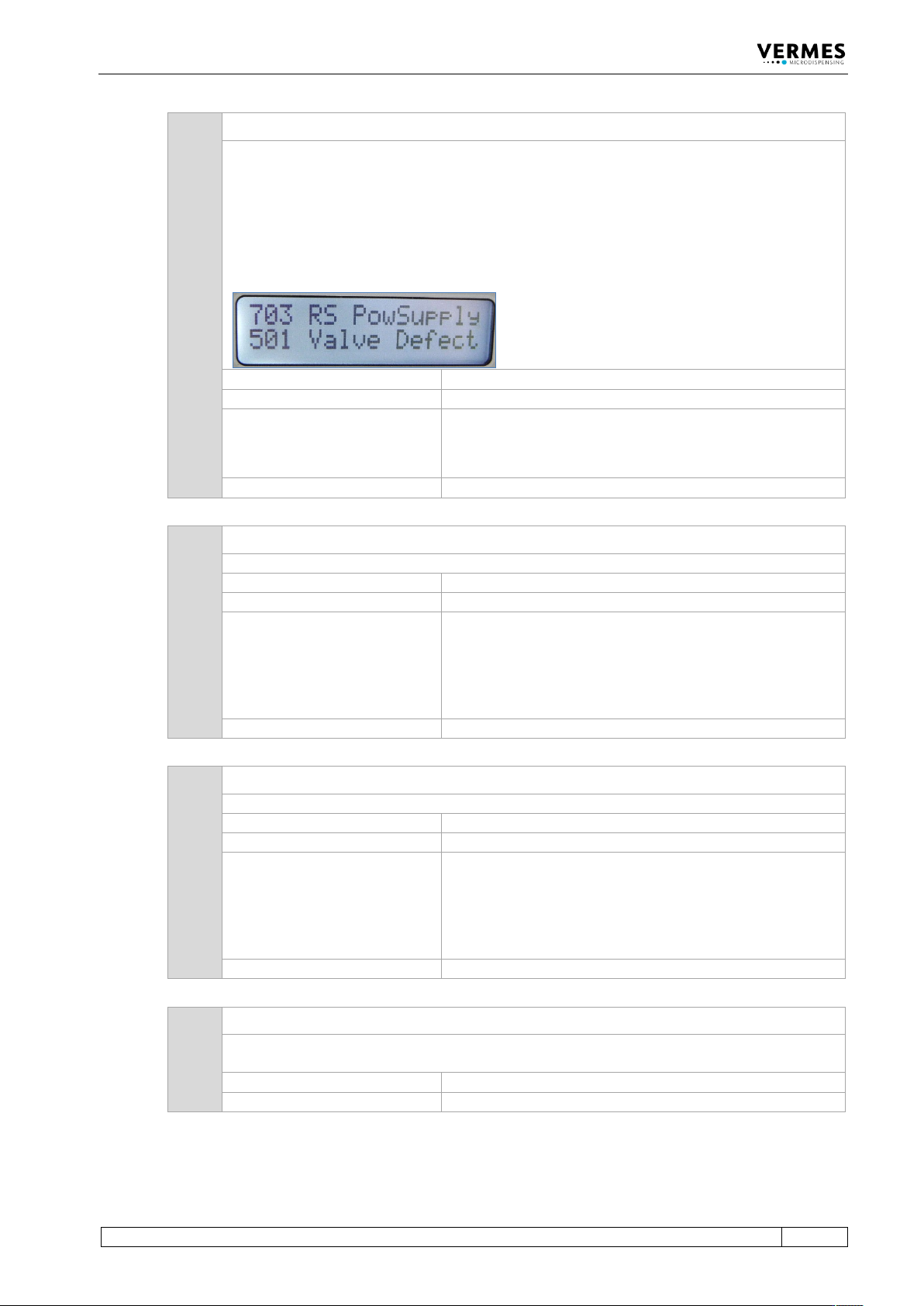
In certain circumstances, it can happen that in this phase an error “501 Valve Defect Error” is
detected. In this case, both errors are shown in the display of the MDC (see picture below).
Follow the instructions regarding error 501.
Error code display:
703 RS Power Supply pr. Enter
Error code status menu:
703 RS Power Supply
Error handling:
• Press [enter]-key to acknowledge error message.
• Lower the dispensing frequency, since your current
settings need too much power.
Valve:
Valve still open (start-up of the MDC)
810 810 communication error
There is an error with the internal communication.
Error code display:
810 communication error
Error code status menu:
810 communication error
Error handling:
• Press [enter] key to acknowledge the error message.
Heater and cooler status will be switched “OFF” in the
submenu “Heater/Cooler“.
• For further information, contact the Technical Support
(see Page 7).
Valve:
Valve is closed
820 820 incorrect heater data
The heater has incorrect data.
Error code display:
820 incorrect heater data
Error code status menu:
820 incorrect heater data
Error handling:
• Press [enter] key to acknowledge the error message.
Heater status will be switched “OFF” in the submenu
“Heater”.
• For further information, contact the Technical Support
(see Page 7).
Valve:
Valve is closed
830 830 wrong heater
The MDC cannot read the data from the heater correctly. Either the heater is defect or the
heater cable.
Error code display:
830 wrong heater
Error code status menu:
830 wrong heater