Vermes MDS 358X user Manual.pdf - 第37页
Control Unit MDC 26 VTK - TR -BA- 072e - 1 - User Manua l MDS 358X S eries Func t ion Key Func tion [ ← ] - key The scr een moves one menu step back. or The cursor is s hifted one posit ion t o the left . or A param ete …
Control Unit MDC
VTK-TR-BA-072e-1 - User Manual MDS 358X Series
25
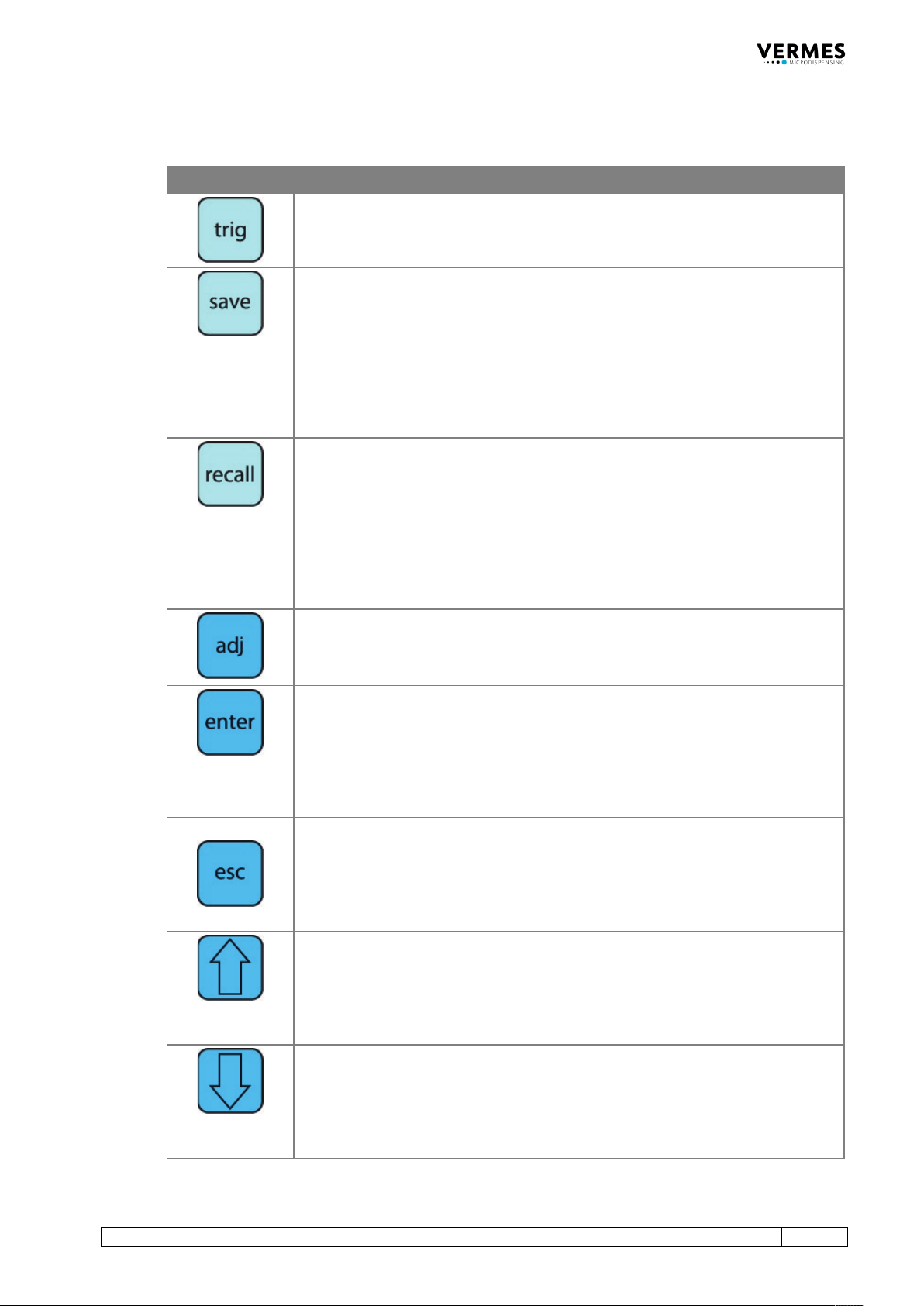
4.4 Function Keys
Function Key Function
Manual trigger key
Pressing the [trig]-key instantaneously launches a dispensing procedure according
to the selected parameter settings.
The [save]-key opens the menu for storing current parameters.
Ten storage locations are available for distinct configuration sets. Each set contains
values for all pulse parameters.
Select the desired storage location by means of arrow keys.
Press [enter] to confirm.
Press [esc] to cancel without saving the selection.
Parameter sets saved in the internal memory can be retrieved any time with the
[recall]-key.
Here you can load the settings stored with [save].
Use the arrow keys to select one of the ten internal storage locations.
Press [enter] to confirm the selection.
Press [esc] to abort.
The [adj]-key is used to start the adjust (see paragraph 6.5, page 57).
It is required during each initial operation and after an exchange of the nozzle unit.
With this procedure, the position of the nozzle insert with respect to the tappet is
preselected.
Pressing the [enter]-key confirms the menu selection and opens the corresponding
submenu.
or
The entry of a value is confirmed. The screen changes to the next-higher menu
level.
Pressing the
[esc]
-key aborts the current action. Values just entered are deleted.
The next-higher menu level opens.
or
Direct access to the next-higher menu level.
[↑]-key
Access to the next-higher menu level.
or
Increasing of a numerical value.
[↓]-key
Access to the next-lower menu level.
or
Reduction of a numerical value.
Control Unit MDC
26
VTK-TR-BA-072e-1 - User Manual MDS 358X Series
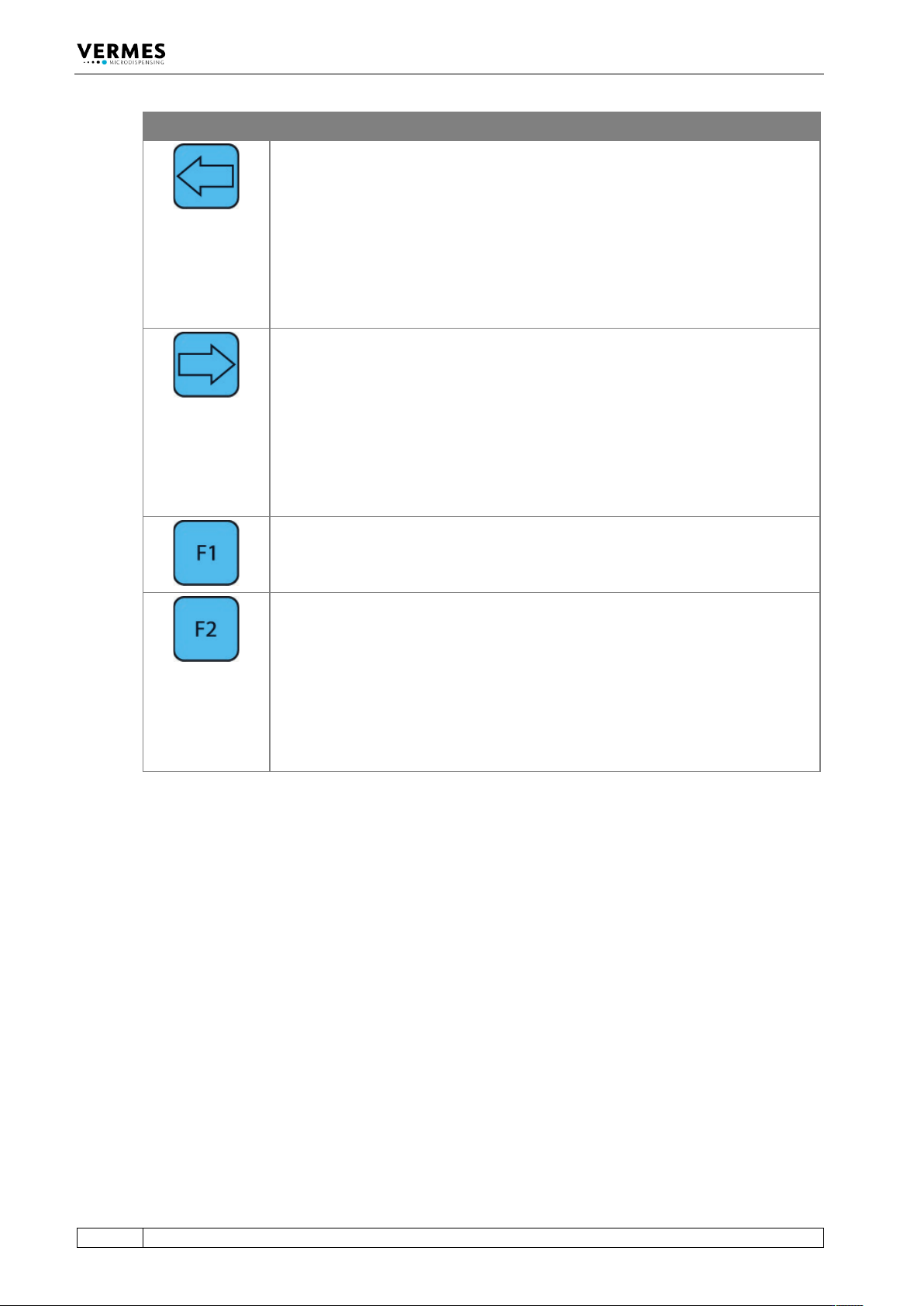
Function Key Function
[←]
-key
The screen moves one menu step back.
or
The cursor is shifted one position to the left.
or
A parameter is modified.
[→]-key
The screen moves one menu step ahead.
or
The cursor is shifted one position to the right.
or
A parameter is modified.
The [F1]-key opens the valve, taking into consideration the current values for
“Rising” and “Falling”. The Needle Lift used is capped at 80 %. The valve remains
opened until the key is released. Maximum length: 2 min. Then the valve closes
automatically in order to protect the actuator.
If you start the control unit, while holding the
[F2]
-key, you have the option to
format the EEPROM. With [enter] you agree, with [esc] you skip this point and
reach the main menu just as normal. This function will only be necessary in
exceptional cases.
Important Note!
Settings for Scenarios will not be reset back to the factory settings. That is only
possible with the options “Scenario” and “Reset ALL” after entering the service code
1000 (see paragraph 4.5.6 "Submenu “Service-Option”", page 37).
Control Unit MDC
VTK-TR-BA-072e-1 - User Manual MDS 358X Series
27
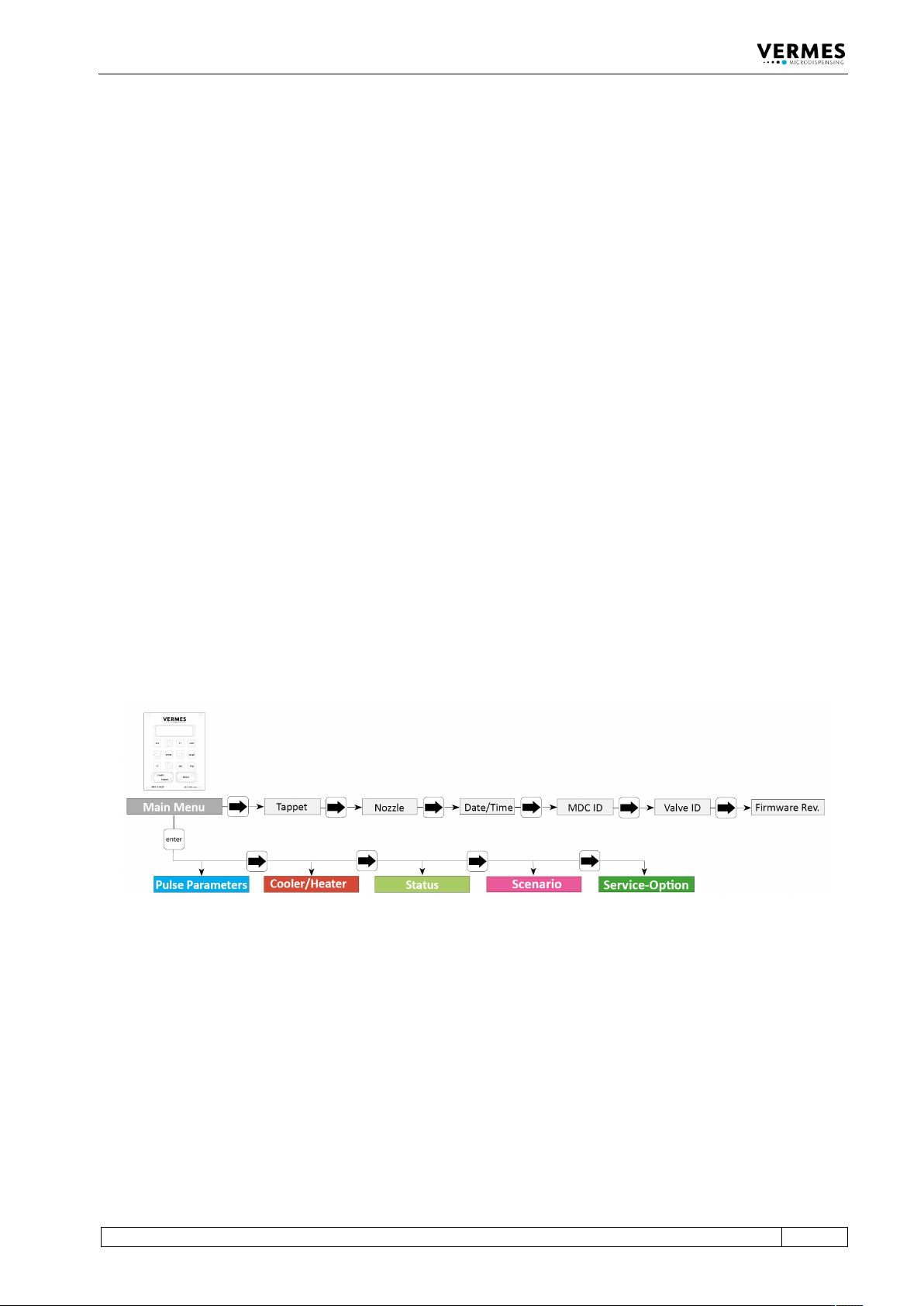
4.5 Menu Structure
The main menu of the control unit MDC 3500 contains 5 submenus: “Pulse Parameters”,
“Cooler/Heater”, “Status”, “Scenario” and “Service-Option”. With the [enter]-key you can reach
the level of the submenus. There you can switch around with the keys [→] and [←]. Another
option from the main menu is to use [→] or [←], which allows you to gather some information
about the system, like maintenance situation or ID numbers. The items are “Tappet”, “Nozzle”,
“Date/Time”, “MDC ID”, “Valve ID” and “Firmware Rev.” “Firmware Rev.” will give you the current
revision of the firmware on your MDC. “Date” gives the current date and time (as UTC), as the
MDC has a real time clock (RTC). Menu levels are always “wrap-around”, i.e. you can move on
from the last item in a menu directly on to the first. With [esc] or [↑] you can change from a sub
menu into the next higher menu level.
The information shown in the display differs, depending on the menu level (see paragraph 4.5.1,
page 28).
• Dispensing parameters for a particular process can be recalled and modified in the submenu
“Pulse Parameters”.
• “Cooler/Heater” – select the settings for the heating and the valve cooling, if set up.
• You can use the submenu “Status” to decide on individual cycles for the replacement of
tappet and nozzle insert (see paragraph 4.5.4 "Submenu “Status”", page 34). The current state
of the system with respect to the maintenance interval can be verified by the function “Maint.
Cycle” (see paragraph 10.1 "Maintenance Indicator", page 137). With “Maint. Message” you
can decide to show maintenance messages or not. Error messages concerning the system are
shown with the function “Error”.
• In the submenu “Scenario” you can enter values for pre-defined scenarios. Here you can also
set the option to work with these scenarios.
• The submenu “Service-Option” is used to enter service codes and to change the baud rate.
Fig. 4: Main menu