00197397-02_AI_Stationary_Camera_25_33_X-Serie-S_to_Gxxxx_DE_EN.pdf - 第105页
4 Appendix 4.1 Installation Height of the Stationary Camera Assembly Instructions / Montageanleitung SIPLACE X-Series S Stationary Camera Type 25/33 Stationäre Kamera Typ 25/33 06/2016 105 4 Appendix 4.1 Installation Hei…

3 Installation
3.9 Software Settings
104 Assembly Instructions / Montageanleitung SIPLACE X-Series S Stationary Camera Type 25/33 Stationäre Kamera
Typ 25/33 06/2016
4 Appendix
4.1 Installation Height of the Stationary Camera
Assembly Instructions / Montageanleitung SIPLACE X-Series S Stationary Camera Type 25/33 Stationäre Kamera
Typ 25/33 06/2016
105
4 Appendix
4.1 Installation Height of the Stationary Camera
CAUTION
Observe the installation height
When fitting the camera, observe the correct installation height "I". Otherwise there is a risk
of head crash!
► When setting the installation height, consider all the heads in one placement area.
► If you are using a stationary camera with a CPP head, the CPP head must be fitted in
the top position.
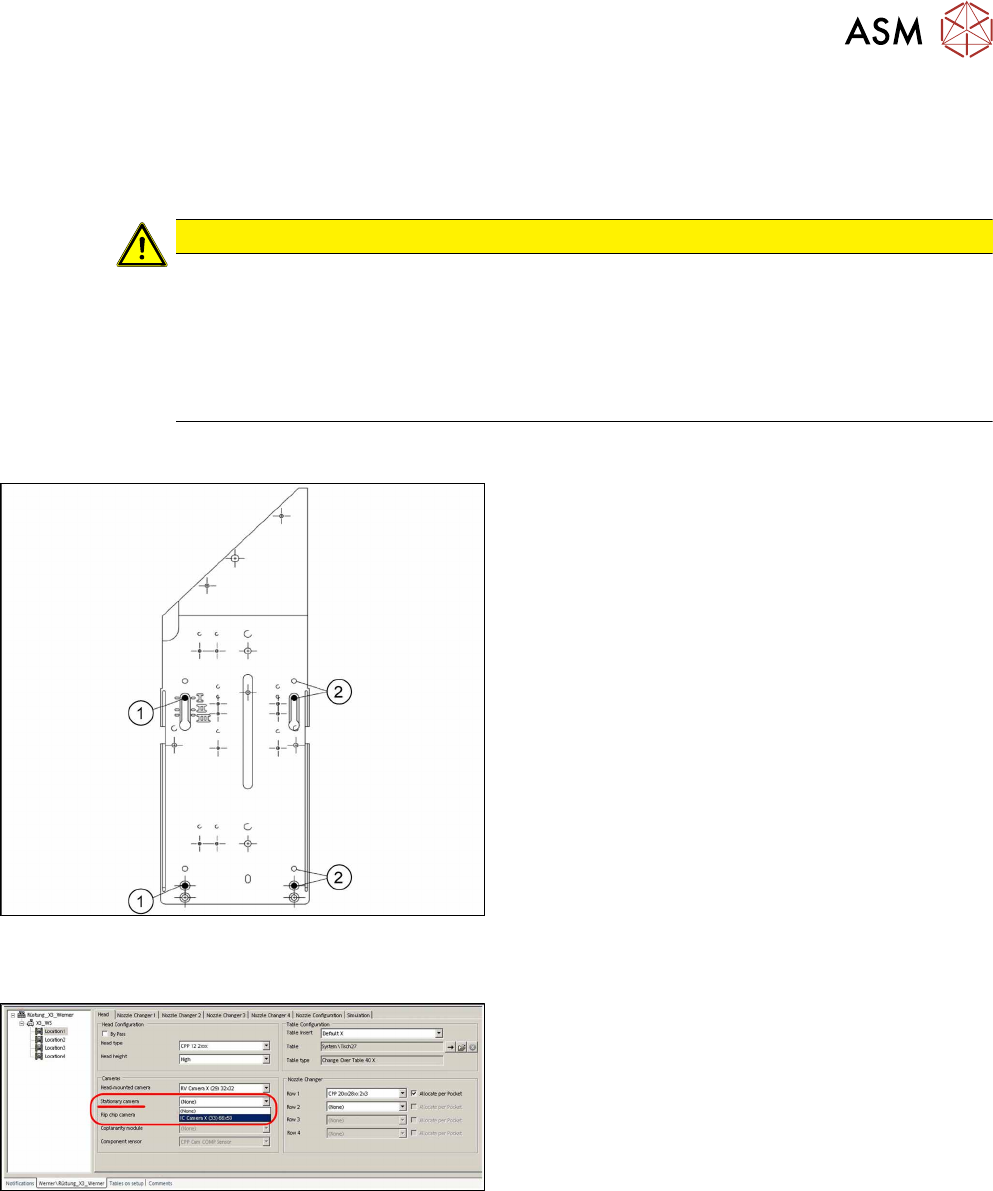
4.1.1 Stationary Camera in Position 1
If you are using a DLM or CPP head in a placement
area, fit the camera in the bottom position. This
equates to position I.
1. Screw
2. Thread in the machine frame
Position I has to be used in the following cases:
●
X series S: always
4.2 Configuration of Stationary Camera with SIPLACE PRO
Configuration of stationary camera (SIPLACE Pro
setup (shown using example ofX3)
► Select Setup → Location → Head tab and enter
the P&P head.
► Re-optimize the setup in SIPLACE Pro.
4 Appendix
4.3 Circuit Diagrams
106 Assembly Instructions / Montageanleitung SIPLACE X-Series S Stationary Camera Type 25/33 Stationäre Kamera
Typ 25/33 06/2016
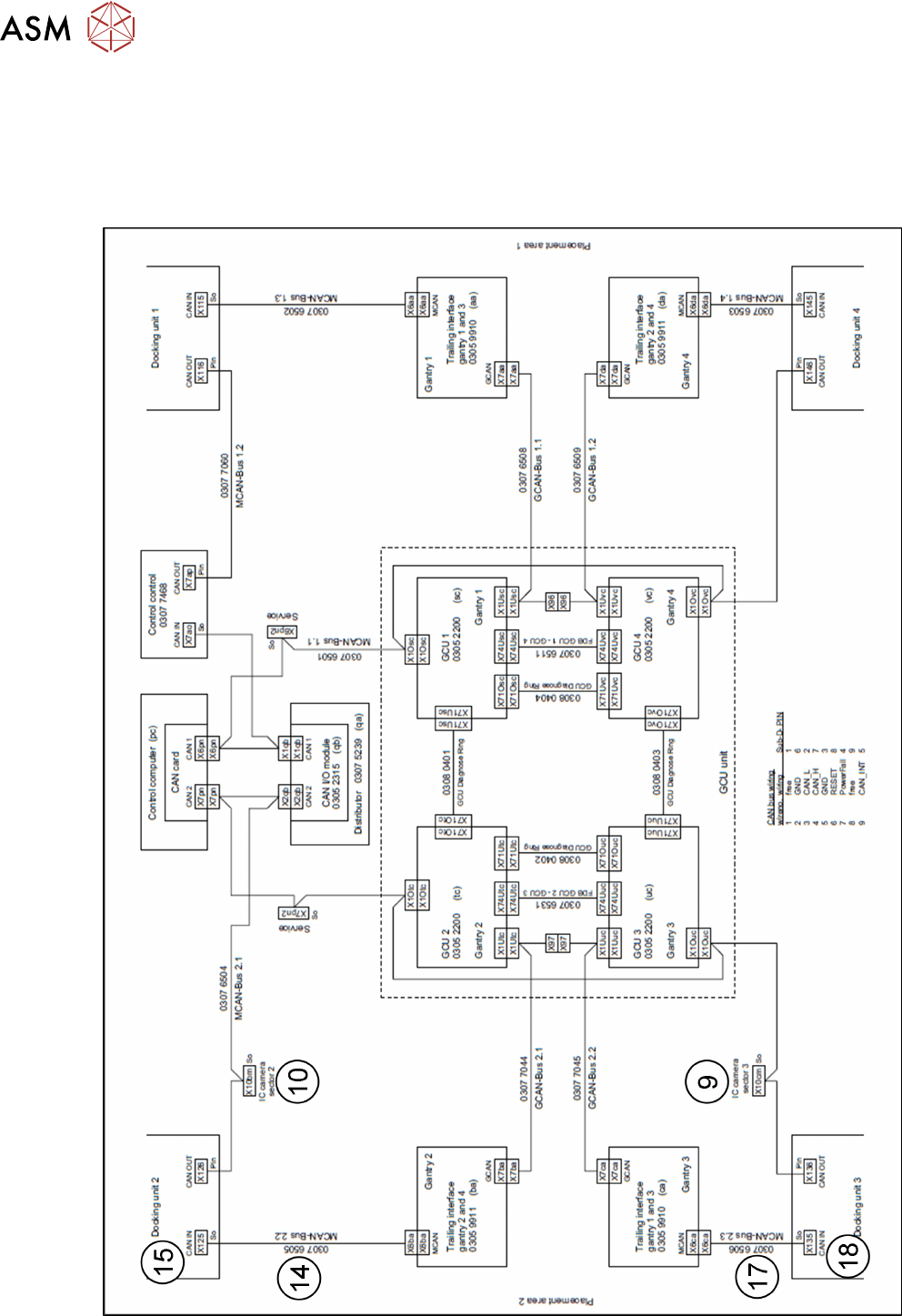
4.3 Circuit Diagrams
For more information, refer to the circuit diagrams folder:
●
Circuit diagram folder SIPLACE X-Series S (up to Gxxxx) [00197021‑xx]
4.3.1 Camera CAN bus
Fig.11: Camera CAN bus