2500_Users_Manual.pdf - 第127页
Operation ProM aster 25 00 User Manua l 4-13 1. Rem ove devices from al l three track sectio ns. 2. Turn the track width adjustment knob co unterclockwise un til the track is at its narrowest s etting. This step is impor…
Operation
4-12 ProMaster 2500 User Manual
Installing a
Programming
Module
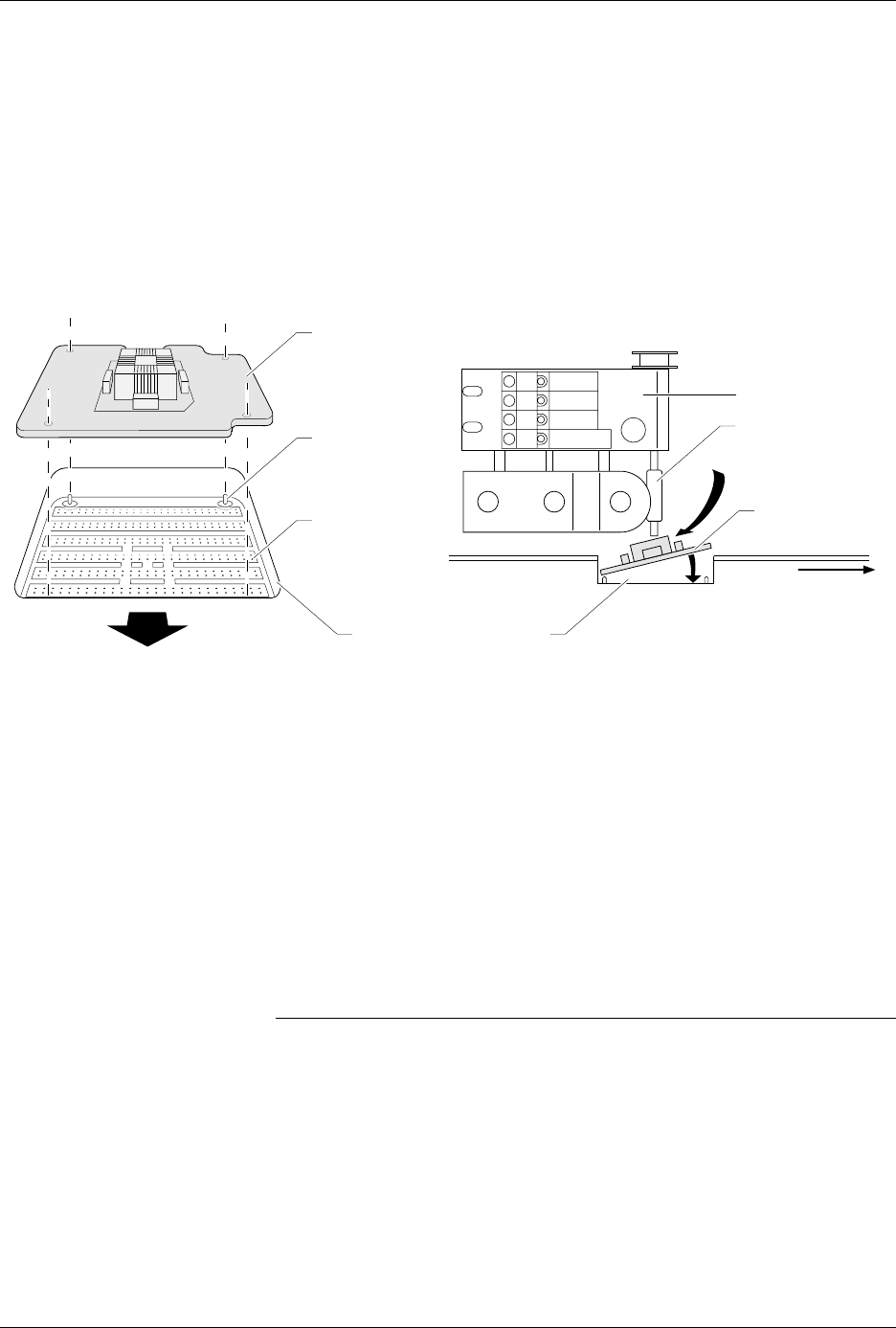
Install the new programming module with the silk-screened
X4
to the
right (toward the input track). Guide pins on the 2500 will not allow you
to install the module backwards. If the beam is centered over the
programming station, insert the module at an angle into position as
shown in Figure 4-8.
The 2500 automatically completes the installation of the module on the
programming pin interface (SPA pins) when you start the Task. System
software controls the release of the module between Tasks and when the
operator requests it by pressing
STOP
(on the 2500’s keyboard) twice.
Pressing
START
closes the clamps on the module again.
Adjusting the Track
Width
Whenever a new Task requires that you change device package type, you
must adjust the track width for the new device. All three track sections
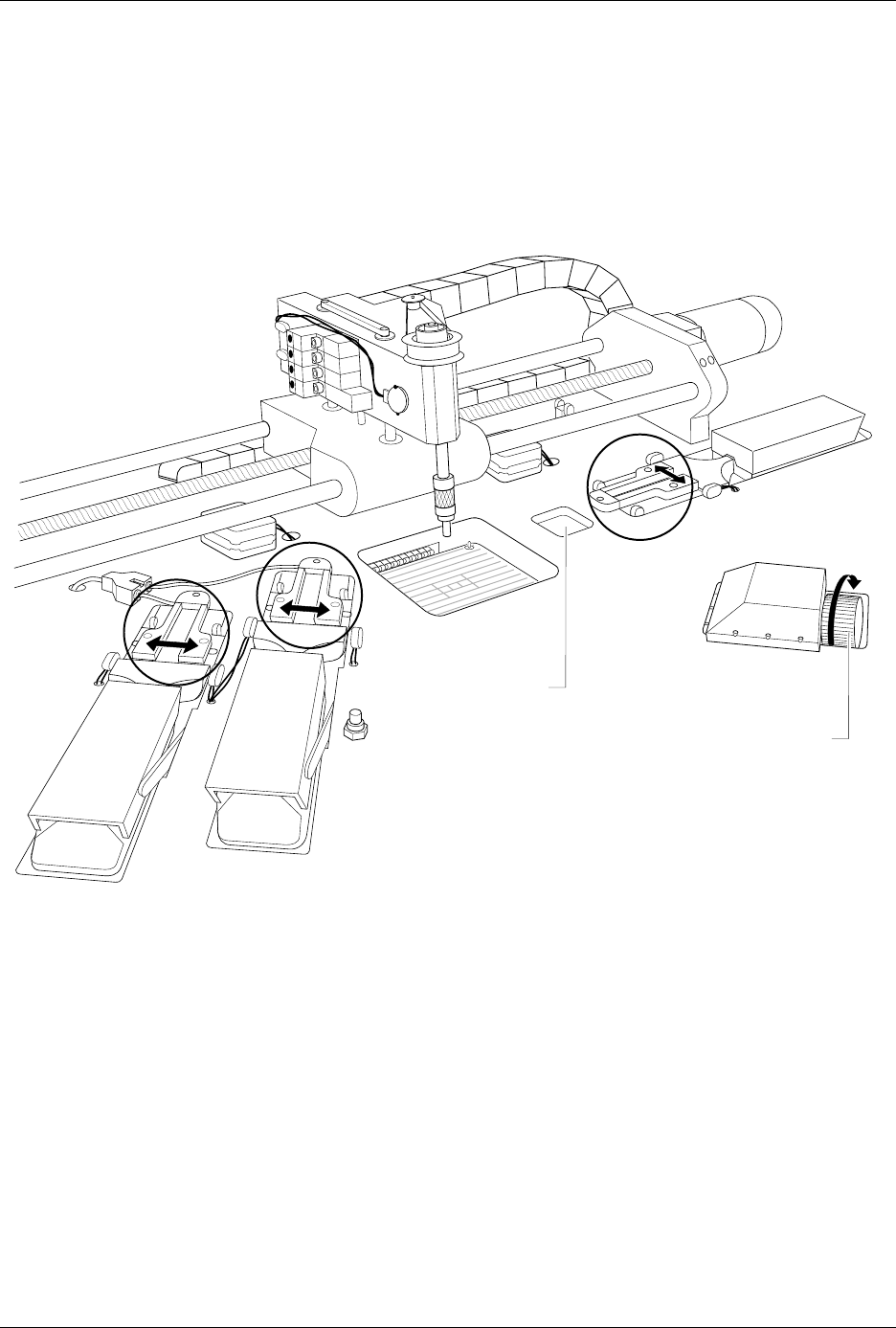
are adjusted by turning the track width adjustment knob (see Figure 4-9).
To adjust the track width, perform the following procedure.
CAUTION: Be sure to adjust the track width according to the following
procedure. Closing the track on a device while it is in the
track may compress the leads and damage the device.
Figure 4-8
Installing a Programming Module
1767-1
FRONT OF 2500
SPA PINS
PROGRAMMING
MODULE
PROGRAMMING STATION
X2
X4
3
X
ALIGNMENT
PIN (1 of 4)
VIEW FROM THE SIDE
FRONT
OF 2500
BEAM
CHUCK
PROGRAMMING
MODULE
Operation
ProMaster 2500 User Manual 4-13
1. Remove devices from all three track sections.
2. Turn the track width adjustment knob counterclockwise until the
track is at its narrowest setting. This step is important because it
prepares the three track sections to be adjusted together and
uniformly.
3. Begin opening (widening) the track.
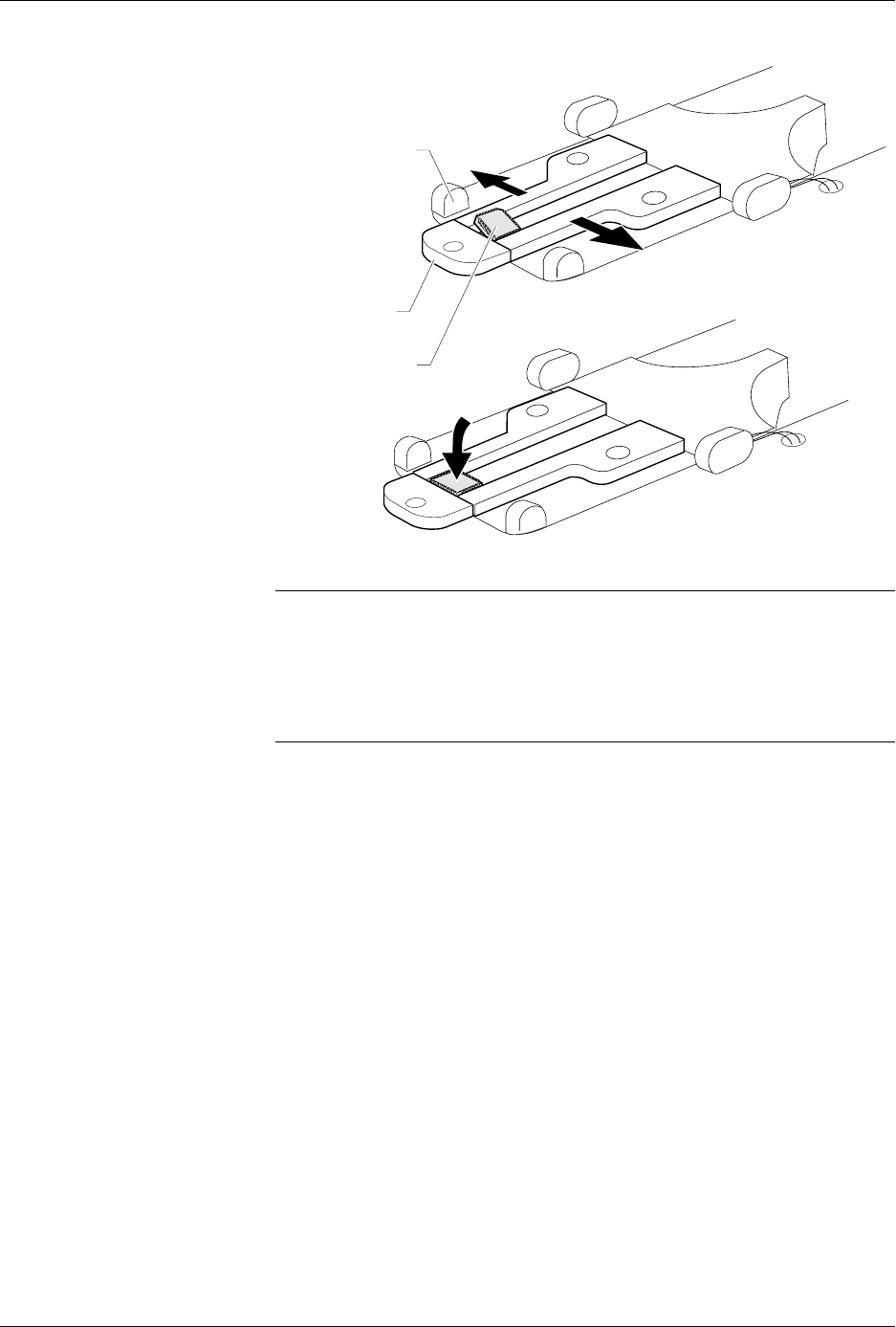
4. Before the track opens as wide as the device you will be using, place
one of the devices (with its leads up) in the input track next to the
programming station’s stop guide. See Figure 4-10.
The device should be resting on the rear wall of the track (see Figure
4-10) and should block the optic.
Figure 4-9
Adjusting the Track Width — Turning the knob clockwise opens all three track sections together.
TRACK WIDTH
ADJUSTMENT KNOB
DEVICE INDENT
1856-2
Operation
4-14 ProMaster 2500 User Manual
Note: Insert square PLCC devices in the input track with pin 1 oriented toward
the back of the 2500. Insert rectangular PLCC devices (32 pin), DIP and
SOIC devices in the track with pin 1 toward the input tube.
5. Slowly turn the track adjustment knob clockwise to widen the track
until the device just drops into place on the track floor.
CAUTION: Do not close (narrow) the track width while a device is lying
flat in the track; the device leads may be damaged.
Attachment for 8-pin
150-mil SOIC Devices
The 8-pin 150-mil SOIC devices are light enough that they may not rest
flat in the input track while the input orbital assembly vibrates to advance
devices down the track. A device keeper bar assembly attached next to
the input track keeps devices in the proper position in the track. The
keeper bar is oriented parallel to and above the track, allowing 150-mil
SOIC devices to move freely down the track (see Figure 4-11).
Figure 4-10
Final Track Adjustment
1855-1
STOP GUIDE
DEVICE
OPTIC