2500_Users_Manual.pdf - 第438页
Keep Current Su bscription Service 4 Keep Current 1. Gather Information Knowing the follow ing inform ation about the devices you will be programming w ill enable you to find the correct algorithm once you are connected.…
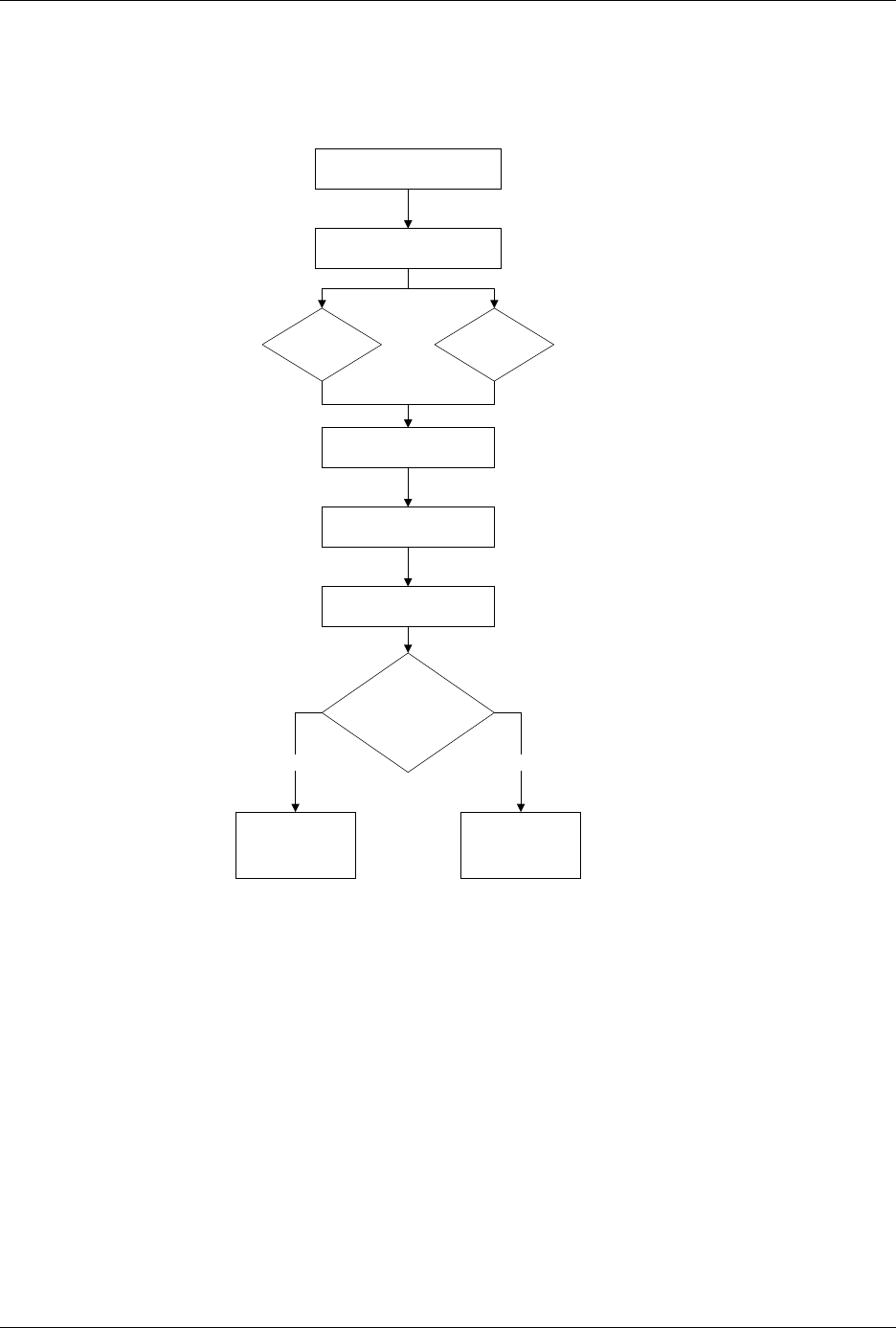
Keep Current Subscription Service
Keep Current 3
1. Gather Device Information
2. Connect to Keep Current
3. Find Device Algorithm
BBS Web Page
4. Download Algorithm
5. Use Algorithm
Does the algorithm
appear on the
standard device list?
Select Device/
(1)Keep Current
More Commands/
Configure System/
Keep Current/
Replace-Restore
No Yes

Keep Current Subscription Service
4 Keep Current
1. Gather Information
Knowing the following information about the devices you will be
programming will enable you to find the correct algorithm once you are
connected.
• Manufacturer (
example
: AMD)
• Device name (
example
: 27c1024)
• Package type (
example
: 48-pin PLCC)
• Current version of the programmer software (
example
: 5.4)
2. Connect to Keep Current
Using the BBS
Use the following procedure to log on to the Keep Current BBS:
1.
Modem:
Call
206-882-3211
.
Internet:
Using telnet, go to
bbs.data-io.com
.
2. If this is the first time you have called, when the logon screen
appears, type
new
at the prompt to create a new account and provide
the requested information.
Note: Be sure to write down your user name and password for future reference.
This is your personal BBS account and should not be shared.
3. Press
L
to go to the Library menu.
4. Press
S
to select the Keep Current Library.
5. Press
F
to search for algorithms.
Using the Data I/O
Web Page
The Data I/O web page is located at
www.data-io.com
. Click the
Keep
Current
image or go to
Technical Information
and then
Keep Current
Algorithms
.

Keep Current Subscription Service
Keep Current 5
3. Find Device Algorithm
Once you have reached the Keep Current Library, select the correct
algorithm. Algorithms are arranged by programmer and system software
version.
Keep Current filenames are represented as follows:
Each Keep Current algorithm is designed to work with a particular
version of system software. Only algorithms that are compatible with the
installed version of system software will be displayed on the
programmer’s Keep Current Part List screen.
A Keep Current algorithm and a version of your programmer’s system
software are compatible when the numbers to the left and immediate
right of the decimal point match. See the following example:
Keep Current algorithms are valid for only one major release of software
because they will be included with the next release of system software.
Algorithm
Version
System
Software
Version Compatible?
3.51 3.5 Yes
3.7 3.7 Yes
3.6 3.7 No
xVVddddd
.exe
Programmer Type
u
= UniSite
r
= 2900
s
= 3900
a
= AutoSite or
ProMaster 2500
Version Number
with which this
algorithm will
work.
Data I/O Device
Support Number