2500_Users_Manual.pdf - 第202页
Preven tive Maint enance 5-48 ProMa ster 25 00 U ser Ma nual Key/Display Test This test verifies that the keypad keys and the display d ot matrixes are operating correctly. To select the Key/D isplay test, press 6 from t…
Preventive Maintenance
ProMaster 2500 User Manual 5-47
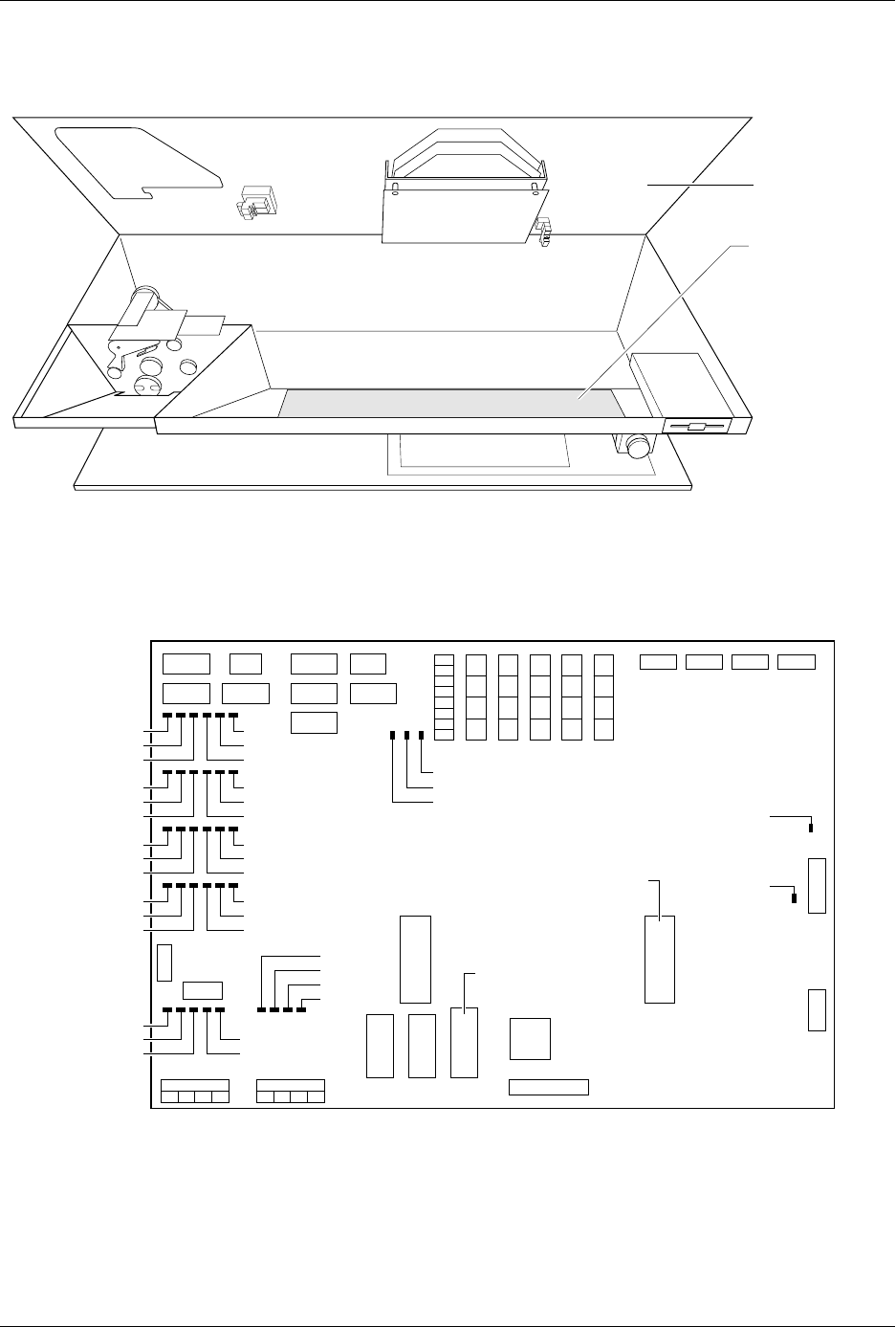
Figure 5-19
Interior View of the 2500’s Base
Figure 5-20
Print Head LEDs on Handler Controller Board
1931-2
MAIN PLATE
CONTROLLER
BOARD
1955-2
+5V
-12V
+12V
+36V
+90V
CR111
CR75
CR99
CR51
CR87
CR63
CR112
CR76
CR100
CR52
CR88
CR64
CR113
CR77
CR101
CR53
CR89
CR65
CR114
CR78
CR102
CR54
CR90
CR66
+24V
S8
S7
S5
S6
S2
S3
S1
S4
U15
EPROM
U43
EPROM
Preventive Maintenance
5-48 ProMaster 2500 User Manual
Key/Display Test
This test verifies that the keypad keys and the display dot matrixes are
operating correctly. To select the Key/Display test, press
6
from the
Diagnostic menu. The 2500 displays:
Testing the Keys
Press
1
and the 2500 displays:
Press the keys you want to check. The characters for these keys appear on
the display, in the first column of the second row. As you press
additional keys, the displayed characters wrap to the third and fourth
lines and then appear on the first line, overwriting the message.
Press
RESET
to return to the 2500’s Main menu. Press
STOP
to end the
test and return to the Diagnostics menu.
If the characters for the keys you pressed are not displayed, the keyboard
may be defective. Replace the keyboard and try the test again. Also, check
the cable to the controller board.
Testing the Display
To test the display, press
6
from the Diagnostics menu and then press
2
. If
the display is operating correctly, each dot on the display is visible. Each
display matrix is outlined by an unlit row of dots. Press
RESET
to return
to the 2500’s Main menu. Press
STOP
to end the test and return to the
Diagnostics menu.
EEPROM Test
The 2500’s EEPROM stores the file and system data. The EEPROM test,
which lasts approximately five minutes, runs a test pattern through the
memory to verify that every location in the file storage area is functioning
properly.
CAUTION: Do not turn off power while this test is in progress. Turning
the power off will erase some or all of the 2500’s system
parameters.
To enter the EEPROM test, press
7
from the Diagnostics menu and the
2500 displays:
Pressing
RESET
before the test begins returns you to the Main Menu.
Pressing any other key begins the EEPROM test.
Note: While the test is running, pressing
RESET
will NOT return you to the
Main Menu.
PRESS 1 FOR KEY TEST, 2 FOR DISPLAY TEST
PRESS KEYS TO TEST, STOP TO ABORT
EEPROM TEST - PRESS ANY KEY TO START
Preventive Maintenance
ProMaster 2500 User Manual 5-49
During the test, the 2500 displays:
If an EEPROM memory error is found, the test is stopped. The 2500
displays:
Press any key, except
RESET
, to return to the Diagnostics menu.
(Pressing
RESET
returns you to the Main Menu.)
Replace the EEPROM if it fails this test.
Communications
Test
The Communications Diagnostic test checks the three communication
ports and runs a loop test. To select the Communications test, press
8
from the Diagnostics menu. The 2500 displays:
Loop Test
The loop test checks the 2500 mother board and is performed only at the
factory.
RS-232C Port Tests
These tests echo the character for the key pressed at the terminal
keyboard, through the RS-232C communication port and back to the
terminal display. With a straight through cable, connect the 2500 to a
terminal, or to a computer that can emulate a terminal, and set the baud
rates in the 2500 to match the terminal.
To test the Remote port, press
2
from the Communications Diagnostics
Menu. The 2500 displays:
To test the Programmer port, press
3
from the Communications
Diagnostics menu. The 2500 displays:
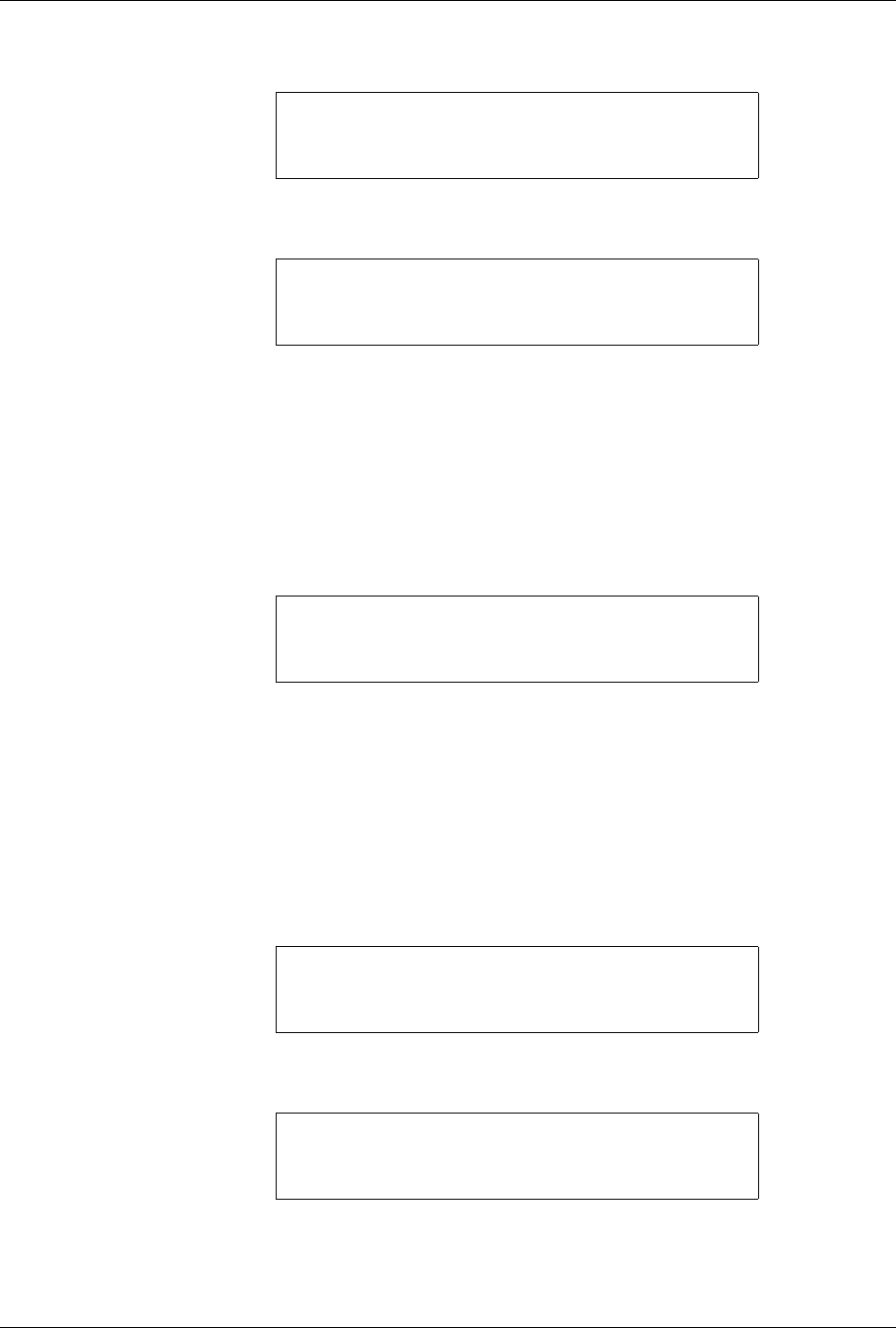
EEPROM TEST IN PROGRESS
PRESS ANY KEY TO ABORT
EEPROM TEST - PRESS ANY KEY TO START
EEPROM ERROR AT LOCATION XXX
* COMMUNICATIONS DIAGNOSTICS MENU *
1 - RS-232C LOOP TEST 4 - DIAG MENU
2 - REMOTE RS-232C PORT
3 - PROGRAMMER RS-232C PORT
REMOTE RS-232C TEST
PRESS ANY KEY TO ABORT
PROGRAMMER RS-232C TEST
PRESS ANY KEY TO ABORT