M20_Ope_E.pdf - 第121页
Chapter 2 Creating and Editing a Program 2-77 2) If you have only seven of ID-32 nozzles, chan ge the program to reduce the use of ID-32 nozzle from “8” to “7” by this function. 3) Click OK button to perform the function…

Chapter 2 Creating and Editing a Program
2-76
2-7-6-6 Reduce the number of nozzle for use
Menu: Program>DataEditUtilities>Reduce_the_number_of_nozzle_for_use
For a program with multiple-pickup process by several heads, this function converts the program
so that it needs less number of nozzles. This is convenient when you cannot prepare the necessary
amount of nozzle.
Note: This function cannot be used if a data check error is present.
Items:
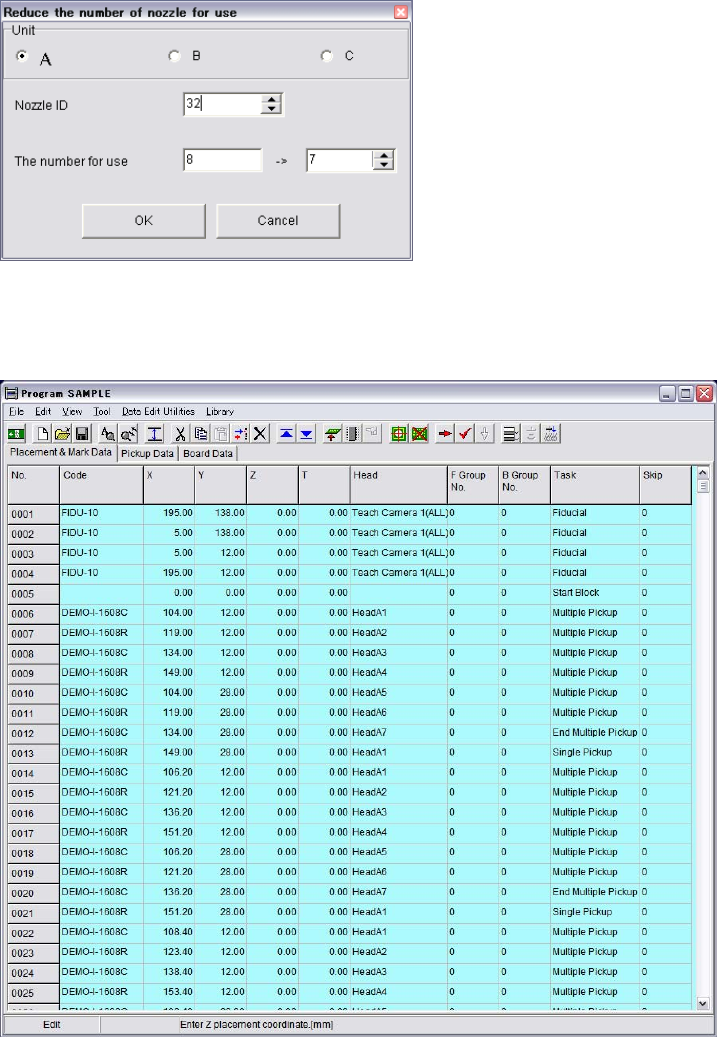
Nozzle ID: Select a Nozzle ID to reduce the number for use.
The number for use: Current amount of nozzle for use is shown on the left, and specify the
reduced number on the right.
Example:
1) The original program has multiple-pickup process by Head 1 to 8 using ID-32 nozzles. 8 pieces
of ID-32 nozzle should be prepared for this program.
Chapter 2 Creating and Editing a Program
2-77
2) If you have only seven of ID-32 nozzles, change the program to reduce the use of ID-32 nozzle
from “8” to “7” by this function.
3) Click OK button to perform the function.
Following shows the result program which needs max. 7 pieces of ID-32 nozzle.
Note: Once the [Reduce the number of nozzle for use] function is performed, the original program
would be lost. It is recommended to save it as a new file name after performing the function in
order to keep the original program.
Chapter 2 Creating and Editing a Program
2-78
2-7-6-7 CFB Front/Rear Relocation
Menu: Program>Data Edit Utilities>CFB Front/Rear Relocation
When the CFB (Changeable Feeder Bank) is relocated from the front to the rear of the mounter and
vice versa, the pickup data can be converted for the relocated CFB by executing the [CFB
Front/Rear Relocation] menu.
Note: Once the CFB Front/Rear Relocation is executed, the original pickup data won’t be recovered.
It is recommended to execute pickup data conversion on a renamed program to secure the original
program.
Action:
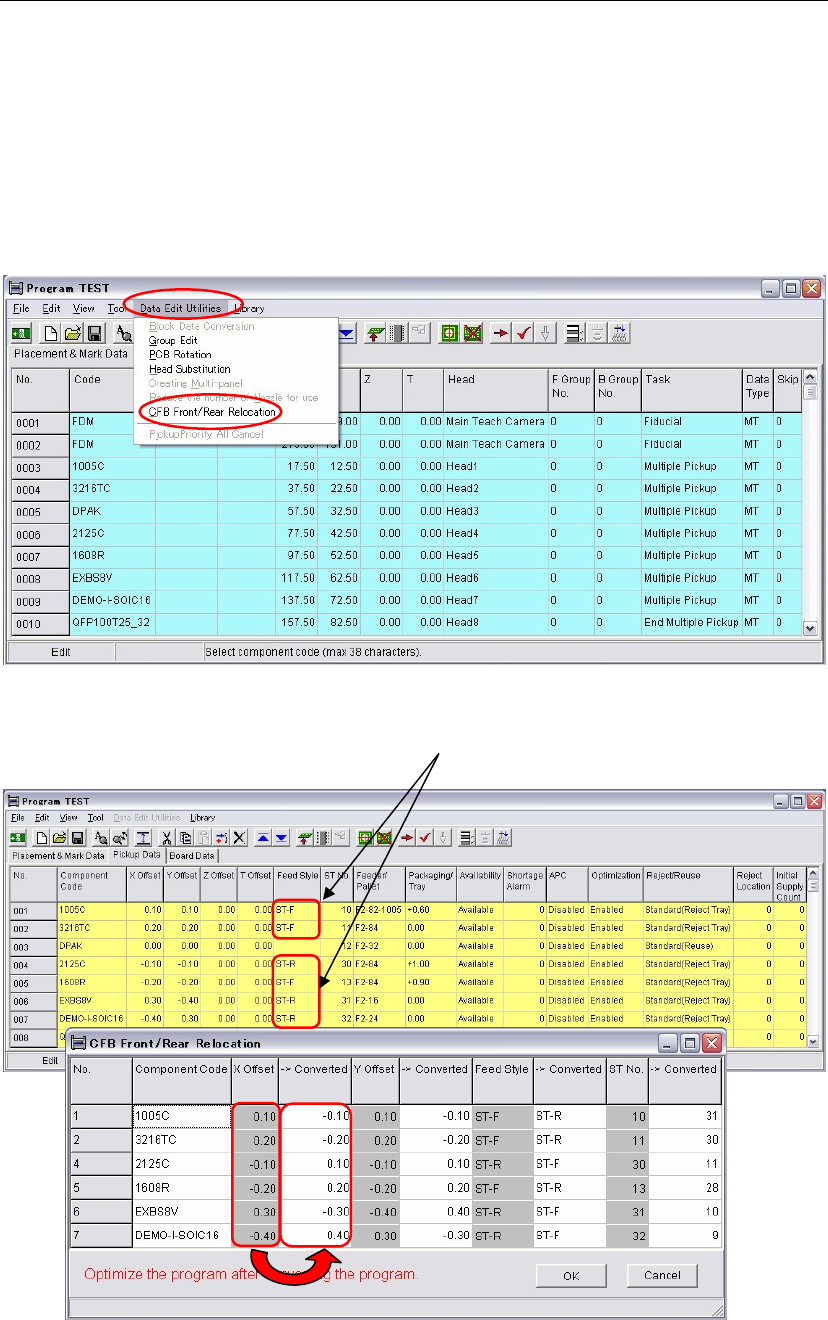
① Click the [CFB Front/Rear Relocation] menu.
② The window is switched to [Pickup Data] and the [CFB Front/Rear Relocation] window
appears at the same time. In the [CFB Front/Rear Relocation] window, data to be converted
appear as follows.
In the [CFB Front/Rear Relocation] window, each original and converted data are shown in
columns side by side. The original data is in a left column and the converted data is in its right
column.
③ Check the result of the converted data. Click the <OK> button.
Data of Feeder styles, ST-F and ST-R will be
converted by the [CFB Front/Rear Relocation].