M20_Ope_E.pdf - 第394页
Chapter 13 Utility Menus 13-4 13-1-3 Converting Machine Data to Text Data Menu: Tool>Backup&Restore>TextConversion This menu allows you to convert data on the mo unter hard disk into a CSV file. The converted f…

Chapter 13 Utility Menus
13-3
Clear List box
If you do right-click on the list box of the Backup Dir., the <Clear the list box> button will
appear. Click the button if you want to clear the history of the list box.
13-1-2 Restoring Data
Menu: Tool>Backup&Restore>ProgramRestore
This menu allows you to restore data saved on an USB memory to the mounter hard disk.
Action:
① Connect an USB memory containing the saved data to the port on a machine .
② Select data to restore.
③ Click <Execute> button.
Chapter 13 Utility Menus
13-4
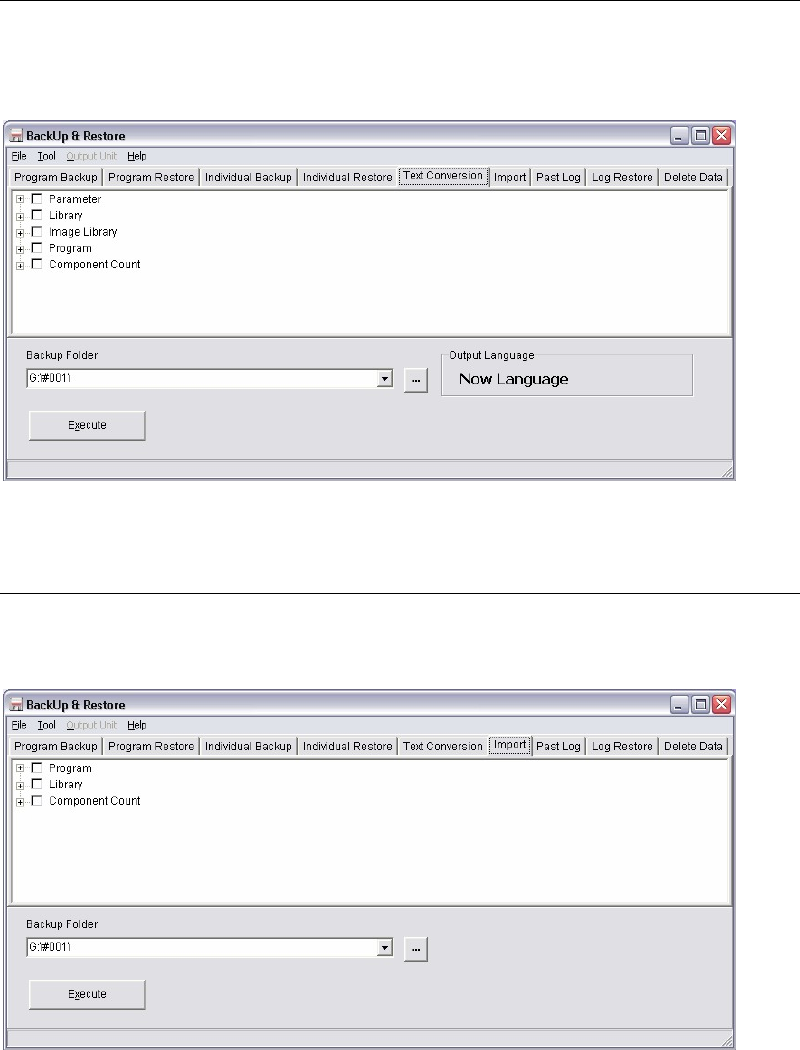
13-1-3 Converting Machine Data to Text Data
Menu: Tool>Backup&Restore>TextConversion
This menu allows you to convert data on the mounter hard disk into a CSV file. The converted
file can be edited via general-purpose spreadsheet program.
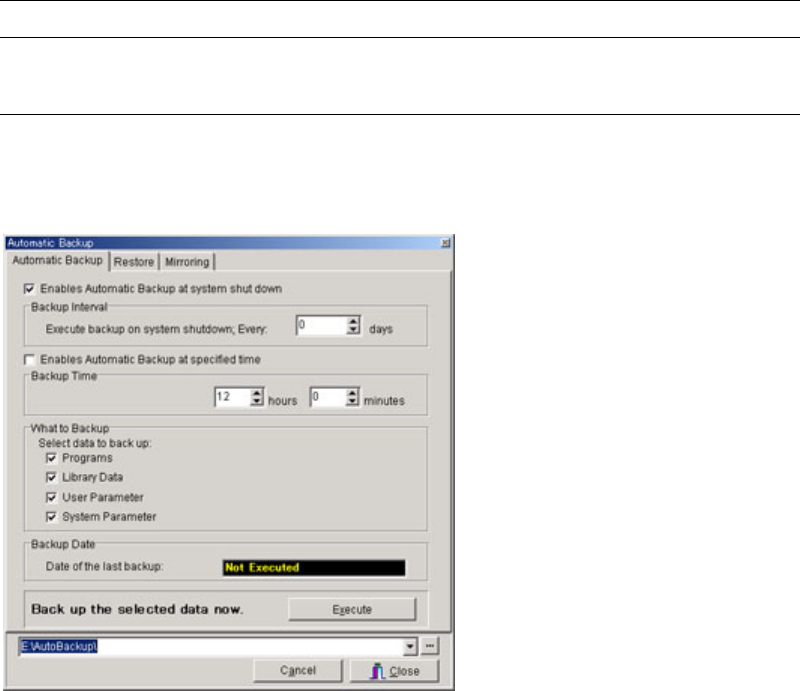
13-1-4 Import
Menu: Tool>Backup&Restore>Import
Program data can be imported from the CSV format data.
Chapter 13 Utility Menus
13-5
13-2 Automatic Backup
13-2-1 Backing Up Data Automatically
Menu: System>AutomaticBackup>AutomaticBackup
Automatic backup of data is performed at shutting down the system. Specify options for
performing the automatic backup.
Window:
Enables Automatic Backup at system shut down:
System backup is performed at system shut down automatically
after the interval specified at “Backup Interval”.
If machine power is off before reaching at the specified interval,
backup would not be performed.
Enables Automatic Backup at specified time:
Performs Automatic backup at the specified time on each day.
What to Backup: Check item(s) to back up.
Backup Date: Date when the last backup was performed.
Backup Interval: Specify the time interval between executions of automatic backup
operation. Automatic backup will not be performed when you shut
down the system before the specified interval has passed since the
last backup.
<Execute> button: Clicking <Execute> button executes the backup operation now.
Note: Automatic Backup will make backup files in the hard disk of the mounter. Yet, as a precaution
against possible hard disk failure, we recommend you to back up your crucial data to an USB
memory.