M20_Ope_E.pdf - 第216页
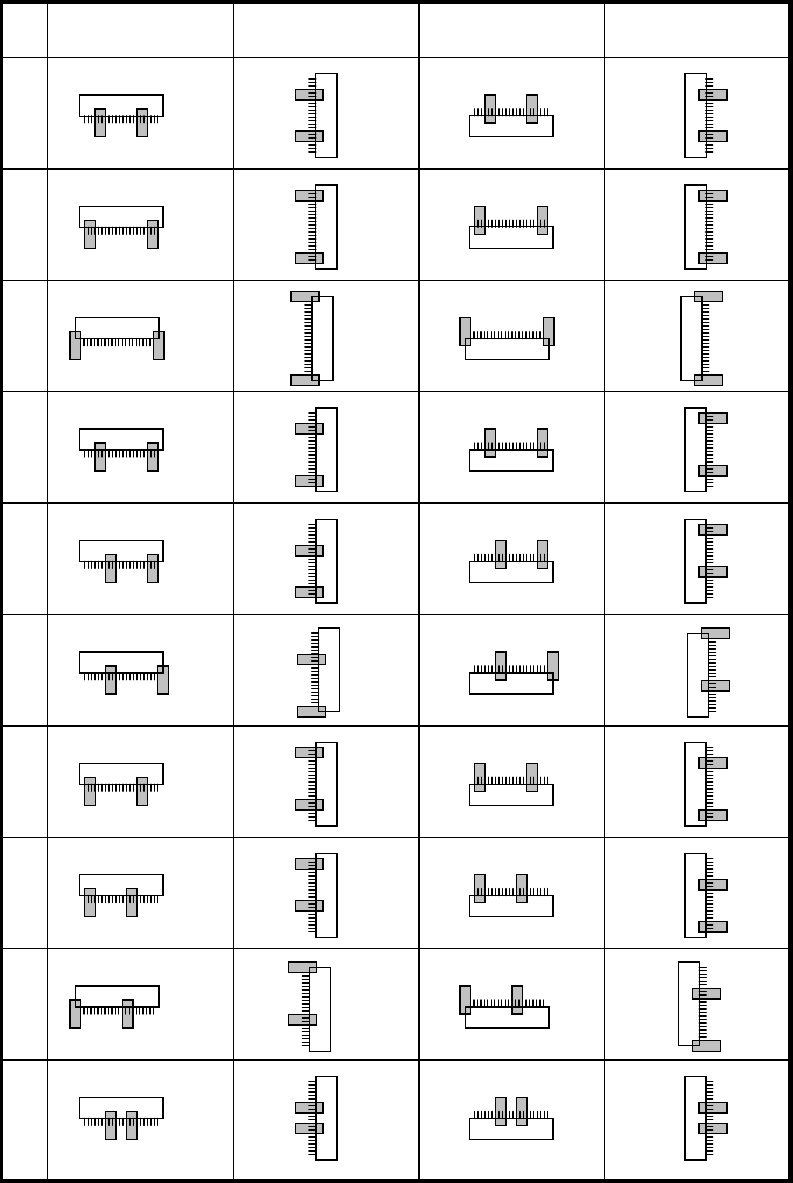
Chapter 5 Libraries 5-66 * Prov. Position values quick refere nce (continued) 0 1 2 3 4 5 6 7 8 9 Bottom-side leaded Left-side leaded T op-side leaded Right-side lea de d
Chapter 5 Libraries
5-65
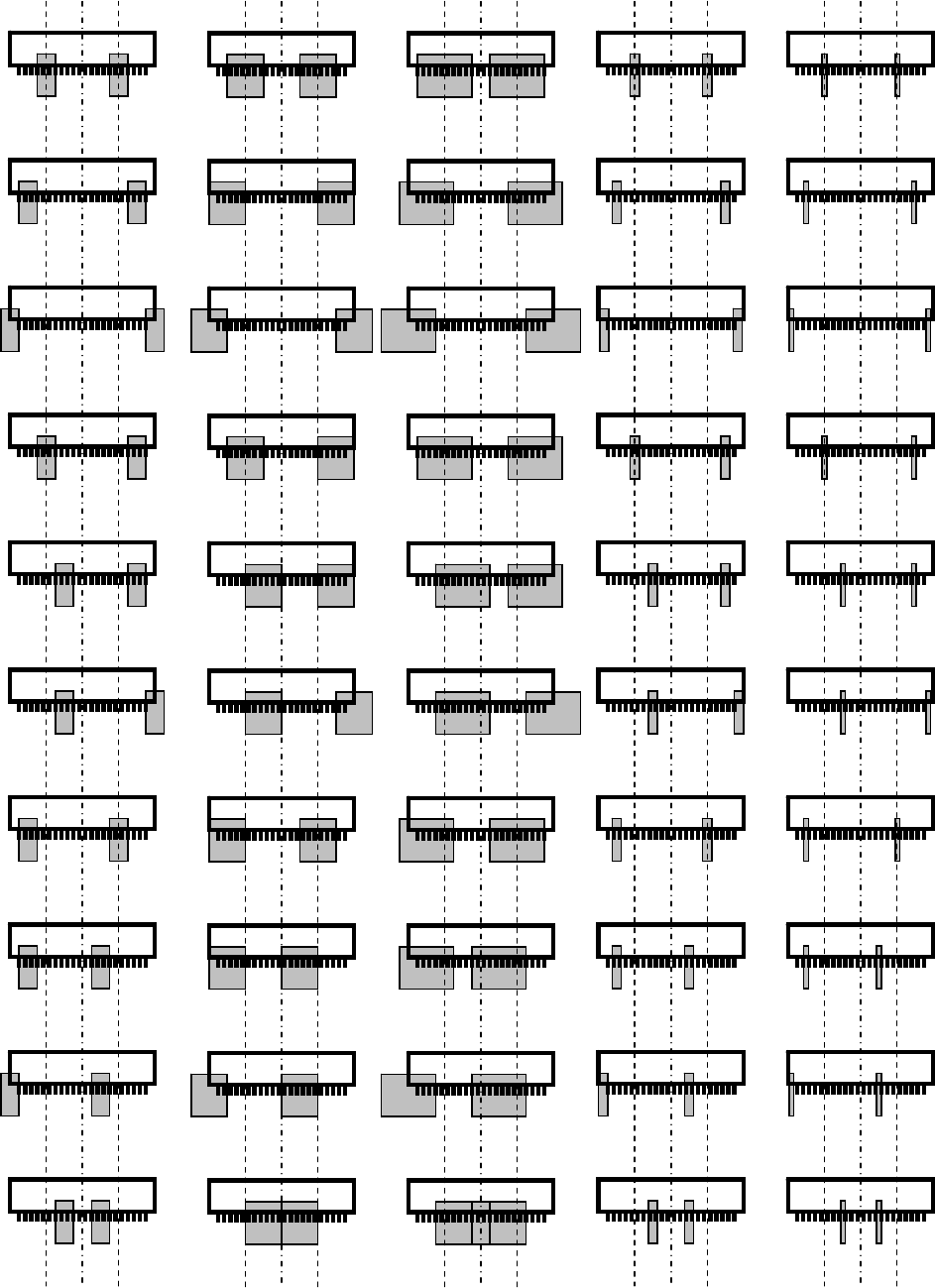
* Prov. Position values quick reference
Note: The “Prov.Position=40~49” is not below, but see the “Prov.Position=30~39” as reference.
The former shows almost half size of window than the latter.
0 10 20 30 40
1 11 21 31 41
2 12 22 32 42
3 13 23 33 43
4 14 24 34 44
5 15 25 35 45
6 16 26 36 46
7 17 27 37 47
8 18 28 38 48
9 19 29 39 49
Chapter 5 Libraries
5-66
* Prov. Position values quick reference (continued)
0
1
2
3
4
5
6
7
8
9
Bottom-side leaded Left-side leaded Top-side leaded Right-side leaded
Chapter 5 Libraries
5-67
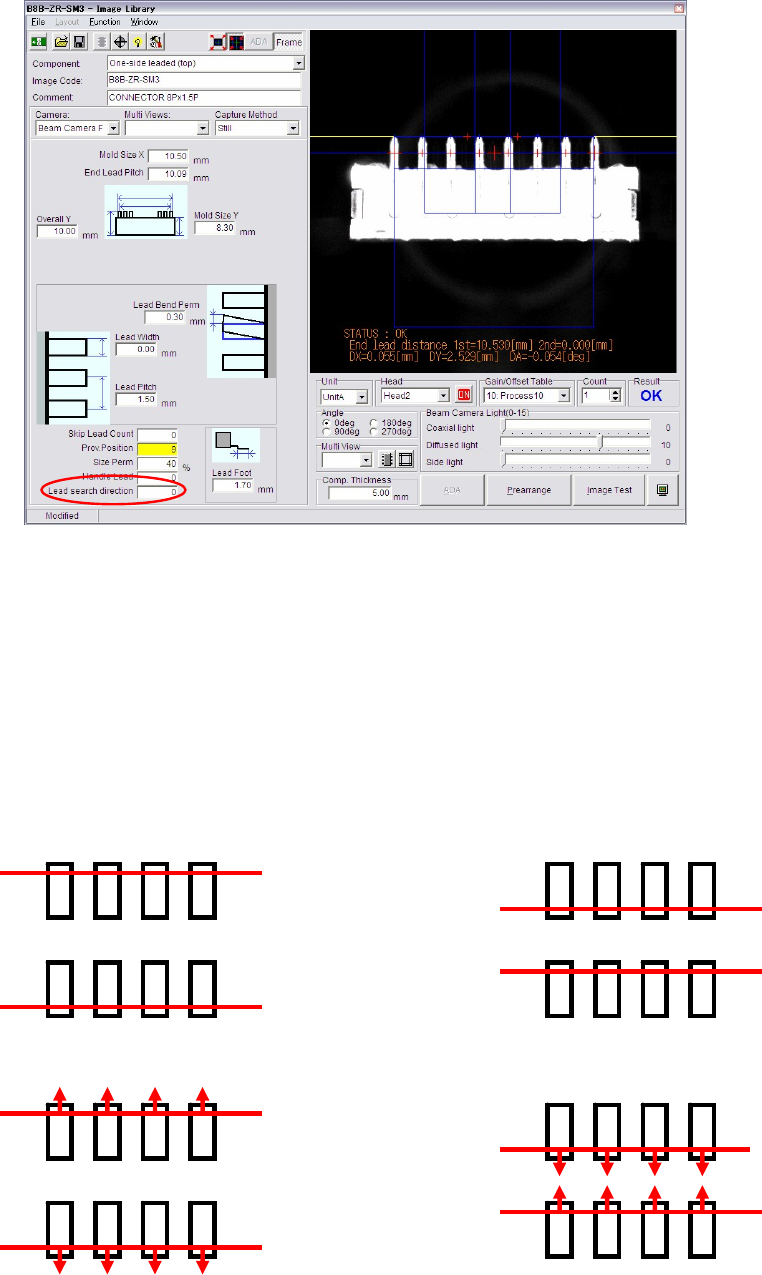
z Lead Search Direction
This function is peculiar for Connector mode which allows you to specify Lead Search
Direction. For example, a component which has difficult leads to be recognized by standard
process (Lead search from outside) could be recognized successfully by changing the
lead-search-direction from outside to inside.
Choose proper processing from 0 to 3 by referring to the descriptions below:
0: Lead search line is put on the outside leads. (Standard)
1: Lead search line is put on the inside leads.
2: Lead search line is put on the outside leads first, then it moves to further outside
until the lead tip is detected.
3: Lead search line is put on the inside leads first, then it moves to further inside until
the lead tip is detected.
Lead Search Direction: 0 Lead Search Direction: 1
Lead Search Direction: 3Lead Search Direction: 2