M20_Ope_E.pdf - 第357页
Chapter 11 Parameter Setting 11-11 Others 37. Automatic Acquisition of Log Data 38. Automatic Acquisition of Log Data at Emergency Stop 39. Actuator operation while cover is open 40. Rear Feeder Setting lnterlock Detecti…
Chapter 11 Parameter Setting
11-10
15. When Z-axis does not reach Target height
16. Tray Return Timing
17. Window Auto Open for Manual Pickup Point Correction
18. Feeder Support Function
PCB Arrival Wait
19. Preliminary Pickup during PCB Arrival Wait
20. Preliminary Feeder Operation
21. Preliminary Travel to Mark during PCB Arrival Wait
Mark Process
22. Preliminary Fiducial Process (Usually select [Enable].)
23. Preliminary Bad Mark Process (Usually select [Enable].)
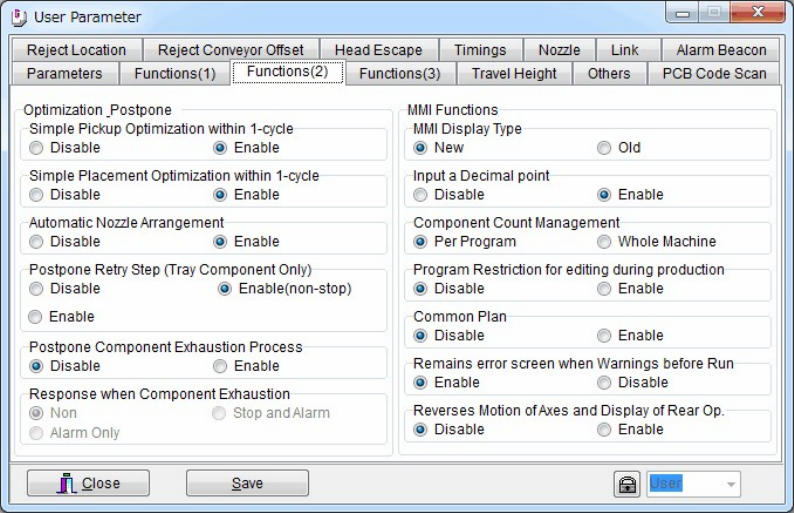
Optimization Postpone
24. Simple Pickup Optimization within 1-cycle (Usually check Enable.)
25. Simple Placement Optimization within 1-cycle (Usually check Enable.)
26. Automatic Nozzle Arrangement
27. Postpone Retry Step (Tray Component Only)
28. Postpone Component Exhaustion Process
29. Response when Component Exhaustion
MMI Functions
30. MMI Display Type
31. Input a Decimal point
32. Component Count Management
33. Program Restriction for editing during production
34. Common Plan
35. Remains error screen when Warnings before Run
36. Reverses Motion of Axes and Display of Rear Op.
Chapter 11 Parameter Setting
11-11
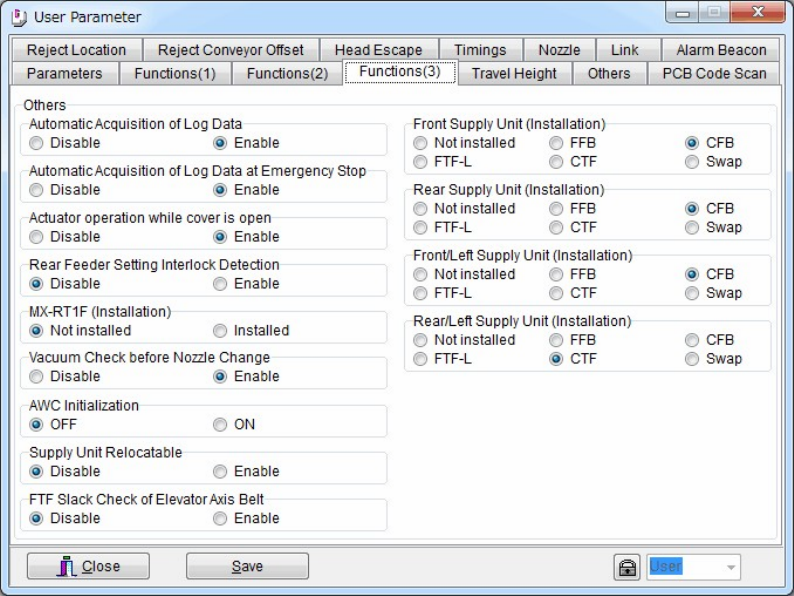
Others
37. Automatic Acquisition of Log Data
38. Automatic Acquisition of Log Data at Emergency Stop
39. Actuator operation while cover is open
40. Rear Feeder Setting lnterlock Detection
41. MX-RT1F (Installation)
42. Vacuum Check before Nozzle Change
43. AWC Initialization
44. Supply Unit Relocatable
45. FTF Slack Check of Elevator Axis Belt
46. Front Supply Unit (Installation)
47. Rear Supply Unit (Installation)
48. Front/Left Supply Unit (Installation)
49. Rear/Left Supply Unit (Installation)
Chapter 11 Parameter Setting
11-12
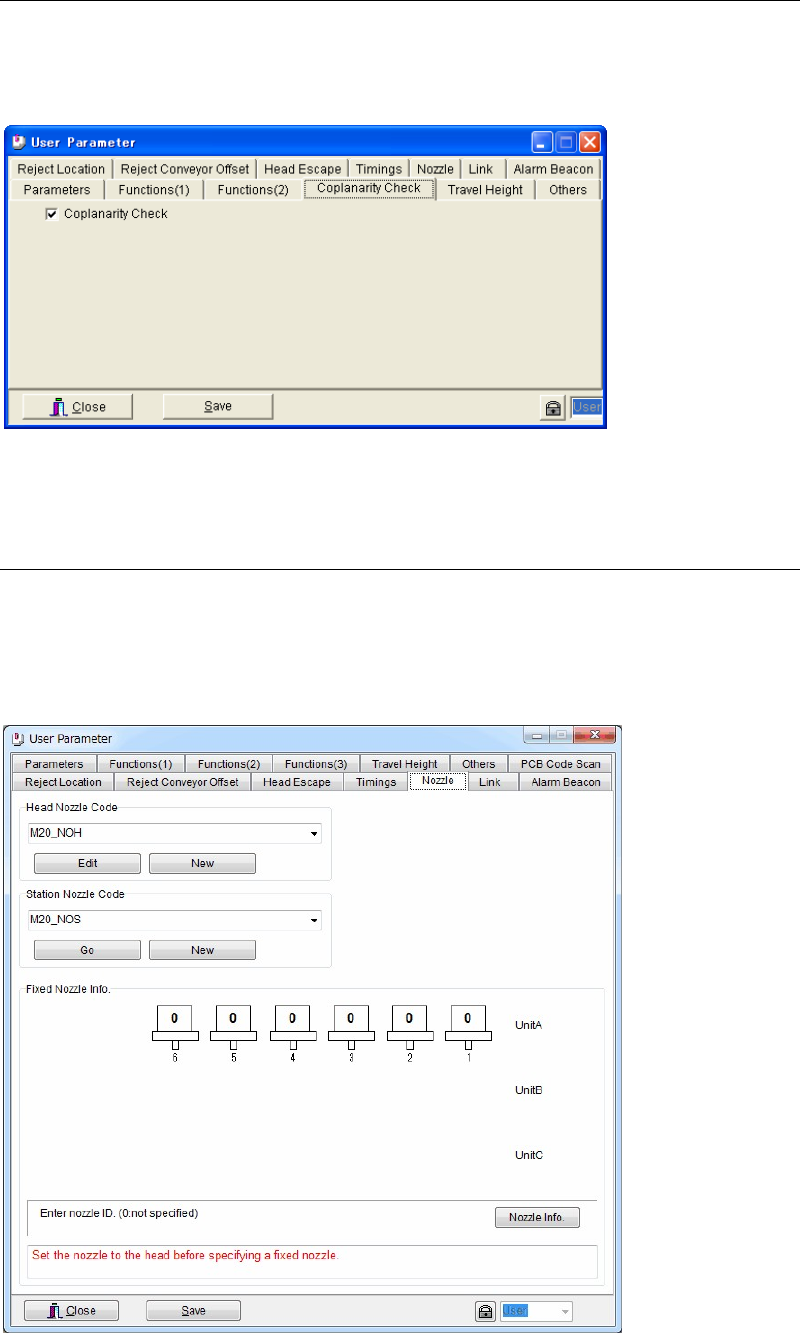
11-1-9 Coplanarity Check (Optional)
Menu: System>UserParameter>Coplanarity Check
Check [Coplanarity Check] box to enable the coplanarity check function.
11-1-10 Nozzle
Menu: System>UserParameter>Nozzle
You can check the information and change the settings regarding nozzles when Nozzle
Presence Check or Nozzle ID Recognition can not be performed properly.
.
* The number of heads differs depending on the mounter model.