M20_Ope_E.pdf - 第362页
Chapter 11 Parameter Setting 11-16 ■ Reset performance record simultaneously with the r esetting of PCB count. (Real-time data accumulation at arbitrar y timing) If this checkbox is checked, data accumulation is performe…
Chapter 11 Parameter Setting
11-15
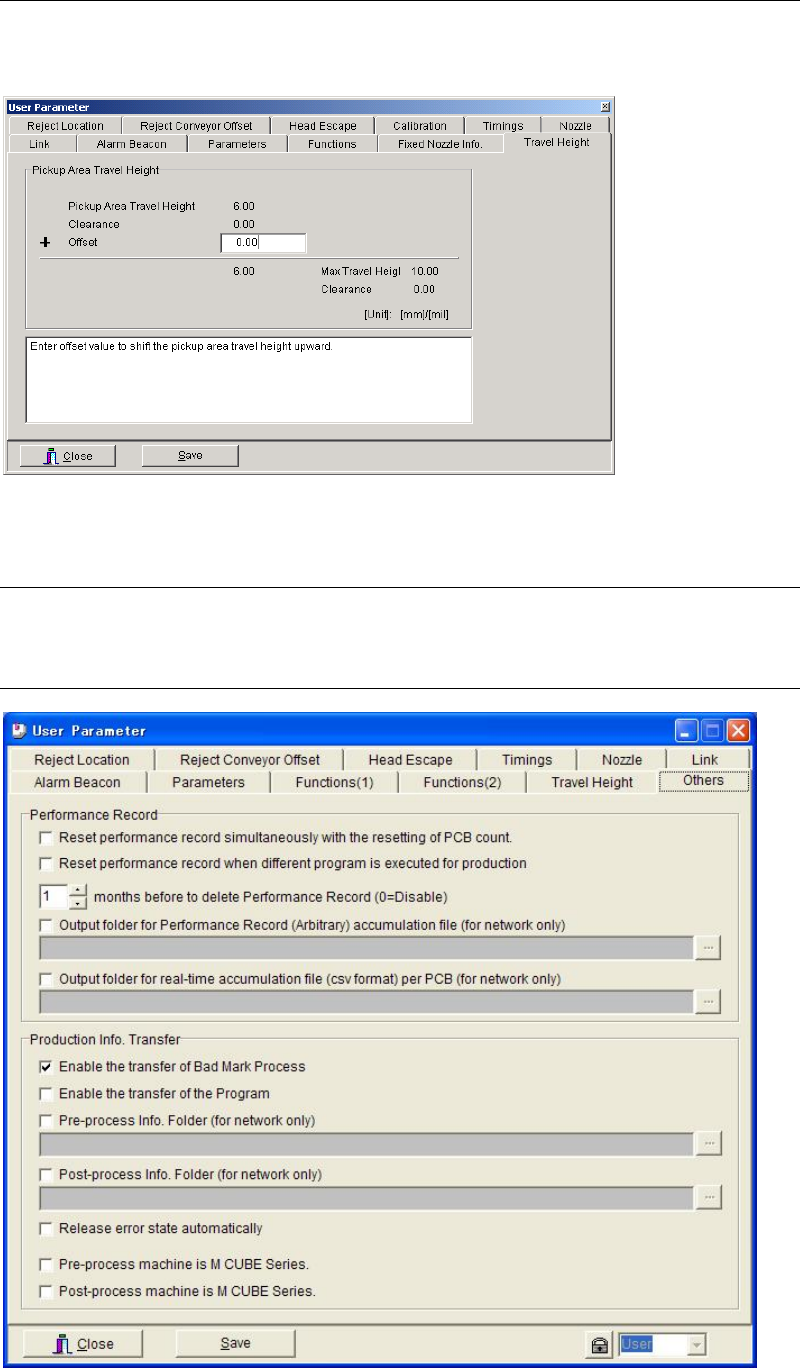
11-1-11 Travel Height
Menu: System>UserParameter>Travel Height
You can shift the pickup area travel height upward by entering offset value.
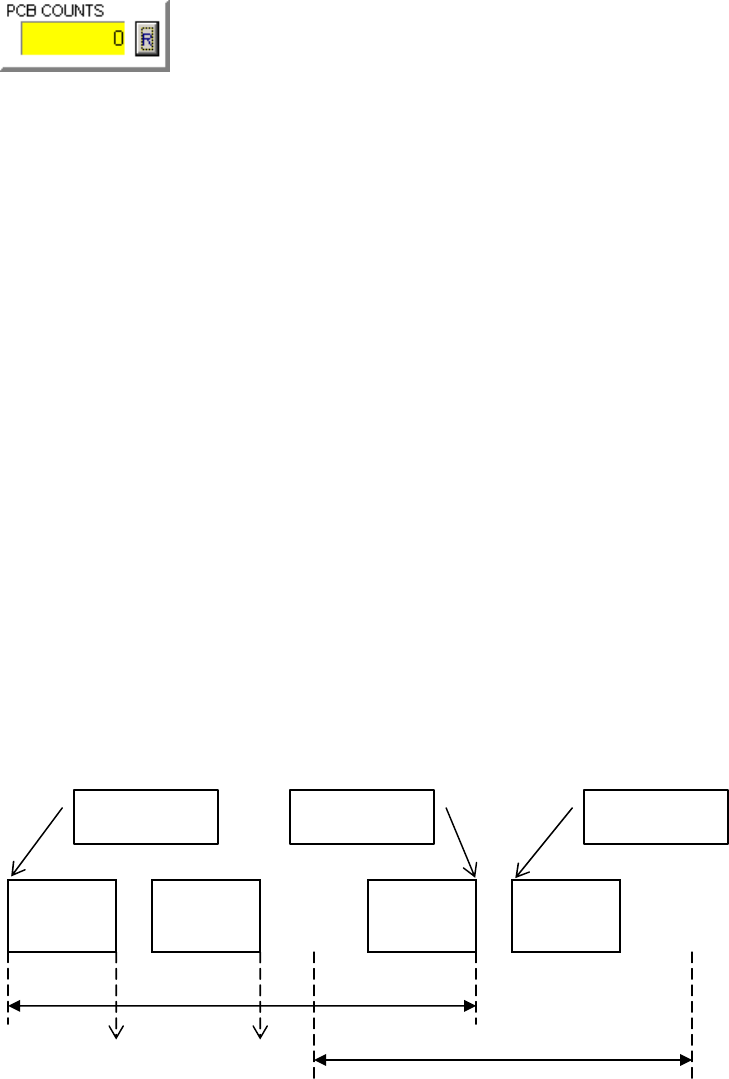
11-1-12 Others
Menu: System > User Parameter > Others
11-1-12-1 Performance Record
Chapter 11 Parameter Setting
11-16
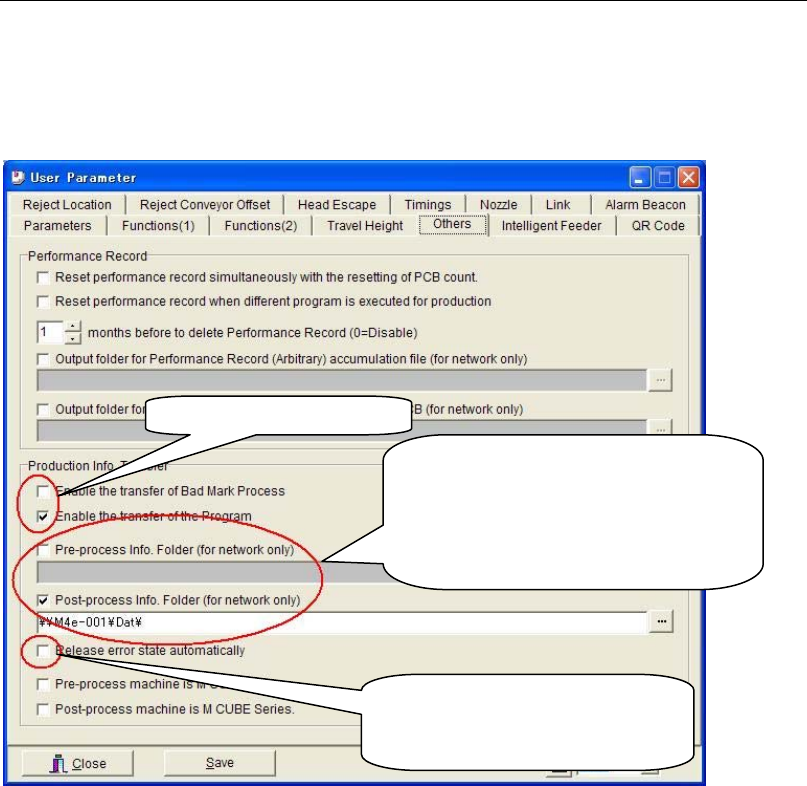
■ Reset performance record simultaneously with the resetting of PCB count.
(Real-time data accumulation at arbitrary timing)
If this checkbox is checked, data accumulation is performed, starting from when the PCB
COUNTS counter is reset until it is reset the next time. The accumulated data will be output to
a file per accumulation block.
Note: The PCB COUNTS counter can be reset only in the following cases.
① While production is not performed or the mounter is stopped by CYCLE STOP
② When the PCB remaining count is 5 or larger
The counter will never be reset in any other cases.
Even if the production program is switched from one to another between PCB COUNTS
counter resets, the statistic data (per station) will contain the results of both the programs, since
it is accumulated as the same performance record.
■ Reset performance record when different program is executed
■ months before to delete Performance Record (0=Disable)
Performance record earlier than the set months will be deleted.
■ Output folder for real-time accumulation file (csv format) per PCB (for network only)
If this checkbox is checked, the performance record is updated at the production end of each
PCB, enabling real-time checking of the accumulated data. The designation (on the network) to
which the data is to be output must be specified. The data is output to the specified PC in CSV
format, so it can be opened using Microsoft Excel etc.
■ Output folder for Performance Record (Arbitrary) accumulation file (for network only)
If this checkbox is checked, the performance record (R********.Dat), that is created when “Reset
Performance Record” (Main Menu > Management) is selected, will be converted to a CSV file
(R********.CSV) and output to the specified folder on the PC on the network.
Operation
start
CANCEL
Operation
start
Performance record is accumulated per job.
Performance record is accumulated at
arbitrary timings.
Performance record is accumulated
in real-time
p
er PCB.
PCB 1 PCB 2 PCB n PCB n+1
Chapter 11 Parameter Setting
11-17
11-1-12-2 Production Info. Transfer (optional)
Menu: System>User Parameter>Others
When using the Production Info.Transfer function, the board transfer signals and the
connections for network (LAN) should be both established between the machines as a
precondition. Specify the path to the folder shared on a network for “Pre-process Info. Folder”
and “Post-process Info. Folder”.
Note: When the system cannot refer to the specified path because of an error in the designation of the
folder or a network failure, the files cannot be read. In such cases, the production information
will not be transferred correctly and the Production Info.Transfer error will occur.
If “Release error state automatically” check box is selected, the production information will be
discarded and the bad mark will be captured again to continue the production even if a
Production Info.Transfer error occurs.
●Transferred program name (Not used)
There are three kinds of program names transferred from the upstream machine to the
downstream machine.
① Program name recognized by PCB code
② Program name transferred from the upstream machine
③ Program name changed manually
●Check for matching of the transferred information
Compare the stored board number in the transferred information with the counted board
number by the downstream machine in order to check whether the transferred information
matches between the machines. If these numbers do not match, the Production Info.Transfer
error will occur and the following processing needs to be done.
① A machine pauses with an alarm.
② Adopt the stored board number in the transferred information to equalize the board
number at an error release. (equalize the counted board number with the stored board
number.)
③ For only a PCB which an error is detected on, the transferred information about bad mark
etc. will be discarded.
Comparison is made on a main clamp, neither the entrance nor the exit buffer.
Transferred information
Settings for a pre-process and a
post-process machine.
Select this box and specify the path to
the shared folder on a network when
information needs to be transferred.
Select this box when releasing an
error automatically and
continuing the production.