M20_Ope_E.pdf - 第303页
Chapter 9 Running a Job 9-31 ③ The necessary items, [Camera], [Head], [Comp. Thickness] etc ., are already entered. Just modify the necessary data. Also the ADA is available. ④ When the im age data re-edit is complete, e…
Chapter 9 Running a Job
9-30
9-5-6 Image Data Re-edit
The Image data re-edit function enables you to re-edit an image data of a failed component
during a job run to place the same component on a PCB without rejecting nor putting back in
the original tray pocket.
Setting
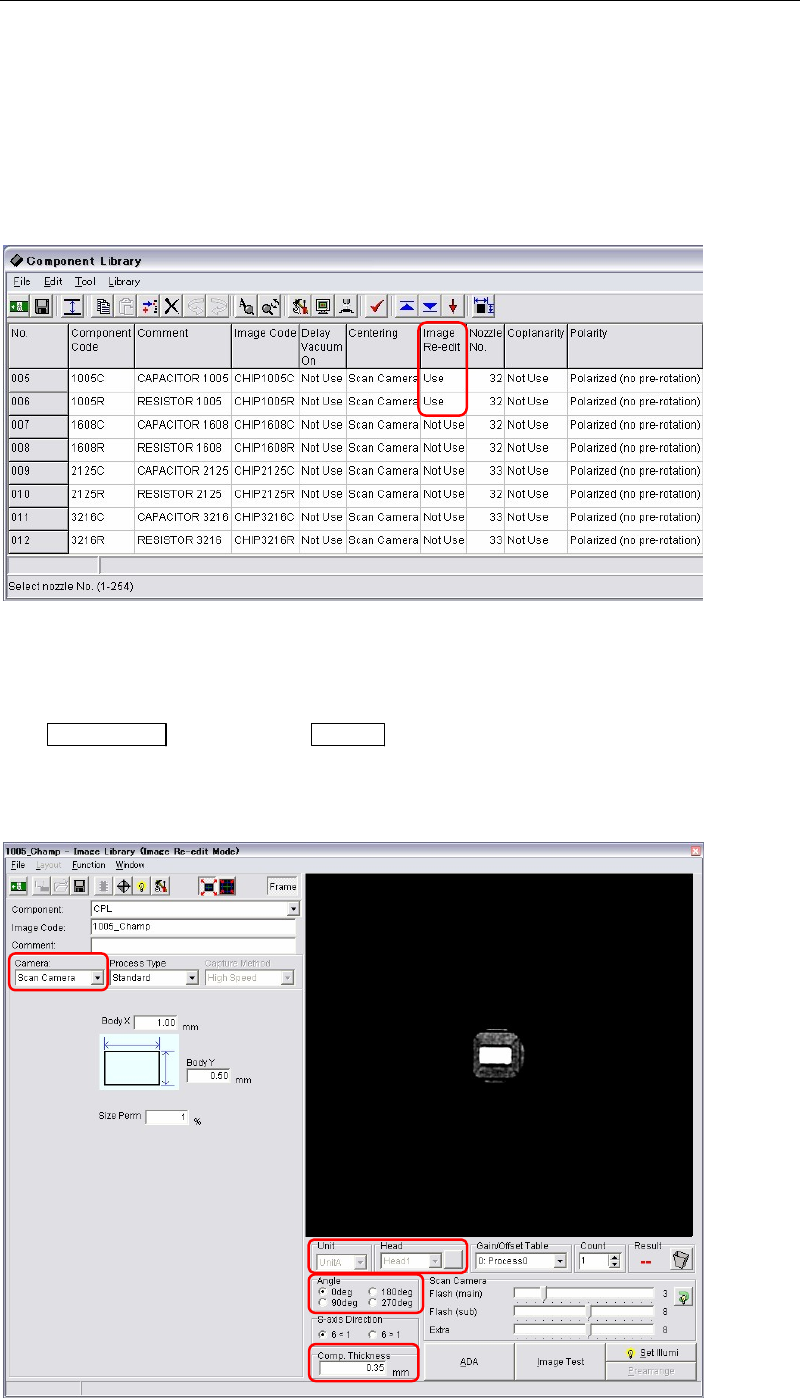
Menu: Library > Component Library
Action: Choose “Use” in the [Image Re-edit] column for the components you want to use this function.
Operating the image data re-edit
Action:
① If the mounter stops due to image capture error during a job run, first press the
ALARM OFF
switch (and the CLEAR switch) to stop the alarm.
② The image edit window (image data re-edit mode) appears. At this time the component
which image capture error occurred is still picked up by a nozzle without rejecting nor
putting back in the tray pocket.
Chapter 9 Running a Job
9-31
③ The necessary items, [Camera], [Head], [Comp. Thickness] etc., are already entered. Just
modify the necessary data. Also the ADA is available.
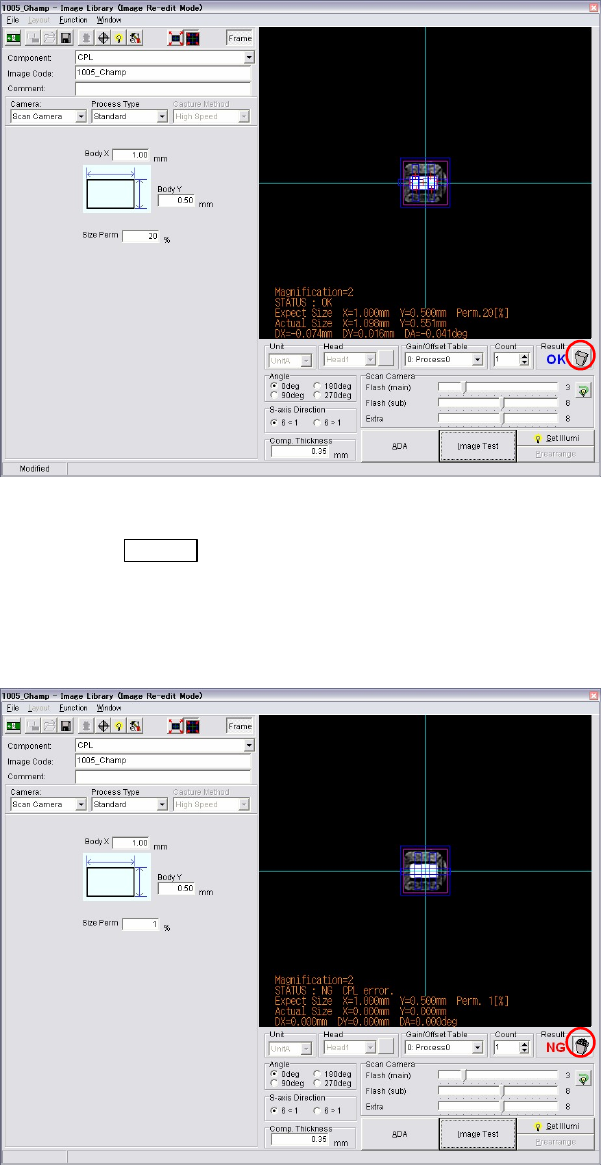
④ When the image data re-edit is complete, execute image test.
⑤ When the result is “OK”, the trash box next to the result is empty. It means the component
is no need to be rejected or put back to the tray.
⑥ Save the image data. Close the image data edit window.
⑦ Press the START
switch to restart the job run.
The component still picked up is image captured and placed on a PCB with the newly
captured image. The re-edited image data is used for the placement hereafter.
⑧ If the picked up component is a defective, image test will fail as “NG”. In this case, click
the trash box to make it full. Restart a job run. The component will be rejected or put back
to a tray, and retry a pickup for the next component.
Note: Clicking the trash box changes the box status, full and empty.
z Empty trash box : When the trash box is empty, you can re-edit the component
currently picked up and can use the component for placement.
z Full trash box : When the tray box is full, the component currently picked up will be
rejected or put back on a tray. And the next component will be picked up for a retry.
Chapter 9 Running a Job
9-32
---Blank page---