M20_Ope_E.pdf - 第360页
Chapter 11 Parameter Setting 11-14 ② Click the <Go> bu tton. Th e following window appears. ③ Select the ANC No. in the Move the he ad to specified nozzle station box. ④ Click the <Execute> bu tton. ⑤ “ Execu…
Chapter 11 Parameter Setting
11-13
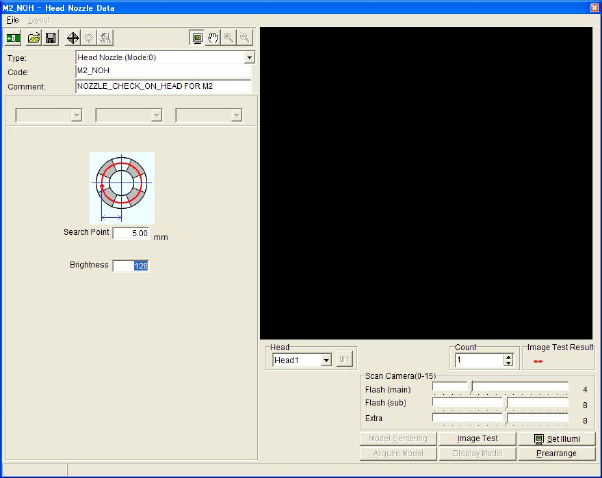
■ Head Nozzle Code
It can be used at the NG result(E.g. when mistaking the absence of the nozzle for the presence,
and vice verse. ) in recognition process for nozzle on head.
Action:
① Check that the Head Nozzle Code corresponding to the machines is selected in the Head
Nozzle Code box as follows.
M10 → M10_NOH
M20 → M20_NOH
② Click the <Edit> button. The following window appears.
③ Select the Head No. in the Head box.
④ Click the <Image Test> button.
When Image Test Result is NG, check to see whether there is any dirt on the mirror and nozzle
ID mark sticker, or the condition of the illumination.
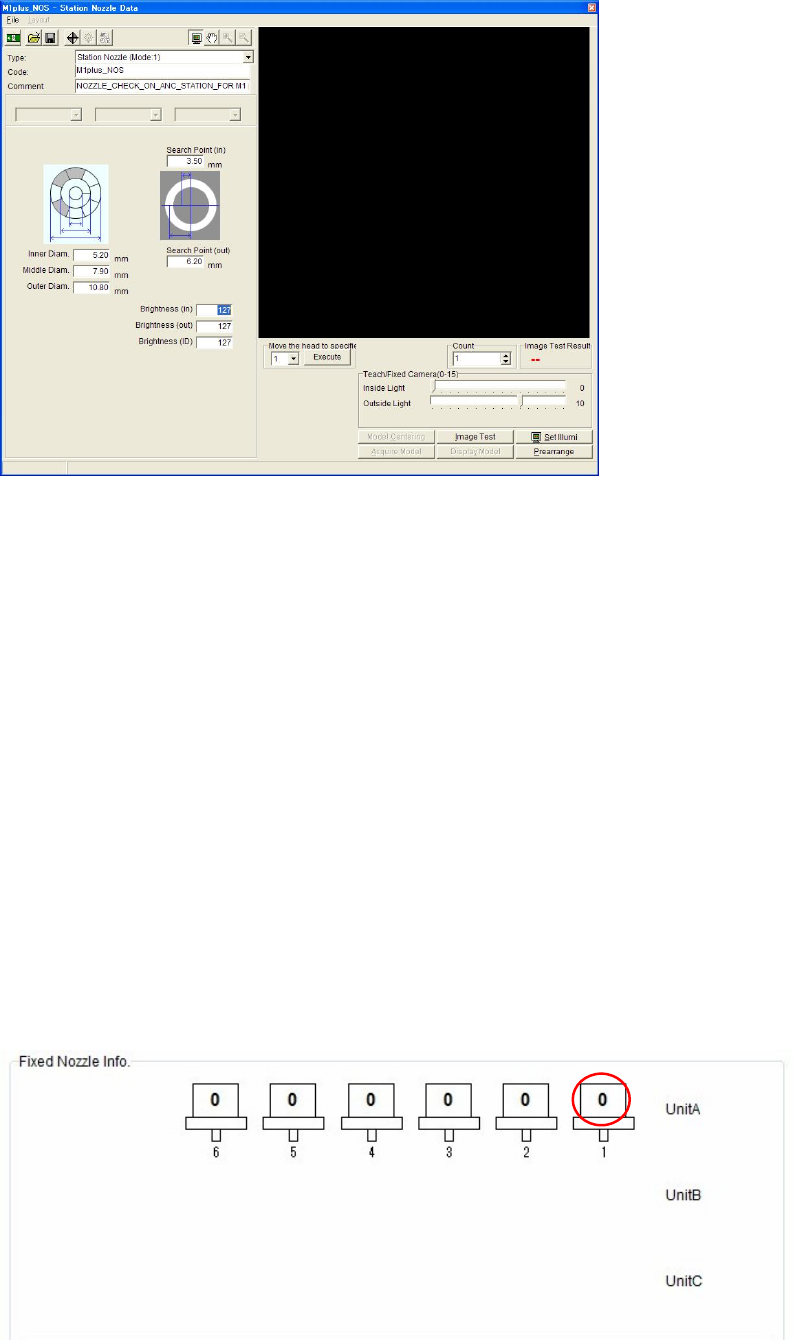
■ Station Nozzle Code
It can be used when the Nozzle No. can not be recognized or checking the presence of nozzles
in ANC is NG.
Action:
① Check that the Station Nozzle Code corresponding to the machines is selected in the
Station Nozzle Code box as follows.
M10 → M10_NOS
M20 → M20_NOS
Chapter 11 Parameter Setting
11-14
② Click the <Go> button. The following window appears.
③ Select the ANC No. in the Move the head to specified nozzle station box.
④ Click the <Execute> button.
⑤ “ Execute ? ANC:# “ message appears. Click the <OK> button to move the Teach Camera
above the specified ANC station.
⑥ Click the <Image Test> button.
When Image Test Result is NG, check to see whether there is any dirt on the mirror and nozzle
ID mark sticker, or the condition of the illumination.
■ Fixed Nozzle Info.
When a nozzle is fixed on a head, this nozzle is called Fixed nozzle and it can be set here.
Fixed nozzle can not be changed in ANC.
Action:
① Place the fixed nozzle on a specified head.
② Enter the Nozzle ID in the cell for the head.
* The number of heads differs depending on the mounter model.
Chapter 11 Parameter Setting
11-15
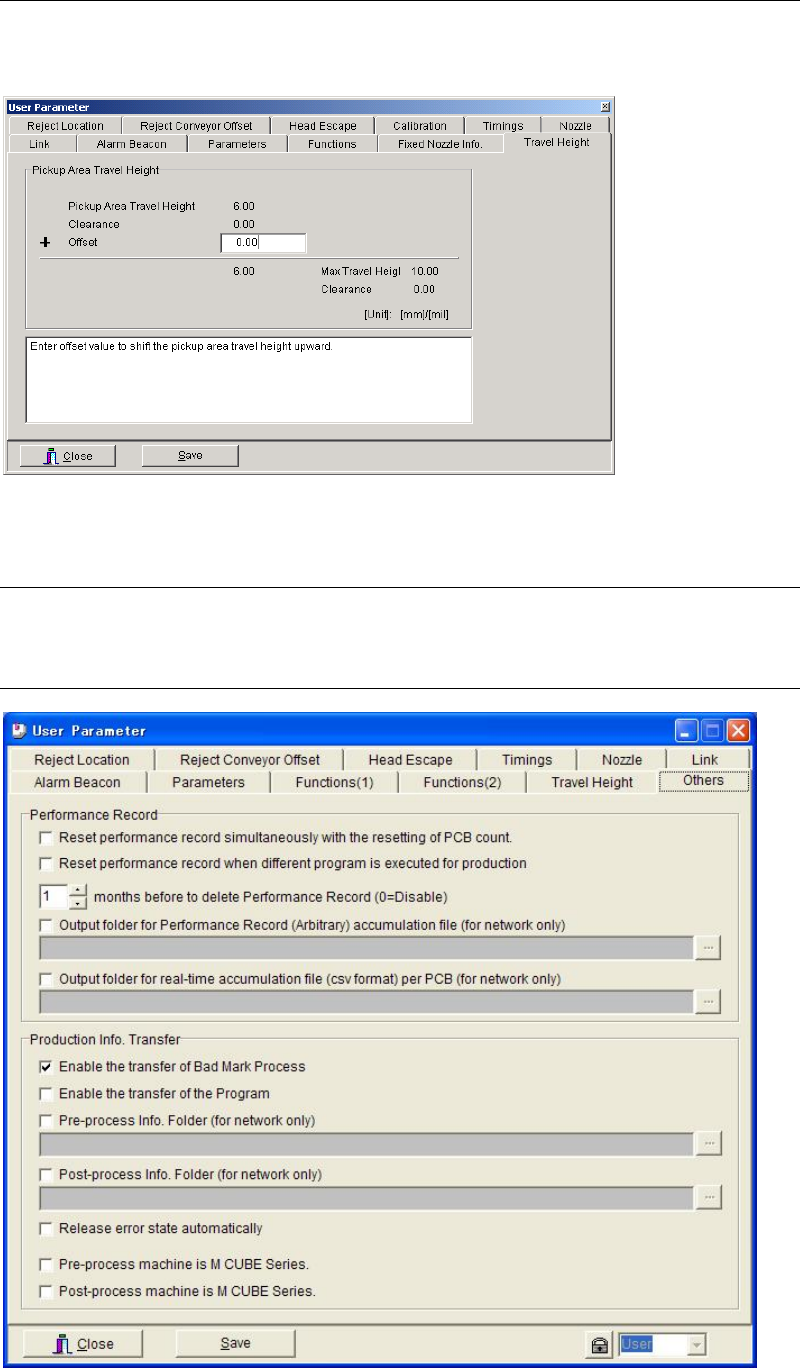
11-1-11 Travel Height
Menu: System>UserParameter>Travel Height
You can shift the pickup area travel height upward by entering offset value.
11-1-12 Others
Menu: System > User Parameter > Others
11-1-12-1 Performance Record