SME_Jig_User_Guide(Eng_Ver1).pdf - 第15页
Preface v About Warranty W arranty related to this machine covers the fo llowing items: However , the contents of the w arranty stipulated in the agreement for the pur chase of the device take precedence over the above c…

User's Guide For Tape Feeder Calibration Jig
iv
Concerning Storage
The most important points to be observed to ensure the longevity of a calibration jig are as
follows:
w Keep the calibration jig at ambient temperature.
w Keep the calibration jig in a place with little dust and humidity.
w Apply rust preventive oil to the calibration jig periodically to prevent rusting.
w When the master feeder is not used, keep it inside its own storage box.
About Handling
The most important points to observe while handling the calibration jig are as follows:
w Exercise care not to drop the calibration jig or damage it when moving it.
When the master feeder is dropped or damaged, immediately calibrate it.
w Exercise care not to drop the calibration jig or cause injury when moving it.
w For long distance transportation of the calibration jig, use the packing boxes and
buffing materials provided.
w Do not transport the calibration jig with its upper cover being removed or upside
down.
w Transport the calibration jig only after inserting the fixing pins of the 3 axes of the X,
Y and Z stages and securing them (see Page 2-2).
w Exercise care not to use the calibration jig to store tape feeders on it.
w Exercise care not to damage the serial number written on the name plate.
If it is difficult to check the serial number written in the name plate due to damage,
service will not be available for the calibration jig. Therefore, exercise care not to
damage the serial number.
w Use the calibration jig at 18~28ºC.
w Install the calibration jig at a place with little vibration.
w When moving the master feeder, put it in the storage box provided before moving.

Preface
v
About Warranty
Warranty related to this machine covers the following items:
However, the contents of the warranty stipulated in the agreement for the purchase
of the device take precedence over the above coverage.
What is
covered by
the warranty
If any part of the machine fails to function properly under
normal usage conditions due to defects in materials or
workmanship, it will be repaired by Hanwha Techwin Co., Ltd.
at no charge.
Warranty
Period
The term of this warranty shall expire in any of the following
circumstances:
w When 27 months has elapsed based on the serial number
w When 24 months has elapsed after the calibration jig was
installed in the customer's factory.
What is not
covered by
the warranty
The following cases are not covered by this warranty:
w Changes along with the lapse of time or problems arising
from natural wear (natural discoloration of painting and
plating, worn-out consumable parts, etc.).
w Sensory feelings which do not affect the quality and
function (such as noise from a controller and a rotating
motor, etc.).
w When machine failure occurs due to a customer's mistake.
w Loss of saved data due to damage to storage media.
(Regular data backup is recommended.)
w Malfunction of the system due to the execution of a
program regardless of machine operation, as well as data
damage due to infection by computer viruses.
w Feeder base board
Problems due to the following reasons are not covered by this
warranty:
w Natural disasters including earthquakes, typhoons, floods,
lightning strikes, as well as accidents, fire, etc.
w Modification not acceptable to our company or agents
w Use of parts or lubricating oils which are not designated by
us
w Incomplete maintenance
w Adjustments performed by a person or company other
than the designated agent
User's Guide For Tape Feeder Calibration Jig
vi
About This Manual
w Symbols other than safety marks used in this manual
The meanings of the symbols used in this manual are as follows:
Reference
Shows an item or section mentioning the contents related to that
which is being explained.
Memo
Shows useful information or definitions of terms related to
descriptions in the text.
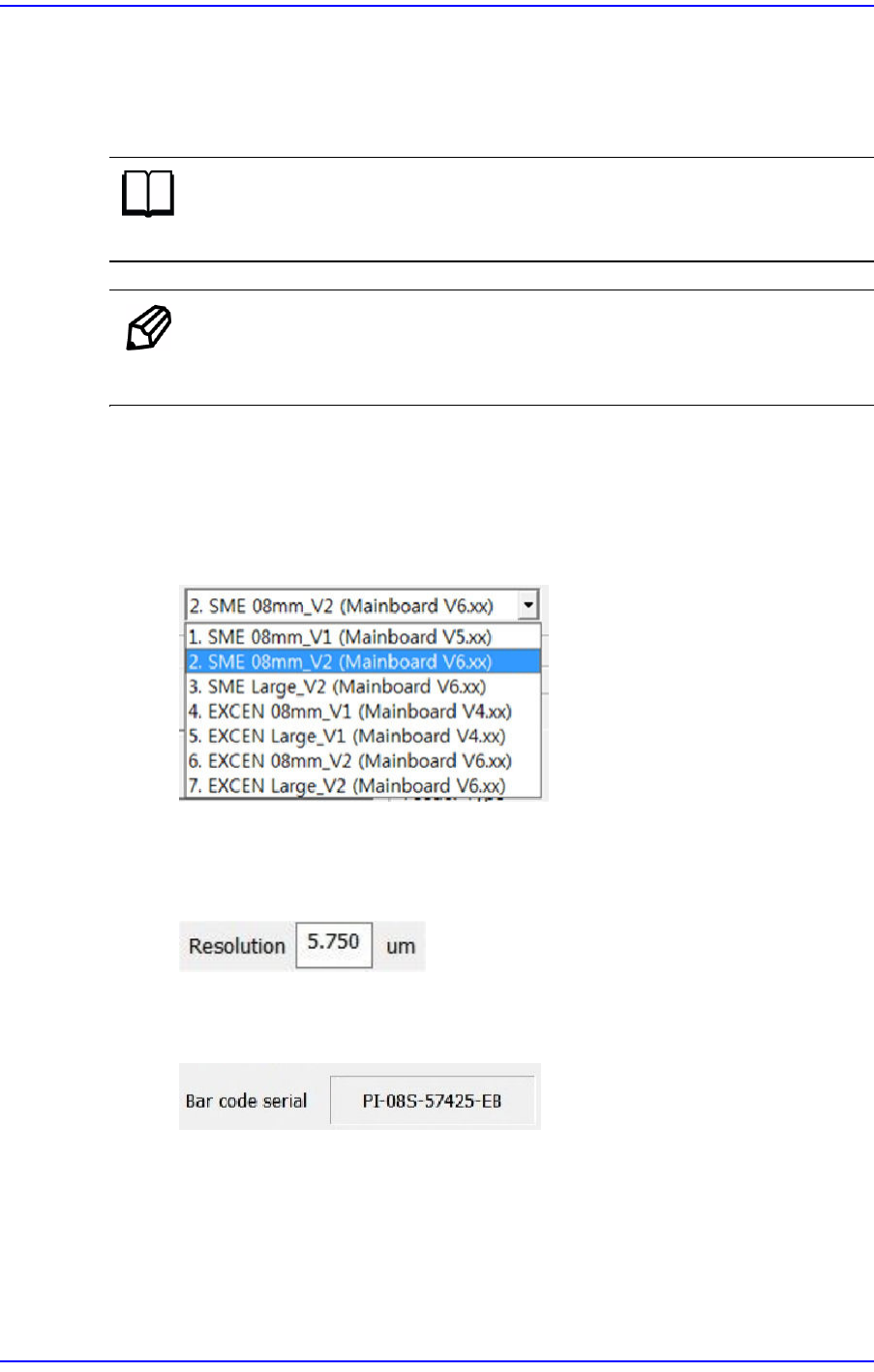
w Items in a dialog box or message box
Terms used in explaining the program screen are as follows
§Combo Box
Selects one of several values that appear when clicking the corresponding button.
§Edit Box
Values are inputted in the box. Clicking the mouse with the cursor on the white
area will turn the state of the edit box to that available for inputting a value.
§Caption Box
Displays text information. (Unable to modify)