SME_Jig_User_Guide(Eng_Ver1).pdf - 第31页
2-5 Prepare 2.1.4. Master Feeder Refers to a reference feeder used to set the origin of a tape fee der . 1: Master Block 2: Clamp Lever 3: 8mm Origin 4: W4P1 Origin 5: Origin gr eater than 12mm w Master Blo ck Block on w…
2-4
User's Guide For Tape Feeder Calibration Jig
2.1.3. Feeder Base
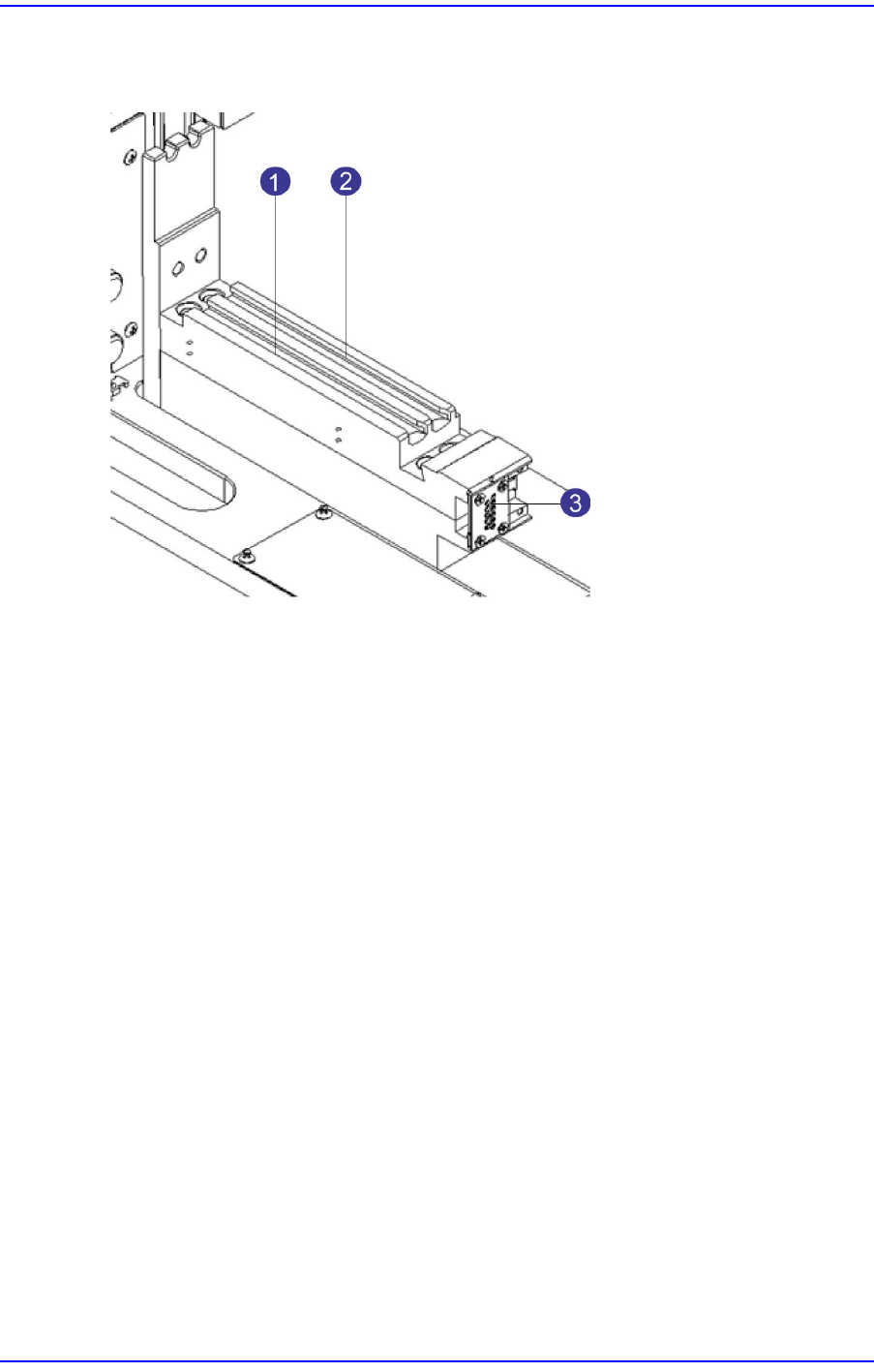
The feeder base is where tape feeders are installed and has slots and connectors.
1: No. 1 Slot
2: No. 2 Slot
3: Feeder Base Board
w No. 1 Slot
Slot where the master feeder and the feeder to be calibrated are installed
w No. 2 Slot
Guide slot used to install a large feeder
w Feeder Base Board
Provides power supply and communication to the feeder installed in the No. 1 slot.
2-5
Prepare
2.1.4. Master Feeder
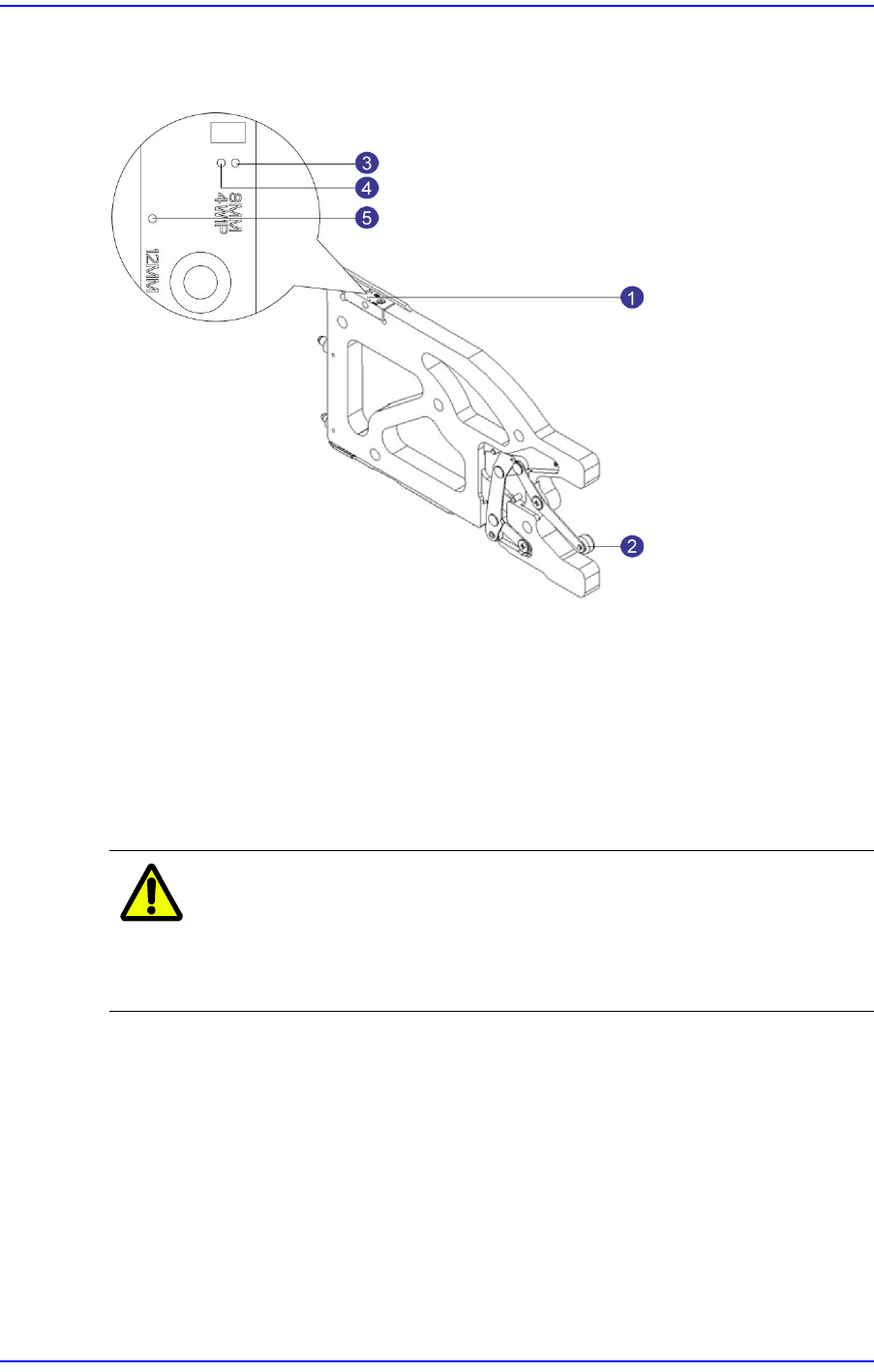
Refers to a reference feeder used to set the origin of a tape feeder.
1: Master Block
2: Clamp Lever
3: 8mm Origin
4: W4P1 Origin
5: Origin greater than 12mm
w Master Block
Block on which the origin of a feeder to be calibrated is marked
Caution
Exercise care not to scratch the top surface of the master
block. If the origin on the top surface of the master feeder is
damaged, the master feeder origin may be distorted.
w Clamp Lever
Lever fixing the master feeder on the feeder base when installing the master feeder
w 8mm/0402 Origin
Origin for calibrating the part pickup position of an 8mm/0402 feeder
w W4P1 Origin
Origin for calibrating the part pickup position of a W4P1 feeder
w Origin Greater than 12mm
Origin for calibrating the part pickup position of an 12mm/16mm feeder
2-6
User's Guide For Tape Feeder Calibration Jig
2.2. Calibration Program Screen Configuration
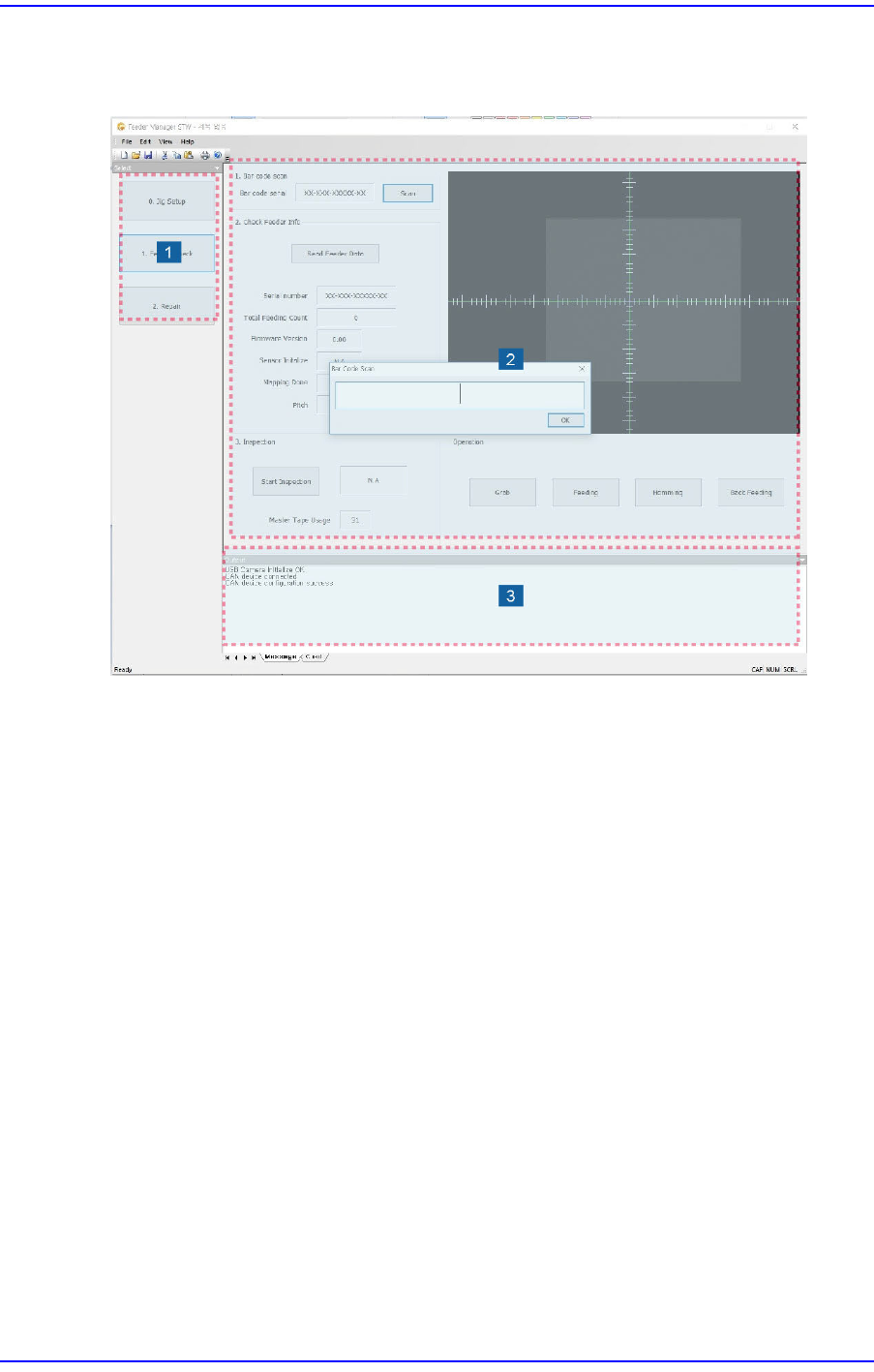
The screen configuration of the calibration jig program is as follows:
1: Major Function Area
2: Vision Area
3: Output Area
w Major Function Area
§ <0. Jig Setup> Button
Sets the origin of the camera and feeder.
§ <1. Feeder check> Button
Checks the part supply accuracy of the feeder and related problems.
§ <2. Repair> Button
Calibrates a tape feeder.
w Vision Area
Displays menus related to camera and vision setup.
w Output Area
Displays the status of connection between the calibration jig and feeder, camera status,
and mapping result as a message.