SME_Jig_User_Guide(Eng_Ver1).pdf - 第48页
3-16 User's Guide For Tape Fe eder Calibration Jig 1) Check whether the ho le position is correctly recognized repeatedly by clicking the <Grab> button 3~5 tim es. When the origin of the master feeder hole cha…
3-15
Tape Feeder Calibration
1) Click the <Jig Setup> button.
2) Select the <Master Feeder> option button in the <Threshold> area and manipulate
the slider bar to adjust the brightness so that the hole of the master feeder can be
seen clearly in the vision window.
If the hole of the master feeder is not in focus, manipulate the Z stage of the
calibration jig to adjust the focus of the image seen in the vision window.
Memo
Threshold Setup Method
w <Master Feeder> Option Button
Selected when the vision system recognizes the hole of the master
feeder.
w <Master Tape> Option Button
Selected when the vision system recognizes the hole of the master
tape inserted into the feeder to be calibrated.
3) Click the <Apply> button to save the set value.
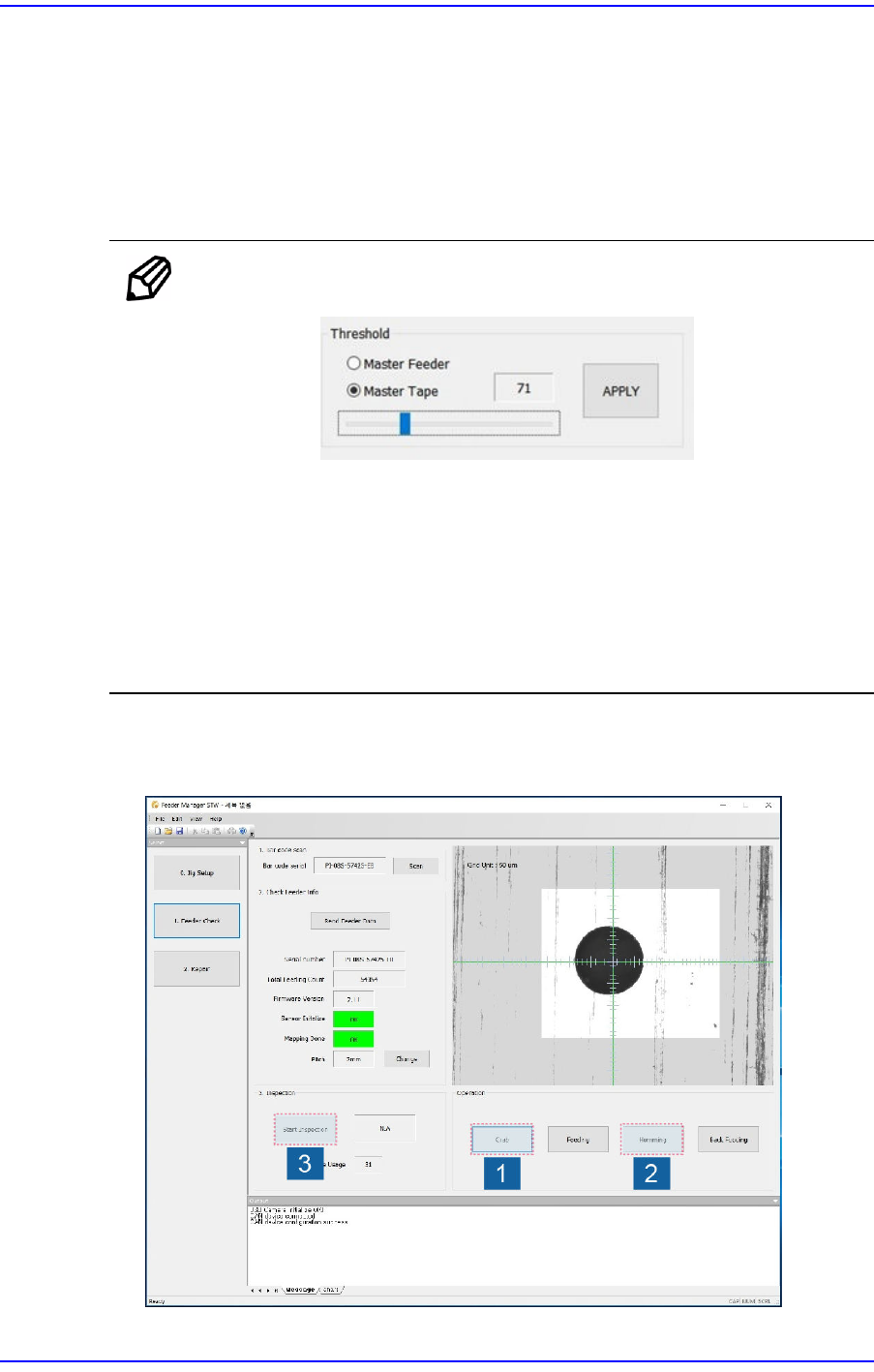
6. Begin inspection of the part supply accuracy of the feeder in the following order:
3-16
User's Guide For Tape Feeder Calibration Jig
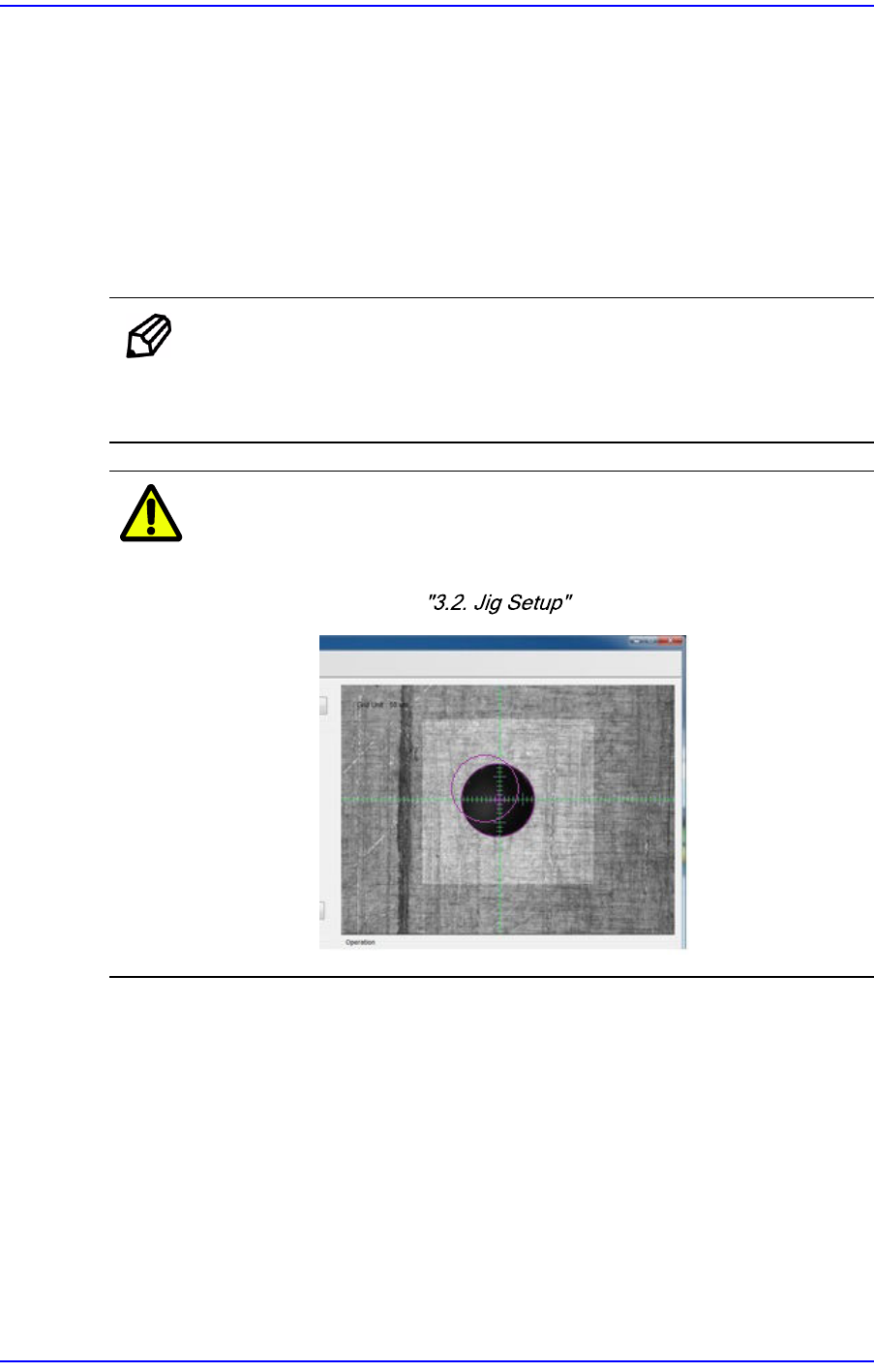
1) Check whether the hole position is correctly recognized repeatedly by clicking the
<Grab> button 3~5 times. When the origin of the master feeder hole changes in
the vision window, adjust the threshold of the master tape again.
2) Click the <Homing> button to perform homing of the feeder.
3) Click the <Start Inspection> button to inspect the part supply accuracy of the
feeder. Starting the inspection will display the <Start Inspection> button as the
<Stop Inspection> button, and the vision system recognizes the master hole
position after the feeder has performed feeding 80 times.
Memo
In order to stop the inspection of the part supply accuracy of the
feeder, click the <Stop Inspection> button. However, stopping the
inspection will reset the feeding count and inspection results entirely.
Caution
If the feeder hole position recognized by the vision system
is found to be incorrect by clicking the <Grab> button, a
serious problem may occur. Set the origin of the tape feeder
referring to .
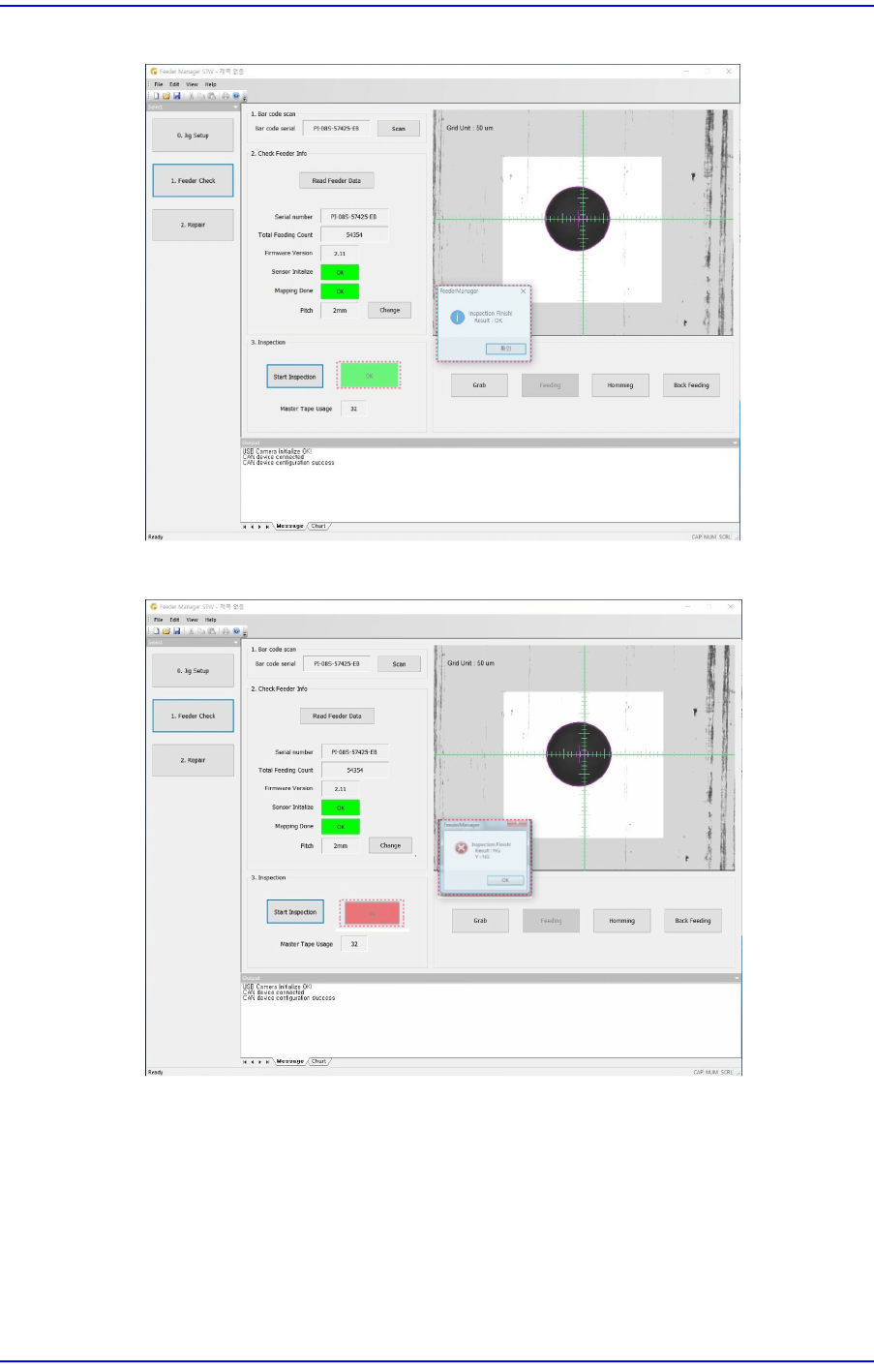
7. Completing the inspection will display the inspection result in the screen as shown in
the following screen.
3-17
Tape Feeder Calibration
Figure3.1 When Inspection Result is Good
Figure3.2 When Inspection Result is Not Good
w When the inspection result is ’X NG’
Set the eccentric pin of the feeder again referring to the "5.3.3. Adjustment of X
Eccentric Pin of Tape Feeder".
w When the inspection result is ’Y NG’
Initialize the sensor referring to "3.4.3. Mapping Inspection" and perform
mapping inspection. If the inspection results are found to be NG more than 2
times, solve the problem referring to "6.1. Problems and Measures".