SME_Jig_User_Guide(Eng_Ver1).pdf - 第28页
2-2 User's Guide For Tape Fe eder Calibration Jig 2.1.1. X, Y and Z St ages A camera is asse mbled to the X, Y and Z stages. They can b e moved to the X, Y and Z axes using a adjustment pin. 1: Z- axis Adjustment Pi…
2-1
Prepare
Chapter2. Prepare
2.1. Name and Function of Each Part
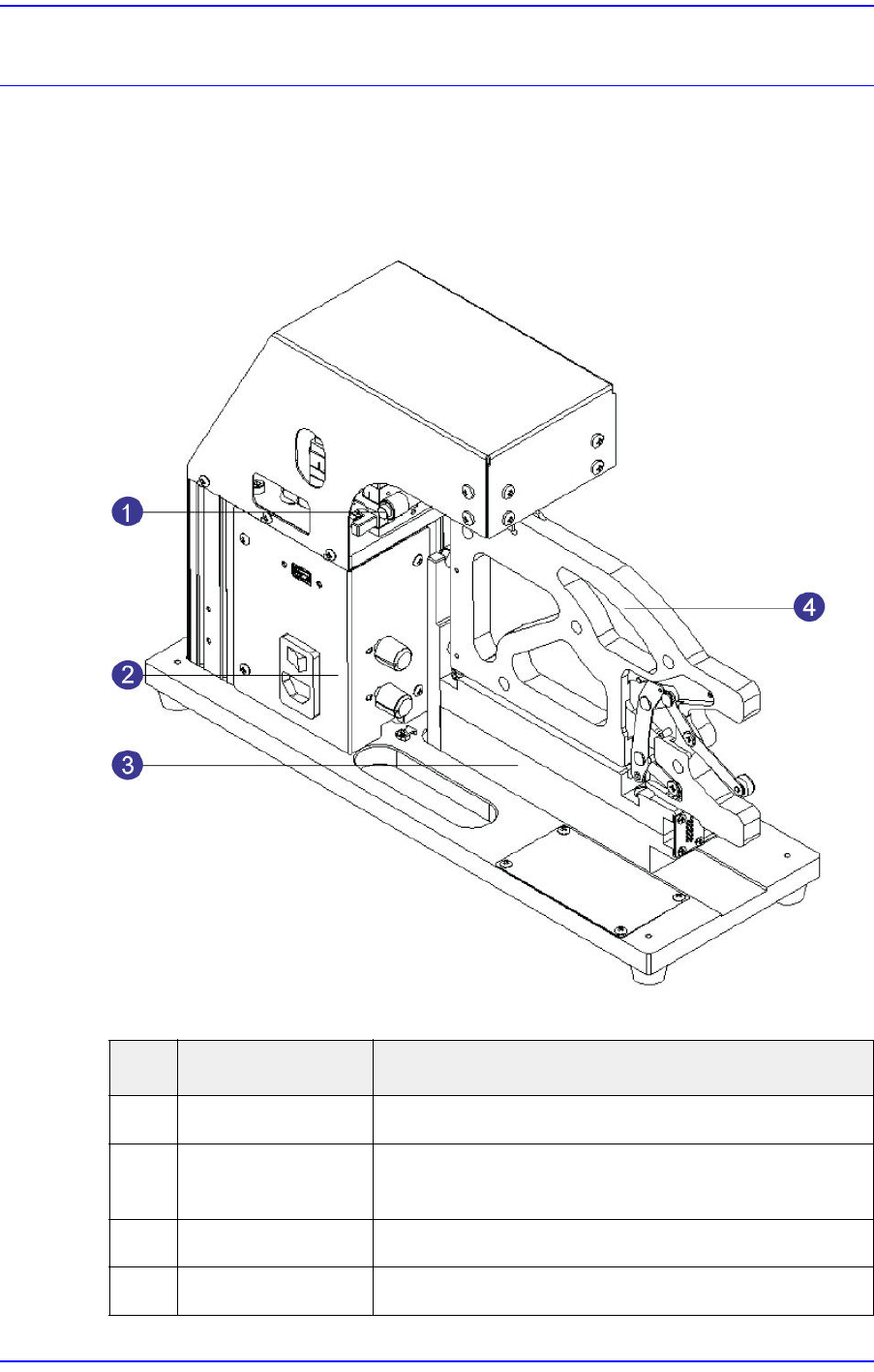
A calibration jig is a device to calibrate and inspect a feeder. The name and function of
each part is as follows:
No. Name Description
1 X, Y and Z Stages Move a stage position to X, Y or Z axis
2 Power Supply
Switch and Lighting
Calibration jig power connection, communication
connection, lighting brightness adjustment
3 Feeder Base Slot in which a feeder to be calibrated is installed
4 Master Feeder Reference feeder for feeder calibration
2-2
User's Guide For Tape Feeder Calibration Jig
2.1.1. X, Y and Z Stages
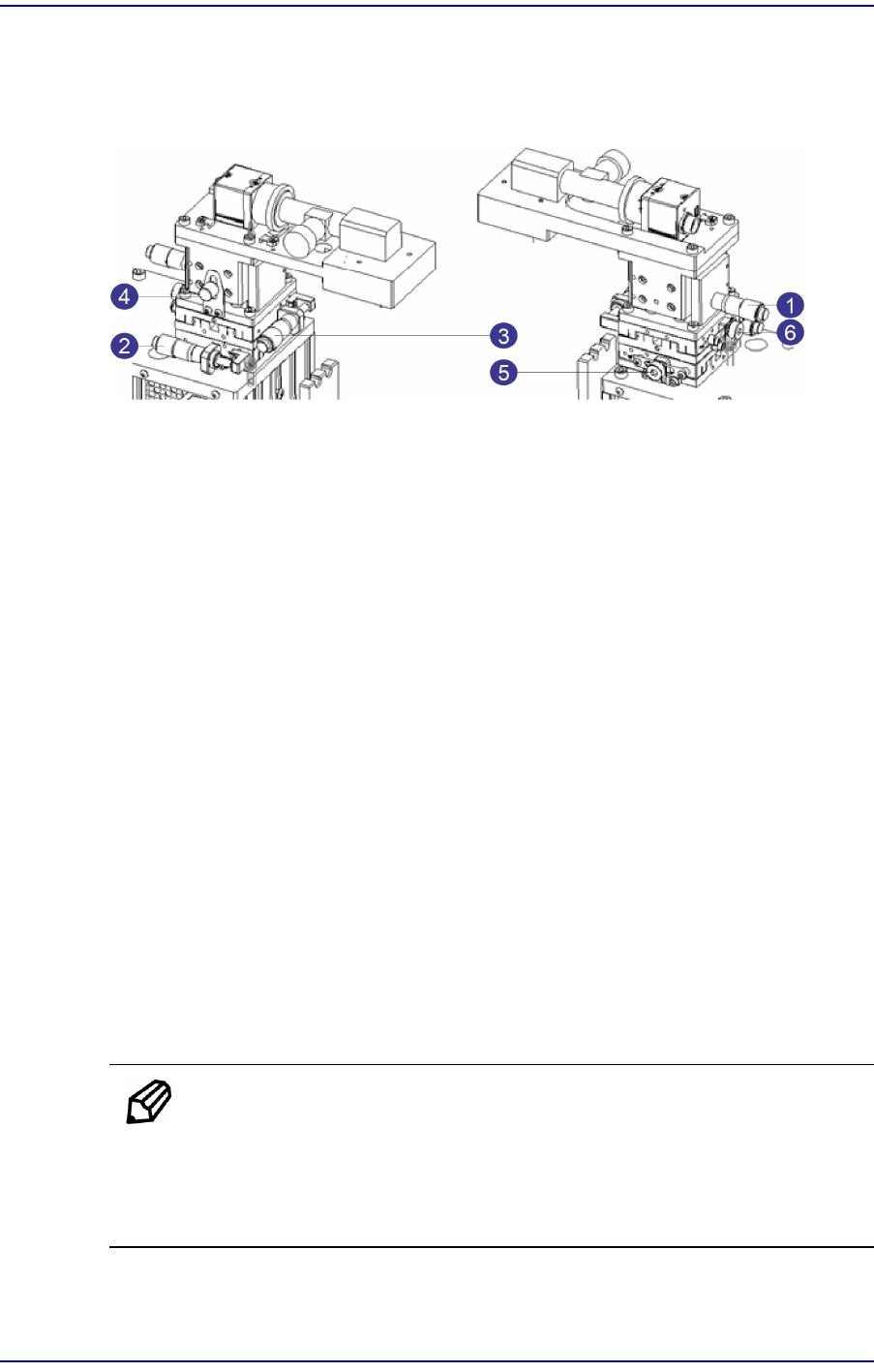
A camera is assembled to the X, Y and Z stages. They can be moved to the X, Y and Z
axes using a adjustment pin.
1: Z-axis Adjustment Pin
2: Y-axis Adjustment Pin
3: X-axis Adjustment Pin
4: Z-axis Fixing Pin
5: Y-axis Fixing Pin
6: X-axis Fixing Pin
w Z-axis Adjustment Pin
Moves the stage to the Z-axis.
w Y-axis Adjustment Pin
Moves the stage to the Y-axis.
w X-axis Adjustment Pin
Moves the stage to the X-axis.
w Z-axis Fixing Pin
Fixes the stage Z-axis
w Y-axis Fixing Pin
Fixes the stage Y-axis
w X-axis Fixing Pin
Fixes the stage X-axis
Memo
It is possible to adjust the stage X, Y and Z axes with the upper base
cover protecting the camera and stage being assembled.
Use a flat head screwdriver when fastening a fixing pin for the X, Y
and Z axes.
2-3
Prepare
2.1.2. Power Supply and Lighting
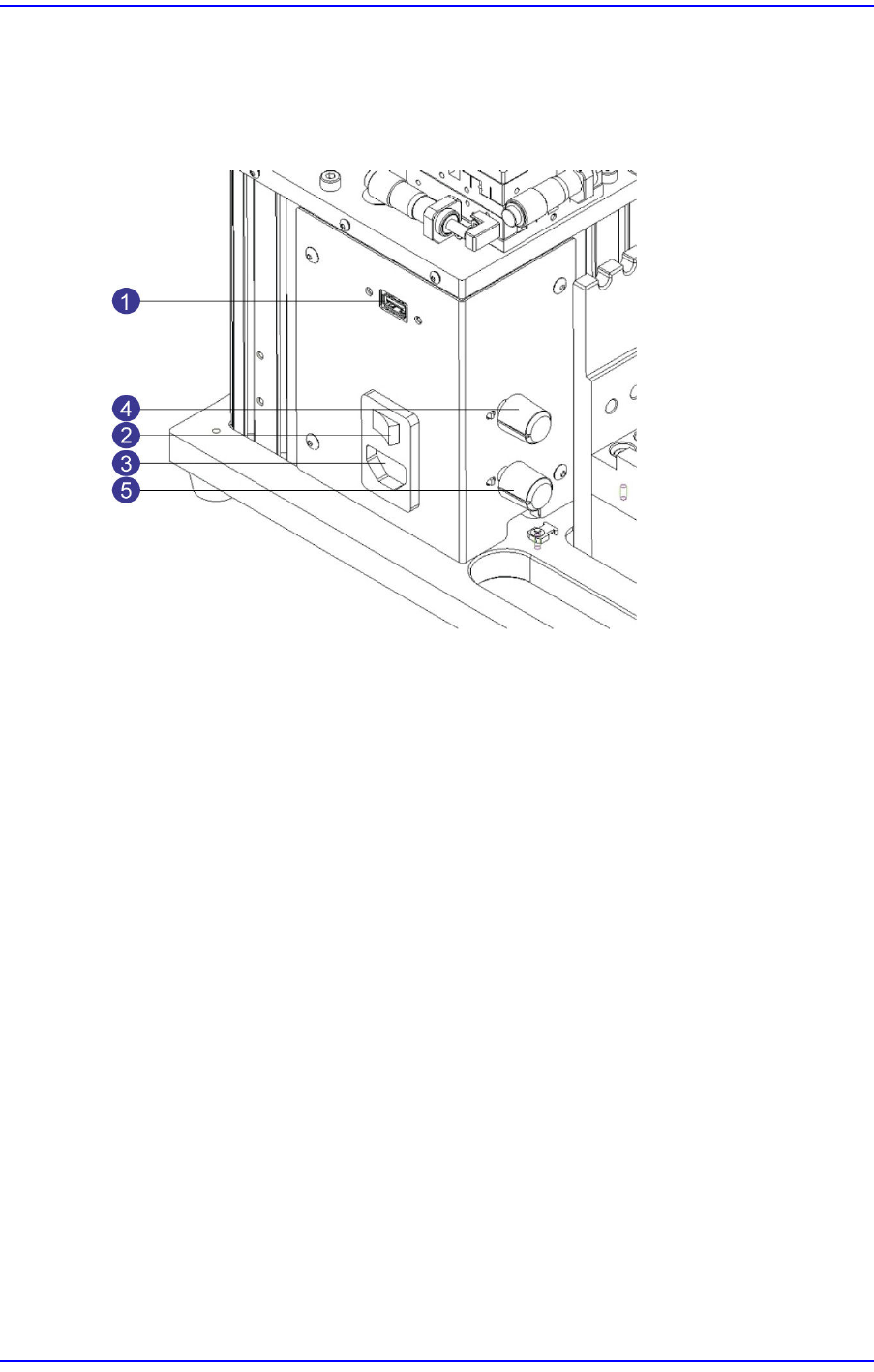
Power and lighting sections have a connector for the power supply, a dial adjusting the
brightness of the lighting, and a USB port for communication between the calibration jig
and computer.
1: USB Port for CAN Communication
2: Main Power Supply Switch
3: Main Power Supply Connector
4: Coaxial Lighting Adjustment Dial
5: Fiducial Lighting Adjustment Dial
w USB Port for CAN Communication
Communication port for the USB cable connecting the computer and calibration jig
w Main Power Supply Switch
Switch that turns on/off the power supply to the calibration jig
w Main Power Supply Connector
Power supply connector connecting the power cable
w Coaxial Lighting Adjustment Section
Dial adjusting the brightness of the coaxial lighting
w Fiducial Lighting Adjustment Section
Dial adjusting the brightness of the fiducial lighting