SME_Jig_User_Guide(Eng_Ver1).pdf - 第68页
4-10 User's Guide For Tape Fe eder Calibration Jig 19. Check whether the [NTREX USB2CAN Conv erter] is recognized properly to the ’Universal Serial B us controllers’ in the Device Manager . 20. Run the Feeder Firmwa…
4-9
Program Installation
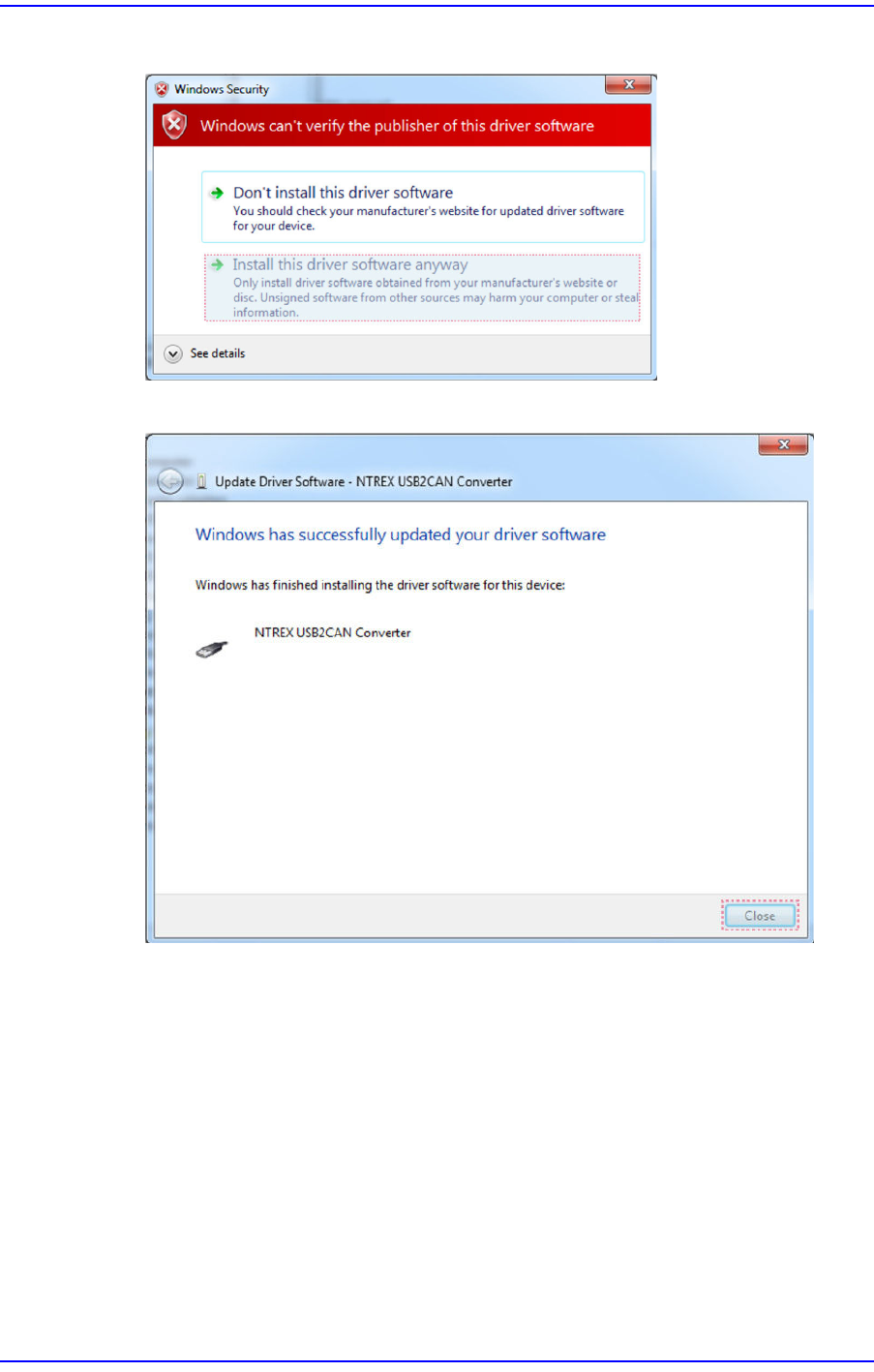
17. Select ’Install this driver software anyway’.
18. Click the <Close> button to finish the [NTREX USB2CAN Converter] installation.
4-10
User's Guide For Tape Feeder Calibration Jig
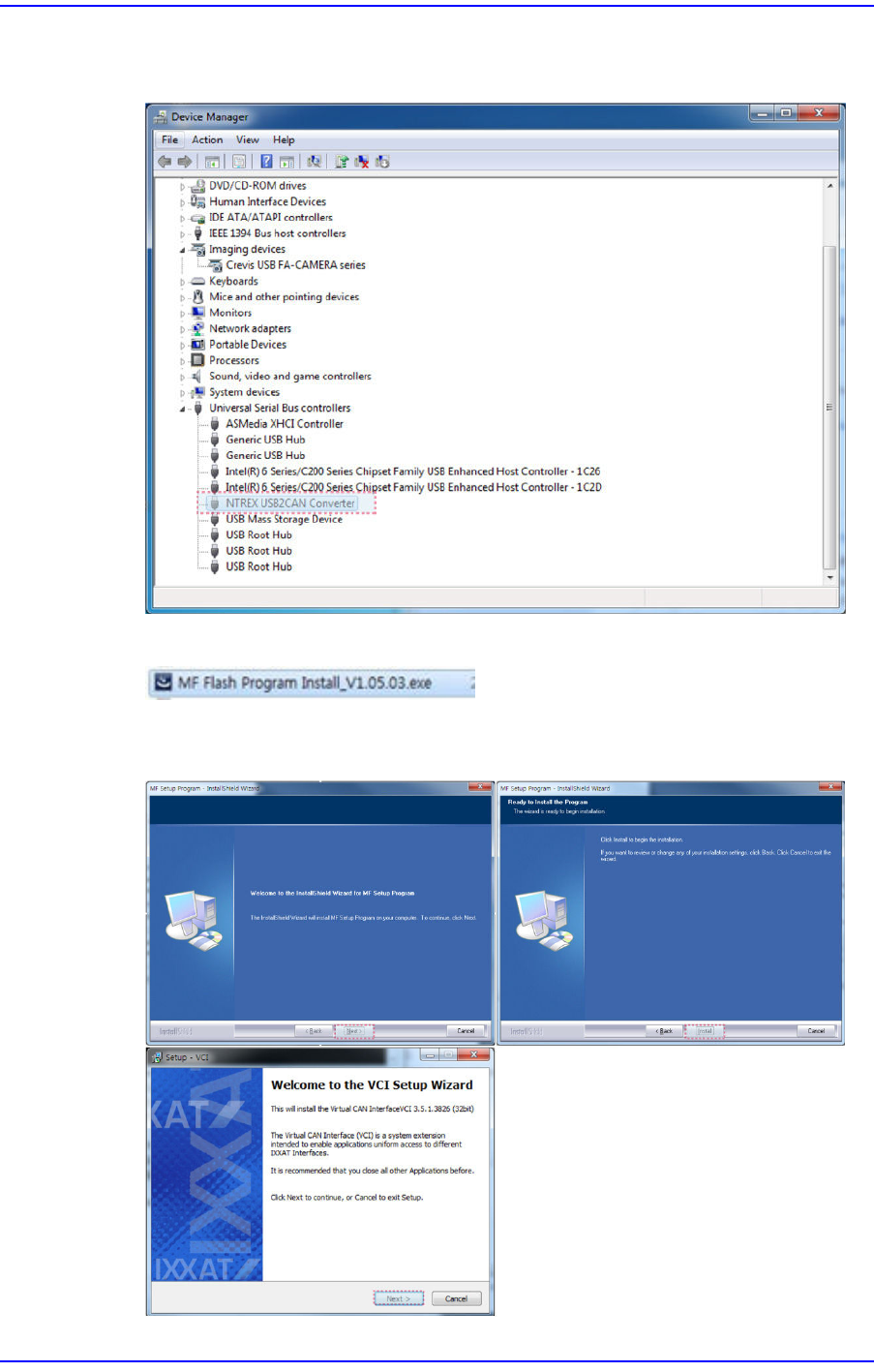
19. Check whether the [NTREX USB2CAN Converter] is recognized properly to the
’Universal Serial Bus controllers’ in the Device Manager.
20. Run the Feeder Firmware Download program saved in the USB.
21. Click the <Next> button or <Install> button until the ’VCI License Agreement’ dialog
box appears.
4-11
Program Installation
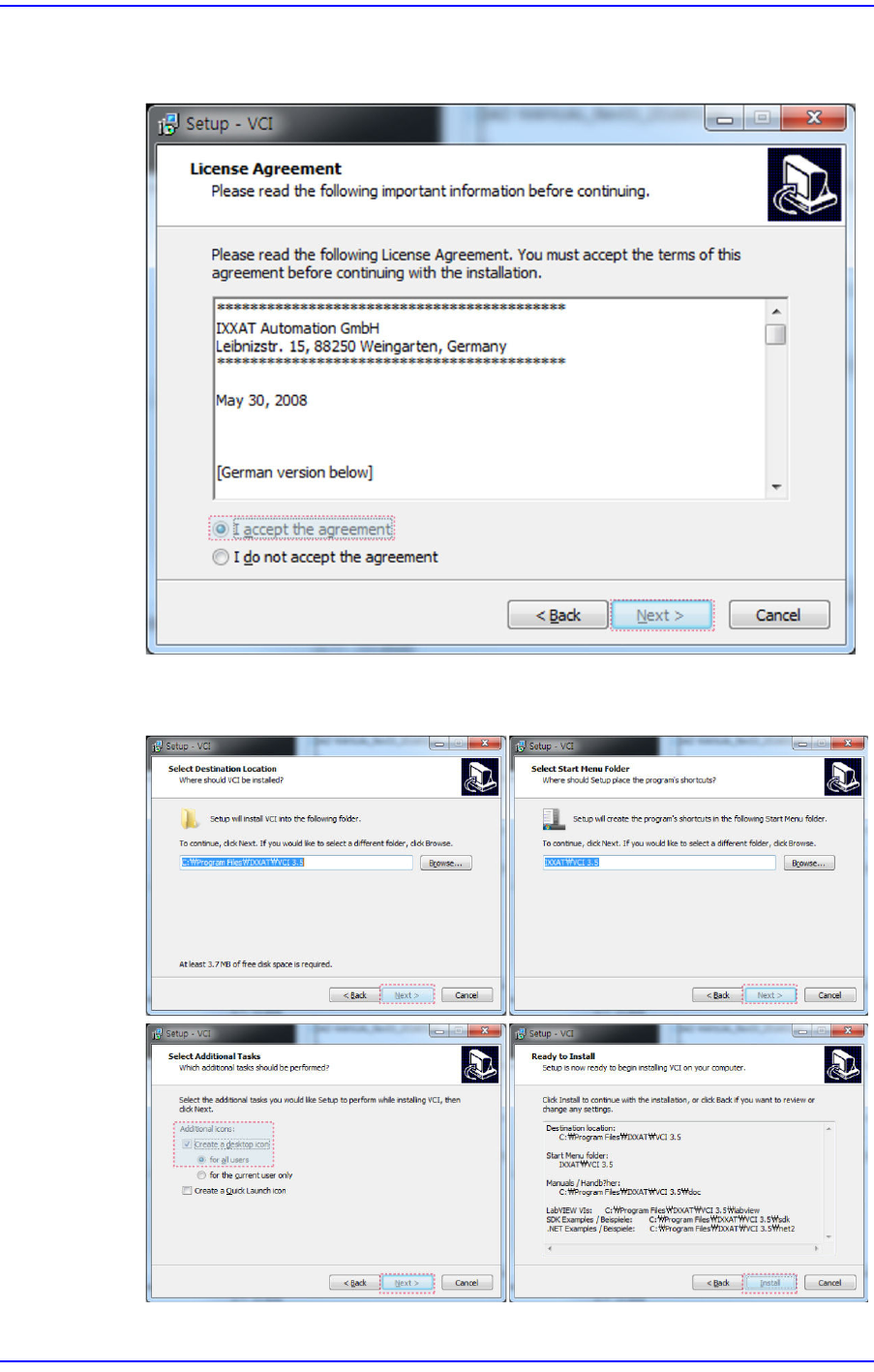
22. Select the <I accept the agreement> option button in the ’VCI License Agreement’
dialog box and click the <Next> button.
23. Click the <Next> button or <Install> button until the ’Windows Security’ dialog box
appears.