SME_Jig_User_Guide(Eng_Ver1).pdf - 第35页
3-3 Tape Feeder Calibration w Whe n calibrating W4P1, 0402 and 8mm feede rs w When calibrating 12mm/16mm feeders 3. After ensuring the master feeder has come into close contact with the front plate of the cal ibration ji…
3-2
User's Guide For Tape Feeder Calibration Jig
3.2. Jig Setup (Jig Setup)
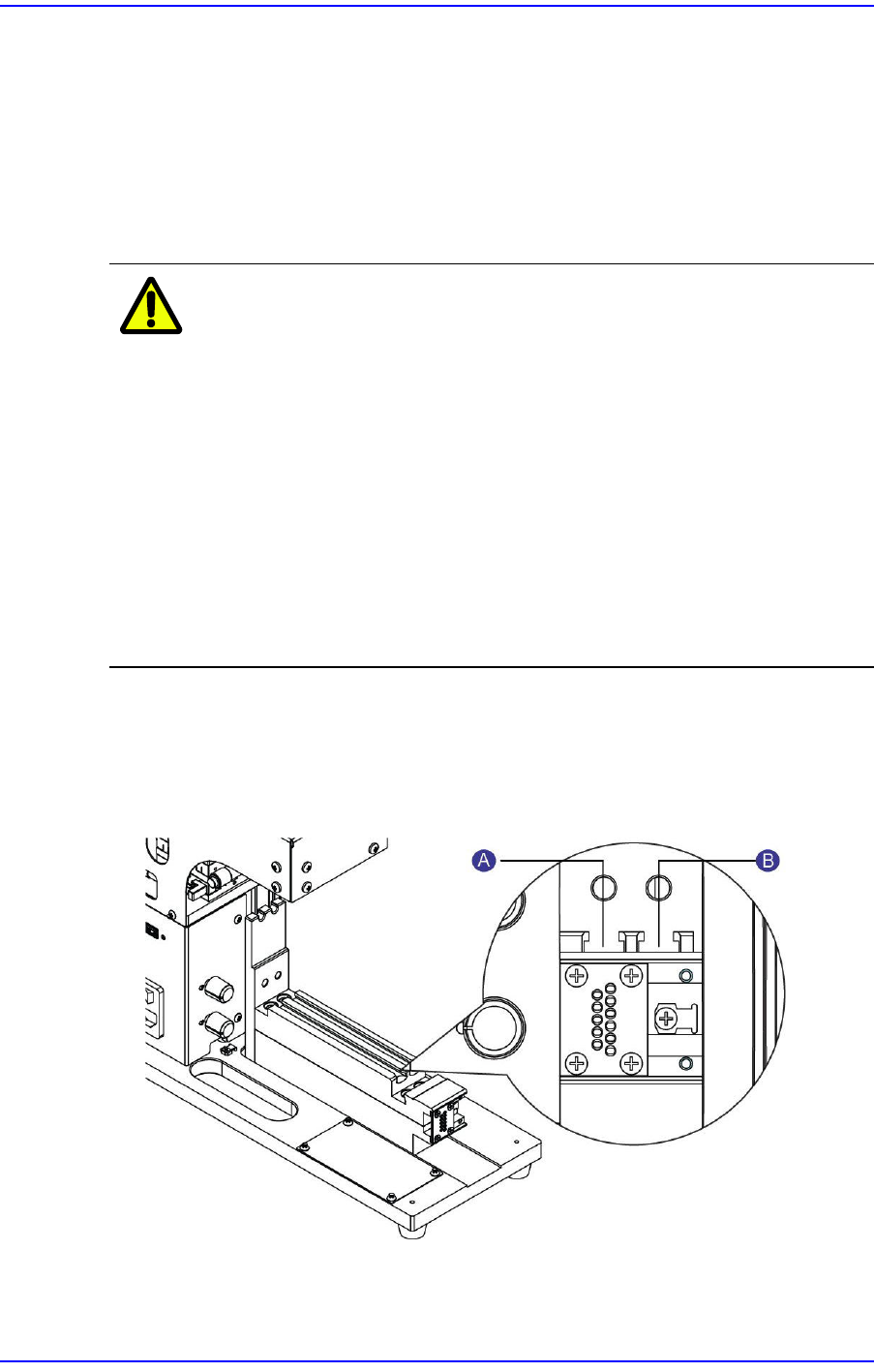
Perform setup so that the calibration jig camera teaches the origin mark of the master
feeder. The tools required to teach the origin mark of the master feeder are as follows:
w Calibration Jig
w Calibration Software
w Master Feeder
Caution
w If a microchip is on the upper surface of the feeder base when
teaching the origin mark of the master feeder, a calibration error
of +50 ~ +80μm may occur.
w Placing the master feeder with a microchip jammed between the
master feeder and feeder base will make it difficult to check
visually whether a microchip is jammed or not. Therefore, clean
the feeder base before inserting feeders.
w For more details about calibration jig cleaning, refer to ”5.2.2.1.
Removal of Foreign Materials on Feeder Base / Vertical Plate”.
Remove any foreign materials on the master feeder and feeder
base using a brush or air gun.
The method to teach the origin mark of the master feeder is as follows:
1. Turn on the power supply to the calibration jig.
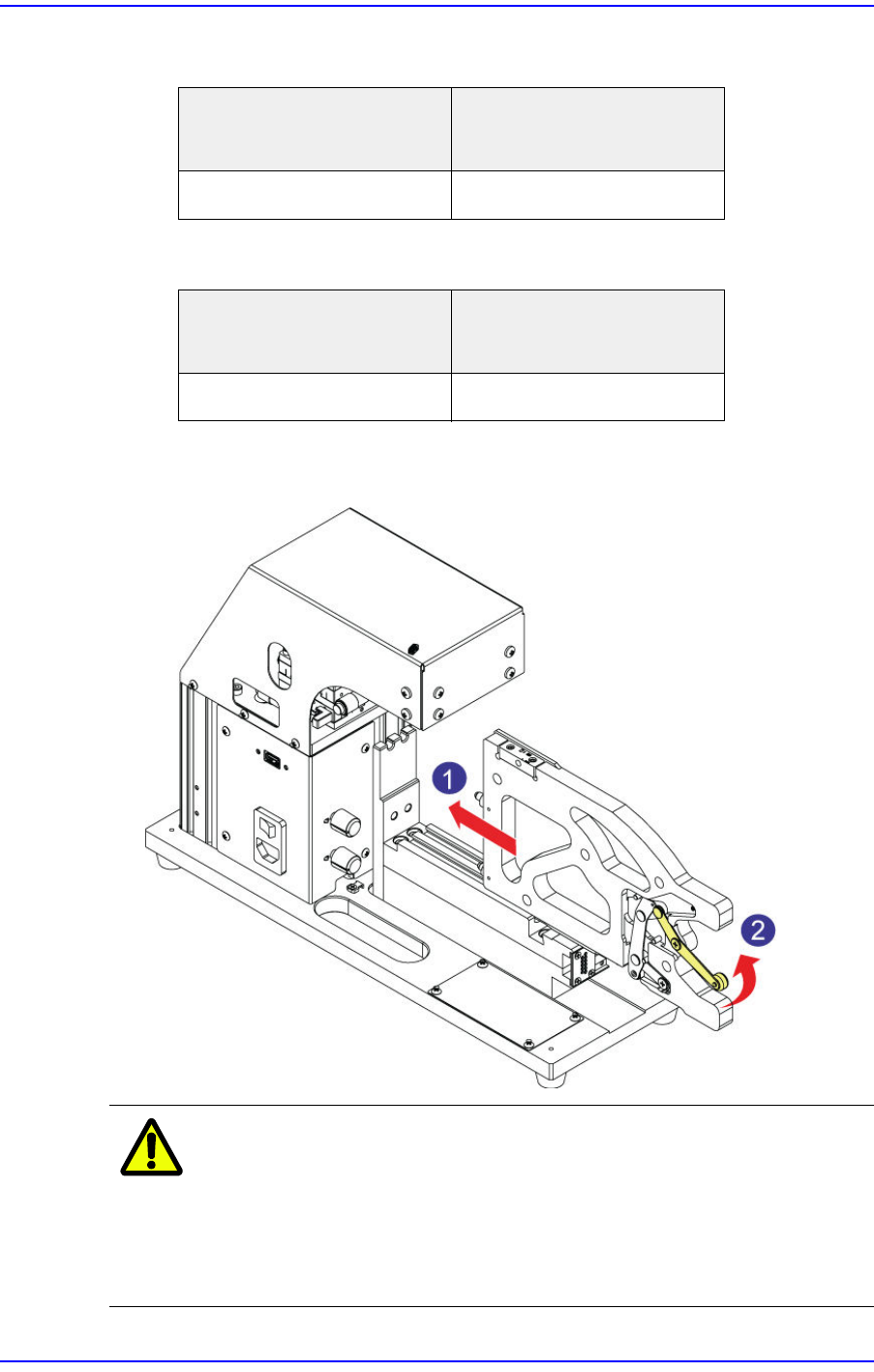
2. Insert the master feeder into the feeder base slot according to the type of feeders whose
origin is to be set.
1: Left (#1) Slot
2: Right (#2) Slot
3-3
Tape Feeder Calibration
w When calibrating W4P1, 0402 and 8mm feeders
w When calibrating 12mm/16mm feeders
3. After ensuring the master feeder has come into close contact with the front plate of the
calibration jig, push the clamp lever up to fix the master feeder at the feeder base.
Caution
When inserting the master feeder into the feeder slot of the
calibration jig, moving the clamp lever up with a chip or
foreign material being jammed may cause the clamp lever
or link to bend. If the clamp lever or link is bent, replace it
without fail before using the master feeder.
Placement position of the
master feeder
Placement position of the
feeder to be calibrated
Left (#1) Slot Left (#1) Slot
Placement position of the
master feeder
Placement position of the
feeder to be calibrated
Right (#2) Slot Left (#1) Slot
3-4
User's Guide For Tape Feeder Calibration Jig
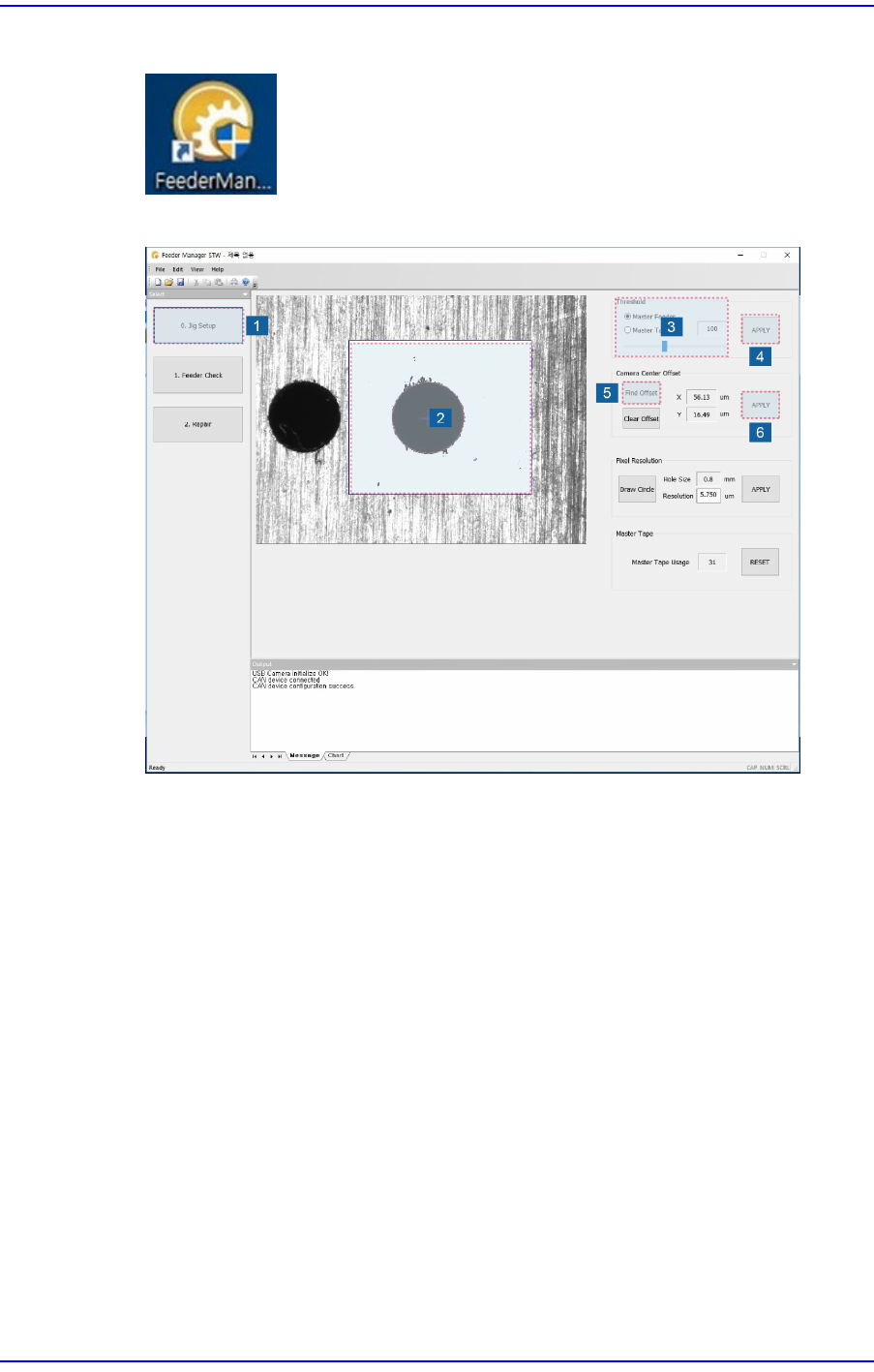
4. Double click the icon to run the calibration jig program.
5. Run the calibration jig program and manipulate the program in the following order:
1) Click the <Jig Setup> button.
2) Set the inspection area in the vision window. Dragging the mouse while clicking
the left button of the mouse will display the area.
3) Set the coaxial and fiducial lighting of the calibration jig. Then select the <Master
Feeder> option button in the <Threshold> area of the program and manipulate the
slider bar to perform setup so that the origin mark of the master feeder can be seen
clearly in the vision window.
If the origin mark of the master feeder is out of focus, ensure the image viewed in
the vision window is in focus by manipulating the Z stage of the calibration jig.
4) Click the <Apply> button to save the set value.
5) Perform adjustment so that the origin mark of the master feeder corresponding to
the tape feeder to be calibrated comes to the center of the vision window by
moving the XY stage of the calibration jig.
Adjust the XY stage by clicking the <Find Offset> button in the <Camera Center
Offset> area so that the distance between the center of the vision window (gray
crosshair) and the center of the origin mark of the master feeder (green crosshair)
will be less than 50μm.