SME_Jig_User_Guide(Eng_Ver1).pdf - 第74页
4-16 User's Guide For Tape Fe eder Calibration Jig 6. Clic k the <F/W Download> button to upgrade th e firmware. Memo According to the firmware upgrade progres s, the status of the tape feeder is displayed a s…
4-15
Program Installation
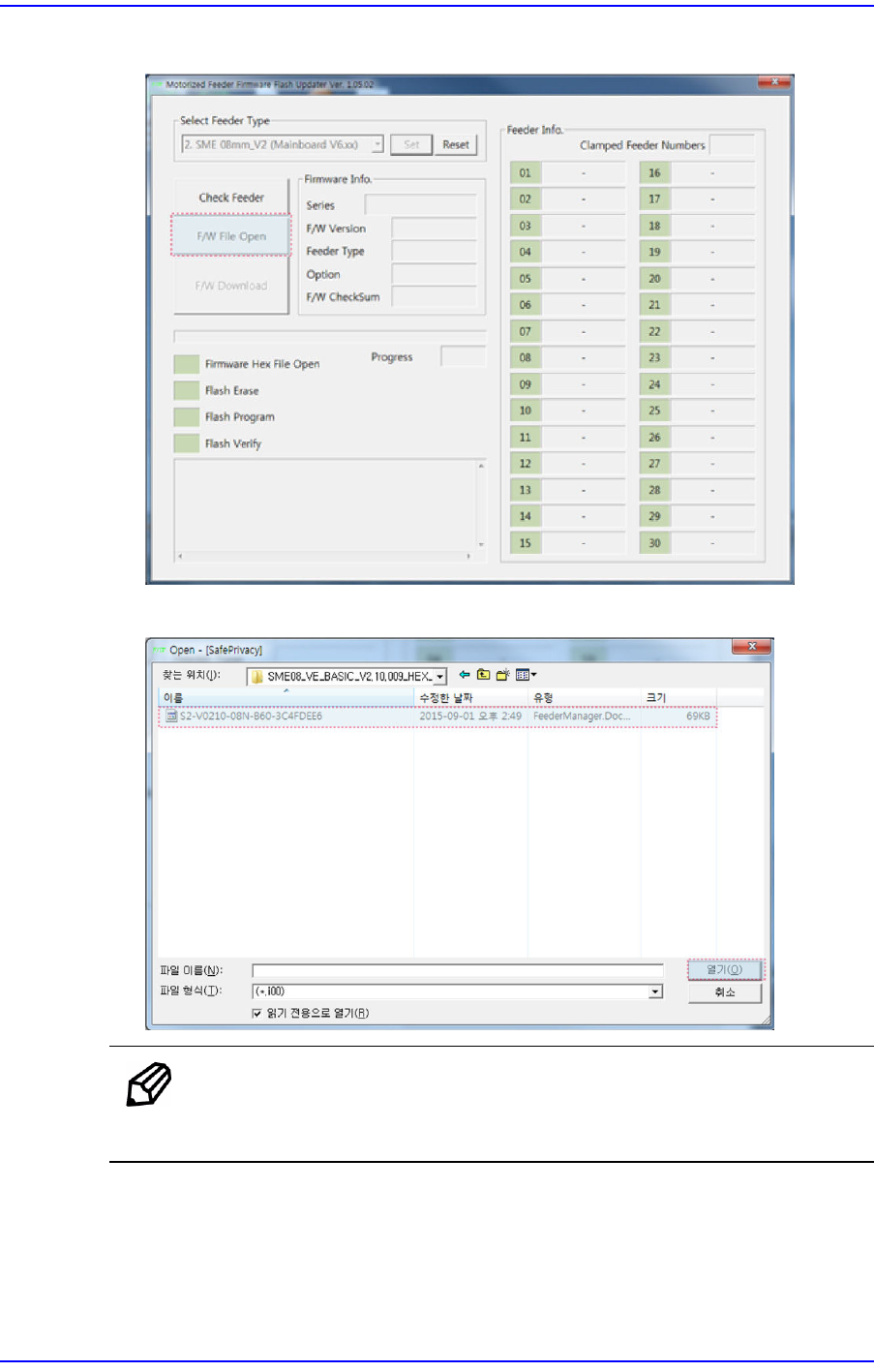
4. Click the <F/W File Open> button.
5. Select the firmware Hex file.
Memo
The "V0210" section in the Hex file name in the No. 5 step means
that the firmware version is "2.10".
4-16
User's Guide For Tape Feeder Calibration Jig
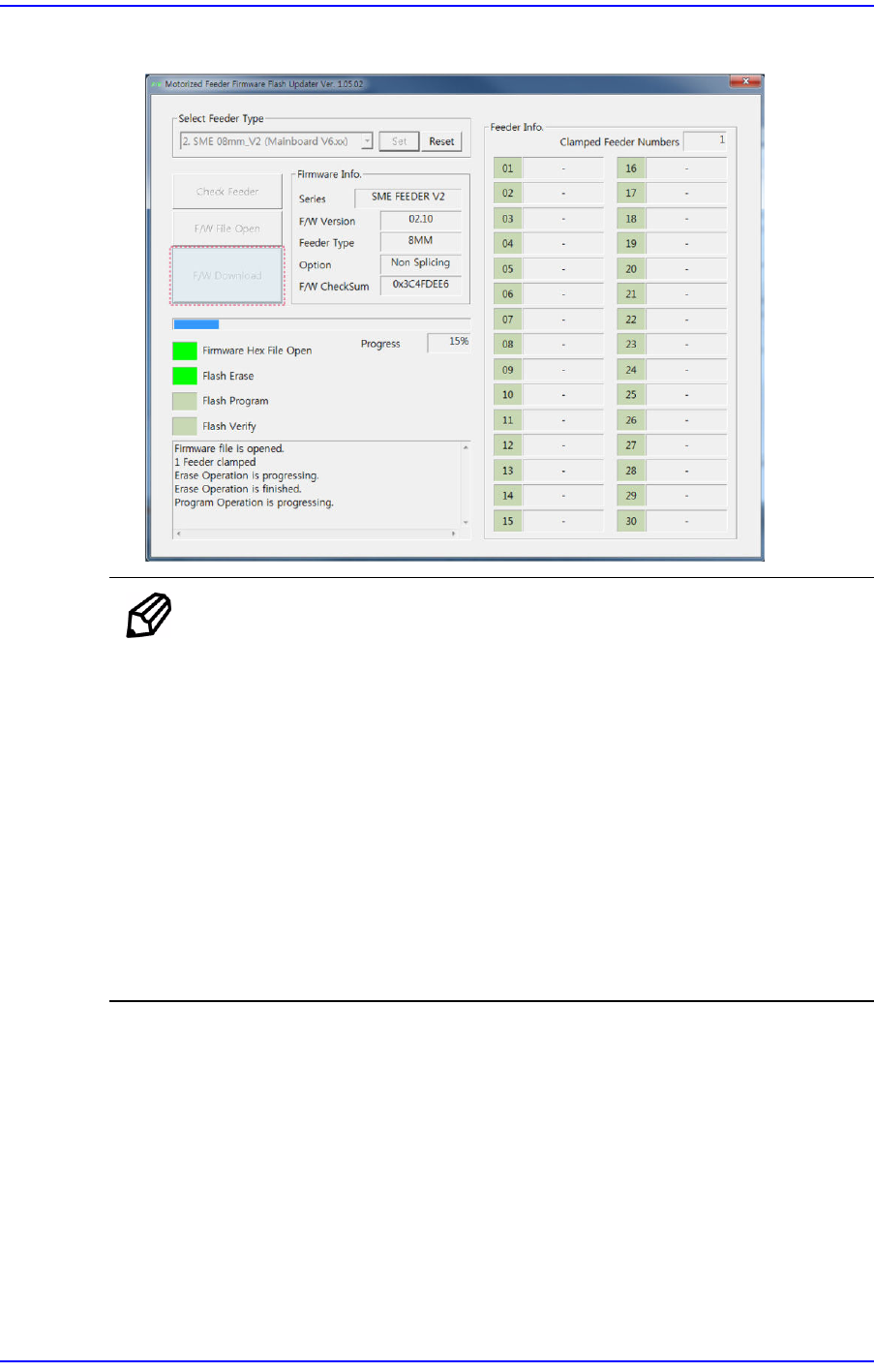
6. Click the <F/W Download> button to upgrade the firmware.
Memo
According to the firmware upgrade progress, the status of the tape
feeder is displayed as follows:
w When the firmware version of the tape feeder is 2.xx
Flash Erase: The tape feeder status LED is displayed in white.
Flash Program: The tape feeder status LED blinks in white.
Flash Verify: The tape feeder status LED is displayed in white.
w When the firmware version of the tape feeder is 1.xx
Flash Erase: The tape feeder status LED is displayed in blue.
Flash Program: The tape feeder status LED blinks in blue.
Flash Verify: The tape feeder status LED is displayed in blue.
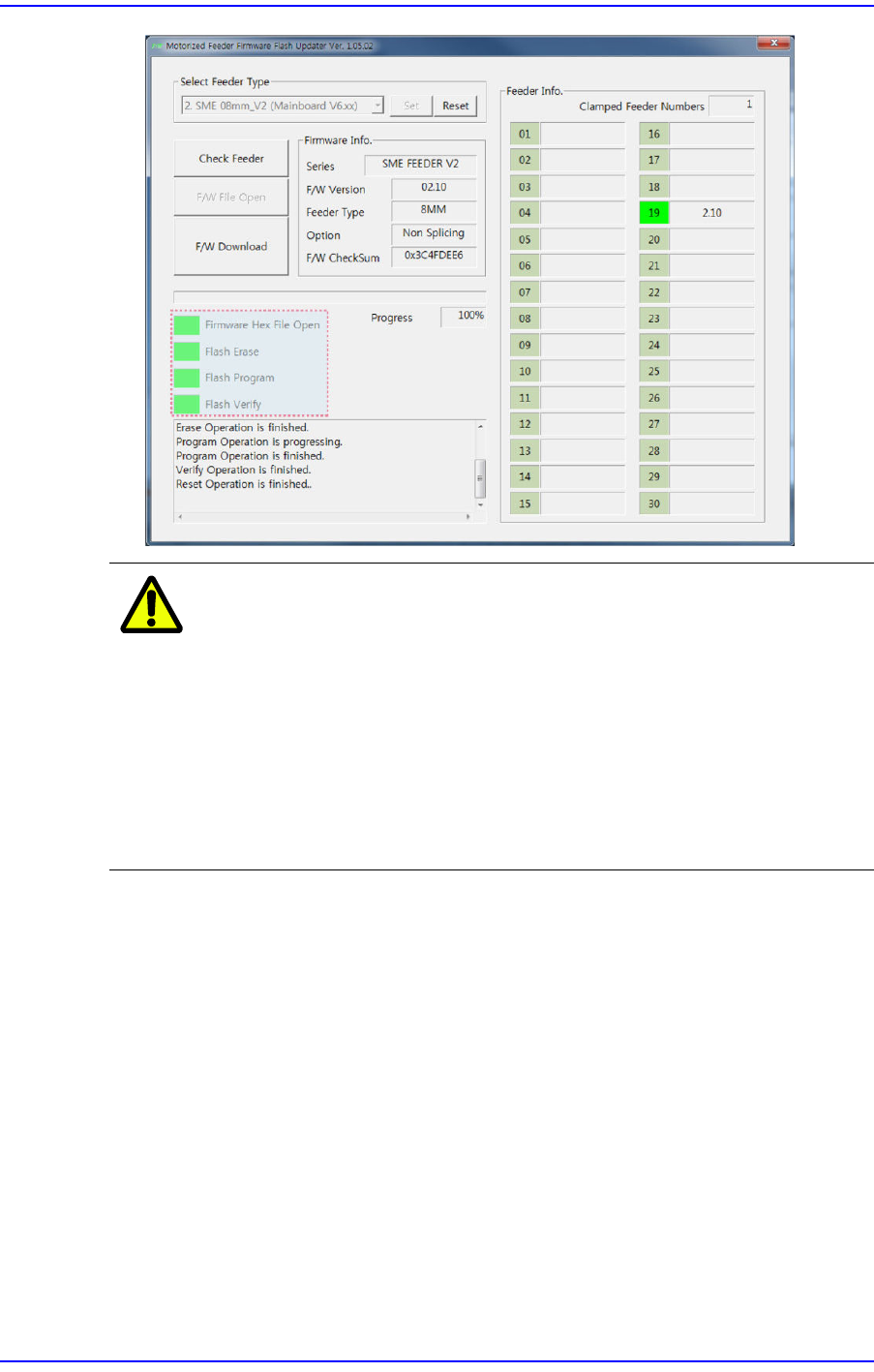
7. Finish tape feeder firmware upgrade. Then after checking whether the entire program
status display area has turned green, remove the tape feeder from the feeder base.
4-17
Program Installation
Caution
Turning off the power supply to the tape feeder while
upgrading the tape feeder firmware will cause serious
damage to the tape feeder main board.
Do not turn off the power supply to the tape feeder while
upgrading the firmware. Otherwise, we are not responsible
for the damage to the main board considering that the main
board was damaged due to user's carelessness.
When a problem occurs, contact our C/S.